
Description
Pricing
Features
Specification
Review
FAQs
Alternatives


 View Gallery
Brand: LIFESIZE
Lifesize is an best video conferencing software for everyday meetings and corporate video conferences. The software features a wide variety of tools and services, enabling its users to showcase their business ideas to the clients in the best possible way. Further, all the video conferences hosted via Lifestyle are fully encrypted. Users also get to manage their own encryption keys. Lifesize offers its facilities across more than 60 countries all around the globe. Moreover, user...Read more

Get Free Expert Consultation
Let us know your business needs clearly

Verified & Trusted
Vendors

Safe & Secure
Payment

Personalized
Experts Support
Price On Request
Features
 Wireless Screen Sharing Digital Signage Whiteboard Sharing Real Time Visibility Personal Meetings & Review
 See all 
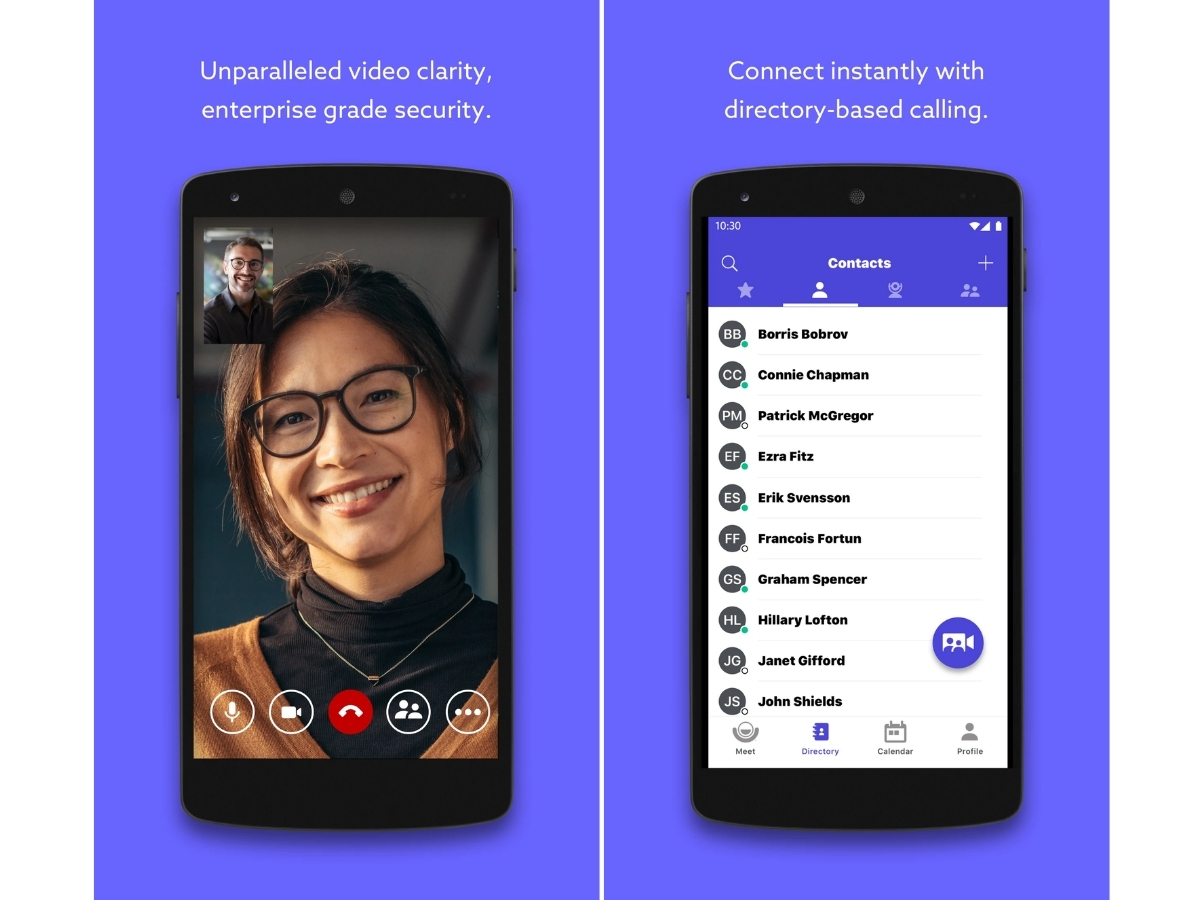
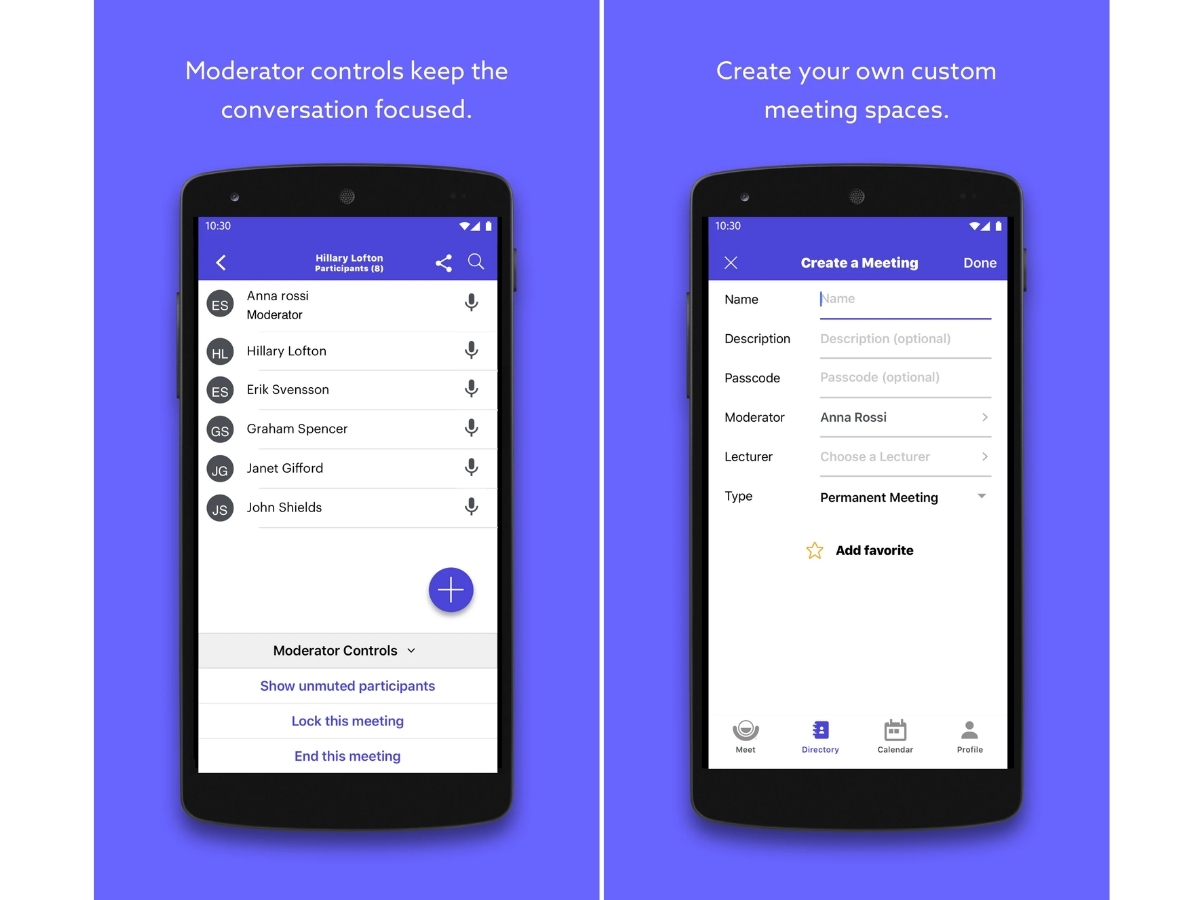
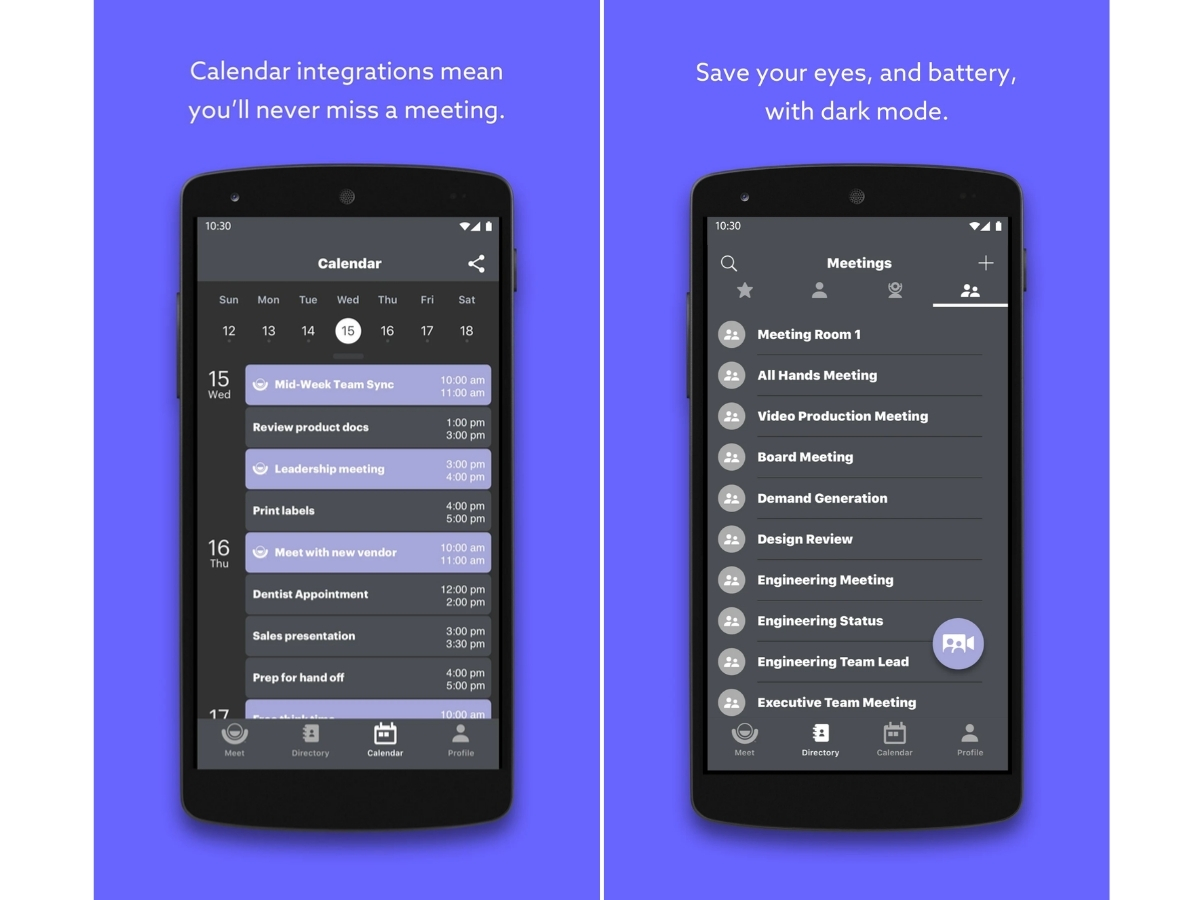
 Wireless Screen Sharing Effortlessly present your screen from any device without the need for cables or dongles during your professional meetings. Digital Signage Transform your idle meeting room displays into powerful communication tools for company news and important announcements. Whiteboard Sharing Capture and share physical whiteboard content in real-time with remote participants to enhance your collaborative sessions. Real Time Visibility Monitor your entire global video network from a single dashboard to ensure every meeting room is performing at its peak. Personal Meetings & Review Conduct private one-on-one sessions and review recorded video content to improve your team's internal communication. Meeting Recording Capture and archive every video conference with high-quality recording tools for easy playback and knowledge sharing later. Real Time Analytics Access deep data insights regarding meeting participation and system usage to optimize your corporate video infrastructure. Branding Customize your meeting interface and room displays with your own corporate logo and colors for a professional brand experience. Encryption Secure your private conversations with end-to-end encryption standards that protect your sensitive data from any intruders. 4K Video Quality Experience industry-leading visual clarity with full 4K video support that makes every virtual meeting feel like a face-to-face. Guest Invitations Allow external partners to join your secure video calls instantly via a web browser without needing to download software. Calendar Integration Seamlessly sync your meeting rooms with Microsoft Outlook or Google Calendar for simple one-touch join functionality. Directory-Based Dialing Quickly find and call colleagues through a centralized company directory rather than searching for complex meeting IDs. Interoperability Connect with other standards-based video systems and platforms like Microsoft Teams or Zoom for total flexible calling. Hybrid Cloud Architecture Benefit from a secure and scalable network that combines local hardware reliability with the flexibility of cloud tools.
Have recommended this product
Overall Score
Review this product
Your valuable feedback helps others like you make a better decision.
| Brand Name | LIFESIZE |
| Information | Lifesize, Inc., recently acquired by Enghouse Systems is now part of the Enghouse Interactive Management Group. |
| Founded Year | 2003 |
| Director/Founders | Craig Malloy and Michael Kenoyer |
| Company Size | 101-500 Employees |

 20,000+ Software Listed
 Unbiased Comparison
 Read Authentic Reviews
 500,000+ Monthly Users
 USA
USA India
India