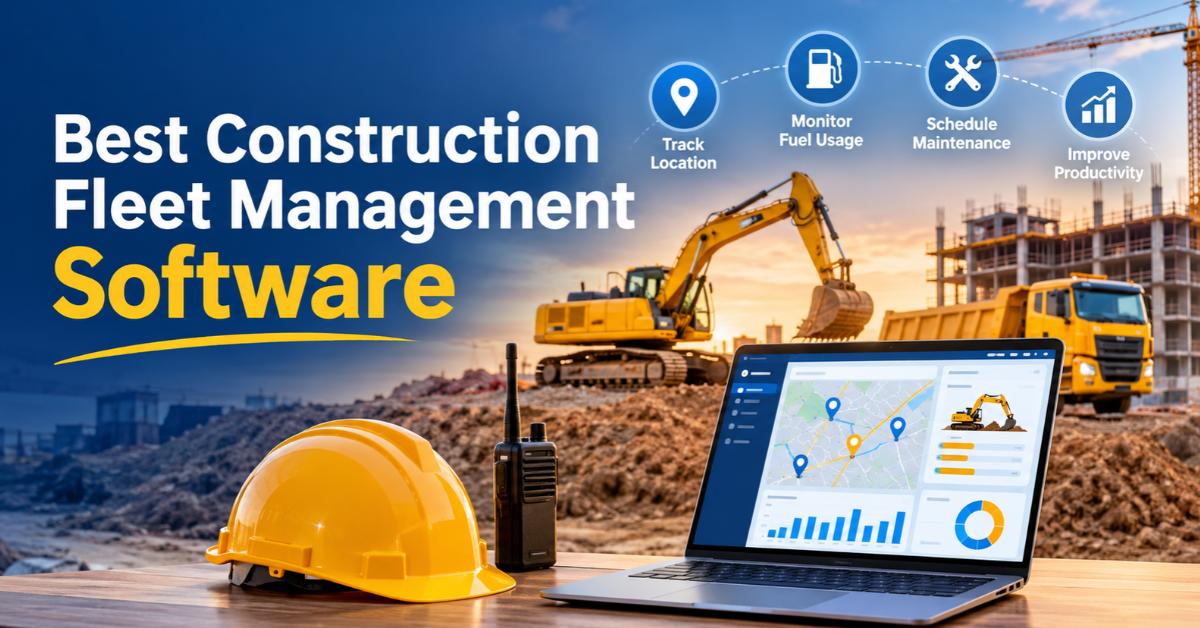
8 Best Construction Fleet Management Software in 2026
8 Best Construction Fleet Management Software in 2026
Last Updated: November 23, 2026
Construction equipment like excavators, cranes, JCBs, dump trucks, etc., indeed cost a lot. But buying them is only half the battle won. The real task is keeping track of where they are deployed, how exactly they are being used, and whether or not they are working as they should.
This is why more and more businesses operating in the field are turning to construction fleet management software. As the name implies, the software helps track heavy equipment and vehicles, so their maintenance schedules are adhered to and fuel consumption trailed at all times.
This gives project teams a clear picture of how their heavy machinery is put to use on an everyday basis. It also significantly brings down operating costs by preventing unprecedented breakdowns, reducing downtime, and minimizing unnecessary fuel usage.
Let’s thus take a look at the 8 best construction equipment fleet management software solutions available today and see what each one brings to the table.
What is Construction Fleet Management Software?
Construction fleet management software is a software solution that helps construction companies track their vehicles, equipment, and heavy machinery from one place without having to rely on manual calling or recordkeeping.
The software can track equipment location, fuel usage, operating hours, maintenance schedules, and overall fleet performance. This, so companies get to utilize their expensive machinery in a better, much more efficient manner.
List of 8 Best Construction Fleet Management Software in 2026
Some of the leading fleet management software for construction are listed below for your understanding…
Software
Ideal Fleet Size
Best Known For
Caterpillar VisionLink
Large
Machine Utilization Insights
Trackunit
Medium to Large
Multi-OEM Connectivity
Tenna
Medium to Large
Full Jobsite Visibility
Clue
Small to Medium
Simplicity
Samsara
Large
Fleet Visibility and Safety
Geotab
Medium to Large
Advanced Reporting
Teletrac Navman
Medium to Large
Driver and Fleet Monitoring
Fleetio
Any Size
Repair and Service Management
Let’s get into their technical specifications one by one to help you decide which heavy equipment fleet management software would meet the needs of your business in the best way possible…
1. Caterpillar VisionLink
Caterpillar VisionLink is a construction fleet management software solution built for companies that rely heavily on machines such as excavators, loaders, and bulldozers. It helps users see where equipment is located, how long it has been running, how much fuel it is using, and when it needs maintenance.
The platform, as such, is especially useful for contractors that want to get more work out of their equipment and avoid costly downtime.
Key Features of Caterpillar VisionLink:
Brings equipment from different brands into one dashboard
Tracks location, fuel levels, operating hours, and utilization in real time
Monitors machine health through fault codes, inspections, and fluid analysis
Assets can be grouped by project, jobsite, or geofence
Flags maintenance issues before they become bigger problems
Service scheduling, parts ordering, and maintenance tracking stay in one place
Works on desktop, tablet, and mobile devices
Pro and cons of Caterpillar VisionLink:
Pros
Combines mixed-fleet data into a single view
Keeps maintenance schedules, inspections, and health checks organized
Fuel waste and excessive idling are easier to spot
Makes it easier to manage equipment across multiple jobsites
Detailed reports support better planning and cost control
Gives field and office teams access to the same equipment data
Cons
Not ideal for very small contractors
Some advanced capabilities depend on telematics hardware and subscription levels
Teams may need time to learn the reporting and monitoring tools
Caterpillar VisionLink Pricing & Plans: Price on request
2. Trackunit
Trackunit is a construction fleet tracking software platform designed to bring equipment from different manufacturers into one place. Instead of checking multiple systems, contractors can view the location, status, and performance of all their machines from a single dashboard. This makes it a popular choice for businesses managing mixed fleets across different projects and job sites.
Key Features of Trackunit:
Connects equipment from different manufacturers into one platform
Shows live machine locations on a single map
Warns teams about faults before they turn into breakdowns
Utilization, idle time, and machine activity are tracked automatically
Secures assets with geofences, movement alerts, and access controls
Maintenance can be triggered by actual equipment usage
Brings project-level equipment data into one view
OEM, rental, and contractor data can be managed together
Pro and cons of Trackunit:
Pros
Highlights machines sitting idle and draining money
Rental businesses gain clearer visibility into field usage
Strengthens theft prevention with real-time alerts
Site managers spend less time chasing missing equipment
Replaces multiple OEM portals with a single workspace
Cons
Strong performance depends on connected hardware and data quality
Feels advanced for teams wanting only basic GPS tracking
New users may take time to understand utilization and health analytics
Trackunit Pricing & Plans: Price on request
3. Tenna
Tenna is a construction equipment fleet management software platform that goes beyond tracking heavy machinery. It also helps businesses keep an eye on vehicles, tools, attachments, and workforce activity. This makes it particularly useful for contractors that want a complete picture of what is happening on a job site rather than just knowing where their equipment is.
Key Features of Tenna:
Unifies vehicles, heavy equipment, tools, trailers, and attachments in one system
Live GPS tracking makes it easy to see where assets are located
Monitors utilization, idle time, runtime, and equipment performance
Maintenance schedules, work orders, and repair records stay organized
Includes AI dash cams, driver scorecards, and safety tools
Digital inspections and compliance records are built into the platform
Links fleet data with job costing, scheduling, and dispatching workflows
Theft alerts, geofences, and equipment tracking help protect assets
Puts equipment, vehicles, and tools on a single screen
Fleet managers can quickly find underused assets
Cuts time spent calling crews for location updates
Safety programs become easier to manage with AI cameras and driver monitoring
Offers stronger construction-focused workflows than many general fleet platforms
Better maintenance visibility can reduce surprise repairs
Turns fleet data into smarter buy, rent, and replacement decisions
Cons
Requires tracking hardware to unlock many features
Total costs can increase when cameras, trackers, and connectivity are added
Focuses on construction fleets rather than general vehicle fleets
Setup works best when asset records and maintenance data are already organized
Tenna Pricing & Plans: Price on request
4. Clue
Clue is fleet management software for construction companies that focuses on making things simple. It helps users track equipment location, monitor usage, and stay on top of maintenance schedules without overwhelming them with complicated features.
Contractors that want straightforward visibility into their fleet often choose Clue because it is easy to understand and easy to use.
Key Features of Clue:
Keeps equipment, maintenance, dispatch, rentals, and fleet costs in one system
Teams can see what equipment is available, idle, under repair, or actively earning money
Tracks GPS location, movement, and availability across jobsites
Creates work orders from inspections, preventive maintenance schedules, and fault alerts
Dispatchers can plan equipment moves using a visual drag-and-drop board
Connects mechanic time, operator time, work orders, and job costs
Field crews can request equipment and update tasks from mobile apps
Includes parts inventory tracking, purchase orders, and shop management tools
Clue AI can answer fleet questions and trigger actions using company equipment data
Puts fleet operations, maintenance, rentals, and dispatch under one roof
Equipment managers spend less time switching between different systems
Shows which assets are making money and which are sitting unused
Crews can request equipment without endless phone calls and emails
Brings field teams, mechanics, dispatchers, and office staff onto the same data
Repair costs become easier to track because labour and work orders stay connected
Adds practical AI tools instead of just reporting dashboards
Cons
Centres heavily on equipment-intensive construction businesses
Smaller fleets may not use every module available
Needs consistent data entry for accurate costing and utilization reporting
Initial setup may take effort when maintenance and asset records are scattered
Clue Pricing & Plans: Price on request
5. Samsara
Samsara is a cloud-based construction fleet management software platform best known for combining fleet tracking with safety and operations management. Along with showing where vehicles and equipment are located, it can monitor fuel usage, driver behaviour, vehicle health, and jobsite activity.
It is a strong option for construction businesses that want one platform to oversee both their fleet and daily operations.
Key Features of Samsara:
Brings vehicles, heavy equipment, and unpowered assets into one dashboard
Real-time GPS tracking shows where equipment is and how it’s being used
Connects with OEMs like CAT, John Deere, Komatsu, Ford, and Volvo
Flags excessive idling, speeding, and other fuel-wasting behaviours
Preventive maintenance schedules and engine fault alerts help keep equipment running
Includes AI-powered cameras for safety monitoring and risk detection
Jobsite activity can be tracked through automated time-on-site reports
Supports equipment scheduling, reporting, workflows, and integrations from one platform
Gives fleet managers a complete picture of equipment, vehicles, and jobsites
Asset recovery becomes faster with location tracking and geo-alerts
Turns fuel usage data into practical savings opportunities
Utilization reports make it easier to identify equipment that sits unused
Strengthens safety through AI cameras, coaching tools, and driver insights
Contractors can manage multiple asset types without jumping between systems
Simplifies decision-making with live operational data instead of manual updates
Cons
Focuses on connected operations, so hardware is needed for many capabilities
Smaller contractors may find the platform more extensive than they need
Requires clean fleet data to get the most value from reporting and analytics
Some users may face a learning curve because of the platform’s broad feature set
Samsara Pricing & Plans: Price on request
6. Geotab
Geotab is a heavy equipment fleet management software solution that helps businesses make sense of fleet data. It provides detailed insights into fuel consumption, engine performance, equipment usage, driver behaviour, and operating costs. This makes it particularly valuable for companies that want to use data to reduce the cost of running their fleets.
Key Features of Geotab:
Tracks vehicles, equipment, and jobsite assets from one platform
Real-time GPS data shows where assets are and how they’re being used
Cuts unnecessary idling with alerts and utilization insights
Predictive maintenance tools help catch problems before breakdowns happen
Measures fuel usage, emissions, and overall fleet efficiency
Driver coaching, dash cams, and safety reports support safer operations
Connects with construction software and business systems through APIs and integrations
HOS, ELD, IFTA, ESG, and other compliance tools are available in higher-tier plans
Offers one of the strongest telematics ecosystems in the market
Fleet managers get a detailed picture of asset performance
Reduces fuel waste by highlighting excessive idling and inefficient behaviour
Safety programs benefit from coaching tools and camera integrations
Adapts well to mixed fleets operating on and off-road
The open platform makes data sharing much easier
Supports long-term growth with hundreds of integrations and partners
Cons
Feels more data-heavy than some construction-specific fleet tools
Advanced functionality is tied to higher-tier plans
Depends on telematics devices for accurate reporting
New users may take time to learn the platform’s reporting depth
Geotab Pricing & Plans: Price on request
7. Teletrac Navman
Teletrac Navman is fleet tracking solution that puts a strong focus on driver safety and fleet performance. It combines GPS tracking, fuel monitoring, maintenance tracking, compliance tools, and vehicle reporting in one system. For businesses managing both drivers and equipment, it provides a good balance between fleet visibility and workforce management.
Key Features of Teletrac Navman:
Brings tracking, maintenance, safety, compliance, and driver communication into one platform
Real-time location data shows where vehicles and equipment are working
Tracks engine hours, fuel usage, utilization, and equipment performance
Uses geofencing to help prevent theft and unauthorized equipment use
Maintenance records, alerts, and schedules stay in one place
Reveals where equipment is being used and where it’s sitting idle
Contractors can make more accurate decisions about renting, buying, or reallocating assets
Keeps maintenance information organized across the entire fleet
Jobsite productivity becomes easier to measure with utilization and performance data
Reduces paperwork through digital inspections and compliance tracking
Safety managers get better visibility into driver behaviour and risk
Helps control ownership costs with detailed fleet reporting
Cons
Relies on telematics hardware for full functionality
Larger fleets will benefit more from the platform than very small operations
Requires setup and configuration to match business workflows
Some advanced modules may increase overall costs
Teletrac Navman Pricing & Plans: Price on request
8. Fleetio
As a construction fleet maintenance software solution, Fleetio serves companies that want to keep their vehicles and equipment in good working condition. It helps teams schedule maintenance, manage inspections, track repairs, organize work orders, and maintain service records.
Unlike many fleet platforms that focus mainly on tracking, Fleetio is all about helping businesses prevent breakdowns and extend the life of their assets.
Key Features of Fleetio:
Centralizes vehicle records, inspections, maintenance, and inventory in one system
Service reminders help fleets stay ahead of maintenance
Tracks parts, purchase orders, warranties, and repair history
Work orders can be created, assigned, and monitored digitally
Stores inspection forms, fault reports, and vehicle documents in one place
Fuel usage, operating costs, and total ownership costs are easy to monitor
Integrates with telematics, fuel cards, and third-party business tools
Mobile apps keep technicians, drivers, and managers connected
Repair histories stay easy to find when equipment returns to the shop
Eliminates many spreadsheets and manual maintenance logs
Parts inventory becomes easier to control across locations
Highlights ownership and operating costs that are often difficult to track
Inspection workflows help catch issues before they become bigger repairs
Fits fleets that want strong maintenance management without unnecessary complexity
Cons
Focuses more on maintenance and asset management than advanced jobsite analytics
Real-time tracking capabilities depend on telematics integrations
Limits some advanced automation and inventory capabilities to higher plans
Large enterprises may need additional integrations for specialized workflows
Fleetio Pricing & Plans: Fleetio’s Essential plan starts at USD 5 per vehicle per month. The Professional plan is priced at USD 7 per vehicle per month and includes more advanced management capabilities. For organizations needing the most comprehensive feature set, the Premium plan is available at USD 10 per vehicle per month.
Conclusion
Now, even if you manage to find the right construction fleet management software for your business, be certain it won’t construct buildings for you. What it can instead do is better manage all the machines that make construction possible, anytime, anywhere. What else could a construction proprietor ask for?
So, without wasting much time, get a heavy equipment fleet management software for your business as well. If you need any help while at it, give the Techjockey team a call right away! We would be more than happy to help.
Published On: November 23, 2026
Jyoti Sharma
Jyoti Sharma is a skilled content writer with five years of experience in logistics, travel, IT, and education industry. Known for transforming complex concepts into clear, engaging content. She has been writing since 2019 and excels in making complex topics accessible and interesting. Whether it's for tech updates, travel guides, or educational resources, Jyoti creates content that is clear, engaging, and effective. Passionate and versatile, Jyoti ensures every project achieves its goal with creativity and precision.