May 12, 2026
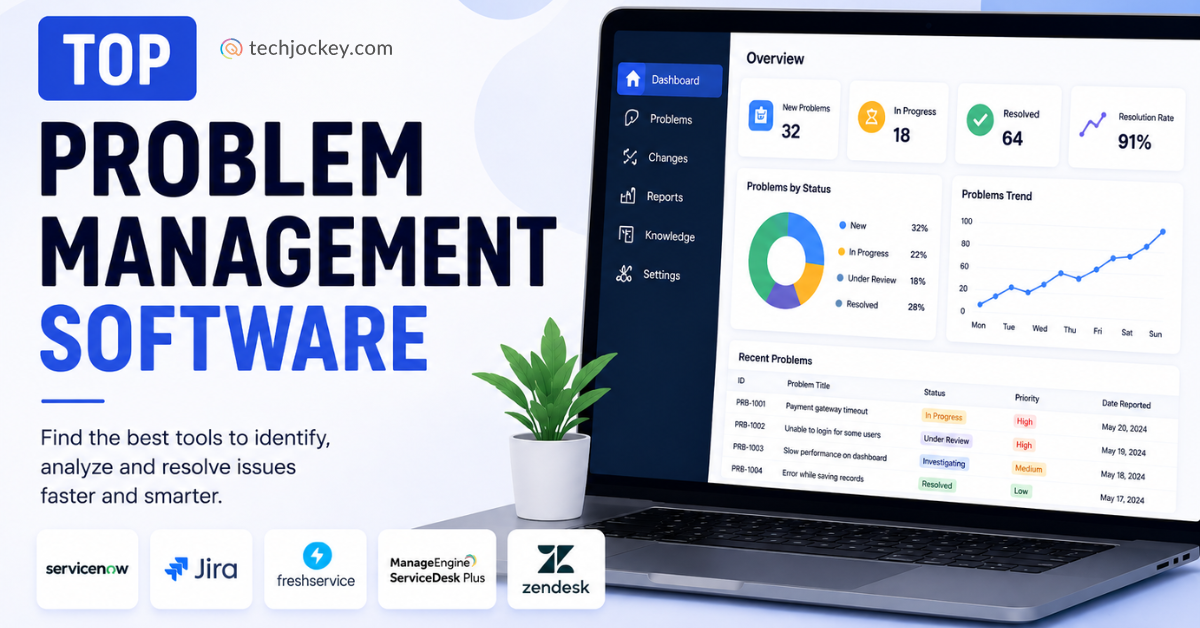
Is your team spending most of its time solving the same IT issues over and over again, while new incidents keep coming in? These recurring incidents disrupt operations, drain resources, and take away user trust. Disconnected systems keep the organization stuck in a continuous loop of temporary fixes.
And that’s where the real challenge occurs when important insights, patterns, and opportunities for fixes get missed. That’s where problem management software helps to accelerate resolution times, reduce incident volume, and enhance customer experience.
In this blog, let’s understand how adopting the right tools can help with recurring issues and long-term service availability.
Problem management software is an essential IT Service Management (ITSM) tool to help your organization move forward with reactive support and address the underlying causes of consistent IT issues. This helps teams investigate patterns, identify root causes, and implement stable systems that will result in fewer disruptions.
For example, if your business experiences continuous application shutdowns due to a database issue. So, the problem management software helps trace the underlying cause and ensures a permanent fix to support and minimize future impacts.
Now, let’s move forward with the top 5 problem management software, their key features, and advantages.
Discover how the top problem management software compare side by side in terms of ITIL compliance, incident linking, AI automation, workflow customization, integrations, scalability, and pricing to choose the right solution for modern IT operations.
| Tool | Starting Price | Key Strengths |
|---|---|---|
Jira Service Management Popular | $0 / 3 agents Standard from $20/agent/mo |
AI-assist routing
Slack & Teams sync
Post-mortem templates
Dev integration
|
ServiceNow | Contact Sales |
Role-based dashboards
Real-time analytics
ITSM integration
Known error DB
|
SysAid | Contact Sales |
AI Copilot
Incident clustering
CMDB mapping
Auto-prioritization
|
SolarWinds Service Desk | $39/technician/mo Essentials plan |
ITIL-aligned
Visual CMDB
Asset tracking
Runbooks
|
Zendesk | $19/agent/mo Support Team (billed annually) | |
| Prices shown are entry-level starting points. All tools offer additional tiers with advanced features. Verified May 2026. | ||
Explore the top problem management tools that help IT teams identify root causes, reduce recurring incidents, automate workflows, and improve overall service management efficiency.
Jira Service Management is a problem management software that tracks, assigns, plans, reports, and manages work for your team. This helps the team to work on their favorite tools, including Figma, Gmail, Slack, powered by an AI-assist. It also identifies trends and flags potential risks. Also, monitor progress and update them using lists, boards, timelines, or calendars.
Key Features of Jira Service Management:

Jira Service Management
Starting Price
$ 19.04
Pro and cons of Jira Service Management:
Pros
Cons
Pricing plans of Jira Service Management:
| Plan | Price | Best For |
|---|---|---|
| Free | USD 0 (Free forever for 3 agents) | Small teams and startups |
| Standard | USD 20 per agent/month | Growing IT support teams |
| Premium | USD 51.42 per agent/month | Advanced ITSM and problem management |
| Enterprise | Custom pricing (annual billing) | Large enterprises with complex workflows |
ServiceNow helps you identify the cause of errors in the IT infrastructure. You can configure tools, environment, and user access. Simply take advantage of your dashboards to visualize data, analyze business processes, and find out the areas of improvement. You can create a problem to identify the root cause of the incident, initiate the root cause analysis, and document a workaround to restore service failures.
Key Features of ServiceNow:

ServiceNow
Starting Price
Price on Request
Pro and cons of ServiceNow:
Pros
Cons
Pricing and plans of ServiceNow:
| Product | Price | Pricing Model |
|---|---|---|
| ServiceNow | Contact Sales for Pricing | Custom enterprise pricing |
This is an AI-first problem management software that helps your team to identify root issues, prevent incidents, and deliver resolutions. The SysAid management capabilities break the reactive incident resolution loop and link incidents, map relationships to build real solutions. Its built-in AI agents and SysAid’s Copilot bring intelligence to help IT teams work smarter and prevent issues before escalation.
Key Features of SysAid:
SysAid
Starting Price
Price on Request
Pro and cons of SysAid:
Pros
Cons
| Product | Price | Pricing Model |
|---|---|---|
| SysAid | Contact Sales for Pricing | Custom quote-based pricing |
The SolarWinds Service Desk resolves problems fast and enhances staff productivity. This efficiently manages problems and supports the Information Technology Infrastructure Library (ITIL) problem management.
Your service desk receives multiple requests about incidents related to the same issue, and SolarWinds can easily link incidents related to a single issue, which ensures agents are working on different problems.
Key Features of SolarWinds Service Desk:

SolarWinds Service Desk
Starting Price
$ 39.00
Pro and cons of SolarWinds Service Desk:
Pros
Cons
| Plan | Price | Best For |
|---|---|---|
| Essentials | Starts at USD 39 | Small businesses and startups |
| Advanced | Starts at USD 79 | Growing IT and support teams |
| Premier | Starts at USD 99 | Large enterprises with advanced workflows |
Zendesk is a problem management software that streamlines support with Zendesk AI agents, built on natural language processing (NLP) and machine learning (ML), that accelerate problem resolution. It can handle technical issues such as help articles, password resets, and route employees to an IT expert when human interaction is needed.
Key Features of Zendesk:

Zendesk
Starting Price
$ 25.00
Pro and cons of Zendesk:
Pros
Cons
When selecting a problem management software, your team must focus on tools that ensure faster resolutions, lower support costs, and reliable service delivery for proactive stability.
1. Smooth System Interaction: Look for smooth connections with ITIL-compliant workflows to incident, change, and asset systems. For businesses, this guarantees data-driven efficiency and cross-team cooperation.
2. Features of Smart Automation: To accelerate investigations, look for automated workflows and AI-powered anomaly identification. These reduce physical labor while anticipating issues before they become more serious.
3. Scalable and User-Friendly Design: Select user-friendly, mobile-friendly interfaces with robust security (compliance, SSO). Growing hybrid teams can be supported by scalable cloud alternatives without experiencing performance lags.
Conclusion
As your business challenges continue to evolve, so must your approach to tackling them. Problem management software delivers a powerful solution that identifies in-depth challenges and eliminates recurring issues. Also, it empowers the team to deliver greater efficiency and maintain stability within the infrastructure.
If you are ready to make a shift to proactive problem management, then invest in the right software as per your needs by reaching out to the Techjockey team today!


Explore Topics

Consult with Our Techjockey Expert
Connect for fast and scalable software delivery, corporation plans, advanced security, and much more.
Compare Popular Software

Get the latest Techjockey US Blog Updates!
Subscribe to get the first notified about tech updates directly in your inbox.

 Previous