What is Cross Platform Software? Features, Benefits & Best Tools
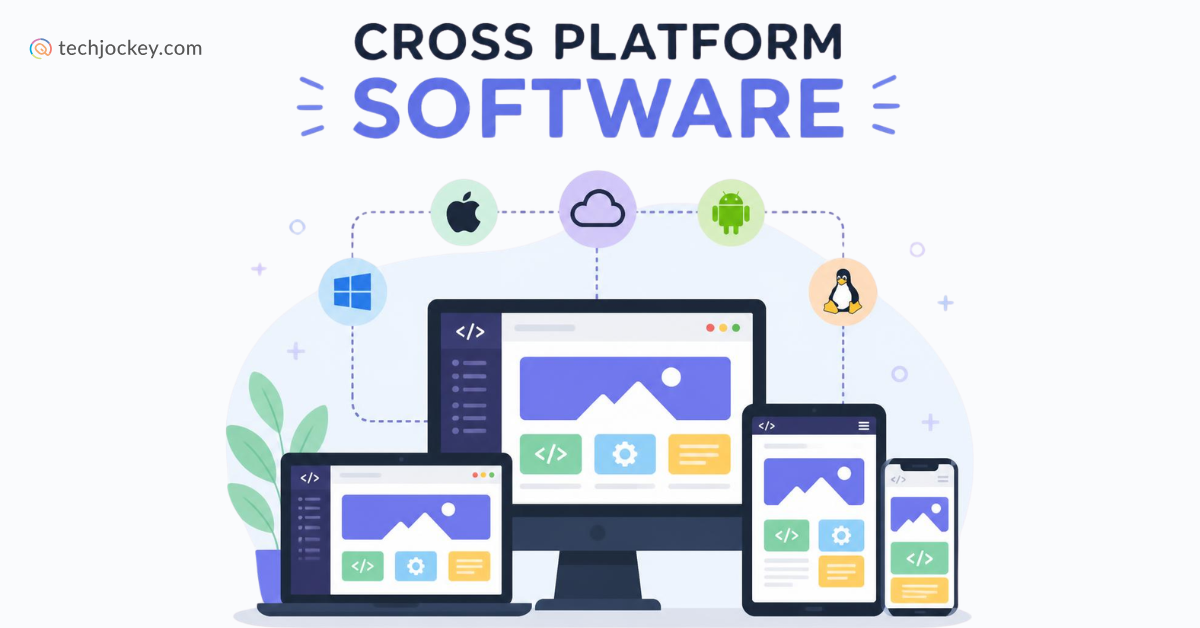


People use apps on all kinds of devices today. They might switch from a phone to a laptop or tablet without thinking twice. Because of this, businesses need software that works smoothly across different platforms.
Cross platform software makes that possible. It lets developers build an app once and use it across multiple operating systems, helping teams save time and reduce development effort. Instead of creating separate versions for each platform, they can focus on delivering a consistent experience to users everywhere.
As a result, cross platform application development has become a popular choice for businesses world over. Let’s learn what cross platform software does and while at it, look at some of its top specimens used to build modern applications.
What is Cross Platform Software?
Cross platform software refers to development tools and frameworks that help developers build applications for multiple operating systems using a shared codebase. Instead of creating separate versions for platforms like Android, iOS, Windows, or macOS, developers can use a single solution to develop and deploy applications across different environments.
These tools, as such, simplify the development process and make it easier to maintain applications across platforms.
Popular cross platform development software includes Flutter, React Native, .NET MAUI, and Ionic. These tools are widely used for cross platform application development, helping businesses reach users across different devices and platforms with a single application.
Instagram, Discord, Google Ads, BMW, Alibaba etc., are some of the leading apps that have made use if this technology to support their users across different devices and operating systems.
Key Features of Cross Platform Software
Cross platform development tools offer several features that help developers build, manage, and scale applications more efficiently. These include…
- Shared Codebase: The biggest feature of cross platform software is a shared codebase. Developers can write most of the code once and use it across multiple platforms, reducing duplicate work.
- Multi-Platform Support: A single application can be deployed across operating systems such as Android, iOS, Windows, macOS, and sometimes even the web. This helps businesses reach users on different devices more efficiently.
- Consistent User Experience: Modern cross platform frameworks help maintain a similar look, feel, and functionality across platforms. This creates a more consistent experience for users irrespective of the device they use.
- Code Reusability: Developers can reuse application logic, UI components, and integrations across platforms. This simplifies development and reduces maintenance efforts.
- Access to Native Device Features: Most cross platform development tools provide access to native features such as cameras, GPS, notifications, Bluetooth, and device storage. This allows applications to deliver rich functionality while working across platforms.
- Faster Development Cycles: Since a large portion of the code is shared, teams can build, test, and launch applications faster than with separate native projects.
- Easier Maintenance and Updates: Updates and bug fixes can often be made in one codebase instead of multiple platform-specific versions. This makes long-term maintenance much simpler.
- Scalability and Flexibility: Many cross platform development software solutions support mobile, desktop, and web applications, making it easier to expand products as business needs grow.
Benefits of Cross Platform Software
Cross platform software helps developers build applications for multiple platforms using a shared codebase. This reduces the need to write separate code for each operating system, which saves both time and development effort.
It can also lower development and maintenance costs. Since much of the code is shared, teams spend less time managing different versions of the same application. Updates, bug fixes, and new features can be rolled out more efficiently.
Another major benefit is faster time to market. Businesses can launch applications on multiple platforms at the same time instead of developing them separately. This helps them reach users more quickly and stay competitive.
Modern cross platform development tools also help ensure a consistent user experience across devices. At the same time, they provide access to native device features and deliver performance that is close to native applications in many use cases.
And lastly, cross platform application development makes it easier to scale applications across mobile, desktop, and web platforms. This gives businesses greater flexibility as their needs grow.
Challenges Posed by Cross Platform Software
While cross platform software offers many benefits, it also comes with a few challenges. One common issue is performance. Although modern tools have improved significantly, some applications may not run as smoothly as fully native apps, especially those with complex graphics or heavy processing requirements.
Developers may also face limitations when accessing certain platform-specific features. In some cases, extra coding or third-party plugins are needed to use device features that are readily available in native development.
Another challenge is maintaining a consistent experience across different operating systems. Since each platform has its own design guidelines and behavior, making an app feel natural everywhere can require additional effort.
There can also be dependency on the chosen cross platform framework. If the framework changes, loses support, or introduces compatibility issues, developers may need to spend extra time updating their applications.
Which Cross Platform Software Is Right for You?
Compare the leading tools side by side to identify the best option for your application development requirements.
| Cross Platform Development Tool | Best For | Key Strengths |
|---|---|---|
| Flutter | Mobile, web, and desktop app development | Single codebase, Hot Reload, customizable UI, strong performance, rich widget library |
| Kotlin Multiplatform | Apps needing shared code with a native experience | Code sharing with native UI and platform-specific flexibility |
| .NET MAUI | Enterprise and Microsoft-based projects | Single codebase for Android, iOS, Windows, and macOS with strong Microsoft integration |
| Ionic | Web-first and business applications | Uses HTML, CSS, and JavaScript, ideal for web development teams |
| React Native | Mobile apps with native-like experiences | Large community, code reuse, native feature access, backed by Meta |
List of 5 Best Cross Platform Software in 2026
Some of the leading cross platform software solutions are listed below…
1. Flutter
Flutter is a popular cross platform framework developed by Google. It allows developers to build mobile, web, and desktop applications from a single codebase. The software is known for its fast development process, attractive user interfaces, and strong performance.
It comes with a large collection of ready-to-use widgets, making it easier to create visually appealing applications. Many businesses choose Flutter when they need a flexible and reliable cross platform app development software solution.
Key Features of Flutter:
- Builds Android, iOS, web, desktop, and embedded applications from a single codebase
- Compiles to native ARM, Intel, and JavaScript code for strong performance
- Includes Hot Reload for instant UI updates during development
- Provides a rich library of customizable widgets for creating modern interfaces
- Delivers consistent UI and behavior across platforms
- Supports adaptive and responsive design for different screen sizes
- Integrates seamlessly with Firebase and other Google services
- Offers automated testing and developer tooling for production apps
- Supports thousands of community packages and plugins
- Allows platform-specific code when native functionality is required
- Uses Dart, which is optimized for fast app development
- Works for both consumer-facing applications and enterprise software

Flutter
Starting Price
Price on Request
Pro and cons of Flutter:
Pros
- One codebase for multiple platforms
- Fast development cycle with Hot Reload
- Delivers near-native performance
- Strong UI customization capabilities
- Backed and actively maintained by Google
- Large ecosystem of packages and plugins
Cons
- Applications can have larger file sizes than native apps
- Developers need to learn Dart if unfamiliar with it
- Some platform-specific features require native code integration
- Complex apps may need additional optimization work
- Not every native SDK receives immediate Flutter support
Flutter Pricing & Plans: Flutter is free to use.
Popular Apps Built Using Flutter: Google Pay, Google Ads, eBay Motors, BMW app etc.
2. Kotlin Multiplatform
Kotlin Multiplatform is an open-source cross platform development software that allows developers to share code across different platforms while keeping platform-specific features when needed.
Unlike some other tools, it does not force developers to use the same user interface everywhere. This makes it a good choice for projects that need native performance and a customized user experience.
Key Features of Kotlin Multiplatform:
- Shares code across Android, iOS, web, desktop, and server platforms
- Lets teams decide how much code to reuse
- Supports shared business logic with native user interfaces
- Works with Compose Multiplatform for shared UI development
- Maintains native performance on target platforms
- Allows direct access to platform-specific APIs when needed
- Integrates with popular Android libraries such as Room, DataStore, and ViewModel
- Supports Kotlin/JS and Kotlin/Wasm for web applications
- Includes cross-platform debugging, refactoring, and IDE tooling
- Enables Swift interoperability for iOS development
- Supports gradual adoption without rewriting existing applications
- Offers AI-powered development assistance through JetBrains tooling

Kotlin Multiplatform
Starting Price
Price on Request
Pro and cons of Kotlin Multiplatform:
Pros
- Reduces duplicate code across platforms
- Preserves native app experiences
- Delivers performance comparable to native development
- Flexible adoption model
- Strong Android ecosystem support from Google and JetBrains
- Suitable for startups and enterprise teams alike
Cons
- Smaller community than Flutter
- Initial setup can be more complex than some cross-platform frameworks
- UI sharing is newer compared to more mature alternatives
- iOS development still requires some familiarity with Apple tooling
- Cross-platform debugging can become challenging in large applications
Kotlin Multiplatform Pricing & Plans: Kotlin Multiplatform is free to use.
Apps Built Using Kotlin Multiplatform: Careem Captain App, Cash App, Instabee, McDonald’s, Forbes etc.
3. .NET MAUI
.NET MAUI is Microsoft’s cross platform development tool for building applications for Android, iOS, Windows, and macOS. It allows developers to create and manage applications from a shared codebase using C#.
The framework works especially well for businesses that already use Microsoft technologies. It helps simplify development, improve productivity, and maintain consistency across platforms, making it a strong option for enterprise-level cross platform software projects.
Key Features of .NET MAUI:
- Single codebase for Android, iOS, macOS, and Windows
- Uses C# and .NET for application development
- Delivers native platform experiences and controls
- Integrated with Visual Studio for faster development
- Supports XAML and MVVM architecture
- Provides access to native device capabilities through cross-platform APIs
- Includes Hot Reload for quicker UI updates during development
- Supports Blazor Hybrid applications
- Offers built-in testing, debugging, and deployment tools
- Integrates with Azure services and REST APIs
- Benefits from Community Toolkit controls and extensions
- Supports modern .NET features and performance improvements
Pro and cons of .NET MAUI:
Pros
- Strong choice for existing .NET and C# developers
- One codebase reduces development effort
- Native performance across supported platforms
- Deep integration with Visual Studio
- Easy access to Microsoft ecosystem tools and services
- Good fit for enterprise applications
Cons
- Smaller community than Flutter and React Native
- Limited support for platforms outside Microsoft’s core ecosystem
- Learning curve for developers unfamiliar with .NET and XAML
- Some platform-specific UI adjustments may still be required
- Fewer third-party resources compared to older frameworks like React Native
.NET MAUI Pricing & Plans: .NET MAUI is free and open-source.
Apps Built Using .NET MAUI: .NET eShop (Microsoft’s e-commerce reference application), enterprise business applications built on .NET and Azure etc.
4. Ionic
Ionic is a cross platform framework that uses web technologies such as HTML, CSS, and JavaScript to build applications. It is often preferred by teams with web development experience because it reduces the learning curve.
Ionic can be used to create mobile, desktop, and web applications while reusing much of the same code. This makes it a practical cross platform application development solution for businesses looking for speed and efficiency.
Key Features of Ionic:
- Build iOS, Android, and web applications from a single codebase
- Works with React, Angular, Vue, or no framework at all
- Includes 100+ mobile-optimized UI components
- Provides adaptive UI that matches native platform styling
- Supports dark mode and custom theming
- Offers Capacitor integration for native device APIs
- Includes Ionic CLI for development, testing, and deployment workflows
- Supports Progressive Web Apps (PWAs)
- Delivers hardware-accelerated animations and gestures
- Includes accessibility support and TypeScript compatibility
Pro and cons of Ionic:
Pros
- Easy for web developers to adopt
- Faster development with shared code
- Strong UI component library
- Supports multiple frontend frameworks
- Excellent PWA support
- Lower development and maintenance costs
Cons
- Performance can lag behind fully native apps for intensive workloads
- Not ideal for graphics-heavy applications or games
- Some native features require additional plugins
- Large projects can become plugin-dependent
- Platform-specific optimization may still be necessary
Ionic Pricing & Plans: Ionic is free to use.
Apps Built Using Ionic: MarketWatch, Sworkit, JustWatch, Sanvello, Diesel etc.
5. React Native
React Native is a widely used cross platform app development software created by Meta. It enables developers to build applications for Android and iOS using a shared codebase while still delivering a near-native user experience.
The framework has a large developer community, extensive resources, and strong support for native device features. Because of its balance between performance and development speed, it remains one of the best cross platform software options available today.
Key Features of React Native:
- Build Android and iOS apps from a single codebase
- Uses JavaScript and React for app development
- Renders native UI components instead of web views
- Provides access to native device APIs and features
- Supports code reuse across platforms
- Works with Expo for faster setup and deployment
- Offers Hot Reload and Fast Refresh for rapid development
- Supports third-party libraries and native modules
- Large ecosystem of developer tools and packages
- Can be extended to Windows, macOS, and web through community projects
- Integrates with popular state management libraries and backend services
- Backed by Meta and a large open-source community

React Native
Starting Price
Price on Request
Pro and cons of React Native:
Pros
- Faster development than separate native apps
- Strong code-sharing capabilities across platforms
- Large developer community and ecosystem
- Easier for React developers to learn
- Near-native user experience
- Mature tooling and framework support
Cons
- Performance may not fully match native apps for highly complex animations or graphics
- Some features require native development knowledge
- Dependency management can become challenging in large projects
- Platform-specific adjustments are often needed
- Large apps may require custom native modules for advanced functionality
React Native Pricing & Plans: React Native is free and open-source.
Apps Built Using React Native: Facebook, Instagram, Discord, Shopify, Tesla, Coinbase etc.
Conclusion
Building apps that are compatible with a range of platforms can be tough. The right cross platform software can simplify the process for you, and how!
All you need to do is to choose a tool that offers the right mix of features and long-term value, and watch it take care of the rest.


Written by
Yashika Aneja

Yashika Aneja is a Senior Content Writer at Techjockey, with over 5 years of experience in content creation and management. From writing about normal everyday affairs to profound fact-based stories on wide-ranging themes, including environment, technology, education, politics, social media, travel, lifestyle so on and so forth, she... Read more
 Previous