linkedin
Airtable logo
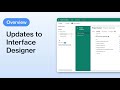
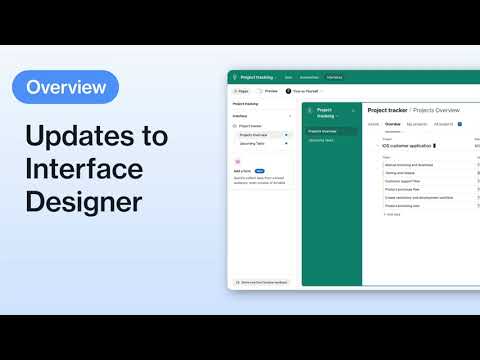
play Interface Designer Updates | Airtable
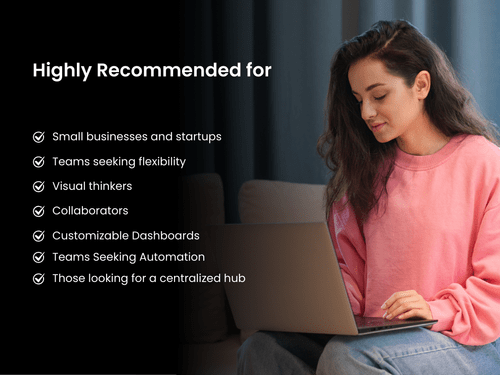
highly recommended for
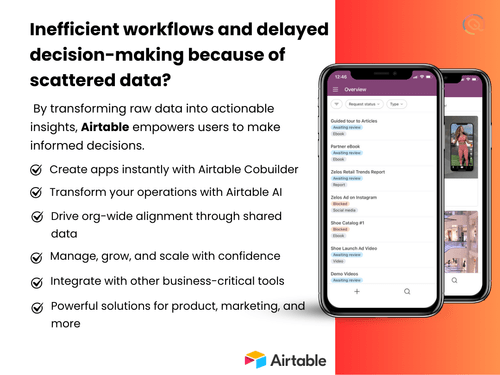
airtable features

Airtable

Brand: Airtable

  • 4.5

  • 5 Ratings

Airtable is the fastest app-building platform with no-code tools for smooth database and app creation.

See More

Have you used Airtable before?

Share your insights for better experience

Add a Review
Starting Price
$24

View plans

100% Genuine
Products
Best Price
Guaranteed
Safe & Secure
Payment
  • Description

  • Pricing

  • Features

  • Specification

  • Review

  • Compare

  • Alternatives

  • FAQ

  • Questions

Starting at $24

Airtable Software Overview

What is Airtable?

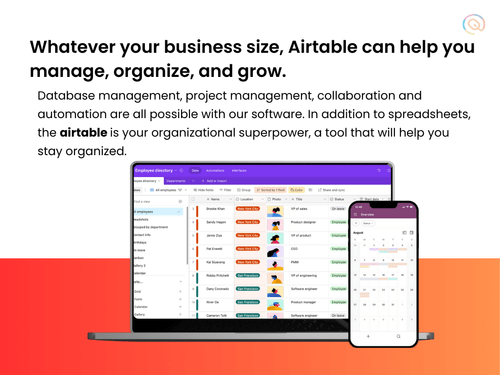
Airtable is a no-code platform that allows users to create custom applications and databases with ease. It provides a user-friendly interface that resembles a spreadsheet, making it intuitive for users to organize and manipulate data. It integrates databases and user-friendly spreadsheets, allowing users to organize, collaborate, and customize applications without coding. Users can create and customize databases to fit their specific needs using various field types such as attachments, checkboxes, and links. This no code platform provides a drag-and-drop functionality for making apps and databases, making it an ideal solution for those without extensive coding knowledge.

It accelerates tasks, manages workflows, and connects with popular tools like Tableau, Zendesk, etc. It integrates existing tools, connects important business processes, and builds more powerful applications supporting automation. Users can create tables, link records, and employ various field types. It provides AI-powered components for dynamic data processing and automation. It provides pre-designed templates or builds from scratch. It helps to break down silos by linking and integrating data across different domains. It supports accessing and updating information from desktop or mobile devices.

Why Choose Airtable Software?

  • Sales CRM: Build a comprehensive customer relationship management system, tracking leads, contacts, and deals, optimizing sales processes for better conversion rates.
  • AI-based no-code building: No-code app building helps users adapt quickly to changing needs, ensuring a flexible and scalable solution for diverse projects.
  • Centralized platform: Helps in real-time teamwork by centralizing information, facilitating communication, and providing project visibility.
  • Automation workflow: It manages tasks, reducing manual efforts through customizable workflows, leading to increased productivity, and streamlined business processes.
  • Integration: Supports integration with various tools and platforms and enhances data connectivity, allowing for a cohesive work environment.

Benefits of Airtable

  • Automation: Improve efficiency with automated workflows, reducing manual tasks and minimizing errors in data management.
  • No-code platform: Makes fast response to market changes with the no-code platform, ensuring adaptability and innovation.
  • Cost-effective: Achieve cost savings by eliminating the need for extensive coding, enabling resource allocation for core business functions.
  • User-friendly interface: Its intuitive design simplifies user interactions and drag-and-drop features ensure accessibility for diverse skill levels.
  • User Experience: Enjoy a smooth and visually appealing interface, helping a positive and productive user experience throughout various tasks.

Airtable Pricing

Airtable price in India starts from $24 at techjockey.com. It comes with multiple pricing plans and caters to a diverse customer base.

For subscription-related details and offers on premium packages, please request a call back from our product experts.

Read more

Airtable Company Details

Founded Year:  2012

Airtable enables any team to create apps on top of shared data and power their most critical and unique workflows.

Director/Founders Andrew Ofstad, Emmett Nicholas, Howie Liu
Company Size 501-1000 Employees

Airtable Pricing & Plans

Team
Starting at $24
    • Licenses

      Licenses
      Licenses
    • Monthly

      Monthly
      Monthly

Key Features

  • Bases-Unlimited

  • Records per base-50,000

  • Workspaces-1

  • Maximum number of editors per workspace-Unlimited

  • Maximum number of commenters per workspace-Unlimit

  • Attachment space per base-20GB

  • Revision and snapshot history-1 year

  • Realtime collaboration and commenting

  • iOS and Android mobile apps

  • Interface Designer

Business
Starting at $54
    • Licenses

      Licenses
      Licenses
    • Monthly

      Monthly
      Monthly

Key Features

  • Bases-Unlimited

  • Records per base-125,000

  • Workspaces-Unlimited

  • Maximum number of editors per workspace-Unlimited

  • Maximum number of commenters per workspace-Unlimit

  • Attachment space per base-100GB

  • Revision and snapshot history-2-year

  • Realtime collaboration and commenting

  • iOS and Android mobile apps

  • Interface Designer

Compare all Plans icon
×
Compare all plans

Not sure which plan is best for you? We'll help you

Airtable Features

  • icon_check Create Strong Foundation
    Establish groundwork for projects, ensuring stability, scalability, and reliability in diverse business scenarios.
  • icon_check Design & Customize Apps
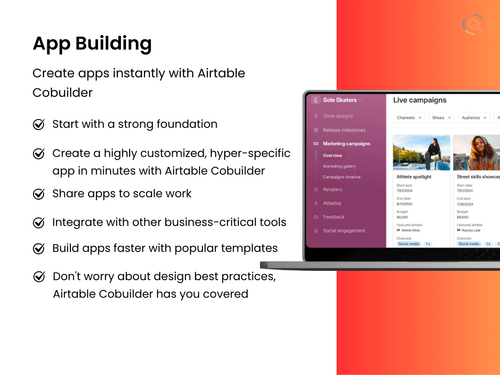
    Tailor applications effortlessly to meet unique business needs, helping in adaptability and optimizing processes.
  • icon_check Share Apps Across Your Organization
    Help collaborate, ensuring all team members access and contribute to applications for comprehensive involvement.
  • icon_check Generative AI
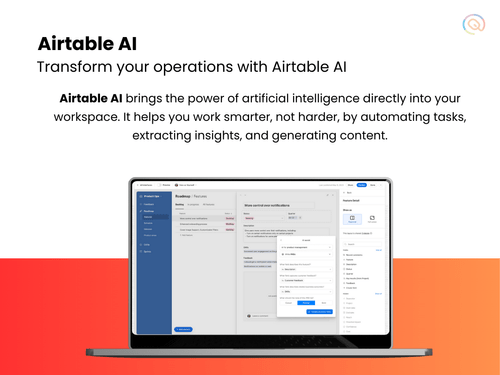
    Use the power of AI for automated data processing, enabling dynamic functionalities without extensive manual intervention.
  • icon_check Easy to Iterate
    Promote continuous improvement by providing a user-friendly environment for easy iterations and adjustments.
  • icon_check Verify Key Company Data Sets
    Ensure accuracy and reliability in critical data through verification processes and maintaining data integrity.
  • icon_check Keep Teams Aligned with Sync
    Synchronize teams seamlessly, promoting alignment and reducing communication gaps for the collaborative work environment.
  • icon_check Bring All Workflows Together
    Consolidate diverse workflows into a unified platform, enhancing coordination for a holistic view of operations.
  • icon_check Powerful Administration
    Empower administrators with robust tools and controls, ensuring efficient management and customization of the platform.
  • icon_check Enterprise-Grade Security
    Prioritize data security with enterprise-grade measures, safeguarding sensitive information.
Airtable Demo Video play icon

Get Airtable Demo

Watch the demo video to explore key features, real workflows, and how the software fits your business needs.

Understand
Key Features
Personal
Demo Insights
Interactive
Demo Support

Airtable Specifications

Supported Platforms
Ubuntu Ubuntu Windows Windows iOS iOS Android Android MacOS MacOS Linux Linux
Devices
Desktop Desktop Mobile Mobile Tablet Tablet iPad iPad
Deployment
Cloud-Based Cloud-Based
Suitable For
ITES
Business Specific
All Businesses
Business Size
Small Business Startups Medium Business Enterprises
Customer Support
Email Live Chat Communities
Language
English
Integration
API Integration
Training Resources
Live Online Webinars Documentation Videos
AI Features
AI Integrated

Explore the Best Alternative Solutions Similar to Your Business Size and Needs

Airtable Review

4.5

Out of 5

img

Overall Rating

Based on
5 Verified Ratings

Rating Breakdown

  • Features 4.2
  • Value for Money 4.6
  • Ease of Use 4.8
  • Customer Support 4.6

92% Recommend this Product

Add Review

Techjockey Trusted Reviews from Verified Users

No reviews are currently available for Airtable. Discover similar App Development Software reviews

  • ForBinary App Development

    5.0

    Whats great - Graeon Ventures provided me a mini ERP solution, which is not only easy to use but it also creates ethics in my employees. Gi... read more

  • Clappia

    5.0

    Whats great - The platform was easy and understandable. Anyone without coding knowledge can also create application with no difficulty. Mul... read more

  • Alchemy

    4.4

    Whats great - High uptime and low-latency performance. read more

Compare Airtable With other App Development Software

Products
Ratings
Pricing
Device Supported
Deployment
Supported Platforms
  • img

    Airtable

  • 4.5

  • Price On Request

  • Desktop

    Mobile

  • Web based

    On Premises

  • Windows

    Mac OS

  • img

    Clappia

  • 4.7

  • Price On Request

  • Desktop

    Mobile

  • Web based

    On Premises

  • Windows

    Mac OS

  • img

    Android Studio

  • 4.2

  • Price On Request

  • Desktop

    Mobile

  • Web based

    On Premises

  • Windows

    Mac OS

  • img

    Microsoft Foundry

  • 4.2

  • Price On Request

  • Desktop

    Mobile

  • Web based

    On Premises

  • Windows

    Mac OS

  • img

    Vibe Studio

  • 4.2

  • Price On Request

  • Desktop

    Mobile

  • Web based

    On Premises

  • Windows

    Mac OS

  • img

    DhiWise

  • 4.1

  • Price On Request

  • Desktop

    Mobile

  • Web based

    On Premises

  • Windows

    Mac OS

  • img

    CatDoes

  • 4.0

  • Price On Request

  • Desktop

    Mobile

  • Web based

    On Premises

  • Windows

    Mac OS

  • img

    VMware Tanzu

  • 4.1

  • Price On Request

  • Desktop

    Mobile

  • Web based

    On Premises

  • Windows

    Mac OS

  • img

    nandbox

  • 4.5

  • Price On Request

  • Desktop

    Mobile

  • Web based

    On Premises

  • Windows

    Mac OS

  • img

    Coldfusion Builder

  • 4.2

  • Price On Request

  • Desktop

    Mobile

  • Web based

    On Premises

  • Windows

    Mac OS

(0) Product(s) selected

Airtable Alternatives

See All Airtable Alternatives

Starting Price:

$299 /Year

Starting Price:

$25 /Month

Starting Price:

$59 /Month

Starting Price:

$3,000 /Month

Nowa

4.3

Starting Price:

$24 /Month

Starting Price:

$349 /Month

Available

Price on Request

Articles for Airtable

See All Related Articles

Which operating system does Airtable support?

Airtable is compatible with Windows, Linux, Ubuntu, and macOS operating systems.

Is there any Airtable app?

Airtable app is available for Android and iOS mobile devices.

What is the deployment type of Airtable?

Airtable supports web-based deployment.

How much does Airtable Software Cost?

Airtable pricing starts from $24 at techjockey.com.

Who are the potential users of Airtable?

Airtable is typically used in marketing, project management, and event planning industries by marketers, project managers, and event coordinators for streamlined collaboration, efficient workflows, and dynamic data management.

Is there any free trial or demo for Airtable?

Airtable demo is available for free with techjockey.com.

Is Airtable free?

Airtable does not offer a free trial. However, the premium plan with advanced features starts at $24.

How can you download Airtable?

Airtable installation is not required, as it is web-based. Just open the Setup Wizard to get started.

How does Airtable work?

Airtable helps with app building and data organization through no-code app building, integrations, real-time collaboration, and versatile customization, offering unparalleled flexibility, efficiency, and innovation for diverse business needs.

Airtable Questions

Q:

How to create a Kanban board in Airtable?

rohit premjani • Sep 18, 2025
A:

Steps to Create a Kanban Board in Airtable

  • Open Your Airtable Base – Navigate to the Views sidebar.
  • Select 'Create New View' – Click the Kanban option.
  • Choose a Grouping Field – Select a single select, user, or linked record field to organize tasks.
  • Customize Cards – Toggle fields on/off to display relevant details.
  • Sort & Filter Tasks – Use the Sort and Filter options to refine your board.
  • Save & Share – Click 'Share View' to collaborate with your team.
Krishan • Sep 23, 2025
Q:

How to create a custom filter in Airtable?

Brajchandra Das • Sep 13, 2025
A:

Physics issues in Godot can arise due to incorrect collision settings, unstable physics bodies, or misconfigured parameters. Here are some common fixes:

  • Adjust Collision Shapes
  • Fix High-Speed Object Issues
  • Stabilize Stacked Objects
  • Resolve Physics Stuttering
  • Debug Movable Objects
Sandeep Tomar • Sep 27, 2025
Q:

How to create a database in Airtable?

manoj jadhav • Jul 18, 2025
A:

To create a database in Airtable, start by opening your Airtable account and clicking on the '+' button to add a new base.

Ravneet Arora • Jul 23, 2025

20,000+ Software Listed

Best Price Guranteed

Free Expert Consultation

2M+ Happy Customers

Terms and Condtions

close

Users with registered businesses can purchase goods from merchants on the platform to satisfy their business needs. Users are not permitted to utilize any products acquired through the platform for resale, advertising, business, or further distribution.

For each purchase made, users will receive a Tax Invoice (or 'GST invoice') that includes specific details such as:

  • the GSTIN of the user associated with their registered business, and

  • the specified Entity Name for their business.

It should be noted that not all products are eligible for GST Invoice. Only the products displayed by participating sellers with the 'GST-based Invoice Available' callout on the product description page would qualify.

Certain goods and services are not eligible to get a GST Invoice, including items with VAS, i.e., Value Added Services (e.g., Total Mobile Protection/Assured Buyback) and those involving an exchange offer at the time of purchase.

Users must ensure the accuracy of the GSTIN, and business entity name provided for the GST Invoice. Requests for corrections into GST Invoice would not be accommodated by Techjockey.com or any Seller, and any issues arising from user-provided information are the sole responsibility of users.

Techjockey.com is not liable for the GST Invoice or any associated input tax credit. To efficiently claim an input tax credit, users should select the registered place of business address as per the GST authority's data and follow the provisions of the GST Act and rules.

To claim an input tax credit, the delivery and billing addresses must match. Furthermore, input tax credits will not be granted if the delivery address and GSTIN on the invoice are from different states. In case of incorrect GST details provided during the order placement, the order will be canceled automatically.