linkedin
iBeesoft logo
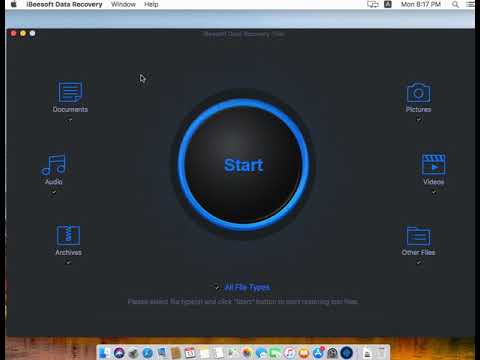
play How to Use iBeesoft Data Recovery for Mac - iBeesoft Demo
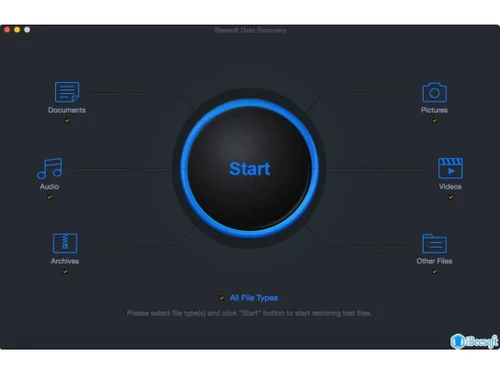
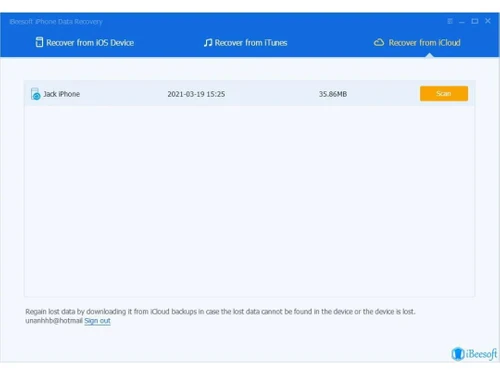
ibeesoft data recovery-start
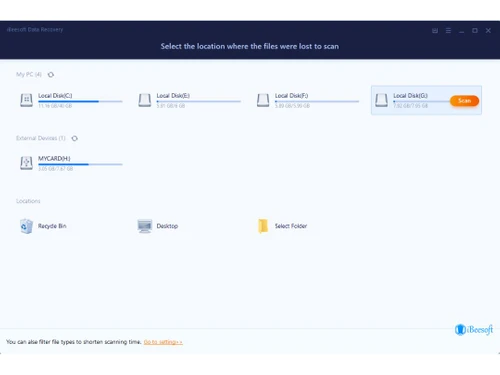
ibeesoft data recovery-location

iBeesoft

Brand: iBeesoft

  • 4.1

  • 3 Ratings

iBeesoft is designed to help users recover lost, deleted, or formatted files from various storage devices. It supports recovery from hard drives, USB drives, SD cards, and more.

See More

Have you used iBeesoft before?

Share your insights for better experience

Add a Review
Starting Price
$60

View plans

100% Genuine
Products
Best Price
Guaranteed
Safe & Secure
Payment
  • Description

  • Pricing

  • Features

  • Specification

  • Review

  • Compare

  • Alternatives

  • FAQ

Starting at $60

iBeesoft Software Overview

What is iBeesoft?

iBeesoft is a Data Recovery Software that helps users retrieve lost, deleted, or formatted files from various storage devices. It supports recovery from hard drives, USB drives, SD cards, external disks, and more. The software is designed with advanced scanning algorithms to ensure deep and efficient data recovery.

It can restore files lost due to accidental deletion, formatting, virus attacks, system crashes, or partition loss. iBeesoft offers an intuitive interface, making it easy for both beginners and professionals to use. It supports multiple file formats, including documents, photos, videos, and emails. The software is compatible with both Windows and macOS operating systems.

Why Choose iBeesoft Software?

  • Powerful Data Recovery : Recovers lost, deleted, or formatted files from hard drives, USB drives, SD cards, and external storage devices.
  • Deep & Quick Scan : Uses advanced scanning algorithms to ensure deep, efficient, and thorough data recovery.
  • User-Friendly Interface : Simple and intuitive design makes it easy for both beginners and professionals.
  • Supports Multiple File Formats : Recovers documents, photos, videos, emails, and more.
  • Compatible with Windows & macOS : Works seamlessly on different operating systems.
  • Safe & Secure : Ensures 100% data safety without overwriting existing files.
  • Handles Various Data Loss Scenarios : Recovers data lost due to accidental deletion, formatting, virus attacks, system crashes, or partition loss.

Benefits of iBeesoft Software

  • Preview Before Recovery : Allows users to preview files before restoring them, ensuring they recover the right data.
  • Supports Various Storage Devices : Works with internal and external hard drives, memory cards, cameras, and even RAID systems.
  • File System Compatibility : Supports NTFS, FAT32, exFAT, HFS+, and APFS file systems.
  • No Data Size Limit : Recovers data of any size, making it suitable for both small and large files.
  • Corrupted File Recovery : Helps restore partially damaged or corrupted files.
  • Lifetime Free Updates : Users get regular software updates for improved performance and compatibility.
  • 24/7 Customer Support : Provides dedicated support to assist users with any recovery issues.

Pricing of iBeesoft

iBeesoft price in India starts at $60 at techjockey.com.

The pricing model is based on different parameters, including extra features, deployment type, and the total number of users. For further queries related to the product, you can contact our product team and learn more about the pricing and offers.

Read more

iBeesoft Company Details

Founded Year:  2001

iBeesoft offers software services and a diverse array of information technology, combined with innovative thinking, we deliver a competitive solution - every time. Based in Hyderabad, India, iBeesoft Technologies is a member of US based iBeesoft Technologies Inc.

Director/Founders Srinivas Marthi
Company Size 101-500 Employees

iBeesoft Pricing & Plans

Family License
Starting at $90
    • Licenses

      Licenses
      Licenses
    • Yearly

      Yearly
      Yearly

Key Features

  • Recover unlimited data

  • Free remote assistance

Personal License
Starting at $60
    • Licenses

      Licenses
      Licenses
    • Yearly

      Yearly
      Yearly

Key Features

  • Recover unlimited data

  • Free remote assistance

Company License
Starting at $200
    • Licenses

      Licenses
      Licenses
    • Yearly

      Yearly
      Yearly

Key Features

  • Recover unlimited data

  • Free remote assistance

iBeesoft Features

Core Data Recovery

  • icon_check Partition Recovery
    Recover lost, deleted, or corrupted partitions from your hard drive.
  • icon_check Formatted Drive Recovery
    Restore data from formatted hard drives, SSDs, USB drives, and memory cards.
  • icon_check Accidental File Recovery
    Retrieve files that were mistakenly deleted, even after emptying the recycle bin.
  • icon_check Corrupted or Damaged File Recovery
    Recover files affected by system crashes, power failures, or malware attacks.
  • icon_check RAW Partition Data Recovery
    Restore inaccessible data from RAW partitions caused by corruption or file system errors.
  • icon_check Deleted File Recovery
    Recover permanently deleted files across various storage devices.
  • icon_check Recovery from External Devices
    Retrieve lost files from external hard drives, SD cards, USB drives, and other removable media.
  • icon_check Cloud Data Recovery
    Restore deleted or lost files from cloud storage platforms.

Backup & Restore Capabilities

  • icon_check Mobile App Data Backup and Recovery
    Back up and restore mobile app data, including contacts, messages, and media files.
  • icon_check Full System Backup and Restore
    Perform complete system backups and restore them in case of failure.
  • icon_check Incremental Backup and Restore
    Ability to back up only changed data to save space and time.
  • icon_check Email Backup and Recovery
    Back up and restore emails, email attachments, calendar events, and contacts.
  • icon_check Factory Recovery Partition Backup
    Ability to back up and restore the system recovery partition.
  • icon_check Cloud Native Backups
    Seamless integration for cloud storage backup and recovery.
  • icon_check Data Replication
    Ensure seamless data duplication across devices or systems for backup, recovery, and disaster management.

Security

  • icon_check Encrypted Data Recovery
    Recover encrypted files, including those protected with BitLocker or other encryption software.
  • icon_check Ransomware Protection
    Detects and protects against ransomware and other malware that can affect data integrity.
  • icon_check Secure Data Wiping
    Permanently delete files with no chance of recovery, ensuring sensitive data is erased securely.
  • icon_check Password Recovery
    Recover lost or forgotten passwords for encrypted files, email accounts, or system logins.
  • icon_check Data Compliance and Governance
    Ensure that recovered data meets compliance standards for specific industries (e.g., GDPR, HIPAA).
  • icon_check Advanced Threat Detection
    Safeguards recovery processes from ransomware, malware, and other security threats.

Recovery for Different Devices and Platforms

  • icon_check Mobile Device Data Recovery
    Recover lost files from smartphones and tablets.
  • icon_check Windows and macOS Compatibility
    Works seamlessly on both Windows and macOS for efficient data recovery.
  • icon_check Virtual Machine Recovery
    Recover data from virtual machines (VMware, Hyper-V, etc.).
  • icon_check Cross-Platform Data Recovery
    Recover data across platforms (e.g., recover NTFS drives on Mac, or recover Mac drives on Windows).
  • icon_check Rooting Error Recovery
    Recover data or fix issues caused by failed rooting attempts on Android or similar devices.

File and Media Recovery

  • icon_check Preview Files Before Recovery
    View recoverable files before restoring them to avoid unnecessary data recovery.
  • icon_check Media File Recovery
    Retrieve lost photos, videos, music, and other multimedia files.
  • icon_check SD Card and USB Recovery
    Recover lost data from SD cards, USB flash drives, and other portable storage devices.
  • icon_check Batch Recovery
    Recover multiple files at once to save time and effort.
  • icon_check Multimedia File Repair
    Repair damaged or corrupted media files, including photos and videos.
  • icon_check Document and Email Recovery
    Restore lost or deleted documents, spreadsheets, and emails.
  • icon_check Photo Recovery with Editing Tools
    Basic photo editing features such as color correction, red-eye removal, cropping, and more, for recovered images.
  • icon_check Automatic Device Detection
    Automatically detects connected devices for recovery (e.g., USB, external drives).

Data Protection and Compliance

  • icon_check Comprehensive Backup and Protection
    Regular data backups to prevent future data loss.
  • icon_check Disaster Recovery Plans
    Create and manage disaster recovery plans for system-wide data protection and restoration.
  • icon_check Legal and Compliance-Based Data Recovery
    Ensure that data recovery meets compliance standards such as GDPR, HIPAA, or eDiscovery requirements.
  • icon_check Data Loss Prevention
    Prevent data loss by maintaining up-to-date backups and secure recovery methods.
  • icon_check Data Migration
    Transfer data securely from one platform or device to another without loss.
  • icon_check Data Residency Enforcement
    Maintain data within specified geographic locations to meet compliance and legal requirements.
  • icon_check Hierarchy & Access Management
    Manage user roles, permissions, and access for secure data recovery and protection.

Advanced Features

  • icon_check Deep Scan
    Perform an in-depth scan to recover files that are difficult to detect.
  • icon_check Quick Scan
    Quickly locate and restore recently deleted files.
  • icon_check Advanced Scan Algorithms
    Utilize sophisticated scanning techniques to recover data from formatted or inaccessible drives.
  • icon_check Selective Recovery
    Choose specific files or folders to recover instead of restoring all lost data.
  • icon_check Filter by File Type
    Easily find and recover specific file types such as documents, images, or videos.
  • icon_check Smart Scanning
    Intelligent scanning algorithms that adapt to different file systems and improve scan accuracy and recovery speed.
  • icon_check Secure OST Converter
    Convert OST files to multiple formats like PST securely while preserving data integrity.

Others

  • icon_check Multi-threaded scanning
    Improves scanning speed and efficiency by running multiple scan processes simultaneously.
  • icon_check Portable Version
    Portable Version
  • icon_check Intelligent Skipping of Damaged Sectors
    Intelligent Skipping of Damaged Sectors
  • icon_check Data Recovery from BitLocker Volume
    Retrieve lost data from encrypted BitLocker drives.
  • icon_check NTFS Compressed File Recovery
    Restore lost files from NTFS partitions with compressed data.
iBeesoft Demo Video play icon

Get iBeesoft Demo

Watch the demo video to explore key features, real workflows, and how the software fits your business needs.

Understand
Key Features
Personal
Demo Insights
Interactive
Demo Support

iBeesoft Specifications

Supported Platforms
Windows Windows iOS iOS MacOS MacOS
Devices
Desktop Desktop Mobile Mobile iPad iPad
Deployment
Perpetual Perpetual
Suitable For
All Industries
Business Specific
All Businesses
Business Size
Small Business Startups Medium Business Enterprises
Customer Support
Email Communities
Language
English
Training Resources
Videos

Explore the Best Alternative Solutions Similar to Your Business Size and Needs

iBeesoft Review

4.1

Out of 5

img

Overall Rating

Based on
3 Verified Ratings

Rating Breakdown

  • Features 4.3
  • Value for Money 4.1
  • Ease of Use 3.5
  • Customer Support 4.5

86% Recommend this Product

Add Review

Techjockey Trusted Reviews from Verified Users

No reviews are currently available for iBeesoft. Discover similar Data Recovery Software reviews

  • SysTools SQL Recovery

    5.0

    Whats great - I was looking for the SQL database recovery tool to get back my corrupted and lost data files. Among all the ineffective solu... read more

  • Recoverit

    4.9

    Whats great - the product is anything but difficult to utilize, it doesn't threaten even the most essential clients, and it is include rich... read more

  • 7 Data Recovery Software

    5.0

    Whats great - Best Software for use Data Recovery Software read more

Compare iBeesoft With other Data Recovery Software

Products
Ratings
Pricing
Device Supported
Deployment
Supported Platforms
  • img

    iBeesoft

  • 4.1

  • Price On Request

  • Desktop

    Mobile

  • Web based

    On Premises

  • Windows

    Mac OS

  • img

    Disk Drill

  • 4.8

  • Price On Request

  • Desktop

    Mobile

  • Web based

    On Premises

  • Windows

    Mac OS

  • img

    Recoverit

  • 4.8

  • ₹ 5699

  • Desktop

    Mobile

  • Web based

    On Premises

  • Windows

    Mac OS

  • img

    Recuva

  • 4.3

  • ₹ 990

  • Desktop

    Mobile

  • Web based

    On Premises

  • Windows

    Mac OS

  • img

    SalvageData

  • 4.3

  • Price On Request

  • Desktop

    Mobile

  • Web based

    On Premises

  • Windows

    Mac OS

  • img

    AnyRecover

  • 4.4

  • Price On Request

  • Desktop

    Mobile

  • Web based

    On Premises

  • Windows

    Mac OS

  • img

    DiskGenius

  • 4.1

  • Price On Request

  • Desktop

    Mobile

  • Web based

    On Premises

  • Windows

    Mac OS

(0) Product(s) selected

iBeesoft Alternatives

See All iBeesoft Alternatives

Starting Price:

$70 /Quantity

Starting Price:

$70 /Quantity

Starting Price:

$30 /Month
Starting Price:

₹8,259 /Quantity

DMDE

3.9

Starting Price:

$20 /Year

Available

Price on Request

Articles for iBeesoft

See All Related Articles

How much does iBeesoft Software cost?

The iBeesoft price in India starts at $60 on TechJockey.com.

Is there any iBeesoft Software app?

Yes, iBeesoft offers an iOS mobile app.

Which operating system does iBeesoft Software support?

iBeesoft supports both Windows, iOS and macOS.

Does iBeesoft offer a free trial?

Yes, iBeesoft free trial version is available with limited recovery features.

How does iBeesoft Software work?

iBeesoft scans storage devices for lost files and allows users to recover them easily.

Who are the potential users of iBeesoft Software?

iBeesoft is ideal for individuals, IT professionals, businesses, and data recovery specialists.

Is there any free demo for iBeesoft Software?

No, but iBeesoft free trial version is available.

Is iBeesoft Software free?

No, but iBeesoft offers a free trial; full features require a paid license.

Can iBeesoft recover data from a formatted drive?

Yes, iBeesoft can recover data from formatted hard drives, USB drives, and SD cards.

Does iBeesoft support RAW file recovery?

Yes, iBeesoft can recover RAW files from corrupted or inaccessible drives.

Can iBeesoft recover permanently deleted files?

Yes, iBeesoft can restore permanently deleted files unless they have been overwritten.

20,000+ Software Listed

Best Price Guranteed

Free Expert Consultation

2M+ Happy Customers

Terms and Condtions

close

Users with registered businesses can purchase goods from merchants on the platform to satisfy their business needs. Users are not permitted to utilize any products acquired through the platform for resale, advertising, business, or further distribution.

For each purchase made, users will receive a Tax Invoice (or 'GST invoice') that includes specific details such as:

  • the GSTIN of the user associated with their registered business, and

  • the specified Entity Name for their business.

It should be noted that not all products are eligible for GST Invoice. Only the products displayed by participating sellers with the 'GST-based Invoice Available' callout on the product description page would qualify.

Certain goods and services are not eligible to get a GST Invoice, including items with VAS, i.e., Value Added Services (e.g., Total Mobile Protection/Assured Buyback) and those involving an exchange offer at the time of purchase.

Users must ensure the accuracy of the GSTIN, and business entity name provided for the GST Invoice. Requests for corrections into GST Invoice would not be accommodated by Techjockey.com or any Seller, and any issues arising from user-provided information are the sole responsibility of users.

Techjockey.com is not liable for the GST Invoice or any associated input tax credit. To efficiently claim an input tax credit, users should select the registered place of business address as per the GST authority's data and follow the provisions of the GST Act and rules.

To claim an input tax credit, the delivery and billing addresses must match. Furthermore, input tax credits will not be granted if the delivery address and GSTIN on the invoice are from different states. In case of incorrect GST details provided during the order placement, the order will be canceled automatically.