linkedin
NetBox logo
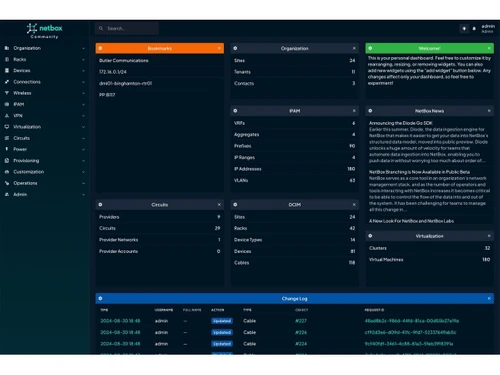
NetBox-dashboard
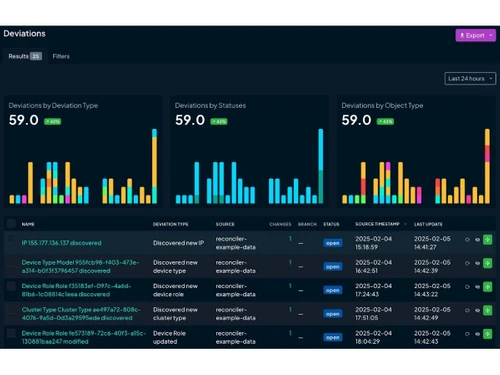
NetBox-deviations
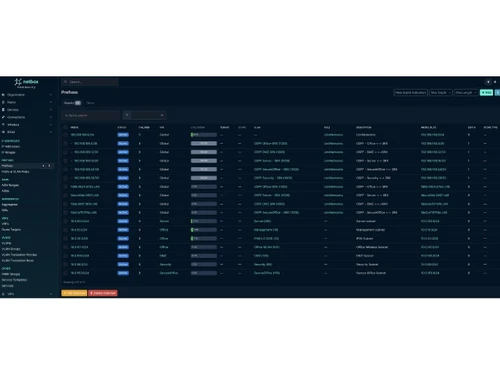
NetBox-ipam

NetBox

Brand: NetBox Labs

  • 4.1

  • 4 Ratings

NetBox helps organizations track, document, and manage IP addresses, devices, and network resources.

See More

Have you used NetBox before?

Share your insights for better experience

Add a Review

Price Available on Request

Questions about pricing or customization? We’re here to help, just a click away.

100% Genuine
Products
Best Price
Guaranteed
Safe & Secure
Payment
  • Description

  • Pricing

  • Features

  • Specification

  • Review

  • FAQ

NetBox Software Overview

What is NetBox?

NetBox, an open-source IPAM tool that helps organizations manage their network infrastructure efficiently. It allows users to track IP addresses, subnets, VLANs, devices, racks, and network connections from a centralized platform. Network administrators can document and organize network resources in a structured way. NetBox helps maintain accurate records of network equipment and configurations, reducing manual errors.

It provides visibility into network topology, making troubleshooting and planning easier. The platform supports automation through APIs, enabling integration with other network management tools. Users can manage data center assets, rack layouts, and cable connections alongside IP address information. NetBox also offers role-based access controls to secure infrastructure data.

It is widely used by enterprises, cloud providers, service providers, and IT teams managing complex networks. The software improves network documentation, operational efficiency, and infrastructure planning.

Why Choose NetBox Software?

  • Centralized Network Management: NetBox provides a single platform to manage network infrastructure, devices, IP addresses, and connections efficiently.
  • Open-Source Platform: It is open-source software, allowing organizations to customize and extend features based on their requirements.
  • IP Address Management (IPAM): NetBox simplifies IP address allocation, tracking, and management across complex networks.
  • Data Center Infrastructure Management (DCIM): The software helps manage racks, cables, power systems, and physical infrastructure effectively.
  • Improved Network Visibility: NetBox gives teams complete visibility into network topology and infrastructure assets.
  • Automation-Friendly: It supports automation workflows through APIs and integrations with DevOps tools.
  • Easy Documentation: NetBox acts as a centralized documentation system for network configurations and assets.

Benefits of NetBox Software

  • User-Friendly Interface: Its clean and intuitive interface makes network management easier for IT teams.
  • Real-Time Data Updates: NetBox keeps infrastructure information updated and accessible in real time.
  • API Integration Support: The software offers REST APIs for seamless integration with third-party applications and tools.
  • Better Resource Tracking: It helps organizations monitor devices, ports, cables, and virtual machines efficiently.
  • Enhanced Collaboration: Multiple teams can work together using a shared source of network information.
  • Reduced Manual Errors: Automation and centralized data reduce mistakes caused by manual configuration tracking.
  • Supports Virtualization: NetBox can manage both physical and virtual infrastructure environments.
  • Flexible Customization: Users can customize fields, plugins, and workflows according to business requirements.
  • Secure Infrastructure Management: NetBox helps improve security by maintaining accurate and organized infrastructure records.
  • Faster Troubleshooting: Detailed infrastructure mapping makes it easier to identify and resolve network issues quickly.

NetBox Pricing

NetBox price details are available on request at techjockey.com.

The pricing model is based on different parameters, including extra features, deployment type, and the total number of users. For further queries related to the product, you can contact our product team and learn more about the pricing and offers

Read more

NetBox Labs Company Details

Founded Year:  2023

NetBox?Labs develops services for the open-source NetBox IP address management and data center infrastructure management platform.

Director/Founders Bill Lapcevic, Jeremy Stretch, Kristopher Beevers, Mark Coleman, Salil Jani, Shannon Weyrick
Company Size 1-100 Employees

NetBox Pricing & Plans

Looking for The Right Pricing?

Share your requirements and get a plan built around your business.

  • Define your business needs
  • Get customised pricing
  • Choose features that fit your workflow

Price Available on Request

Get personalised NetBox pricing that fits your needs. Our team will connect with you.

NetBox Features

  • icon_check IP Address Management
    Tracks IP prefixes, addresses, VRFs, and allocations to prevent conflicts and improve planning accuracy.
  • icon_check Data Center Infrastructure Management (DCIM)
    Models racks, devices, power feeds, and cabling for accurate data center visibility.
  • icon_check Device & Hardware Inventory
    Stores detailed device models, roles, serials, and lifecycle states for physical assets.
  • icon_check Rack & Space Management
    Visualizes rack layouts, unit usage, and device placement to optimize data center capacity.
  • icon_check Cable & Connectivity Mapping
    Documents physical and logical connections between devices for end-to-end network clarity.
  • icon_check VLAN & VRF Management
    Manages VLANs and VRFs across sites to ensure consistent segmentation and routing design.
  • icon_check Virtualization
    Tracks virtual machines, clusters, and hosts alongside physical infrastructure components.
  • icon_check Cloud & Hybrid Modeling
    Represents cloud resources and hybrid environments within the same unified data model.
  • icon_check API Access
    Provides a full-featured API enabling integration with automation, monitoring, and DevOps tools.
  • icon_check Automation Tools
    Supplies structured data for Ansible, Terraform, and scripts to drive network automation.
  • icon_check Role-Based Access Control (RBAC)
    Enforces granular user permissions to protect sensitive infrastructure data.
  • icon_check Change Logging & Audit Trails
    Records all object changes with timestamps and users for compliance and troubleshooting.
  • icon_check Custom Fields
    Allows schema extensions and plugins to adapt NetBox to custom workflows.
  • icon_check Web-Based User Interface
    Offers a clean, searchable UI for browsing, editing, and visualizing infrastructure data.
  • icon_check Multi Location Management
    Organizes infrastructure by regions, sites, and locations for multi-site operations.
  • icon_check Reporting & Data Export
    Enables querying and exporting data for audits, capacity reviews, and external reporting.

NetBox Specifications

Supported Platforms
Windows Windows MacOS MacOS Linux Linux
Devices
Desktop Desktop
Deployment
Cloud-Based Cloud-Based
Suitable For
All Industries
Business Specific
All Businesses
Business Size
Small Business Startups Medium Business Enterprises
Customer Support
Email Communities
Language
English
Integration
API Integration
Training Resources
Webinars Videos

NetBox Review

4.1

Out of 5

img

Overall Rating

Based on
4 Verified Ratings

Rating Breakdown

  • Features 3.7
  • Value for Money 4.2
  • Ease of Use 4.3
  • Customer Support 4.3

80% Recommend this Product

Add Review

Be the First to Review

This product has no reviews yet. Be the first to leave your feedback.

Add Review

How much does NetBox Software cost?

NetBox price details are available upon request on techjockey.com.

Is there a mobile app available for NetBox Software?

NetBox Software does not currently offer an official dedicated mobile app.

Which operating systems are compatible with NetBox Software?

NetBox Software is compatible with Windows, Linux, and MacOS.

Does NetBox Software offer a free trial?

Yes, users can explore NetBox through its open-source version and available demos.

How does NetBox Software function?

NetBox functions as a centralized platform for managing network infrastructure, IP addresses, and data center resources.

Who uses NetBox Software?

NetBox Software is used by network engineers, IT administrators, cloud providers, and enterprises.

Is a free demo available for NetBox Software?

Yes, NetBox free demo is available through the official NetBox platform.

Is NetBox Software available for free?

Yes, NetBox offers a free open-source version for users and organizations. .

20,000+ Software Listed

Best Price Guranteed

Free Expert Consultation

2M+ Happy Customers

Terms and Condtions

close

Users with registered businesses can purchase goods from merchants on the platform to satisfy their business needs. Users are not permitted to utilize any products acquired through the platform for resale, advertising, business, or further distribution.

For each purchase made, users will receive a Tax Invoice (or 'GST invoice') that includes specific details such as:

  • the GSTIN of the user associated with their registered business, and

  • the specified Entity Name for their business.

It should be noted that not all products are eligible for GST Invoice. Only the products displayed by participating sellers with the 'GST-based Invoice Available' callout on the product description page would qualify.

Certain goods and services are not eligible to get a GST Invoice, including items with VAS, i.e., Value Added Services (e.g., Total Mobile Protection/Assured Buyback) and those involving an exchange offer at the time of purchase.

Users must ensure the accuracy of the GSTIN, and business entity name provided for the GST Invoice. Requests for corrections into GST Invoice would not be accommodated by Techjockey.com or any Seller, and any issues arising from user-provided information are the sole responsibility of users.

Techjockey.com is not liable for the GST Invoice or any associated input tax credit. To efficiently claim an input tax credit, users should select the registered place of business address as per the GST authority's data and follow the provisions of the GST Act and rules.

To claim an input tax credit, the delivery and billing addresses must match. Furthermore, input tax credits will not be granted if the delivery address and GSTIN on the invoice are from different states. In case of incorrect GST details provided during the order placement, the order will be canceled automatically.