USA
USA UAE
UAE


NordVPN
Whats great - Cyber security is very important to me, and a good VPN is essential for that. I also hate ads and I hate having my online act... read more



Brand: Snap VPN
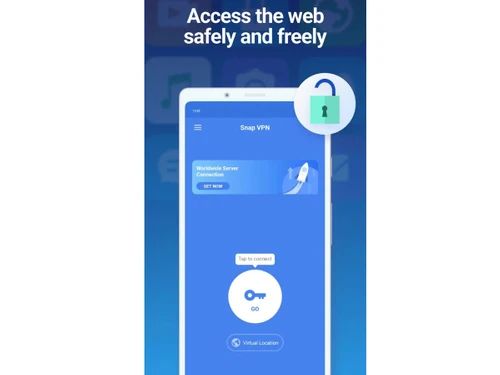
A VPN software that enables secure browsing by masking your IP address and unlocking restricted websites.
See MoreHave you used Snap VPN before?
Share your insights for better experience
Looking for The Right Pricing?
Share your requirements and get a plan built around your business.
Price Available on Request
Get personalised Snap VPN pricing that fits your needs. Our team will connect with you.
Core Modules
 Remote Access Automatic Kill Switch DNS Leak Protection IPv6 Leak Protection Port Forwarding Split Tunneling Multi-hop VPN Alternative Routing P2P Support Smart DNS Ad Blocker Wi-Fi Protection Cookie Blocker
 Privacy Protection
No Log Policy IP Address Masking Automatic Reconnection WebRTC Leak Protection Static and Dynamic IP Addresses Obfuscated Servers Multi-Factor Authentication (MFA) Privacy-Focused DNS Servers Deep & Dark Web Monitoring Encryption Protocols
OpenVPN WireGuard SSTP IKEv2/IPsec L2TP/IPsec PPTP Performance & Monitoring
Connection Speed Unlimited Bandwidth Server Locations Connection Stability Load Balancing Speed Throttling Stealth Mode Usability Features
User-Friendly Interface Multi-Device Support Platform Compatibility Cross-Platform Synchronization Browser Extension Availability Compliance Management
PCI DSS Compliance GDPR Compliant HIPAA Compliance Security Audits Advanced Firewall Features
DDoS protection Malware Blocker Device Scanning Phishing Protection Administrative Features
Session Management Traffic Management URL Filtering Content Filtering Global Content Access Torrent Downloading Policy Management User Access Management Reporting & Analytics  Windows
  iOS
iOS  Android MacOS
  Desktop
  Mobile
  iPad
iPad  Perpetual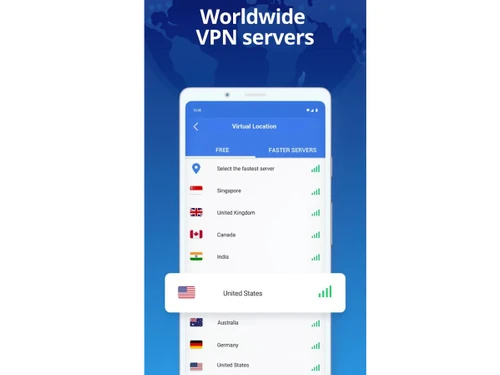

4.0
Out of 5

Overall Rating
Based on
5 Verified Ratings
Rating Breakdown
80% Recommend this Product
Add ReviewTechjockey Trusted Reviews from Verified Users
No reviews are currently available for Snap VPN. Discover similar VPN Software reviews
NordVPN
Whats great - Cyber security is very important to me, and a good VPN is essential for that. I also hate ads and I hate having my online act... read more

hide.me
Whats great - Stable connections, user-friendly interface. read more

Mullvad VPN
Whats great - Straightforward service without gimmicks. read more
Snap VPN pricing information can be requested from Techjockey.com.
Yes, Snap VPN is available as a mobile app for iOS and Android devices.
Snap VPN is compatible with Windows, iOS, Android and MacOS devices.
Snap VPN is free to use, so no separate trial is needed.
Snap VPN encrypts your internet connection and hides your IP to secure browsing and unblock websites.
Anyone looking for secure browsing, privacy, and access to geo-restricted content.
No separate demo is needed since Snap VPN is free to use.
Yes, Snap VPN is available for free.
20,000+ Software Listed
Best Price Guranteed
Free Expert Consultation
2M+ Happy Customers
Terms and Condtions

Users with registered businesses can purchase goods from merchants on the platform to satisfy their business needs. Users are not permitted to utilize any products acquired through the platform for resale, advertising, business, or further distribution.
For each purchase made, users will receive a Tax Invoice (or 'GST invoice') that includes specific details such as:
the GSTIN of the user associated with their registered business, and
the specified Entity Name for their business.
It should be noted that not all products are eligible for GST Invoice. Only the products displayed by participating sellers with the 'GST-based Invoice Available' callout on the product description page would qualify.
Certain goods and services are not eligible to get a GST Invoice, including items with VAS, i.e., Value Added Services (e.g., Total Mobile Protection/Assured Buyback) and those involving an exchange offer at the time of purchase.
Users must ensure the accuracy of the GSTIN, and business entity name provided for the GST Invoice. Requests for corrections into GST Invoice would not be accommodated by Techjockey.com or any Seller, and any issues arising from user-provided information are the sole responsibility of users.
Techjockey.com is not liable for the GST Invoice or any associated input tax credit. To efficiently claim an input tax credit, users should select the registered place of business address as per the GST authority's data and follow the provisions of the GST Act and rules.
To claim an input tax credit, the delivery and billing addresses must match. Furthermore, input tax credits will not be granted if the delivery address and GSTIN on the invoice are from different states. In case of incorrect GST details provided during the order placement, the order will be canceled automatically.