USA
USA UAE
UAESmall Business
Designed for startups and growing businesses

See More




Brand: Tunnelbear
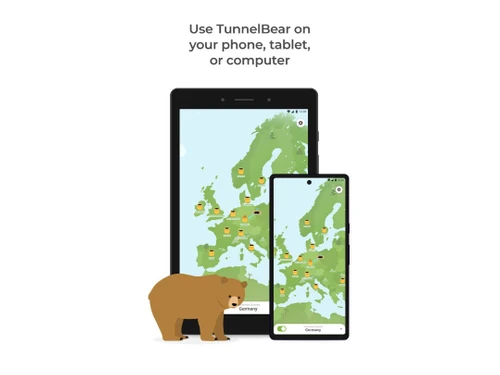
Tunnelbear is a secure VPN (Virtual Private Network) service that enables the user to browse the web more securely. The tool comes with a powerful encryption system that secures your internet connection, thus helping you to keep all your online activities private. It is an easy-to-use application that fits in perfectly and syncs with any device or operating system. How Does Tunnelbear Encrypt You...
See MoreHave you used Tunnelbear before?
Share your insights for better experience
Brand: Tunnelbear
Founded Year: 2011
TunnelBear encrypts your internet connection to keep your online activity private on any network.
Core Modules
 Remote Access Split Tunneling Automatic Kill Switch DNS Leak Protection IPv6 Leak Protection Port Forwarding Alternative Routing P2P Support Ad Blocker Wi-Fi Protection Cookie Blocker Multi-hop VPN Smart DNS
 Privacy Protection
Multi-Factor Authentication (MFA) Obfuscated Servers IP Address Masking Privacy-Focused DNS Servers No Log Policy WebRTC Leak Protection Static and Dynamic IP Addresses Automatic Reconnection Deep & Dark Web Monitoring Encryption Protocols
SSTP OpenVPN IKEv2/IPsec L2TP/IPsec WireGuard PPTP Performance & Monitoring
Stealth Mode Speed Throttling Connection Speed Unlimited Bandwidth Server Locations Connection Stability Load Balancing Usability Features
User-Friendly Interface Multi-Device Support Platform Compatibility Browser Extension Availability Cross-Platform Synchronization Compliance Management
PCI DSS Compliance Security Audits GDPR Compliant HIPAA Compliance Advanced Firewall Features
DDoS protection Malware Blocker Device Scanning Phishing Protection Administrative Features
Reporting & Analytics Global Content Access Torrent Downloading Session Management Traffic Management URL Filtering Content Filtering Policy Management User Access Management 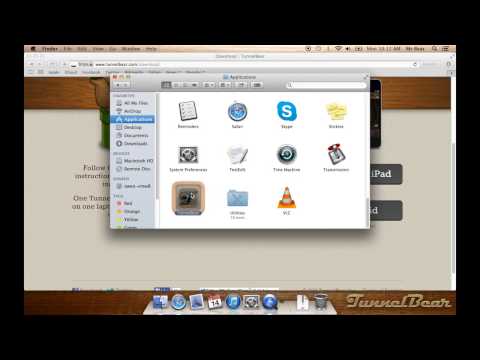

Watch the demo video to explore key features, real workflows, and how the software fits your business needs.
 Windows
  iOS
iOS  Android MacOS
  Linux
Linux  Desktop
  Mobile
  iPad
iPad  Cloud-Based
  Perpetual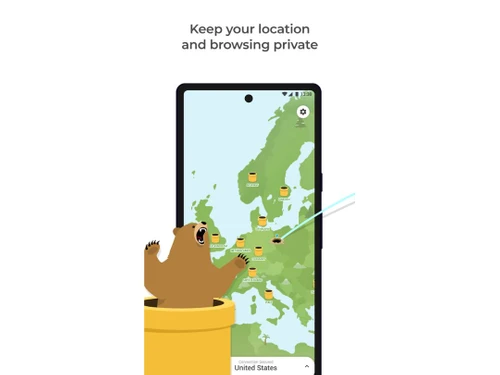

Small Business
Designed for startups and growing businesses
Medium Business
Built for business growth and flexibility
Enterprises
Designed for complex and large-scale business needs
4.2
Out of 5

Overall Rating
Based on
14 Verified Reviews
Rating Breakdown
81% Recommend this Product
Add ReviewOverall, users appreciate TunnelBear for its user-friendly interface, solid security features, and engaging design, making it particularly suitable for beginners and light internet use. Many find it easy to set up and reliable for basic browsing, though several reviews highlight limitations with streaming services like Netflix and a restrictive data cap on the free version. Additionally, some users express concerns about limited server locations and slower connection speeds on occasion, while others wish for improved customer support options.
Pros
"TunnelBear is really easy to use and feels super safe with its strong encryption."
"Undergoes independent security audits and has a clear privacy policy."
"Secure business communications, easy to set up for multiple users, affordable."
Cons
"It doesn't work that well with Netflix and other big streaming services."
"Can be slow on some servers, customer support response times could be better."


May 13, 2025
Techjockey Verified
“Friendly VPN That Gets the Job Done”
I really enjoy using TunnelBear because it’s one of the easiest VPNs I’ve ever tried. I just click the switch, and it connects right away. The bear animations make it fun too! I use it mostly for browsing and checking emails when I'm on public Wi-Fi. It’s not the best for watching shows from other countries though, which is kind of a letdown. But for everyday use, it’s great. The connection is stable and I’ve never had any major problems.
Pros
TunnelBear is really easy to use and feels super safe with its strong encryption.
Cons
It doesn't work that well with Netflix and other big streaming services.
Reason to switch
Betternet was full of ads and felt sketchy. TunnelBear felt safer and more professional to use.
Apr 22, 2025
Techjockey Verified
“Decent Free VPN with Some Limitations”
I appreciate that TunnelBear offers a free plan with servers in many countries. It's been helpful for basic browsing. However, I can't choose specific cities, which sometimes affects the content I can access.
Pros
Offers a free plan with access to servers in 47 countries.
Cons
Cannot select specific cities, only countries.
Reason to switch
Windscribe's interface was less intuitive for me. TunnelBear's design is more user-friendly.
Apr 17, 2025
Techjockey Verified
“Fun Interface but Limited Advanced Features”
TunnelBear's fun interface makes using a VPN enjoyable. It's perfect for beginners like me. But as I learned more about VPNs, I realized it lacks advanced features that other services offer.
Pros
Engaging design and straightforward for beginners.
Cons
Lacks advanced settings for experienced users.
Reason to switch
CyberGhost had too many settings that confused me. TunnelBear's simplicity is more my style.

Tunnelbear
Price On Request
Desktop
Mobile
Web based
On Premises
Windows
Mac OS

Avast SecureLine VPN
Price On Request
Desktop
Mobile
Web based
On Premises
Windows
Mac OS

Astrill VPN
Price On Request
Desktop
Mobile
Web based
On Premises
Windows
Mac OS

NordVPN
₹ 4999
Desktop
Mobile
Web based
On Premises
Windows
Mac OS

TorGuard VPN
Price On Request
Desktop
Mobile
Web based
On Premises
Windows
Mac OS

Private Internet Access
₹ 901
Desktop
Mobile
Web based
On Premises
Windows
Mac OS

Proton VPN
Price On Request
Desktop
Mobile
Web based
On Premises
Windows
Mac OS

Cyberghost
₹ 965
Desktop
Mobile
Web based
On Premises
Windows
Mac OS

Surfshark
Price On Request
Desktop
Mobile
Web based
On Premises
Windows
Mac OS

Bitdefender Premium VPN
₹ 1458
Desktop
Mobile
Web based
On Premises
Windows
Mac OS

Mullvad VPN
Price On Request
Desktop
Mobile
Web based
On Premises
Windows
Mac OS
(0) Product(s) selected
Starting Price:
$11 /Month
Starting Price:
₹901 /Month

Starting Price:
$10 /Month

Starting Price:
$6 /month

Starting Price:
$7 /Month

Starting Price:
$10 /Month

Starting Price:
$15 /Month

Starting Price:
$12 /month

Starting Price:
$10 /Month

Available
Price on Request

Starting Price:
$6 /Month
After you turn on the app, it routes all your incoming or outgoing data with the help of a secure global server network. When a hacker or an advertiser tries to look up for your browsing activities, they can only view an unreadable or distorted junk.
There are entities that keep a track of all your online activities for carrying out certain business purposes. They include internet service providers, advertisers, network owners, hackers and even Governments. You can’t afford to let go of your confidential data and browsing activities.
Tunnelbear eliminates the ways hackers or other parties track your internet activities and prevents the risk of your personal data getting hijacked or stolen. Your data might get leaked while browsing the web over Wi-Fi or some other public data transfer networks.
Tunnelbear’s Grizzly-grade encryption changes your true IP address so as to hide your identity. This prevents a third party from tracing your real physical location or your device’s IP address, thus protecting you from a potential data hack or your personal information from getting tracked.
Tunnelbear doesn’t compromise on the speed as it is optimised to enable you to surf the web and stream data really quick, without facing tedious buffering or loading procedures. In fact, the app is supposed to speed up your gaming or browsing experience by preventing third parties from hacking your data.
20,000+ Software Listed
Best Price Guranteed
Free Expert Consultation
2M+ Happy Customers
Terms and Condtions

Users with registered businesses can purchase goods from merchants on the platform to satisfy their business needs. Users are not permitted to utilize any products acquired through the platform for resale, advertising, business, or further distribution.
For each purchase made, users will receive a Tax Invoice (or 'GST invoice') that includes specific details such as:
the GSTIN of the user associated with their registered business, and
the specified Entity Name for their business.
It should be noted that not all products are eligible for GST Invoice. Only the products displayed by participating sellers with the 'GST-based Invoice Available' callout on the product description page would qualify.
Certain goods and services are not eligible to get a GST Invoice, including items with VAS, i.e., Value Added Services (e.g., Total Mobile Protection/Assured Buyback) and those involving an exchange offer at the time of purchase.
Users must ensure the accuracy of the GSTIN, and business entity name provided for the GST Invoice. Requests for corrections into GST Invoice would not be accommodated by Techjockey.com or any Seller, and any issues arising from user-provided information are the sole responsibility of users.
Techjockey.com is not liable for the GST Invoice or any associated input tax credit. To efficiently claim an input tax credit, users should select the registered place of business address as per the GST authority's data and follow the provisions of the GST Act and rules.
To claim an input tax credit, the delivery and billing addresses must match. Furthermore, input tax credits will not be granted if the delivery address and GSTIN on the invoice are from different states. In case of incorrect GST details provided during the order placement, the order will be canceled automatically.