USA
USA India
IndiaSmall Business
Designed for startups and growing businesses

See More




Brand: Adjetter
Kapture CX is a Gen AI powered omnichannel customer support automation platform designed for enterprises to streamline and personalize customer interactions.
See MoreHave you used Kapture CX before?
Share your insights for better experience
Brand: Adjetter
Founded Year: 2016
Kapture is an AI-powered omnichannel Customer Experience management platform focused on customer support. It adapts to evolving expectations, making each interaction unique and personalized. Serving 1000+ businesses in 16 countries, Kapture excels in Retail, BFSI, Travel, and Consumer Durables.
Looking for The Right Pricing?
Share your requirements and get a plan built around your business.
Price Available on Request
Get personalised Kapture CX pricing that fits your needs. Our team will connect with you.
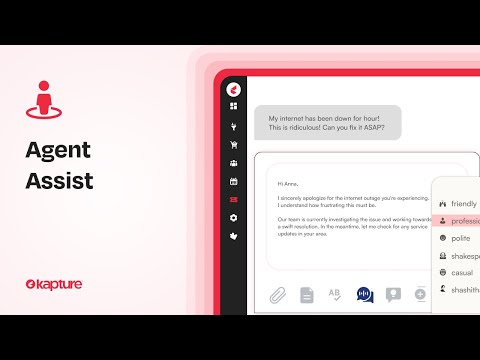
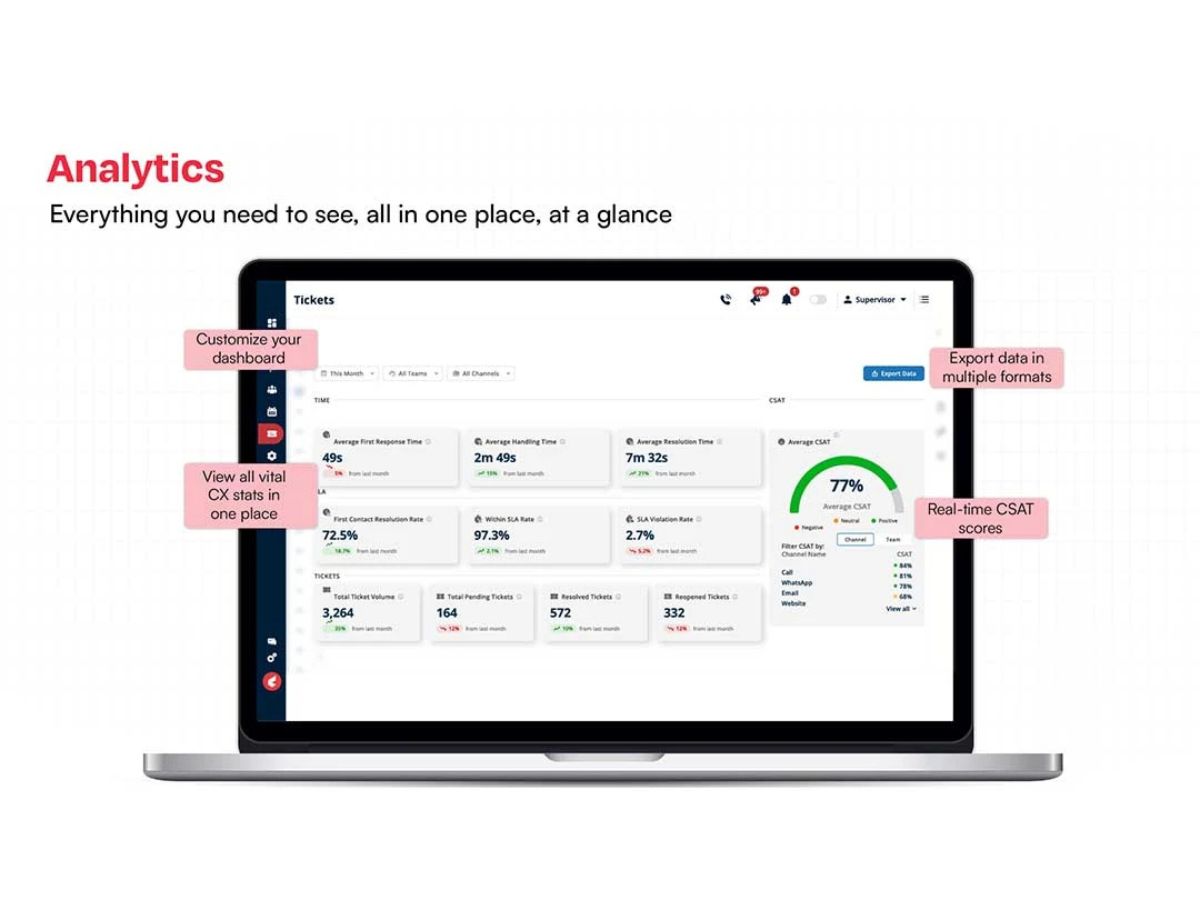
 Call Logging Customer Support Collaboration 360° Customer View Omnichannel Seamless Sales, Service & Support Customer Service Call Center Management Audit Trail Routing Customizable Branding Mobile App Ticketing Management Chatbot Analytics & Reporting Agent Assist Dashboards Live Chat

Watch the demo video to explore key features, real workflows, and how the software fits your business needs.
 Ubuntu
  Windows
  iOS
iOS  Android MacOS
  Linux
Linux  Desktop
  Mobile
  Cloud-Based


Small Business
Designed for startups and growing businesses
Medium Business
Built for business growth and flexibility
Enterprises
Designed for complex and large-scale business needs
4.2
Out of 5

Overall Rating
Based on
16 Verified Reviews
Rating Breakdown
83% Recommend this Product
Add ReviewKapture CX receives positive feedback for its user-friendly interface, intuitive navigation, and strong customer support, making it a valuable tool for enhancing customer service and operational efficiency. Users appreciate its customizable features and omnichannel support, which streamline workflows and improve ticket management. However, some common concerns include challenges with integration, slower response times from customer support during peak periods, and occasional delays in ticket processing. Overall, Kapture CX is recommended for its effectiveness, though users suggest improvements in implementation speed and reporting capabilities.
Pros
"It's easy to navigate, user friends tab which makes professional life easy"
"Really easy to use, very intuitive, highly customisable and great vertical support"
"Unique Features and easy access also we can find the customer details very easily."
Cons
" We need to use an additional dialer to do inbound and outbound calls.Can be more smart "
"The only downside i would like to mention is that some times it takes very long time to reload or to close any ticket."
"Limited integration option, the platform's reporting is not very robust, can't get a lot of actionable insights "

Sep 2, 2024
Techjockey Verified
“I am using kapture since last 4 months in my organization and it helped me a lot.”
The main thing is that whenever any ticket is coming over kapture then it can be seen and worked by my team mates and my manager also. By this way, my manger can also help me out if i am doing the things correctly or not. And if i am on leave then in that case my team mates can work on my tickets.
Pros
The most important part of using kapture is that i can reply to the mail if it is makred over kapture directly using kapture. I can assign my ticket to someone else and vice versa. I can check the history of the tickets over a time period. I can merge all the them into one ticket. I can also mark any ticket as junk. If there is some one from my team who is on leave then i can also work on his ticket by using Kapture. I can see my tickets also and my team's ticket also over the kapture. Features like lunch break shift end login logout are also very helpful.
Cons
The only downside i would like to mention is that some times it takes very long time to reload or to close any ticket.
Reason to switch
Omnichannel ticketing was missing from our customer support function
Sep 5, 2024
Techjockey Verified
“User friendly!”
Pros
Its user friendly interface ,easy accessibility
Cons
We need to use an additional dialer to do inbound and outbound calls.Can be more smart
Reason to switch
To manage all the channel in single tool
Sep 3, 2024
Techjockey Verified
“Experience good till date”
Pros
It's easy to navigate, user friends tab which makes professional life easy
Cons
Need to Need to decrease TAT for changes request
Reason to switch
It is helping us to create a database of customer experience and interaction data

Kapture CX
Price On Request
Desktop
Mobile
Web based
On Premises
Windows
Mac OS
eGain
Price On Request
Desktop
Mobile
Web based
On Premises
Windows
Mac OS

Sprinklr Service
Price On Request
Desktop
Mobile
Web based
On Premises
Windows
Mac OS

Oracle Customer Experience
Price On Request
Desktop
Mobile
Web based
On Premises
Windows
Mac OS

Zoho CRM Plus
Price On Request
Desktop
Mobile
Web based
On Premises
Windows
Mac OS

SAP CX
Price On Request
Desktop
Mobile
Web based
On Premises
Windows
Mac OS

Feedier
Price On Request
Desktop
Mobile
Web based
On Premises
Windows
Mac OS

Ask AI
Price On Request
Desktop
Mobile
Web based
On Premises
Windows
Mac OS

CustomerGauge
Price On Request
Desktop
Mobile
Web based
On Premises
Windows
Mac OS

Locobuzz
Price On Request
Desktop
Mobile
Web based
On Premises
Windows
Mac OS

Lucidya
Price On Request
Desktop
Mobile
Web based
On Premises
Windows
Mac OS
(0) Product(s) selected
Available
Price on Request
Available
Price on Request
Available
Price on Request
Starting Price:
$110.00 /Month

Available
Price on Request

Available
Price on Request

Starting Price:
$49.00 /Month

Available
Price on Request

Starting Price:
$449.00 /Month

Starting Price:
$18.00

Available
Price on Request
Kapture CX price is available on request at techjockey.com.
Yes, Kapture CX Software offers an Android mobile app.
Kapture CX Software is compatible with the Windows operating system only.
No, Kapture CX Software does not provide a free trial.
Kapture CX software works by unifying customer interactions across multiple channels on a single AI-powered platform, enabling businesses to deliver personalized and efficient support.
Potential users of Kapture CX software include businesses from industries like BFSI, Retail, Travel, and other enterprises seeking to streamline customer support operations.
Yes, Kapture CX Software offers a free demo upon request at techjockey.com.
No, Kapture CX Software is not free.
Kapture CX personalizes customer interactions by offering a 360° customer view and AI-driven solutions.
Yes, Kapture CX includes call center management tools like call logging, routing, and performance tracking.
Kapture CX utilizes a cloud-based storage deployment.
Here are the system requirements for Kapture CX: Operating System: Windows 7.0 or Higher and Browser: Latest Version of Chromium, Firefox, Safari, or Edge.
Yes, you can get a free demo of the software at techjockey.com. For more details, you can contact our experts.
Terms and Condtions

Users with registered businesses can purchase goods from merchants on the platform to satisfy their business needs. Users are not permitted to utilize any products acquired through the platform for resale, advertising, business, or further distribution.
For each purchase made, users will receive a Tax Invoice (or 'GST invoice') that includes specific details such as:
the GSTIN of the user associated with their registered business, and
the specified Entity Name for their business.
It should be noted that not all products are eligible for GST Invoice. Only the products displayed by participating sellers with the 'GST-based Invoice Available' callout on the product description page would qualify.
Certain goods and services are not eligible to get a GST Invoice, including items with VAS, i.e., Value Added Services (e.g., Total Mobile Protection/Assured Buyback) and those involving an exchange offer at the time of purchase.
Users must ensure the accuracy of the GSTIN, and business entity name provided for the GST Invoice. Requests for corrections into GST Invoice would not be accommodated by Techjockey.com or any Seller, and any issues arising from user-provided information are the sole responsibility of users.
Techjockey.com is not liable for the GST Invoice or any associated input tax credit. To efficiently claim an input tax credit, users should select the registered place of business address as per the GST authority's data and follow the provisions of the GST Act and rules.
To claim an input tax credit, the delivery and billing addresses must match. Furthermore, input tax credits will not be granted if the delivery address and GSTIN on the invoice are from different states. In case of incorrect GST details provided during the order placement, the order will be canceled automatically.
 20,000+ Software Listed
 Unbiased Comparison
 Read Authentic Reviews
 500,000+ Monthly Users