linkedin
DeepSwap AI logo
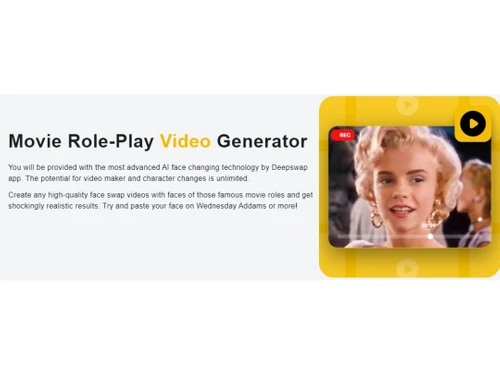
DeepSwap Video Generator
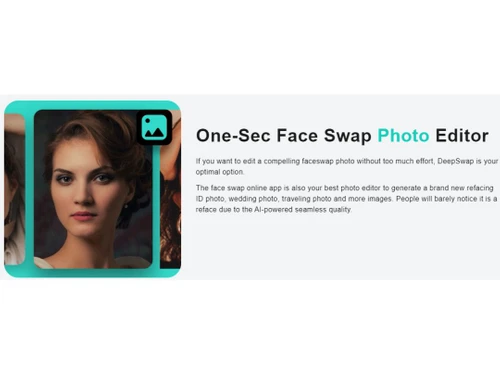
DeepSwap Photo Editor
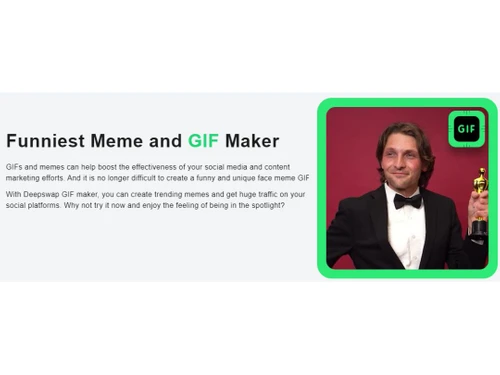
DeepSwap GIF Maker

DeepSwap AI

Brand: DeepSwap

  • 4.2

  • 17 Ratings & 12 Reviews

DeepSwap AI Image Generator revolutionizes creativity with advanced algorithms, effortlessly producing high-quality, diverse images for artistic projects.

See More

Have you used DeepSwap AI before?

Share your insights for better experience

Add a Review
Starting Price
$10

View plans

100% Genuine
Products
Best Price
Guaranteed
Safe & Secure
Payment
  • Description

  • Pricing

  • Features

  • Specification

  • Review

  • Compare

  • Alternatives

  • FAQ

  • Questions

Starting at $10

DeepSwap AI Software Overview

What is DeepSwap AI?

Unleash your creativity like never before with DeepSwap AI, a powerhouse of innovative tools designed to elevate your photo and video editing experience. Packed with cutting-edge features, this AI-powered platform empowers you to effortlessly enhance, swap, and generate captivating visuals that leave a lasting impression.

Enhance visuals, improve clarity, and ensure your videos stand out. DeepSwap AI offers intuitive tools that transform ordinary images into extraordinary works of art, ensuring every detail is perfectly captured and enhanced. Elevate your videos to cinematic levels. Whether refining footage, adding dynamic effects, or trimming scenes, you'll craft videos that captivate and engage your audience. Witness the future of face-swapping with AI-driven precision.

DeepSwap AI's advanced technology enables seamless face swaps, creating fun, realistic transformations that amaze you. Unleash your storytelling prowess by crafting compelling narratives by effortlessly combining clips, enhancing them with effects, and creating videos that leave an impact. Infuse life into your visuals with DeepSwap AI's GIF maker. You can transform images and videos into captivating GIFs that convey emotions, reactions, and stories in a dynamic and engaging format.

Why Choose DeepSwap AI?

DeepSwap AI is a versatile solution tailored for creative enthusiasts and professionals seeking to amplify their visual content. Aspiring artists, social media influencers, and amateur photographers can harness its user-friendly interface to enhance photos, create engaging GIFs, and transform videos into captivating narratives. On the professional front, graphic designers, video editors, and marketers can leverage its advanced features for refined photo and video editing, AI-powered face swaps, and seamless content generation.

DeepSwap AI is the ideal companion for anyone seeking to break free from the constraints of conventional visual content. Creative minds who desire to explore new dimensions in their work, from bloggers and vloggers to artists and storytellers, can harness its advanced capabilities to produce stunning visuals that capture attention and evoke emotion. By offering a seamless blend of cutting-edge technology and user-friendly design, DeepSwap AI opens doors to limitless creative possibilities for individuals and professionals alike.

Benefits of DeepSwap AI Image Generator

  • Transform ordinary photos into extraordinary visual narratives with powerful editing tools.
  • Create captivating videos that leave a lasting impact through intuitive and dynamic editing features.
  • Achieve seamless and realistic face swaps with advanced AI-driven technology.
  • Craft compelling stories effortlessly by generating videos that captivate and engage.
  • Infuse dynamics into your content with eye-catching GIFs that convey emotions and reactions.
  • Prioritize the security of your creative journey with robust data protection measures.

DeepSwap AI Pricing

DeepSwap AI pricing starts from $9.99 at techjockey.com.

The pricing model is based on different parameters, including extra features, deployment type, and total users. For further queries related to the product, you can contact our product team and learn more about the pricing and offers.

Read more

DeepSwap Company Details

Founded Year:  2021

Best deepfake online web tool that enables users to make face-swap videos in seconds.

Director/Founders N/A
Company Size 1-100 Employees

DeepSwap AI Pricing & Plans

Premium
Key Features
  • Unlock pro model
  • 20 Credits per month
  • Credit Package Discount
  • Priority Processing
  • Max video length 10 mins
  • Early access to new features
  • Multiple video/photo formats support
Starting at $10
    • Licenses

      Licenses
      Licenses
    • Monthly

      Monthly
      Monthly

Key Features

  • Unlock pro model

  • 20 Credits per month

  • Credit Package Discount

  • Priority Processing

  • Max video length 10 mins

  • Early access to new features

  • Multiple video/photo formats support

DeepSwap AI Features

Image Generation and Processing

  • icon_check Real-time Preview
    Provides real-time previews of the image as users adjust its parameters offering immediate feedback on the changes
  • icon_check Text-to-Image Generation
    Converting the entered text into an image
  • icon_check Image-to-Image Transformation
    Modifies the existing image to new style
  • icon_check High-Resolution Output
    Generates HD-quality output
  • icon_check Preset Styles
    Provides in-built styles and templates
  • icon_check Drag and Drop
    Providing drag and drop functionality and an easy-to-use interface
  • icon_check Real-Time Rendering
    Produces immediate results by creating the final image in real time while the user modifies the prompt or settings
  • icon_check Multi-Layer Image Processing
    Builds pictures layer by layer adjusting various components to produce more precise and detailed images
  • icon_check Batch Generation
    Generates multiple images from a single prompt, ideal for exploring different variations

Editing and Customization Tools

  • icon_check Content Filters
    Users can add filters to photos, regulating content production, such as allowing or prohibiting NSFW content.
  • icon_check Style Transfer
    Applying artistic style of image to another
  • icon_check Adjustable Parameters
    Controling the aspects like size, resl.,color scheme,etc
  • icon_check Image Upscaling
    Enhances the image quality
  • icon_check Denoising
    Reducing noise from the image and thereby providing clarity
  • icon_check Background Removal
    Smartly detects the image and removes the elements as per the users' choice
  • icon_check AI Editor
    Use artificial intelligence to improve, fix, or create images
  • icon_check Realistic Object Generation
    Creates realistic and coherent images
  • icon_check Resolution Control
    Lets users choose the resolution at that they want created images to be
  • icon_check Style Adaptation
    Allows users to create multiple alteration of an image and apply the visual style of one image onto another
  • icon_check 3D Effects
    Make 3D design images from simple text descriptions
  • icon_check Layer Control
    Allows users to manipulate layers, background, objects, shadows, etc.
  • icon_check Object Removal
    Uses AI techniques to eliminate undesired things from photos, erasing all traces of the deleted objects
  • icon_check Text Overlay
    Allows the user to add text over the generated images
  • icon_check Image Tiling
    Allows the user to create seamless patterns and repeating patterns
  • icon_check Image Weights
    Gives options for varying the proportion of text prompts to picture prompts

Prompt Control and Enhancements

  • icon_check Prompt Editing
    Allows the user modify the entered prompt
  • icon_check Prompt Enhancer
    Reads your prompt, analyzes it and then make changes in it automatically so that you get an upgraded image.
  • icon_check Real-Time Generation
    Generates images as users enter the prompts thereby reducing wait time
  • icon_check Prompt Sensitivity
    Adjust the accuracy of the generated image and ensure that it matches the input
  • icon_check Prompt Flexibility
    Facilitates the users with ability to adjust and modify their text prompts and get desired results
  • icon_check Prompt Matrix
    Modifies settings to create multiple versions of a single prompt
  • icon_check Negative Prompt
    Feature using which user can enter those details that they want explicitly not included
  • icon_check Seed
    Gives the user the ability to specify a seed number for consistent image generation

Model and AI Capabilities

  • icon_check Multi-Model Support
    Gives users access to a variety of AI models so they may select the one that best suits their needs
  • icon_check Fine Tuning
    The process of training a pre-trained model that fits the requirements of the user
  • icon_check Model Merging
    Combines features from several AI models to produce image generating tools that are more effective and versatile

Collaboration and Sharing

  • icon_check Custom Templates
    Allows the user create and save new templates
  • icon_check Image Sharing
    Easily share your artwork with other via links on social media
  • icon_check Prompt Libraries
    Provides users with a set of pre-written text suggestions
  • icon_check Collaboration Tools
    Feature that allows multiple users to work in collaboration

Branding and Commercial Use

  • icon_check Data Privacy
    Ensures user data and generated content are securely handled
  • icon_check Commercial Rights
    Defines the legal usage of generated images allowing the user if they can use it for commercial purposes
  • icon_check Brand Kit Integration
    Enables users to brand created photos, guaranteeing uniformity across material

Integration Supported

  • icon_check API Integration
    Provides the creator with an API of an image so that they can use it on other processes or apps
  • icon_check Content Management Systems (CMS) Integration
    Allowing direct integration with CMS platforms allowing user to publish images on websites
  • icon_check Design and Editing Software Integration
    Connectiing the design other editing tools for further image refinement
  • icon_check Cloud Storage and Collaboration Tools Integration
    Allows users to save and share images directly onto the cloud storage
  • icon_check E-Commerce Platforms Integration
    Provides the ability to generate product images directly for use on platforms
  • icon_check 3D Modeling Software Integration
    Allow the user to create and modify 3D components inside the images using 3D applications
  • icon_check Game Engines Integration
    Allows created pictures to be seamlessly integrated with gaming engines
  • icon_check Video Editing Tools Integration
    Allows the user to connects with video editing software
  • icon_check Animation Tools Integration
    Enables the mixing of AI-generated images with animation software
  • icon_check NFT Marketplaces
    Supports direct export of AI-generated images as NFTs allowing users to mint and sell their creations on platforms
  • icon_check Plugin & Extensions
    Extending functionality by adding add-ons and plugins

DeepSwap AI Specification

Supported Platforms
Ubuntu Ubuntu Windows Windows MacOS MacOS Linux Linux
Devices
Desktop Desktop Mobile Mobile Tablet Tablet iPad iPad
Deployment
Web-Based Web-Based
Suitable For
All Industries
Business Specific
All Businesses
Business Size
Small Business Startups Medium Business Enterprises SMBs SMEs MSMBs MSMEs
Customer Support
Email Communities
Language
English
Training Resources
Documentation Videos
AI Features
AI Integrated

Explore the Best Alternative Solutions Similar to Your Business Size and Needs

DeepSwap AI Reviews

4.2

Out of 5

img

Overall Rating

Based on
12 Verified Reviews

Rating Breakdown

  • Features 4.1
  • Value for Money 4.2
  • Ease of Use 4.3
  • Customer Support 4.2

85% Recommend this Product

Add Review

Pros

  • "DeepSwap has made it easy for me to create and experiment with different image styles. It also offers custom templates and face swap feature."

    Chandan Mondal Sep 2, 2024

Cons

  • " There's also no free trial, so you need to purchase credits upfront. Also, the output didn’t look great until I figured out how to work with the settings."

    Yogita Sep 2, 2024

  • "Each transformation needs credits, which is quite expensive for me. "

    Niharika Rana Aug 5, 2024

  • "Sometimes the AI-generated images don’t turn out quite as expected, especially with more detailed or complex prompts. "

    Babita Jul 10, 2024

DeepSwap AI Video Reviews

youtubeVideoId

4.6

“DeepSwap AI Review Elon Musk Obama and Trump FaceSwap Test to generate online deep fakes”

Review by: AI Tools Journal

youtubeVideoId

4.4

“Deepswap AI Review by Apphut AI Video Photo Generator”

Review by: AppHut Official

Chandan Mondal

Editor

Industry: SAAS User since: 1-2 years

4.1

Reviewed on: Sep 2, 2024

Techjockey Verified

“Unified Platform for AI Image Generation”

Pros

DeepSwap has made it easy for me to create and experiment with different image styles. It also offers custom templates and face swap feature.

Cons

One downside is that it’s not cheap.

Reason to switch

I switched to DeepSwap because I wanted faster image generation with options like text-to-image.

Nishant

Graphic Designer

Industry: SAAS User since: 1-2 years

4.1

Reviewed on: Sep 2, 2024

Techjockey Verified

“Great for Creating Creative Projects without any hassle and less time”

Pros

DeepSwap offers real-time preview feature which is helpful because I can see changes as they happen and saves a lot of time. It also offers image upscaling features which allows me to improve the image.

Cons

I haven’t faced any issues.

Reason to switch

I switched to DeepSwap for its wider range of features and faster image generation process.

Babita

3.8

Reviewed on: Jul 10, 2024

Techjockey Verified

“An Amazing AI Image Generator with lot of features”

Pros

DeepSwap has some really good features for AI image generation. The text-to-image feature allows me to create completely unique images based on my ideas, and the image transformation feature lets me take any image and give it a fresh style.

Cons

Sometimes the AI-generated images don’t turn out quite as expected, especially with more detailed or complex prompts.

Reason to switch

I switched to DeepSwap because I wanted more features.

See All DeepSwap AI Reviews

Compare DeepSwap AI With other AI Image Generators

Products
Ratings
Pricing
Device Supported
Deployment
Supported Platforms
  • img

    DeepSwap AI

  • 4.2

  • Price On Request

  • Desktop

    Mobile

  • Web based

    On Premises

  • Windows

    Mac OS

  • img

    Remaker AI

  • 4.2

  • Price On Request

  • Desktop

    Mobile

  • Web based

    On Premises

  • Windows

    Mac OS

  • img

    Deepnude

  • 3.7

  • Price On Request

  • Desktop

    Mobile

  • Web based

    On Premises

  • Windows

    Mac OS

  • img

    Leonardo AI

  • 3.8

  • Price On Request

  • Desktop

    Mobile

  • Web based

    On Premises

  • Windows

    Mac OS

  • img

    Adobe Firefly

  • 4.0

  • Price On Request

  • Desktop

    Mobile

  • Web based

    On Premises

  • Windows

    Mac OS

  • img

    DeepSukebe

  • 4.2

  • Price On Request

  • Desktop

    Mobile

  • Web based

    On Premises

  • Windows

    Mac OS

  • img

    Facet AI

  • 4.3

  • Price On Request

  • Desktop

    Mobile

  • Web based

    On Premises

  • Windows

    Mac OS

  • img

    SUPERMACHINE

  • 4.2

  • Price On Request

  • Desktop

    Mobile

  • Web based

    On Premises

  • Windows

    Mac OS

  • img

    GoEnhance AI

  • 4.3

  • Price On Request

  • Desktop

    Mobile

  • Web based

    On Premises

  • Windows

    Mac OS

  • img

    DiffusionBee

  • 4.2

  • Price On Request

  • Desktop

    Mobile

  • Web based

    On Premises

  • Windows

    Mac OS

  • img

    Getimg AI

  • 3.9

  • ₹ 850

  • Desktop

    Mobile

  • Web based

    On Premises

  • Windows

    Mac OS

(0) Product(s) selected

DeepSwap AI Alternatives

See All DeepSwap AI Alternatives

Starting Price:

$30 /Month

Available

Price on Request

Available

Price on Request

SAVE UPTO 25%

Articles for DeepSwap AI

See All Related Articles

Which operating system does the DeepSwap AI Support?

DeepSwap is compatible with Windows and macOS operating systems.

Is there any DeepSwap App?

DeepSwap AI app is unavailable on Android and iOS devices.

What is the deployment type of the DeepSwap AI software?

DeepSwap AI supports web-based deployment.

How much does the DeepSwap AI Tool cost?

The pricing of the DeepSwap AI starts from $9.99 at techjockey.com.

Who are the potential users of the DeepSwap AI Platform?

DeepSwap AI can be used by image editors, video editors, bloggers, social media managers, and individuals needing AI image generation software.

Is there any free trial or demo for the DeepSwap AI Tool?

The DeepSwap AI demo is free with techjockey.com.

Is the DeepSwap AI Free?

DeepSwap AI does not offer a free trial.

How can you download the DeepSwap AI?

DeepSwap is a web-based platform. So, you need not download any software or app to use it.

How does the DeepSwap AI Tool work?

DeepSwap AI is an innovative online tool with advanced artificial intelligence to create captivating face swap content. Seamlessly blending faces from different images or videos generates entertaining face swap videos, photos, and GIFs. With a user base exceeding 150 million, DeepSwap allows users to engage in amusing and creative face-swapping, even in movies.

DeepSwap AI Questions

Q:

Does batch processing works in Deepswap AI?

Yunus Mohammed Sep 27, 2024
A:

Yes, batch processing is supported by DeepSwap AI, enabling users to interchange faces in several pictures or videos at once. This feature is useful for users who need to process a large number of files efficiently, as it saves time and effort compared to handling each file individually. It helps in changing faces across different media to run more smoothly.

jagdishbhai padiya Sep 27, 2024
A:

Yes, users customize the face swap process in Deepswap AI. They can do so by following the steps given below:

  • Users can select particular faces to replace in various photos or movies
  • Possibilities to change face alignment for a more realistic appearance
  • Resolution and detail adjustments to improve the finished product
  • With certain tools, users can alter expressions or styles to better suit the intended result.
Nilankur Das Sep 27, 2024
A:

Yes, DeepSwap AI enables high-resolution image-based face switching with greater detail. Users will be able to accomplish more accurate and detailed swaps because to its design, which produces realistic and high-quality results. High-resolution inputs are generally supported by the platform, which can improve the face swap's overall quality and fidelity and increase its usefulness for a variety of applications, including picture editing, video editing, and creative endeavors.

Riti Choudhri Sep 27, 2024
Q:

How to upscale image in Deepswap AI?

Mohd. Imran Sep 27, 2024
A:

To upscale image in Deepswap AI, follow the steps given below:

  • Login using the credentials onto the Deepswap account
  • Upload the image that you wish to Deepswap
  • Check if Deepswap AI has an upscaling feature to improve image resolution. Some platforms offer built-in AI tools for enhancing image quality
  • Once the image has been upscaled user is free to download the image.
Nilankur Das Sep 27, 2024
Q:

How does Content filtering works in Deepswap AI?

Yunus Mohammed Sep 27, 2024
A:

The way the Deepswap AI handles content filtering is by identifying and preventing the uploading or generation of objectionable or improper content. In order to ensure that users adhere to ethical norms and prevent the misuse of face-swapping technology, the site probably utilizes AI algorithms to analyze photographs or videos for inappropriate content. This promotes a responsible and secure user experience.

DAFDA UTTAM Sep 27, 2024
See All DeepSwap AI Questions

20,000+ Software Listed

Best Price Guranteed

Free Expert Consultation

2M+ Happy Customers

Terms and Condtions

close

Users with registered businesses can purchase goods from merchants on the platform to satisfy their business needs. Users are not permitted to utilize any products acquired through the platform for resale, advertising, business, or further distribution.

For each purchase made, users will receive a Tax Invoice (or 'GST invoice') that includes specific details such as:

  • the GSTIN of the user associated with their registered business, and

  • the specified Entity Name for their business.

It should be noted that not all products are eligible for GST Invoice. Only the products displayed by participating sellers with the 'GST-based Invoice Available' callout on the product description page would qualify.

Certain goods and services are not eligible to get a GST Invoice, including items with VAS, i.e., Value Added Services (e.g., Total Mobile Protection/Assured Buyback) and those involving an exchange offer at the time of purchase.

Users must ensure the accuracy of the GSTIN, and business entity name provided for the GST Invoice. Requests for corrections into GST Invoice would not be accommodated by Techjockey.com or any Seller, and any issues arising from user-provided information are the sole responsibility of users.

Techjockey.com is not liable for the GST Invoice or any associated input tax credit. To efficiently claim an input tax credit, users should select the registered place of business address as per the GST authority's data and follow the provisions of the GST Act and rules.

To claim an input tax credit, the delivery and billing addresses must match. Furthermore, input tax credits will not be granted if the delivery address and GSTIN on the invoice are from different states. In case of incorrect GST details provided during the order placement, the order will be canceled automatically.