linkedin
Delivr logo
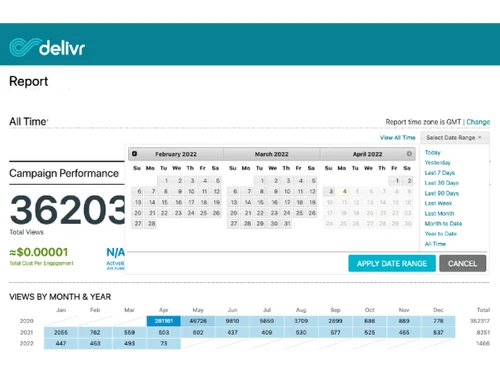
Delivr-report
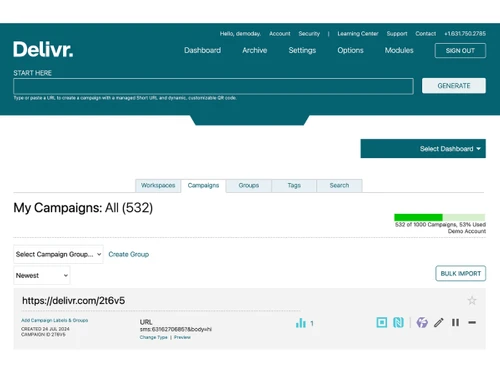
Delivr-campaigns
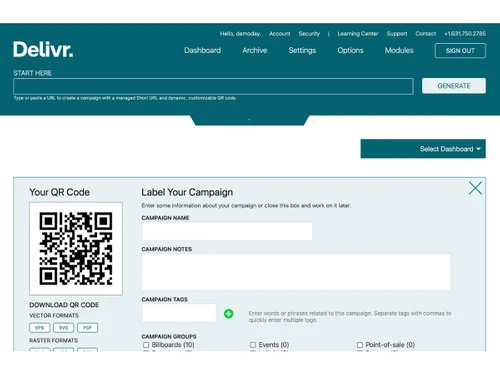
Delivr-create qr codes

Delivr

Brand: Delivr Corporation

  • No Ratings & Reviews

Have you used Delivr before?

Share your insights for better experience

Add a Review
Starting Price
$25

View plans

100% Genuine
Products
Best Price
Guaranteed
Safe & Secure
Payment
  • Description

  • Pricing

  • Features

  • Specification

  • Review

Starting at $25

Delivr Software Overview

Delivr Corporation Company Details

Founded Year:  2009

QR Code & NFC Management and Tracking.

Director/Founders David Harper, Scott Rafer
Company Size 1-100 Employees

Delivr Pricing & Plans

PLUS
Starting at $25
    • Licenses

      Licenses
      Licenses
    • Monthly

      Monthly
      Monthly

Key Features

  • 100 dynamic QR codes with link editing

  • Unlimited static QR codes

  • Advanced QR code customization tools

  • Unlimited ultra-fast scanning

  • Unlimited data cap for scan data

PRIME
Starting at $50
    • Licenses

      Licenses
      Licenses
    • Monthly

      Monthly
      Monthly

Key Features

  • 250 dynamic QR codes with link editing

  • Unlimited static QR codes

  • Advanced QR code customization tools

  • Unlimited ultra-fast scanning

  • Unlimited data cap for scan data

VIP
Starting at $125
    • Licenses

      Licenses
      Licenses
    • Monthly

      Monthly
      Monthly

Key Features

  • 500 dynamic QR codes with link editing

  • Unlimited static QR codes

  • Advanced QR code customization tools

  • Unlimited ultra-fast scanning

  • Unlimited data cap for scan data

PRO
Starting at $995
    • Licenses

      Licenses
      Licenses
    • Monthly

      Monthly
      Monthly

Key Features

  • 1,000 dynamic QR codes with link editing

  • Unlimited static QR codes

  • Advanced QR code customization tools

  • Unlimited ultra-fast scanning

  • Unlimited data cap for scan data

Delivr Features

  • icon_check Scan Analytics
    Analyze scan activity using available metrics such as time, location, device type, and language to evaluate engagement.
  • icon_check QR Code Tracking
    Track QR code scans and connection activity to understand audience engagement across campaigns and distribution channels.
  • icon_check Geographic Analytics
    Review geographic scan patterns to understand where audiences interact with QR codes and connected digital experiences.
  • icon_check Team Collaboration
    Manage campaign access and team permissions through shared workspaces and role-based controls for coordinated campaign operations.
  • icon_check Product Serialization
    Generate unique, traceable links and QR codes for individual products to support identification, traceability, and engagement.
  • icon_check Google Analytics Integration
    Connect QR code campaigns with Google Analytics using UTM parameters to support traffic attribution and performance analysis.
  • icon_check Campaign Management
    Organize QR codes, links, landing pages, and campaign assets in a centralized workspace for easier administration.
  • icon_check Landing Page Builder
    Create mobile-friendly landing pages that connect QR code scans to branded content, information, and digital experiences.
  • icon_check Language-Based Redirection
    Deliver appropriate destination experiences based on language preferences to support multilingual audiences and campaigns.
  • icon_check Bulk QR Code Generation
    Generate QR codes in batches and export campaign assets to support large-scale marketing and product distribution needs.
  • icon_check Dynamic QR Code Generation
    Generate dynamic QR codes for products and campaigns, allowing destinations to change anytime without reprinting materials.
  • icon_check Static QR Code Generation
    Create static QR codes for fixed destinations, contact details, Wi-Fi access, and other supported information types.
  • icon_check Customization
    Customize QR code colors, patterns, eye shapes, frames, and logos to align with brand identity and campaign design.
  • icon_check URL Shortener
    Convert long destination URLs into managed short links that simplify QR code creation and improve link usability.

Delivr Specifications

Supported Platforms
Ubuntu Ubuntu Windows Windows MacOS MacOS Linux Linux
Devices
Desktop Desktop
Deployment
Web-Based Web-Based
Suitable For
All Industries
Business Specific
All Businesses
Business Size
Small Business Startups Medium Business Enterprises SMBs SMEs MSMBs MSMEs
Customer Support
Email
Language
English
Integration
API Integration
Training Resources
Documentation
Compliance Regulation
CCPA GDPR SOC 2

Delivr Review

Be the First to Review

This product has no reviews yet. Be the first to leave your feedback.

Add Review

20,000+ Software Listed

Best Price Guranteed

Free Expert Consultation

2M+ Happy Customers

Terms and Condtions

close

Users with registered businesses can purchase goods from merchants on the platform to satisfy their business needs. Users are not permitted to utilize any products acquired through the platform for resale, advertising, business, or further distribution.

For each purchase made, users will receive a Tax Invoice (or 'GST invoice') that includes specific details such as:

  • the GSTIN of the user associated with their registered business, and

  • the specified Entity Name for their business.

It should be noted that not all products are eligible for GST Invoice. Only the products displayed by participating sellers with the 'GST-based Invoice Available' callout on the product description page would qualify.

Certain goods and services are not eligible to get a GST Invoice, including items with VAS, i.e., Value Added Services (e.g., Total Mobile Protection/Assured Buyback) and those involving an exchange offer at the time of purchase.

Users must ensure the accuracy of the GSTIN, and business entity name provided for the GST Invoice. Requests for corrections into GST Invoice would not be accommodated by Techjockey.com or any Seller, and any issues arising from user-provided information are the sole responsibility of users.

Techjockey.com is not liable for the GST Invoice or any associated input tax credit. To efficiently claim an input tax credit, users should select the registered place of business address as per the GST authority's data and follow the provisions of the GST Act and rules.

To claim an input tax credit, the delivery and billing addresses must match. Furthermore, input tax credits will not be granted if the delivery address and GSTIN on the invoice are from different states. In case of incorrect GST details provided during the order placement, the order will be canceled automatically.