linkedin
Flowpaper logo
play Transform your PDFs into a Responsive document using FlowPaper
Flowpaper Heatmaps
Flowpaper Javascripts

Flowpaper

Brand: Devaldi

  • 4.5

  • 4 Ratings

From brochures to flyers, and various print documents, design and create different forms of print media and engage with your audience.

See More

Have you used Flowpaper before?

Share your insights for better experience

Add a Review
Starting Price
$75

View plans

100% Genuine
Products
Best Price
Guaranteed
Safe & Secure
Payment
  • Description

  • Pricing

  • Features

  • Specification

  • Review

  • Compare

  • Alternatives

  • FAQ

Starting at $75

Flowpaper Software Overview

What is FlowPaper?

FlowPaper is a digital publishing platform that allows users to convert their brochures, flyers, and other print documents into interactive digital versions. It allows users to engage their audience by creating rich media experiences, including audio, video, and other interactive elements.

The platform is designed to be user-friendly and customizable, allowing users to create stunning digital publications without coding or design skills. FlowPaper also provides advanced analytics and reporting tools that allow users to track engagement and optimize their content for maximum impact.

Why Choose FlowPaper?

  • Social Media Integration - The digital publishing platform allows users to share their digital publications on social media platforms easily.
  • Advanced Annotation - It offers advanced annotation features like notes and highlights to help users interact with their content.
  • Video and Audio Integration - The digital publishing software allows users to integrate video and audio into their flipbooks.
  • Search Functionality - It provides search functionality within flipbooks to help users find specific content.
  • Branding Options - It provides branding options, such as logo and color customization, to help users maintain their brand identity.
  • Multiple Output Options - The software offers multiple output options, including HTML5, Flash, and Web Viewer, to suit different needs.

Benefits of FlowPaper

  • The digital publishing platform provides tools and features to optimize flipbooks for search engines, making them more discoverable online.
  • The software allows users to create custom layouts and templates for their flipbooks, giving them more control over the design and structure.
  • It allows users to embed videos and audio files into their flipbooks, enhancing the user experience and making the content more engaging.
  • The design software provides easy social sharing options for flipbooks, allowing users to share their content on popular social media platforms.
  • It enables users to download flipbooks for offline access.

Pricing of FlowPaper

FlowPaper is priced at INR 6,129.73 on TechJockey.  

The overall pricing model is based on different factors such as personalization, extra features required, total users, and the deployment type. Please feel free to request a call from our product experts if you want to learn more about our subscription plans or premium package deals. 

Read more

Devaldi Company Details

Founded Year:  2008

FlowPaper lets you publish brochures, magazines, catalogs into amazing flipbooks, mobile publications and keeps them responsive!

Director/Founders Devaldi
Company Size 1-100 Employees

Flowpaper Pricing & Plans

Zine
Key Features
  • Publish to 1 domain
  • Use 1 publisher workstation
  • Create Unlimited publications
  • No FlowPaper branding
  • Self Hosting
  • Cloud Hosting
Starting at $75
    • Quantity

      Quantity
      Quantity

Key Features

  • Publish to 1 domain

  • Use 1 publisher workstation

  • Create Unlimited publications

  • No FlowPaper branding

  • Self Hosting

  • Cloud Hosting

Flowpaper Features

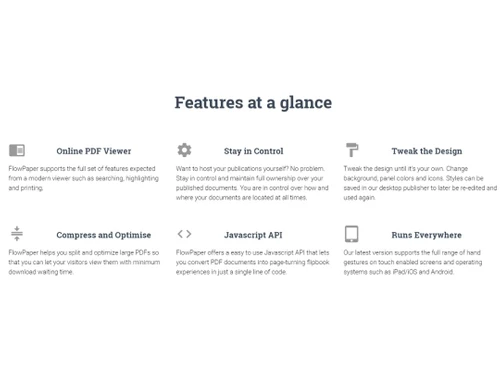
  • icon_check Flipbook Maker
    Allows users to create interactive and engaging flipbooks from PDF documents.
  • icon_check PDF Readers
    Provides a powerful PDF reader that supports a wide range of PDF features.
  • icon_check Easy to Use
    Offers a user-friendly interface that is easy to understand and navigate.
  • icon_check JavaScript API
    Enables developers to integrate FlowPaper into their applications using JavaScript.
  • icon_check Reporting & Analytics
    Provides advanced reporting and analytics tools to help users understand their audience and optimize their content.
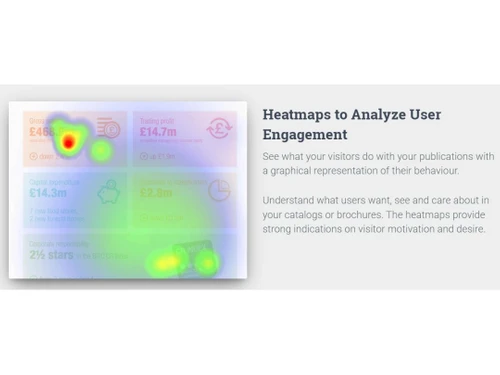
  • icon_check Heatmaps
    Displays user engagement data in heatmaps, allowing users to see where their audience is most engaged.
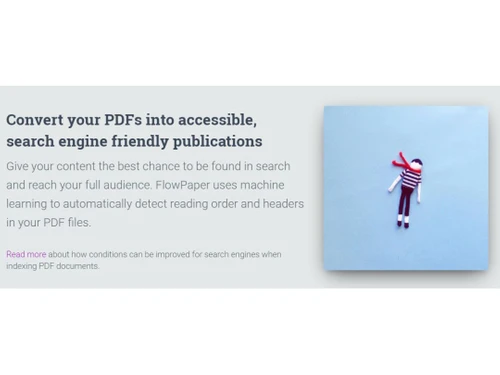
  • icon_check Accessibility Automation
    Provides accessibility automation to make digital publications more accessible to people with disabilities.
  • icon_check Desktop Publishing
    Offers desktop publishing capabilities that enable users to design and publish professional-looking documents.
  • icon_check Import & Export Data
    Allows users to import and export data in various formats, making it easy to integrate with other applications.
  • icon_check Customization
    Provides a range of customization options, allowing users to tailor their digital publications.
Flowpaper Demo Video play icon

Get Flowpaper Demo

Watch the demo video to explore key features, real workflows, and how the software fits your business needs.

Understand
Key Features
Personal
Demo Insights
Interactive
Demo Support

Flowpaper Specifications

Supported Platforms
Ubuntu Ubuntu Windows Windows MacOS MacOS Linux Linux
Devices
Desktop Desktop
Deployment
Cloud-Based Cloud-Based
Suitable For
All Industries
Business Specific
All Businesses
Business Size
Small Business Startups Medium Business Enterprises
Customer Support
Email
Language
English
Training Resources
Videos

Explore the Best Alternative Solutions Similar to Your Business Size and Needs

Flowpaper Review

4.5

Out of 5

img

Overall Rating

Based on
4 Verified Ratings

Rating Breakdown

  • Features 4.2
  • Value for Money 4.7
  • Ease of Use 4.8
  • Customer Support 4.2

87% Recommend this Product

Add Review

Be the First to Review

This product has no reviews yet. Be the first to leave your feedback.

Add Review

Compare Flowpaper With other Flipbook Software

Products
Ratings
Pricing
Device Supported
Deployment
Supported Platforms
  • img

    Flowpaper

  • 4.5

  • Price On Request

  • Desktop

    Mobile

  • Web based

    On Premises

  • Windows

    Mac OS

  • img

    Heyzine

  • 4.4

  • Price On Request

  • Desktop

    Mobile

  • Web based

    On Premises

  • Windows

    Mac OS

  • img

    Anyflip

  • 4.1

  • Price On Request

  • Desktop

    Mobile

  • Web based

    On Premises

  • Windows

    Mac OS

  • img

    Issuu

  • Price On Request

  • Desktop

    Mobile

  • Web based

    On Premises

  • Windows

    Mac OS

  • img

    iSpring Flip

  • 4.4

  • Price On Request

  • Desktop

    Mobile

  • Web based

    On Premises

  • Windows

    Mac OS

  • img

    Simplebooklet

  • 4.7

  • Price On Request

  • Desktop

    Mobile

  • Web based

    On Premises

  • Windows

    Mac OS

  • img

    Flip Booklets

  • 4.3

  • Price On Request

  • Desktop

    Mobile

  • Web based

    On Premises

  • Windows

    Mac OS

  • img

    iPaper

  • 4.6

  • Price On Request

  • Desktop

    Mobile

  • Web based

    On Premises

  • Windows

    Mac OS

  • img

    Flipbuilder

  • 4.1

  • Price On Request

  • Desktop

    Mobile

  • Web based

    On Premises

  • Windows

    Mac OS

  • img

    YUMPU

  • 4.2

  • Price On Request

  • Desktop

    Mobile

  • Web based

    On Premises

  • Windows

    Mac OS

(0) Product(s) selected

Flowpaper Alternatives

See All Flowpaper Alternatives

Starting Price:

$28 /Month

Starting Price:

€295

Available

Price on Request

Articles for Flowpaper

See All Related Articles

Which operating system does FlowPaper support?

FlowPaper is compatible with Windows operating systems.

Is there any FlowPaper app?

The app is not available for Android mobile devices.

What is the deployment type of FlowPaper?

It supports Web-based deployment type.

How much does a FlowPaper cost?

The pricing starts at Rs.6129.73 for FlowPaper.

Who are the potential users of FlowPaper?

It is typically used in startups, small and medium businesses.

Is there any free trial or demo for FlowPaper?

The demo is available for free with techjockey.com.

Is FlowPaper free?

It offers a free trial. However, the premium plan with advanced features starts at Rs.6129.73.

How can you download FlowPaper?

Installation is not required, as it is web-based. Just open the Setup Wizard to get started.

How does FlowPaper work?

FlowPaper helps with reporting and analytics, JavaScript, and desktop publishing. It also helps in importing and exporting data.

20,000+ Software Listed

Best Price Guranteed

Free Expert Consultation

2M+ Happy Customers

Terms and Condtions

close

Users with registered businesses can purchase goods from merchants on the platform to satisfy their business needs. Users are not permitted to utilize any products acquired through the platform for resale, advertising, business, or further distribution.

For each purchase made, users will receive a Tax Invoice (or 'GST invoice') that includes specific details such as:

  • the GSTIN of the user associated with their registered business, and

  • the specified Entity Name for their business.

It should be noted that not all products are eligible for GST Invoice. Only the products displayed by participating sellers with the 'GST-based Invoice Available' callout on the product description page would qualify.

Certain goods and services are not eligible to get a GST Invoice, including items with VAS, i.e., Value Added Services (e.g., Total Mobile Protection/Assured Buyback) and those involving an exchange offer at the time of purchase.

Users must ensure the accuracy of the GSTIN, and business entity name provided for the GST Invoice. Requests for corrections into GST Invoice would not be accommodated by Techjockey.com or any Seller, and any issues arising from user-provided information are the sole responsibility of users.

Techjockey.com is not liable for the GST Invoice or any associated input tax credit. To efficiently claim an input tax credit, users should select the registered place of business address as per the GST authority's data and follow the provisions of the GST Act and rules.

To claim an input tax credit, the delivery and billing addresses must match. Furthermore, input tax credits will not be granted if the delivery address and GSTIN on the invoice are from different states. In case of incorrect GST details provided during the order placement, the order will be canceled automatically.