linkedin
iBoysoft DiskGeeker logo
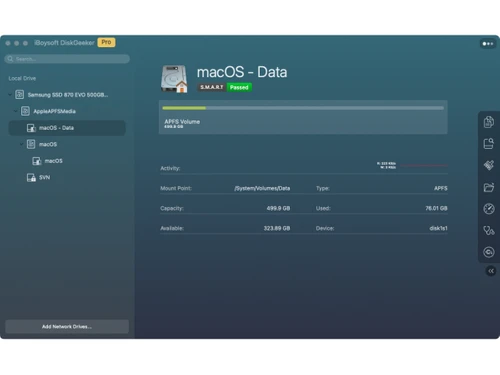
iBoysoft DiskGeeker-overview
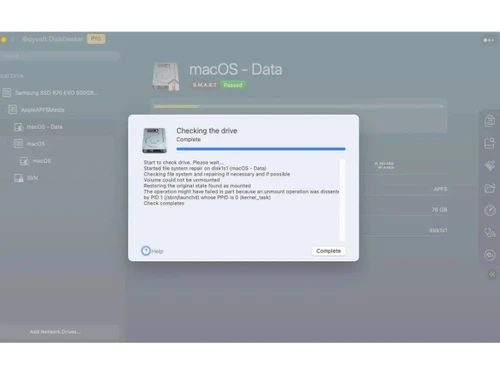
iBoysoft DiskGeeker-checking
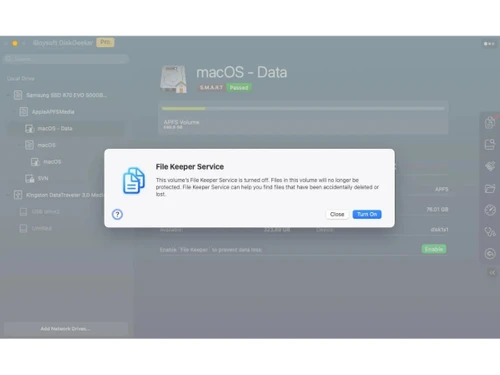
iBoysoft DiskGeeker-file keeper

iBoysoft DiskGeeker

Brand: iBoysoft

  • No Ratings & Reviews

Have you used iBoysoft DiskGeeker before?

Share your insights for better experience

Add a Review
Starting Price
$30

View plans

100% Genuine
Products
Best Price
Guaranteed
Safe & Secure
Payment
  • Pricing

  • Features

  • Specification

  • Review

Starting at $30

iBoysoft DiskGeeker Pricing & Plans

Basic edition
Starting at $30
    • Licenses (One Time)

      Licenses (One Time)
      Licenses (One Time)

Key Features

  • Read/write NTFS drives

  • 1 license for 1 Mac

  • Map network drives (3 drives)

  • Download macOS DMG

  • Create bootable macOS installer

Professional edition
Starting at $90
    • Licenses (One Time)

      Licenses (One Time)
      Licenses (One Time)

Key Features

  • Read/write BitLocker drives

  • 1 license for 1 Mac

  • Read/write NTFS drives

  • Map network drives (Unlimited)

  • Create bootable macOS installer

  • Download macOS DMG

iBoysoft DiskGeeker Features

  • icon_check Disk Cloning
    Creates copies of disks or partitions to help users migrate data, upgrade storage devices, and maintain duplicate copies.
  • icon_check Partition Cloning
    Copies selected partitions to another storage location, helping preserve data and simplify storage migration tasks.
  • icon_check Data Backup
    Backs up supported disk volumes to help protect important files and system data against unexpected data loss.
  • icon_check Data Restoration
    Restores backed-up volume data when needed, helping users recover their files and return to a previous storage state.
  • icon_check Disk Management
    Provides tools to manage internal and external drives, helping users organize storage and perform disk-related tasks.
  • icon_check Disk Monitoring
    Helps users inspect connected drives and review storage-related information for routine maintenance and troubleshooting.
  • icon_check Junk File Cleanup
    Removes supported unnecessary system files to help free up storage space and keep the Mac's storage environment organized.
  • icon_check Storage Optimization
    Helps users manage available disk space through storage analysis and cleanup tools for more efficient storage utilization.
  • icon_check Volume Restoration
    Restores data from supported backed-up volumes, helping users recover saved information when restoration is required.
  • icon_check External Drive Management
    Supports workflows involving external storage devices, helping users manage connected drives and perform supported disk
  • icon_check Disk Maintenance
    Combines supported disk inspection, cloning, backup, and cleanup utilities to simplify routine storage maintenance tasks.
  • icon_check Disk Space Management
    Helps users review storage consumption and remove unnecessary files to improve the availability of disk space.

iBoysoft DiskGeeker Specifications

Supported Platforms
MacOS MacOS
Devices
Desktop Desktop
Deployment
Perpetual Perpetual
Suitable For
All Industries
Business Specific
All Businesses
Business Size
Individual Small Business Startups Medium Business Enterprises SMBs SMEs MSMBs MSMEs Freelancers
Customer Support
Email
Language
English
Training Resources
Documentation

iBoysoft DiskGeeker Review

Be the First to Review

This product has no reviews yet. Be the first to leave your feedback.

Add Review

20,000+ Software Listed

Best Price Guranteed

Free Expert Consultation

2M+ Happy Customers

Terms and Condtions

close

Users with registered businesses can purchase goods from merchants on the platform to satisfy their business needs. Users are not permitted to utilize any products acquired through the platform for resale, advertising, business, or further distribution.

For each purchase made, users will receive a Tax Invoice (or 'GST invoice') that includes specific details such as:

  • the GSTIN of the user associated with their registered business, and

  • the specified Entity Name for their business.

It should be noted that not all products are eligible for GST Invoice. Only the products displayed by participating sellers with the 'GST-based Invoice Available' callout on the product description page would qualify.

Certain goods and services are not eligible to get a GST Invoice, including items with VAS, i.e., Value Added Services (e.g., Total Mobile Protection/Assured Buyback) and those involving an exchange offer at the time of purchase.

Users must ensure the accuracy of the GSTIN, and business entity name provided for the GST Invoice. Requests for corrections into GST Invoice would not be accommodated by Techjockey.com or any Seller, and any issues arising from user-provided information are the sole responsibility of users.

Techjockey.com is not liable for the GST Invoice or any associated input tax credit. To efficiently claim an input tax credit, users should select the registered place of business address as per the GST authority's data and follow the provisions of the GST Act and rules.

To claim an input tax credit, the delivery and billing addresses must match. Furthermore, input tax credits will not be granted if the delivery address and GSTIN on the invoice are from different states. In case of incorrect GST details provided during the order placement, the order will be canceled automatically.