
linkedin
Jotform AI Agents logo
play Introducing Jotform AI
Jotform AI Agents
Jotform AI Agents-chatbot

Jotform AI Agents

Brand: JOTFORM

  • No Ratings & Reviews

Have you used Jotform AI Agents before?

Share your insights for better experience

Add a Review
Starting Price
$39

View plans

100% Genuine
Products
Best Price
Guaranteed
Safe & Secure
Payment
  • Description

  • Pricing

  • Features

  • Specification

  • Review

Starting at $39

Jotform AI AgentsSoftware Overview

JOTFORM Company Details

Founded Year:  2006

JotForm is an online form building tool that helps users create and publish forms, and get an email for each response.

Director/Founders Aytekin Tank
Company Size 101-500 Employees

Jotform AI Agents Pricing & Plans

Bronze
Starting at $39
    • Licenses

      Licenses
      Licenses
    • Monthly

      Monthly
      Monthly

Key Features

  • 25 Agents

  • 1,000 Monthly Conversations

  • 100,000 Monthly Sessions

  • 100 Minutes Monthly Voice Call

  • 20M Characters Knowledge Base

Silver
Starting at $49
    • Licenses

      Licenses
      Licenses
    • Monthly

      Monthly
      Monthly

Key Features

  • 50 Agents

  • 2,500 Monthly Conversations

  • 1,000,000 Monthly Sessions

  • 200 Minutes Monthly Voice Call

  • 50M Characters Knowledge Base

Gold
Starting at $129
    • Licenses

      Licenses
      Licenses
    • Monthly

      Monthly
      Monthly

Key Features

  • 100 Agents

  • 10,000 Monthly Conversations

  • 2,000,000 Monthly Sessions

  • 300 Minutes Monthly Voice Call

  • 100M Characters Knowledge Base

Jotform AI Agents Features

  • icon_check Workflow Automation
    Automates repetitive workflows, approvals, ticket routing, and customer interactions using AI logic rules.
  • icon_check Natural Language Processing
    Understands user intent and conversational inputs accurately across chat, voice, and digital channels.
  • icon_check AI Chatbot Builder
    Enables businesses to create AI-powered chatbots using no-code tools and customizable workflows.
  • icon_check Voice AI Support
    Provides AI-driven voice conversations for inbound calls, support requests, and customer engagement tasks.
  • icon_check Omnichannel Support
    Deploys AI agents across websites, WhatsApp, phone systems, email, and messaging applications.
  • icon_check API Integration
    Connects with third-party systems, CRMs, ERPs, and applications through secure API integrations.
  • icon_check CRM Integration
    Syncs customer conversations, leads, and support records directly with popular CRM platforms instantly.
  • icon_check Appointment Scheduling
    Automates booking, rescheduling, confirmations, and reminders through conversational AI interfaces.
  • icon_check Knowledge Base Integration
    Uses company documents, FAQs, and websites to provide contextual and intelligent AI responses.
  • icon_check Role-Based Access Control (RBAC)
    Restricts system access based on user roles to improve operational security and data governance.
  • icon_check Analytics Dashboard
    Provides centralized dashboards with conversation metrics, engagement trends, and agent performance data.
  • icon_check Live Chat Support
    Delivers real-time customer communication with seamless transitions between AI agents and humans.
  • icon_check Multi-Language Support
    Supports multilingual conversations for global customer engagement and localized service delivery.
  • icon_check Lead Capture Automation
    Captures customer inquiries, qualification details, and lead information through conversational forms.
  • icon_check Form Automation
    Converts static forms into conversational experiences for better completion rates and user engagement.
  • icon_check Sentiment Analysis
    Detects customer emotions and conversation tone to improve support quality and response handling.
  • icon_check Custom Branding
    Allows businesses to customize logos, colors, themes, and agent appearance for brand consistency.
  • icon_check Real-Time Notifications
    Sends instant alerts and updates to teams regarding customer requests, escalations, or task changes.
Jotform AI Agents Demo Video play icon

Get Jotform AI Agents Demo

Watch the demo video to explore key features, real workflows, and how the software fits your business needs.

Understand
Key Features
Personal
Demo Insights
Interactive
Demo Support

Jotform AI Agents Specification

Supported Platforms
Ubuntu Ubuntu Windows Windows iOS iOS Android Android MacOS MacOS Linux Linux
Devices
Desktop Desktop Mobile Mobile Tablet Tablet iPad iPad
Deployment
Web-Based Web-Based
Suitable For
All Industries
Business Specific
All Businesses
Business Size
Individual Small Business Startups Medium Business Enterprises SMBs SMEs MSMBs MSMEs Freelancers
Customer Support
Phone Email Live Chat
Language
English
Integration
API Integration
Training Resources
Live Online Webinars Documentation Videos
AI Features
AI Integrated
Technology
Next Generation

Jotform AI Agents Review

Be the First to Review

This product has no reviews yet. Be the first to leave your feedback.

Add Review

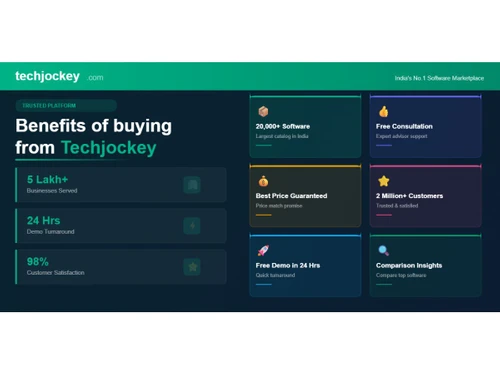
20,000+ Software Listed

Best Price Guranteed

Free Expert Consultation

2M+ Happy Customers

Terms and Condtions

close

Users with registered businesses can purchase goods from merchants on the platform to satisfy their business needs. Users are not permitted to utilize any products acquired through the platform for resale, advertising, business, or further distribution.

For each purchase made, users will receive a Tax Invoice (or 'GST invoice') that includes specific details such as:

  • the GSTIN of the user associated with their registered business, and

  • the specified Entity Name for their business.

It should be noted that not all products are eligible for GST Invoice. Only the products displayed by participating sellers with the 'GST-based Invoice Available' callout on the product description page would qualify.

Certain goods and services are not eligible to get a GST Invoice, including items with VAS, i.e., Value Added Services (e.g., Total Mobile Protection/Assured Buyback) and those involving an exchange offer at the time of purchase.

Users must ensure the accuracy of the GSTIN, and business entity name provided for the GST Invoice. Requests for corrections into GST Invoice would not be accommodated by Techjockey.com or any Seller, and any issues arising from user-provided information are the sole responsibility of users.

Techjockey.com is not liable for the GST Invoice or any associated input tax credit. To efficiently claim an input tax credit, users should select the registered place of business address as per the GST authority's data and follow the provisions of the GST Act and rules.

To claim an input tax credit, the delivery and billing addresses must match. Furthermore, input tax credits will not be granted if the delivery address and GSTIN on the invoice are from different states. In case of incorrect GST details provided during the order placement, the order will be canceled automatically.