USA
USA UAE
UAE


Aruba CX 6200
Whats great - Multiple management interfaces, user-friendly. read more




Brand: Juniper Networks
Have you used Juniper QFX5120 before?
Share your insights for better experience
Looking for The Right Pricing?
Share your requirements and get a plan built around your business.
Price Available on Request
Get personalised Juniper QFX5120 pricing that fits your needs. Our team will connect with you.
 Automation Flexible forwarding table Intelligent buffer management MPLS VXLAN overlays MACsec Hop-by-hop encryption Virtual chassis
 Brand: Juniper Networks
Founded Year: 1996
At Juniper Networks, we believe the network is the single greatest vehicle for knowledge, understanding, and human advancement that the world has ever known. Juniper is taking a new approach to the network — one that is intelligent, agile, secure and open to any vendor and any network environment.
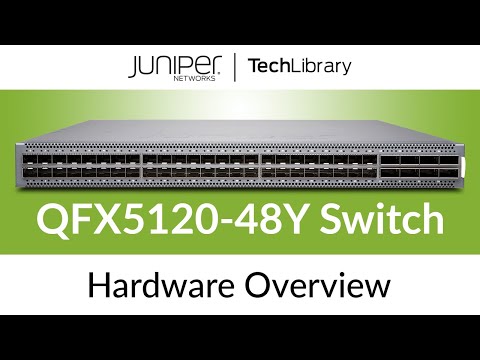

Watch the demo video to explore key features, real workflows, and how the software fits your business needs.
4.2
Out of 5

Overall Rating
Based on
6 Verified Ratings
Rating Breakdown
83% Recommend this Product
Add ReviewTechjockey Trusted Reviews from Verified Users
No reviews are currently available for Juniper QFX5120. Discover similar Lan Switching Tool reviews
Aruba CX 6200
Whats great - Multiple management interfaces, user-friendly. read more

Extreme Networks 5420 Series
Whats great - Ability of edge provisioning enhances configuration flexibility, allowing local configuration on devices through CLI or web i... read more

Aruba CX 6100
Whats great - Scalable for business growth read more
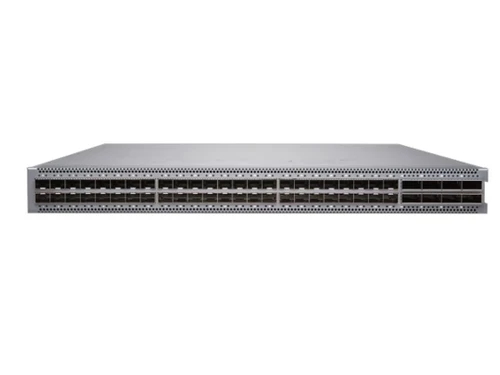
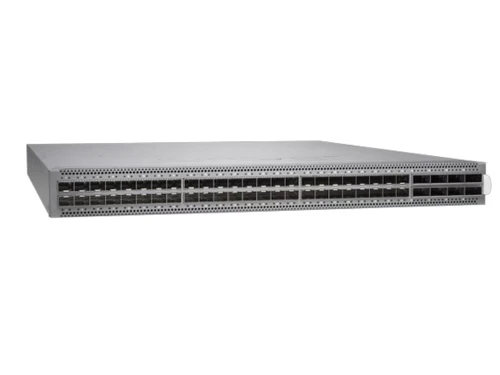
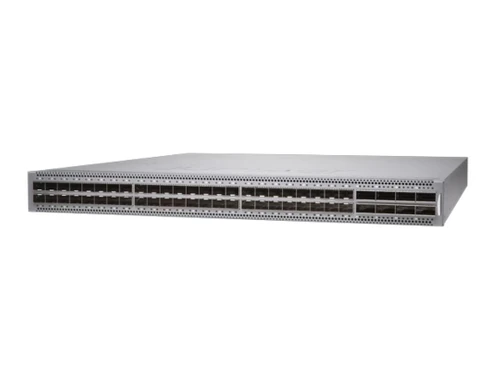

Juniper QFX5120
Price On Request
Desktop
Mobile
Web based
On Premises
Windows
Mac OS

Juniper EX2300
Price On Request
Desktop
Mobile
Web based
On Premises
Windows
Mac OS

Juniper EX4600
Price On Request
Desktop
Mobile
Web based
On Premises
Windows
Mac OS

Juniper EX4400
Price On Request
Desktop
Mobile
Web based
On Premises
Windows
Mac OS

Juniper EX2300-C
Price On Request
Desktop
Mobile
Web based
On Premises
Windows
Mac OS

Juniper EX4100-F
Price On Request
Desktop
Mobile
Web based
On Premises
Windows
Mac OS

Juniper QFX5130
Price On Request
Desktop
Mobile
Web based
On Premises
Windows
Mac OS

Juniper QFX5110
Price On Request
Desktop
Mobile
Web based
On Premises
Windows
Mac OS

Juniper EX4100
Price On Request
Desktop
Mobile
Web based
On Premises
Windows
Mac OS

Juniper EX9200
Price On Request
Desktop
Mobile
Web based
On Premises
Windows
Mac OS

Juniper EX3400
Price On Request
Desktop
Mobile
Web based
On Premises
Windows
Mac OS
(0) Product(s) selected
Available
Price on Request
Available
Price on Request
Available
Price on Request
Available
Price on Request
Available
Price on Request
Available
Price on Request
Available
Price on Request
Available
Price on Request
Available
Price on Request
Available
Price on Request

Available
Price on Request

Available
Price on Request

Available
Price on Request

Available
Price on Request

Available
Price on Request

Starting Price:
₹23,980 (Starting Price)

Starting Price:
₹28,502

Starting Price:
₹12,351 (Starting Price)

Starting Price:
₹5,266 (Starting Price)

Starting Price:
₹89,760 (Starting Price)
20,000+ Software Listed
Best Price Guranteed
Free Expert Consultation
2M+ Happy Customers
Terms and Condtions

Users with registered businesses can purchase goods from merchants on the platform to satisfy their business needs. Users are not permitted to utilize any products acquired through the platform for resale, advertising, business, or further distribution.
For each purchase made, users will receive a Tax Invoice (or 'GST invoice') that includes specific details such as:
the GSTIN of the user associated with their registered business, and
the specified Entity Name for their business.
It should be noted that not all products are eligible for GST Invoice. Only the products displayed by participating sellers with the 'GST-based Invoice Available' callout on the product description page would qualify.
Certain goods and services are not eligible to get a GST Invoice, including items with VAS, i.e., Value Added Services (e.g., Total Mobile Protection/Assured Buyback) and those involving an exchange offer at the time of purchase.
Users must ensure the accuracy of the GSTIN, and business entity name provided for the GST Invoice. Requests for corrections into GST Invoice would not be accommodated by Techjockey.com or any Seller, and any issues arising from user-provided information are the sole responsibility of users.
Techjockey.com is not liable for the GST Invoice or any associated input tax credit. To efficiently claim an input tax credit, users should select the registered place of business address as per the GST authority's data and follow the provisions of the GST Act and rules.
To claim an input tax credit, the delivery and billing addresses must match. Furthermore, input tax credits will not be granted if the delivery address and GSTIN on the invoice are from different states. In case of incorrect GST details provided during the order placement, the order will be canceled automatically.