linkedin
Krea AI logo
play Krea AI Tutorial - 2025 | How To Create Your Own Photo With AI
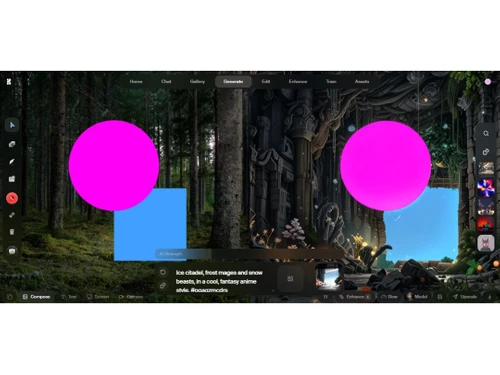
krea ai-images
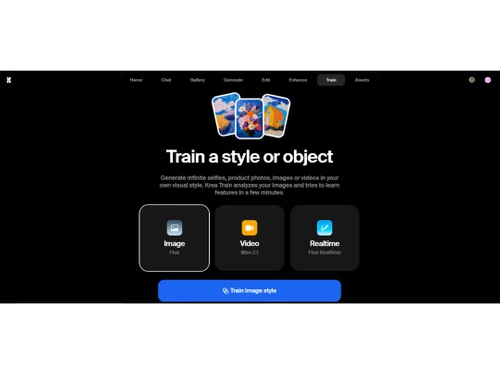
krea ai-train

Krea AI

Brand: Krea

  • 4.3

  • 4 Ratings & 1 Review

Krea AI is a generative AI tool that helps create, customize, and optimize content using advanced machine learning models.

See More

Have you used Krea AI before?

Share your insights for better experience

Add a Review
Starting Price
$10

View plans

100% Genuine
Products
Best Price
Guaranteed
Safe & Secure
Payment
  • Description

  • Pricing

  • Features

  • Specification

  • Review

  • Compare

  • Alternatives

  • FAQ

Starting at $10

Krea AI Software Overview

What is Krea AI?

Krea AI is a generative AI tool that uses artificial intelligence to help you make and improve images and videos. You can type in what you want, and it will create visuals instantly. It also lets you edit pictures, make videos, and even create 3D objects.

You can teach it your style so it makes things that match your look. People like designers, artists, and marketers use Krea AI to bring their ideas to life quickly and easily.

Why Choose Krea AI Software?

  • Real-Time Image Generation: Krea AI offers instant visual feedback as you type or draw, streamlining the creative process.
  • Video Generation: Transform text prompts into videos, allowing for dynamic content creation.
  • Image Enhancement & Upscaling: Enhance and upscale images up to 22K resolution, improving clarity and detail.
  • AI Chat Interface: Interact with Krea through natural language to generate and refine visuals.
  • 3D Object Generation: Convert 2D images into interactive 3D models, expanding creative possibilities.
  • Video Restyling: Alter the style of existing videos to match desired aesthetics.
  • Lip Syncing: Synchronize video content with audio tracks for cohesive multimedia presentations.
  • Animation Tools: Animate images using AI-powered keyframe interpolation, bringing static visuals to life.
  • Custom Style Training: Teach Krea to replicate specific styles, products, or characters for consistent branding.
  • Mini Apps: Utilize specialized tools like Logo Illusions and AI Patterns for niche design needs.
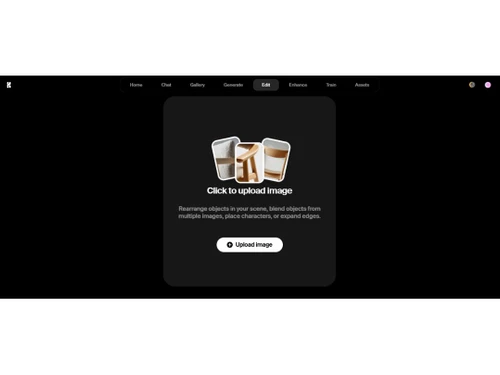
  • Canvas Editing: Modify images by moving, replacing, or adding objects directly on the canvas.
  • Camera Controls: Apply over 20 different camera presets to direct video perspectives.
  • Stage Editor: Experiment with 3D scenes using AI-generated meshes for immersive environments.

Benefits of Krea AI Software

  • Asset Management: Organize and manage your created images within the platform for easy access.
  • Prompt-Based Editing: Refine visuals by adjusting prompts and observing real-time changes.
  • High-Speed Processing: Experience rapid generation and editing, enhancing workflow efficiency.
  • Scalability: Handle large-scale projects with infrastructure designed for millions of users.
  • User-Friendly Interface: Navigate through a minimalist design that simplifies complex tasks.
  • Cross-Platform Access: Access Krea AI through various devices, ensuring flexibility in your creative process.
  • Integration Capabilities: Seamlessly integrate Krea AI with other tools and platforms to enhance functionality.
  • Active Discord Community: Engage with a vibrant community for support, inspiration, and collaboration.
  • Educational Resources: Access tutorials and guides to maximize the use of Krea AI features.
  • Regular Updates: Benefit from continuous improvements and new feature rollouts.
  • Responsive Support: Receive assistance from the Krea AI team to resolve issues and answer queries.
  • Free Plan Availability: Explore Krea AI capabilities with a free plan before committing to a subscription.

Krea AI Pricing

Krea AI price in India starts at $10 at techjockey.com.

The pricing model is based on different parameters, including extra features, deployment type, and the total number of users. For further queries related to the product, you can contact our product team and learn more about the pricing and offers.

Read more

Krea AI Pricing & Plans

Basic
Starting at $10
    • Licenses

      Licenses
      Licenses
    • Monthly

      Monthly
      Monthly

Key Features

  • Compute Units-2,000

  • Commercial License

  • Priority jobs

  • Number of generations~720 / month

  • Concurrent jobs-2

  • Ideogram 2.0 Images~35 / month

  • Ideogram 2.0 Turbo Images~56 / month

  • Flux 1.1 Pro Images~35 / month

  • Number of 512px generations~36,000 / month

  • Number of 1024px generations~18,000 / month

Pro
Starting at $35
    • Licenses

      Licenses
      Licenses
    • Monthly

      Monthly
      Monthly

Key Features

  • Compute Units-10,000

  • Commercial License

  • Priority jobs

  • Number of generations~3,600 / month

  • Concurrent jobs-4

  • Ideogram 2.0 Images~175 / month

  • Ideogram 2.0 Turbo Images~280 / month

  • Flux 1.1 Pro Images~175 / month

  • Number of 512px generations~180,000 / month

  • Number of 1024px generations~90,000 / month

Max
Starting at $60
    • Licenses

      Licenses
      Licenses
    • Monthly

      Monthly
      Monthly

Key Features

  • Compute Units-30,000

  • Commercial License

  • Priority jobs

  • Number of generations~10,800 / month

  • Concurrent jobs-4

  • Ideogram 2.0 Images~525 / month

  • Ideogram 2.0 Turbo Images~840 / month

  • Flux 1.1 Pro Images~525 / month

  • Number of 512px generations~540,000 / month

  • Number of 1024px generations~270,000 / month

Krea AI Features

  • icon_check Realtime Generation
    Instantly see results as you type or edit prompts.
  • icon_check Text-to-Image Generation
    Create images by describing them in words.
  • icon_check Image-to-Image Transformation
    Modify existing images with new styles or details.
  • icon_check Video Generation
    Turn text or images into videos using AI.
  • icon_check AI Training Studio
    Train the AI to learn your unique style or design needs.
  • icon_check Customizable Styles
    Apply and save specific visual styles for consistency.
  • icon_check High-Resolution Output
    Export visuals in ultra-clear, high-quality formats.
  • icon_check Customizable Templates
    Use editable design templates to speed up creation.
  • icon_check Noise Reduction
    Automatically clean up images for sharper, clearer output.
  • icon_check Profile Sharing
    Share your AI-generated work or style publicly with others.
Krea AI Demo Video play icon

Get Krea AI Demo

Watch the demo video to explore key features, real workflows, and how the software fits your business needs.

Understand
Key Features
Personal
Demo Insights
Interactive
Demo Support

Krea AI Specifications

Supported Platforms
Ubuntu Ubuntu Windows Windows MacOS MacOS Linux Linux
Devices
Desktop Desktop
Deployment
Cloud-Based Cloud-Based
Suitable For
All Industries
Business Specific
All Businesses
Business Size
Small Business Startups Medium Business Enterprises SMBs SMEs MSMBs MSMEs
Customer Support
Email Communities
Language
English
Training Resources
Videos
AI Features
AI Integrated

Explore the Best Alternative Solutions Similar to Your Business Size and Needs

Krea AI Review

4.3

Out of 5

img

Overall Rating

Based on
1 Verified Review

Rating Breakdown

  • Features 4.6
  • Value for Money 4.1
  • Ease of Use 4.5
  • Customer Support 4

82% Recommend this Product

Add Review

Krea AI Video Review

youtubeVideoId

4.3

“Krea AI | Honest Review (ALL YOU NEED TO KNOW)”

Review by: How To Mr

Compare Krea AI With other AI Tools

Products
Ratings
Pricing
Device Supported
Deployment
Supported Platforms
  • img

    Krea AI

  • 4.3

  • Price On Request

  • Desktop

    Mobile

  • Web based

    On Premises

  • Windows

    Mac OS

  • img

    Devin AI

  • 4.4

  • Price On Request

  • Desktop

    Mobile

  • Web based

    On Premises

  • Windows

    Mac OS

  • img

    NovelAI

  • 4.5

  • Price On Request

  • Desktop

    Mobile

  • Web based

    On Premises

  • Windows

    Mac OS

  • img

    Kling AI

  • 4.0

  • Price On Request

  • Desktop

    Mobile

  • Web based

    On Premises

  • Windows

    Mac OS

  • img

    Hailuo AI

  • 4.3

  • Price On Request

  • Desktop

    Mobile

  • Web based

    On Premises

  • Windows

    Mac OS

  • img

    Jibyte AI

  • 4.3

  • Price On Request

  • Desktop

    Mobile

  • Web based

    On Premises

  • Windows

    Mac OS

  • img

    Media io

  • 4.3

  • Price On Request

  • Desktop

    Mobile

  • Web based

    On Premises

  • Windows

    Mac OS

  • img

    ElevenLabs

  • 4.6

  • Price On Request

  • Desktop

    Mobile

  • Web based

    On Premises

  • Windows

    Mac OS

  • img

    Designs AI

  • 4.6

  • Price On Request

  • Desktop

    Mobile

  • Web based

    On Premises

  • Windows

    Mac OS

  • img

    Vmake AI

  • 4.2

  • Price On Request

  • Desktop

    Mobile

  • Web based

    On Premises

  • Windows

    Mac OS

  • img

    Outlier AI

  • 4.3

  • Price On Request

  • Desktop

    Mobile

  • Web based

    On Premises

  • Windows

    Mac OS

(0) Product(s) selected

Krea AI Alternatives

See All Krea AI Alternatives

Starting Price:

$10 /Month

Starting Price:

$10 /Month

Available

Price on Request

Starting Price:

$18 /Month
Starting Price:

$25 /Month
Starting Price:

$5 /Month

Available

Price on Request

Articles for Krea AI

See All Related Articles

How much does Krea AI Software cost?

Krea AI pricing in India starts at $10 on techjockey.com.

Is there a mobile app available for Krea AI Software?

Currently, Krea AI is primarily web-based and does not have a dedicated mobile app.

Which operating systems are compatible with Krea AI Software?

Krea AI is compatible with all major operating systems through web browsers, including Ubuntu, Windows, macOS, and Linux.

Does Krea AI Software offer a free trial?

Yes, Krea AI provides a free trial to explore its core features before purchasing.

How does Krea AI Software function?

Krea AI uses advanced generative AI models to create and edit images and videos from text prompts or existing visuals.

Who uses Krea AI Software?

Designers, artists, content creators, and marketing professionals can all benefit from Krea AI’s creative tools.

Is a free demo available for Krea AI Software?

Yes, Krea AI offers free demos to showcase its capabilities to potential users.

Is Krea AI Software available for free?

Krea AI offers limited free access, but full features require a paid subscription.

Can Krea AI generate videos from text scripts?

Yes, Krea AI supports script-to-video generation with automated editing tools.

Does Krea AI support collaboration among team members?

Yes, Krea AI allows users to share projects and collaborate within the platform.

20,000+ Software Listed

Best Price Guranteed

Free Expert Consultation

2M+ Happy Customers

Terms and Condtions

close

Users with registered businesses can purchase goods from merchants on the platform to satisfy their business needs. Users are not permitted to utilize any products acquired through the platform for resale, advertising, business, or further distribution.

For each purchase made, users will receive a Tax Invoice (or 'GST invoice') that includes specific details such as:

  • the GSTIN of the user associated with their registered business, and

  • the specified Entity Name for their business.

It should be noted that not all products are eligible for GST Invoice. Only the products displayed by participating sellers with the 'GST-based Invoice Available' callout on the product description page would qualify.

Certain goods and services are not eligible to get a GST Invoice, including items with VAS, i.e., Value Added Services (e.g., Total Mobile Protection/Assured Buyback) and those involving an exchange offer at the time of purchase.

Users must ensure the accuracy of the GSTIN, and business entity name provided for the GST Invoice. Requests for corrections into GST Invoice would not be accommodated by Techjockey.com or any Seller, and any issues arising from user-provided information are the sole responsibility of users.

Techjockey.com is not liable for the GST Invoice or any associated input tax credit. To efficiently claim an input tax credit, users should select the registered place of business address as per the GST authority's data and follow the provisions of the GST Act and rules.

To claim an input tax credit, the delivery and billing addresses must match. Furthermore, input tax credits will not be granted if the delivery address and GSTIN on the invoice are from different states. In case of incorrect GST details provided during the order placement, the order will be canceled automatically.