linkedin
Luna Park logo
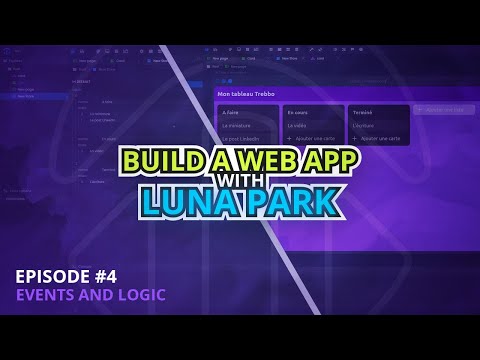
play Create a web app WITHOUT CODING - Luna Park #4 (Events and logic)
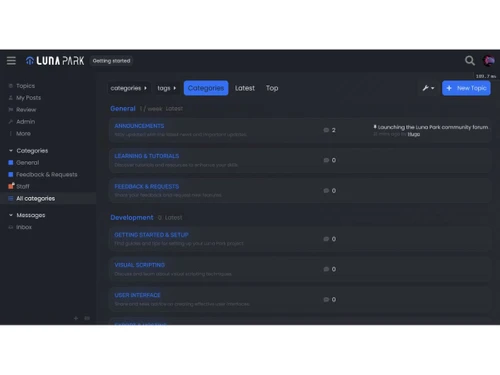
luna park-dashboard
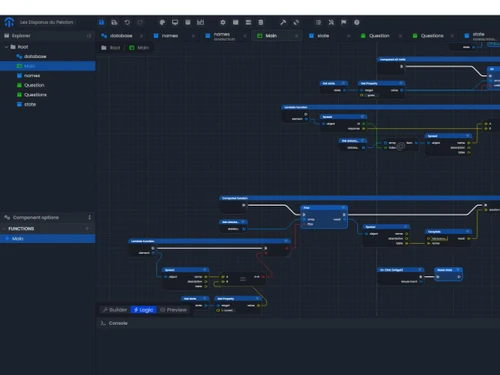
luna park-flowcharts

Luna Park

Brand: Luna Park

  • 4.2

  • 4 Ratings

A low code no code software that enables you to create complete web applications using drag-and-drop tools and auto-generated JavaScript.

See More

Have you used Luna Park before?

Share your insights for better experience

Add a Review
Starting Price
€25

View plans

100% Genuine
Products
Best Price
Guaranteed
Safe & Secure
Payment
  • Description

  • Pricing

  • Features

  • Specification

  • Review

  • FAQ

Starting at €25

Luna ParkSoftware Overview

What is Luna Park?

Luna Park is a low code no code software that lets you build fully functional web applications without traditional coding.

It offers tools for creating frontend interfaces, backend APIs, workflows, and state management through an easy drag-and-drop system.

Your visual logic is converted into clean JavaScript, ensuring high performance. It's designed for both developers and non-coders who want to build apps faster and more efficiently.

Why Choose Luna Park Software?

  • No-Code Development: Luna Park lets you build complete applications without writing a single line of code. Its visual tools make development accessible even to non-technical users.
  • Fast App Creation: The drag-and-drop builder significantly reduces development time. You can prototype, test, and launch apps much faster than with traditional coding.
  • Visual Logic Builder: Complex workflows can be created using an intuitive visual scripting interface. This helps you design logic clearly without dealing with syntax.
  • Auto-Generated JavaScript: Luna Park automatically converts your visual logic into clean, optimized JavaScript. This ensures performance similar to hand-written code.
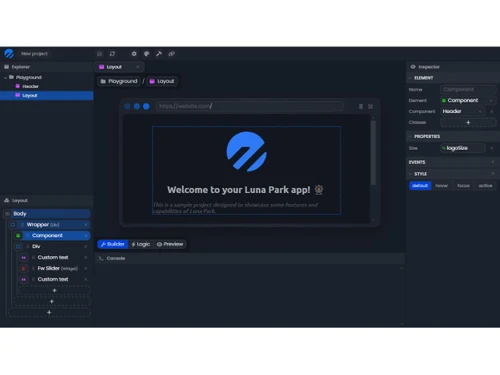
  • Frontend Builder: Easily design interfaces using pre-built components and layout tools. The visual UI builder helps create responsive and modern screens effortlessly.
  • Backend API Creation: You can build, test, and manage APIs directly within the platform. This eliminates the need for separate backend coding or tools.
  • State Management: Luna Park allows you to handle app data and variables in an organized way. It simplifies managing dynamic states across your application.
  • Built-In CRON Jobs: Automate repetitive processes with scheduled tasks. You can run workflows at specific intervals without manual intervention.

Benefits of Luna Park Software

  • High Performance: Apps built on Luna Park run smoothly thanks to optimized code generation. It ensures your projects stay fast even as they grow.
  • Scalable Architecture: Whether you're building a simple tool or a large enterprise system, Luna Park scales with your needs. Its structure supports long-term growth.
  • Developer-Friendly: Advanced users can customize logic and expand system capabilities. It strikes a balance between visual simplicity and technical control.
  • Beginner-Friendly: With no coding required, new users can start building right away. Its user-friendly interface reduces the learning curve.
  • Reusable Components: Create UI blocks or logic modules once and reuse them across projects. This boosts productivity and keeps your apps consistent.
  • Real-Time Updates: Every change you make in the editor is instantly reflected in the preview. This speeds up testing and enhances accuracy.
  • Cloud Deployment: You can deploy your applications online directly from the platform. No external hosting setup or server configuration is required.
  • Collaboration Support: Teams can work together on the same project with ease. This improves workflow transparency and development efficiency.
  • Secure Environment: Luna Park ensures safe processing of data and workflows. Security features protect your applications from unauthorized access.
  • Comprehensive Documentation: Detailed tutorials and guides help users at every level. They provide step-by-step support to learn and master the platform.
  • Flexible Integrations: Easily connect to external APIs and third-party services. This makes your applications more powerful and versatile.

Luna Park Pricing

Luna Park price starts at EUR 25 at Techjockey.com. The pricing model is based on different parameters, including extra features, deployment type, and the total number of users. For further queries related to the product, you can contact our product team and learn more about the pricing and offers.

Read more

Luna Park Company Details

Founded Year:  2022

Luna Park is a visual scripting editor that combines the flexibility of code with the ease of no-code, enabling fast development of performant and scalable apps.

Director/Founders Luna Park
Company Size 1-100 Employees

Luna Park Pricing & Plans

Individuals
Starting at €25
    • Seat

      Seat
      Seat
    • Monthly

      Monthly
      Monthly

Key Features

  • Frontend builder

  • Backend builder

  • Database builder

  • Visual scripting

  • Desktop editor

  • Version control

  • Bypass CORS

Organizations
Starting at €100
    • Seat

      Seat
      Seat
    • Monthly

      Monthly
      Monthly

Key Features

  • Frontend builder

  • Backend builder

  • Database builder

  • Visual scripting

  • Desktop editor

  • Version control

  • Bypass CORS

Luna Park Features

  • icon_check Code Ownership
    Retain full rights to generated code after export, allowing hosting on any platform without vendor dependency.
  • icon_check Hosting Flexibility
    Deploy apps to providers like Vercel or package builds for containers, ensuring wide deployment options.
  • icon_check Container Readiness
    Generated output can be easily containerized with Docker for integration into scalable deployment systems.
  • icon_check Visual Scripting
    Build application logic using a drag-and-drop node editor, eliminating syntax errors and speeding workflows.
  • icon_check UI Layout Editor
    Design responsive layouts with a drag-and-drop interface that simplifies screen creation for any application.
  • icon_check Reactive Binding
    Automatically update interface elements when underlying data changes to deliver a fully dynamic experience.
  • icon_check Task Scheduling
    Automate repetitive processes with built-in CRON management to run scheduled tasks directly inside projects.
  • icon_check Code Compilation
    Convert visual scripts into optimized JavaScript code, ensuring lightweight and high-performance execution.
  • icon_check Multi-Platform Support
    Use Luna Park as a cloud application in the browser or as a downloadable desktop version on your system.
  • icon_check Data Import/Export
    Export apps as production-ready builds with compiled JavaScript suitable for deployment on any hosting service.
  • icon_check Marketplace Support
    Planned marketplace will allow one-click installation of libraries, templates, and reusable components.
  • icon_check CI/CD Integration
    Exported builds integrate seamlessly into CI/CD pipelines, enabling automated testing and continuous delivery.
  • icon_check Interactive Tutorial
    Learn features quickly through challenge-based lessons that gamify the onboarding process for new users.
Luna Park Demo Video play icon

Get Luna Park Demo

Watch the demo video to explore key features, real workflows, and how the software fits your business needs.

Understand
Key Features
Personal
Demo Insights
Interactive
Demo Support

Luna Park Specification

Supported Platforms
Ubuntu Ubuntu Windows Windows MacOS MacOS Linux Linux
Devices
Desktop Desktop
Deployment
Web-Based Web-Based
Suitable For
All Industries
Business Specific
All Businesses
Business Size
Small Business Startups Medium Business Enterprises
Customer Support
Email Communities Forums
Language
English
Training Resources
Videos
AI Features
AI Integrated

Luna Park Review

4.2

Out of 5

img

Overall Rating

Based on
4 Verified Ratings

Rating Breakdown

  • Features 4.2
  • Value for Money 4.2
  • Ease of Use 4
  • Customer Support 4.5

80% Recommend this Product

Add Review

Techjockey Trusted Reviews from Verified Users

No reviews are currently available for Luna Park. Discover similar Low Code No Code Software reviews

  • Softr

    4.3

    Whats great - Softr allowed me to create a Progressive Web App (PWA) that functioned adequately on mobile browsers. read more

  • Alchemy

    4.4

    Whats great - High uptime and low-latency performance. read more

  • m Power

    4.4

    Whats great - Each of our 2-week sprints accomplishes with one programmer what many development shops would take months to develop. read more

How much does Luna Park cost?

Luna Park pricing starts at EUR 25 as listed on Techjockey.com.

Is there a mobile app available for Luna Park Software?

No, Luna Park does not offer a dedicated mobile app.

Which operating systems are compatible with Luna Park Software?

Luna Park runs on any OS through a web browser, including Ubuntu, Windows, MacOS, and Linux.

Does Luna Park Software offer a free trial?

Yes, Luna Park provides a free trial for new users.

How does Luna Park Software function?

Luna Park works as a visual development platform where you build apps using drag-and-drop tools and auto-generated JavaScript.

Who uses Luna Park Software?

Developers, startups, product teams, and non-technical creators use Luna Park for building web applications quickly.

Is a free demo available for Luna Park Software?

Yes, Luna Park offers a demo upon request.

Is Luna Park Software available for free?

Luna Park is not fully free, but users can access it through a free trial.

20,000+ Software Listed

Best Price Guranteed

Free Expert Consultation

2M+ Happy Customers

Terms and Condtions

close

Users with registered businesses can purchase goods from merchants on the platform to satisfy their business needs. Users are not permitted to utilize any products acquired through the platform for resale, advertising, business, or further distribution.

For each purchase made, users will receive a Tax Invoice (or 'GST invoice') that includes specific details such as:

  • the GSTIN of the user associated with their registered business, and

  • the specified Entity Name for their business.

It should be noted that not all products are eligible for GST Invoice. Only the products displayed by participating sellers with the 'GST-based Invoice Available' callout on the product description page would qualify.

Certain goods and services are not eligible to get a GST Invoice, including items with VAS, i.e., Value Added Services (e.g., Total Mobile Protection/Assured Buyback) and those involving an exchange offer at the time of purchase.

Users must ensure the accuracy of the GSTIN, and business entity name provided for the GST Invoice. Requests for corrections into GST Invoice would not be accommodated by Techjockey.com or any Seller, and any issues arising from user-provided information are the sole responsibility of users.

Techjockey.com is not liable for the GST Invoice or any associated input tax credit. To efficiently claim an input tax credit, users should select the registered place of business address as per the GST authority's data and follow the provisions of the GST Act and rules.

To claim an input tax credit, the delivery and billing addresses must match. Furthermore, input tax credits will not be granted if the delivery address and GSTIN on the invoice are from different states. In case of incorrect GST details provided during the order placement, the order will be canceled automatically.