linkedin
Map Pilot Pro logo
play Map Pilot Pro - Overview
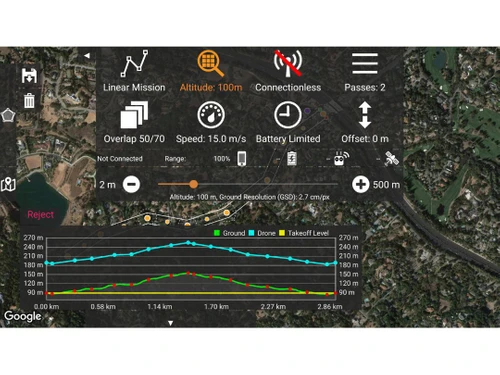
Map Pilot Pro Altitude
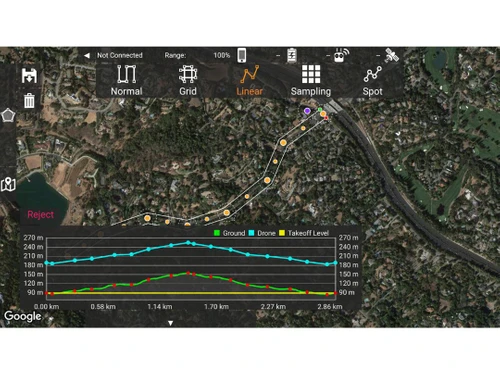
Map Pilot Pro Linear

Map Pilot Pro

Brand: Maps Made Easy

  • 4.1

  • 3 Ratings

Map Pilot Pro is drone mapping software that helps create optimal flight paths for aerial data capture in photogrammetry.

See More

Have you used Map Pilot Pro before?

Share your insights for better experience

Add a Review
Starting Price
$5

View plans

100% Genuine
Products
Best Price
Guaranteed
Safe & Secure
Payment
  • Description

  • Pricing

  • Features

  • Specification

  • Review

  • Compare

  • FAQ

Starting at $5

Map Pilot Pro Software Overview

What is Map Pilot Pro?

Map Pilot Pro is a drone mapping software designed for collecting aerial data and processing it into photogrammetry outputs. It is compatible with DJI and Autel drones and helps users create optimal flight paths for better results. The app is a companion to the Maps Made Easy processing platform, allowing users to process unlimited jobs of up to 325 images (12 megapixels) for free.

The software also features offline map preview, direct upload, and multi-battery management, making it a comprehensive tool for photogrammetry and mapping tasks. The app is available on iOS 13 and later and supports various aircraft models from DJI and Autel. It is a popular choice among professionals and hobbyists alike for its ease of use and high-quality outputs.

Why Choose Map Pilot Pro Software?

  • Seamless Integration with Maps Made Easy: It is designed as a companion app to the Maps Made Easy processing platform, allowing users to easily sync flight logs and mission plans to create high-quality maps.
  • Advanced Features for Efficient Data Collection: The software includes features like multi-battery management, flight zone management, 3D grid mission planning, and connectionless camera triggering to optimize the data collection process.
  • Offline Capabilities: It provides offline map preview, base map coaching, and other features to enable mapping operations even in areas with limited connectivity.
  • Versatility and Scalability: The software supports a wide range of DJI and Autel drone models and offers different subscription tiers to cater to the needs of startups, SMEs, and enterprises.
  • Free Processing for Basic Users: Users can process unlimited jobs of up to 325 images (12MP) for free through the Maps Made Easy platform, making it a cost-effective solution.

Benefits of Map Pilot Pro Platform

  • Intuitive User Interface: It features an intuitive interface that simplifies mission planning and execution, making it accessible for both novice and experienced drone operators.
  • Real-Time Mapping: It allows for real-time mapping and monitoring during flights, providing immediate feedback on data collection and ensuring accurate results.
  • Automated Image Processing: The software automates image processing tasks, streamlining the workflow from data capture to final map generation.
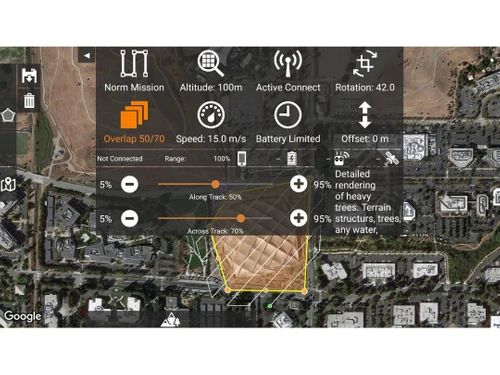
  • Customizable Settings: Users can customize settings such as image overlap, altitude, and camera parameters to tailor missions for specific project requirements and achieve optimal data quality.
  • Comprehensive Data Management: Provides secure storage and easy retrieval of flight logs, mission plans, and processed maps.
  • Collaborative Tools: Facilitates collaboration by sharing mission plans and data among team members for coordinated large-scale mapping projects.

Pricing of Map Pilot Pro

Map Pilot Pro price in India starts at $5 at techjockey.com.

The pricing model is based on different parameters, including extra features, deployment type, and the total number of users. For further queries related to the product, you can contact our product team and learn more about the pricing and offers.

Read more

Maps Made Easy Company Details

Founded Year:  2014

Maps Made Easy is a location-focused website that enables its users to create latest, high-resolution maps.

Director/Founders N/A
Company Size 1-100 Employees

Map Pilot Pro Pricing & Plans

Base
Starting at $5
    • Monthly

      Monthly
      Monthly

Key Features

  • Access to Tiered Discounts

  • Thermal Processing

  • Works with DJI images

  • Free Processing Gigapixels-2

Pro
Starting at $15
    • Monthly

      Monthly
      Monthly

Key Features

  • Access to Tiered Discounts

  • Thermal Processing

  • Works with DJI images

  • Free Processing Gigapixels-3

Elite
Starting at $45
    • Monthly

      Monthly
      Monthly

Key Features

  • Access to Tiered Discounts

  • Thermal Processing

  • Works with DJI images

  • Free Processing Gigapixels-8

Map Pilot Pro Features

  • icon_check 3D Modeling
    Creates detailed 3D models of terrain or structures using drone images for accurate visualization.
  • icon_check Orthophoto Map
    Generates high-resolution, georeferenced maps from aerial images, ensuring distortion-free representations.
  • icon_check 3D Imagery
    Construct realistic 3D models from drone imagery, providing crucial spatial data for construction monitoring.
  • icon_check Photogrammetry
    Stitches drone images to create precise measurements and detailed terrain or structure models.
  • icon_check Site Progress Tracking
    Monitors project progress by overlaying current drone data on maps or models.
  • icon_check Measure Distances
    Accurately measures distances, areas, and volumes from drone images, supporting surveying and agriculture.
  • icon_check 2D and 3D Maps
    Generates visual representations from aerial imagery, including both 2D maps and 3D models for planning and assessment.
  • icon_check Thermal Maps
    Uses thermal imaging to identify temperature differences in landscapes.
Map Pilot Pro Demo Video play icon

Get Map Pilot Pro Demo

Watch the demo video to explore key features, real workflows, and how the software fits your business needs.

Understand
Key Features
Personal
Demo Insights
Interactive
Demo Support

Map Pilot Pro Specification

Supported Platforms
Ubuntu Ubuntu Windows Windows iOS iOS Android Android MacOS MacOS Linux Linux
Devices
Desktop Desktop Mobile Mobile Tablet Tablet iPad iPad
Deployment
Web-Based Web-Based
Suitable For
All Industries
Business Specific
All Businesses
Business Size
Small Business Medium Business Enterprises
Customer Support
Email Communities
Language
English
Training Resources
Videos

Explore the Best Alternative Solutions Similar to Your Business Size and Needs

Map Pilot Pro Review

4.1

Out of 5

img

Overall Rating

Based on
3 Verified Ratings

Rating Breakdown

  • Features 4.1
  • Value for Money 3.5
  • Ease of Use 4.5
  • Customer Support 4.3

90% Recommend this Product

Add Review

Be the First to Review

This product has no reviews yet. Be the first to leave your feedback.

Add Review

Compare Map Pilot Pro With other Drone Mapping Software

Products
Ratings
Pricing
Device Supported
Deployment
Supported Platforms
  • img

    Map Pilot Pro

  • 4.1

  • Price On Request

  • Desktop

    Mobile

  • Web based

    On Premises

  • Windows

    Mac OS

  • img

    PIX4Dfields

  • 4.1

  • Price On Request

  • Desktop

    Mobile

  • Web based

    On Premises

  • Windows

    Mac OS

  • img

    Optelos

  • 4.3

  • Price On Request

  • Desktop

    Mobile

  • Web based

    On Premises

  • Windows

    Mac OS

  • img

    DroneDeploy

  • 4.1

  • Price On Request

  • Desktop

    Mobile

  • Web based

    On Premises

  • Windows

    Mac OS

  • img

    DroneMapper

  • 4.3

  • Price On Request

  • Desktop

    Mobile

  • Web based

    On Premises

  • Windows

    Mac OS

  • img

    WebODM

  • 4.1

  • Price On Request

  • Desktop

    Mobile

  • Web based

    On Premises

  • Windows

    Mac OS

  • img

    GeoNadir

  • 4.5

  • Price On Request

  • Desktop

    Mobile

  • Web based

    On Premises

  • Windows

    Mac OS

  • img

    ExynAero DJ34

  • 4.1

  • Price On Request

  • Desktop

    Mobile

  • Web based

    On Premises

  • Windows

    Mac OS

  • img

    Virtual Surveyor

  • 4.1

  • Price On Request

  • Desktop

    Mobile

  • Web based

    On Premises

  • Windows

    Mac OS

  • img

    ArcGIS Reality

  • 4.2

  • Price On Request

  • Desktop

    Mobile

  • Web based

    On Premises

  • Windows

    Mac OS

(0) Product(s) selected

How much does Map Pilot Pro Software Cost?

The starting price of Map Pilot Pro in India is $5, as listed on techjockey.com.

Is there a Map Pilot Pro Software App?

Yes, Map Pilot Pro is available as a mobile app for Android and iOS devices.

Which operating system does Map Pilot Pro Software Support?

Map Pilot Pro supports Ubuntu, Windows, iOS, Android, MacOS, and Linux.

Does Map Pilot Pro offer a free trial?

Yes, Map Pilot Pro offers a free trial period for users to explore its features.

How Does Map Pilot Pro Software Work?

Map Pilot Pro automates flight planning and data collection with drones, facilitating the creation of detailed maps and models.

Who are the potential users of Map Pilot Pro Software?

Potential users include professionals in fields such as surveying, agriculture, construction, environmental monitoring, and infrastructure management.

Can Map Pilot Pro Software integrate with third-party mapping platforms?

Yes, Map Pilot Pro can integrate with various third-party mapping and GIS platforms for enhanced data analysis and management.

What kind of drones are compatible with Map Pilot Pro Software?

Map Pilot Pro supports a wide range of DJI and Autel drone models, ensuring versatility in drone selection for mapping tasks.

20,000+ Software Listed

Best Price Guranteed

Free Expert Consultation

2M+ Happy Customers

Terms and Condtions

close

Users with registered businesses can purchase goods from merchants on the platform to satisfy their business needs. Users are not permitted to utilize any products acquired through the platform for resale, advertising, business, or further distribution.

For each purchase made, users will receive a Tax Invoice (or 'GST invoice') that includes specific details such as:

  • the GSTIN of the user associated with their registered business, and

  • the specified Entity Name for their business.

It should be noted that not all products are eligible for GST Invoice. Only the products displayed by participating sellers with the 'GST-based Invoice Available' callout on the product description page would qualify.

Certain goods and services are not eligible to get a GST Invoice, including items with VAS, i.e., Value Added Services (e.g., Total Mobile Protection/Assured Buyback) and those involving an exchange offer at the time of purchase.

Users must ensure the accuracy of the GSTIN, and business entity name provided for the GST Invoice. Requests for corrections into GST Invoice would not be accommodated by Techjockey.com or any Seller, and any issues arising from user-provided information are the sole responsibility of users.

Techjockey.com is not liable for the GST Invoice or any associated input tax credit. To efficiently claim an input tax credit, users should select the registered place of business address as per the GST authority's data and follow the provisions of the GST Act and rules.

To claim an input tax credit, the delivery and billing addresses must match. Furthermore, input tax credits will not be granted if the delivery address and GSTIN on the invoice are from different states. In case of incorrect GST details provided during the order placement, the order will be canceled automatically.