USA
USA UAE
UAESmall Business
Designed for startups and growing businesses
See More


Brand: Maple CRM
Maple CRM has been among the top-rated Immigration CRM providers globally for the last 12+ years. That is easy to use and highly customizable; Maple CRM simplifies the Visa Application and Client management processes for Immigration Consultants.
See MoreHave you used Maple CRM before?
Share your insights for better experience
Brand: Maple CRM
Founded Year: 2008
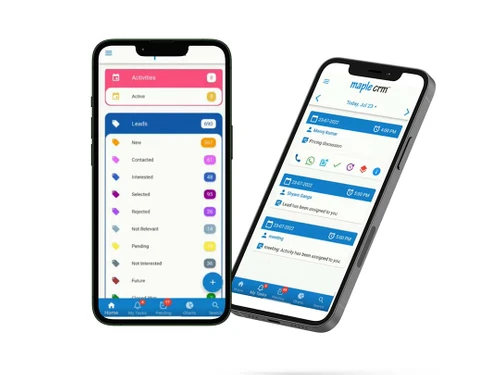
Maple CRM is sales management software that provides a complete view of the lead nurturing process. The solution is suitable for 1 person to 100 persons sales team and works well for small and medium enterprises.
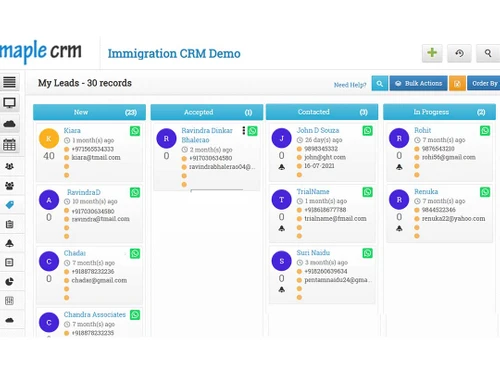
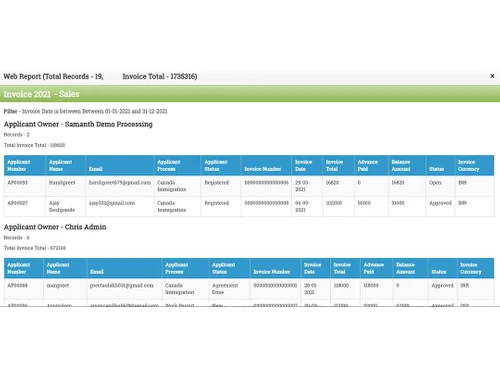
 Lead Management Lead Prequalification Automatic Lead Scoring Agreement Generator Document Management Immigration Evaluation Reports Process Management Client Login Portal Invoice & Payment Management Inbuilt CRS 67 & 65 Point Score Calculators

Watch the demo video to explore key features, real workflows, and how the software fits your business needs.
 Windows
  iOS
iOS  Android MacOS
  Linux
Linux  Desktop
  Mobile
  Cloud-Based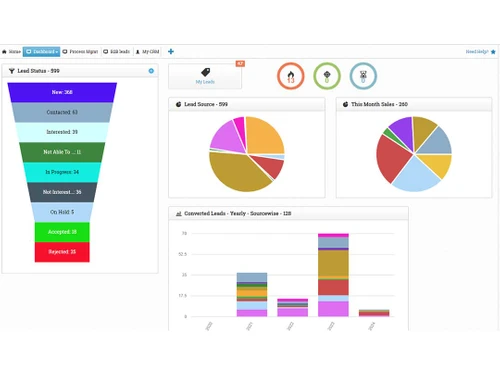
Small Business
Designed for startups and growing businesses
Medium Business
Built for business growth and flexibility
Enterprises
Designed for complex and large-scale business needs
4.9
Out of 5

Overall Rating
Based on
5 Verified Reviews
Rating Breakdown
96% Recommend this Product
Add ReviewUsers generally appreciate Maple CRM for its user-friendliness, excellent customer support, and effective lead management capabilities. Many find it reasonably priced and suitable for managing customer databases, with a measurable positive impact on their operations. However, some users have noted limitations, such as performance issues when handling large files and a desire for additional features relative to its cost. Overall, customer sentiment is highly positive, with strong recommendations from various roles and company sizes.
Pros
"1. User-friendly 2. Best support and service 3. Document management and agreement generation are truly first-rate."
"I admire their excellent support since they usually respond and provide a solution the same day."
"To keep track of customers and manage our customer database, we needed a simple CRM system. We are happy with the measurable impact Maple CRM has on our lead management."
Cons
"As per the price more features can be added to make the most out of it."
"There are no particular dislikes, however big files can cause the machine to become stuck."
"Sometimes while using this tool other software doesn't work well."

Apr 19, 2019
Techjockey Verified
“Maple CRM is reasonably priced”
Pros
I would strongly advise you to choose Maple CRM because it is easy to use, has sufficient capabilities for intended purpose, and is reasonably priced.
Cons
I don't see any cons with the Maple CRM, as of now it's working fine for us.
Feb 10, 2021
Techjockey Verified
“The support provided by their team is amazing”
Pros
I admire their excellent support since they usually respond and provide a solution the same day.
Cons
As per the price more features can be added to make the most out of it.
Reason to switch
Fits in our budget and the support team service is great.
Nov 17, 2020
Techjockey Verified
“To keep track of customers and manage our customer database”
Pros
To keep track of customers and manage our customer database, we needed a simple CRM system. We are happy with the measurable impact Maple CRM has on our lead management.
Cons
There are no particular dislikes, however big files can cause the machine to become stuck.
Reason to switch
We'd gotten unduly reliant on Excel for all of our tasks, and while it was straightforward to collect data, we'd always miss follow-ups and important enquiries.

Maple CRM
Price On Request
Desktop
Mobile
Web based
On Premises
Windows
Mac OS

Visa Immigration CRM
Price On Request
Desktop
Mobile
Web based
On Premises
Windows
Mac OS

SwiftAMS
Price On Request
Desktop
Mobile
Web based
On Premises
Windows
Mac OS

Officio
Price On Request
Desktop
Mobile
Web based
On Premises
Windows
Mac OS

CaseEasy
Price On Request
Desktop
Mobile
Web based
On Premises
Windows
Mac OS

Kondesk
₹ 2000
Desktop
Mobile
Web based
On Premises
Windows
Mac OS

EduAgent CRM
Price On Request
Desktop
Mobile
Web based
On Premises
Windows
Mac OS

Ezymigrate
Price On Request
Desktop
Mobile
Web based
On Premises
Windows
Mac OS

SanE-Visa
Price On Request
Desktop
Mobile
Web based
On Premises
Windows
Mac OS

InfraBit Immigration CRM
₹ 2599
Desktop
Mobile
Web based
On Premises
Windows
Mac OS

Imagility
Price On Request
Desktop
Mobile
Web based
On Premises
Windows
Mac OS
(0) Product(s) selected
Available
Price on Request
Maple CRM is compatible with Windows, macOS, and Linux operating systems.
We take care of data safety by all technical means of SSL, Datacenter security, backups and restricted access to your data within our team. As a business ourselves, we understand and respect your privacy, safety and backup concerns.
Maple CRM can help businesses across various sectors to track leads and opportunities through the sales process.
Maple CRM software is available for Android and iOS app users.
Maple CRM platform pricing starts from $10 at techjockey.com. Since Maple CRM supports yearly / monthly payment options, you can contact our experts to gain more information about the pricing plans.
Yes, a free demo of Maple Sales CRM software is available at techjockey.com.
No Maple CRM software is not available for free. You can connect with our product experts to learn more about the pricing plans.
No, Maple CRM does not offer a free trial for users.
Since Maple CRM supports web-based deployment, there is no need for software installation. Just open the setup wizard and get started. While for Mobile Maple CRM app can be downloaded from AppStore / Play Store.
Maple CRM offers sales and marketing automation and customer support and helps businesses manage their leads and customer accounts.
20,000+ Software Listed
Best Price Guranteed
Free Expert Consultation
2M+ Happy Customers
Terms and Condtions

Users with registered businesses can purchase goods from merchants on the platform to satisfy their business needs. Users are not permitted to utilize any products acquired through the platform for resale, advertising, business, or further distribution.
For each purchase made, users will receive a Tax Invoice (or 'GST invoice') that includes specific details such as:
the GSTIN of the user associated with their registered business, and
the specified Entity Name for their business.
It should be noted that not all products are eligible for GST Invoice. Only the products displayed by participating sellers with the 'GST-based Invoice Available' callout on the product description page would qualify.
Certain goods and services are not eligible to get a GST Invoice, including items with VAS, i.e., Value Added Services (e.g., Total Mobile Protection/Assured Buyback) and those involving an exchange offer at the time of purchase.
Users must ensure the accuracy of the GSTIN, and business entity name provided for the GST Invoice. Requests for corrections into GST Invoice would not be accommodated by Techjockey.com or any Seller, and any issues arising from user-provided information are the sole responsibility of users.
Techjockey.com is not liable for the GST Invoice or any associated input tax credit. To efficiently claim an input tax credit, users should select the registered place of business address as per the GST authority's data and follow the provisions of the GST Act and rules.
To claim an input tax credit, the delivery and billing addresses must match. Furthermore, input tax credits will not be granted if the delivery address and GSTIN on the invoice are from different states. In case of incorrect GST details provided during the order placement, the order will be canceled automatically.