linkedin
Meetup logo
play 3 Things Every Successful Meetup Organizer Should Do
meetup
meetup email list

Meetup

Brand: Meetup

  • 4.1

  • 7 Ratings & 1 Review

A social platform that allows people to organize and join in-person or virtual events based on shared interests, helping them connect with others in their community.

See More

Have you used Meetup before?

Share your insights for better experience

Add a Review

Price Available on Request

Questions about pricing or customization? We’re here to help, just a click away.

100% Genuine
Products
Best Price
Guaranteed
Safe & Secure
Payment
  • Description

  • Pricing

  • Features

  • Specification

  • Review

  • Compare

  • FAQ

Meetup Software Overview

What is Meetup?

Meetup is a social media platform that helps people organize and join in-person or virtual events based on shared interests, hobbies, or professional goals. Founded in 2002, it allows users to create groups and plan activities, making it easier to connect with others in their community. Users can find groups that match their interests, RSVP for events, and participate in discussions.

Meetup supports various categories, including outdoor activities, networking, and family events, catering to a wide range of preferences. The platform has evolved over the years to include features for online gatherings, especially during the COVID-19 pandemic. With millions of users globally, Meetup fosters community building and social interaction among like-minded individuals.

Why Choose Meetup Software?

  • Diverse Interests: Meetup allows users to connect over a wide range of interests, from hobbies to professional networking, ensuring there’s something for everyone.
  • Easy Event Discovery: The platform makes it simple to discover local events and groups that match personal interests, enhancing social engagement.
  • Community Building: Users can create and join groups, fostering a sense of community and friendship among like-minded individuals.
  • Support for Organizers: Meetup provides tools for event organizers to manage RSVPs, communicate with attendees, and promote their events effectively.
  • Accessibility: The platform is user-friendly and available on multiple devices, making it easy for anyone to participate in or organize events.
  • Learning Opportunities: Users can attend workshops and educational events, facilitating personal growth and skill development.
  • Networking Potential: Meetup events often lead to valuable networking opportunities, allowing attendees to connect with professionals in their field.
  • Free Membership: Joining Meetup is free, making it accessible for anyone looking to expand their social circle or pursue new interests.
  • Global Reach: The platform connects users with communities worldwide, providing opportunities for cultural exchange and diverse interactions.
  • Regular Events: With events happening daily, users can easily find activities that fit their schedules and interests, promoting regular social engagement.

Benefits of Meetup Software

  • Enhanced Social Skills: Engaging in Meetup events helps individuals improve their social skills through regular interaction with diverse groups of people.
  • Opportunity for Leadership: Organizing a Meetup allows individuals to develop leadership skills, as they take charge of planning and managing events.
  • Access to Resources: Meetup often provides access to valuable resources, such as guest speakers and workshops, which can enhance the learning experience for participants.
  • Increased Confidence: Regular participation in group activities can boost self-esteem and confidence as members engage in discussions and activities.
  • Supportive Environment: Meetup fosters a supportive atmosphere where individuals can share experiences and challenges, helping to create a sense of belonging.
  • Networking for Career Growth: Professionals can leverage Meetup to expand their professional network, leading to potential job opportunities and collaborations.
  • Community Engagement: Users can actively contribute to their local communities by organizing or participating in events that address local issues or interests.
  • Diverse Perspectives: Attending meetups exposes individuals to different viewpoints and cultures, enriching their understanding of various topics.
  • Event Variety: The platform supports a wide range of events, from casual meetups to structured workshops, catering to different preferences and schedules.
  • Long-Term Relationships: Regular participation in Meetups can lead to long-lasting friendships and professional connections that extend beyond the events themselves.

Pricing of Meetup

Meetup is available on Techjockey.com upon request.

The pricing model is based on different parameters, including extra features, deployment type, and the total number of users. For further queries related to the product, you can contact our product team and learn more about the pricing and offers.

Read more

Meetup Company Details

Founded Year:  2002

Meetup brings people together in thousands of cities to do more of what they want to do in life.

Director/Founders Brendan McGovern, Chris Fregly, Mark Kelly, Matt Meeker, Peter Kamali, Ryan Sears, Scott Heiferman,
Company Size 101-500 Employees

Meetup Pricing & Plans

Looking for The Right Pricing?

Share your requirements and get a plan built around your business.

  • Define your business needs
  • Get customised pricing
  • Choose features that fit your workflow

Price Available on Request

Get personalised Meetup pricing that fits your needs. Our team will connect with you.

Meetup Features

  • icon_check Join a Group
    Connect with like-minded individuals by joining various interest-based groups.
  • icon_check Mobile App
    Access and manage Meetup events on the go through the mobile app.
  • icon_check Community Forums
    Engage in discussions and interact with members via community forums.
  • icon_check Email List
    Receive updates and event notifications through an email subscription list.
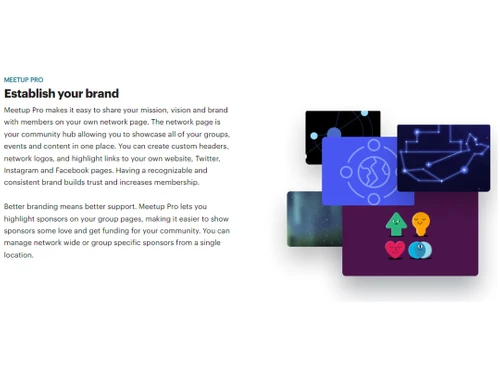
  • icon_check Establish your Brands
    Use Meetup to build and promote your personal or business brand.
  • icon_check API Based
    Integrate Meetup with other platforms and applications using its API.
  • icon_check Network Analytics
    Gain insights into group growth, member engagement, and event performance.
Meetup Demo Video play icon

Get Meetup Demo

Watch the demo video to explore key features, real workflows, and how the software fits your business needs.

Understand
Key Features
Personal
Demo Insights
Interactive
Demo Support

Meetup Specifications

Supported Platforms
Windows Windows
Devices
Desktop Desktop
Deployment
Cloud-Based Cloud-Based
Suitable For
All Industries
Business Specific
All Businesses
Business Size
Small Business Startups Medium Business SMBs SMEs MSMBs MSMEs
Customer Support
Forums
Language
English
Training Resources
Documentation

Explore the Best Alternative Solutions Similar to Your Business Size and Needs

Meetup Review

4.1

Out of 5

img

Overall Rating

Based on
1 Verified Review

Rating Breakdown

  • Features 4.3
  • Value for Money 3.7
  • Ease of Use 4.1
  • Customer Support 4.2

92% Recommend this Product

Add Review

Meetup Video Review

youtubeVideoId

4.1

“Meetup App Review: Worth It? Pros, Cons, Full Breakdown.”

Review by: SkillScope Tutorials

Compare Meetup With other Community Software

Products
Ratings
Pricing
Device Supported
Deployment
Supported Platforms
  • img

    Meetup

  • 4.1

  • Price On Request

  • Desktop

    Mobile

  • Web based

    On Premises

  • Windows

    Mac OS

  • img

    Mighty Networks

  • 4.6

  • Price On Request

  • Desktop

    Mobile

  • Web based

    On Premises

  • Windows

    Mac OS

  • img

    Hugging Face

  • 4.5

  • Price On Request

  • Desktop

    Mobile

  • Web based

    On Premises

  • Windows

    Mac OS

  • img

    AvidCircle

  • 4.3

  • Price On Request

  • Desktop

    Mobile

  • Web based

    On Premises

  • Windows

    Mac OS

  • img

    Jambo

  • 4.2

  • Price On Request

  • Desktop

    Mobile

  • Web based

    On Premises

  • Windows

    Mac OS

  • img

    Circle

  • Price On Request

  • Desktop

    Mobile

  • Web based

    On Premises

  • Windows

    Mac OS

  • img

    OrientDB

  • 4.2

  • Price On Request

  • Desktop

    Mobile

  • Web based

    On Premises

  • Windows

    Mac OS

(0) Product(s) selected

How much does Meetup Software Cost?

Meetup is available upon request on techjockey.com.

Is there any Meetup Software App?

No, Meetup does not offer an Android and iOS mobile app.

Which operating system does Meetup Software Support?

Meetup software is compatible with Windows operating systems.

Does Meetup offer a free trial?

Yes, Meetup offers a seven-day free trial for its premium subscription service, Meetup+, allowing users to experience its benefits before committing to a paid plan.

How does Meetup Software Work?

Meetup software works by allowing users to create an account, browse or search for groups and events based on their interests and location, and either join existing meetups or organize their own gatherings for like-minded individuals.

Who are the potential users of Meetup Software?

Potential users of Meetup software include individuals seeking social connections, hobbyists looking for like-minded groups, professionals wanting to network, students aiming to build community, and organizations interested in hosting events to engage their audience.

Is there any free demo for Meetup Software?

Yes, Meetup offers a free demo to showcase its features and functionalities to prospective users.

Is Meetup Software Free?

Yes, Meetup offers a free membership for users to browse and join events, but there are premium subscription options like Meetup+ that provide additional features for a fee.

20,000+ Software Listed

Best Price Guranteed

Free Expert Consultation

2M+ Happy Customers

Terms and Condtions

close

Users with registered businesses can purchase goods from merchants on the platform to satisfy their business needs. Users are not permitted to utilize any products acquired through the platform for resale, advertising, business, or further distribution.

For each purchase made, users will receive a Tax Invoice (or 'GST invoice') that includes specific details such as:

  • the GSTIN of the user associated with their registered business, and

  • the specified Entity Name for their business.

It should be noted that not all products are eligible for GST Invoice. Only the products displayed by participating sellers with the 'GST-based Invoice Available' callout on the product description page would qualify.

Certain goods and services are not eligible to get a GST Invoice, including items with VAS, i.e., Value Added Services (e.g., Total Mobile Protection/Assured Buyback) and those involving an exchange offer at the time of purchase.

Users must ensure the accuracy of the GSTIN, and business entity name provided for the GST Invoice. Requests for corrections into GST Invoice would not be accommodated by Techjockey.com or any Seller, and any issues arising from user-provided information are the sole responsibility of users.

Techjockey.com is not liable for the GST Invoice or any associated input tax credit. To efficiently claim an input tax credit, users should select the registered place of business address as per the GST authority's data and follow the provisions of the GST Act and rules.

To claim an input tax credit, the delivery and billing addresses must match. Furthermore, input tax credits will not be granted if the delivery address and GSTIN on the invoice are from different states. In case of incorrect GST details provided during the order placement, the order will be canceled automatically.