linkedin
Neural Designer logo
play Machine learning platforms comparison: Scikit-learn vs. Neural Designer
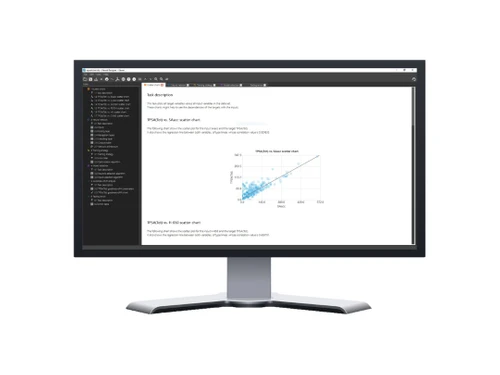
Neural-Designer Data Set
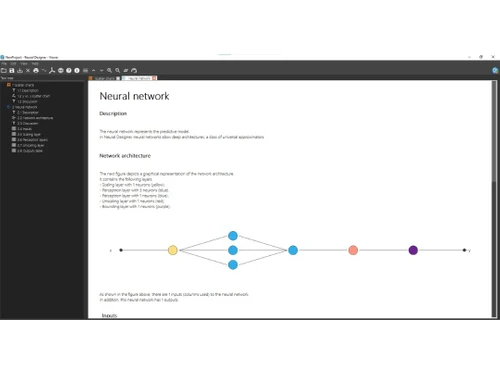
Neural Designer Task Discription

Neural Designer

Brand: Artificial Intelligence

  • 4.0

  • 3 Ratings

Neural Designer lets users create, train, and deploy neural network models for predictive analytics without coding.

See More

Have you used Neural Designer before?

Share your insights for better experience

Add a Review

Price Available on Request

Questions about pricing or customization? We’re here to help, just a click away.

100% Genuine
Products
Best Price
Guaranteed
Safe & Secure
Payment
  • Description

  • Pricing

  • Features

  • Specification

  • Review

  • Compare

  • Alternatives

  • FAQ

Neural Designer Software Overview

What is Neural Designer?

Neural Designer is a powerful machine learning software developed by Artelnics, designed for predictive analytics and data science.

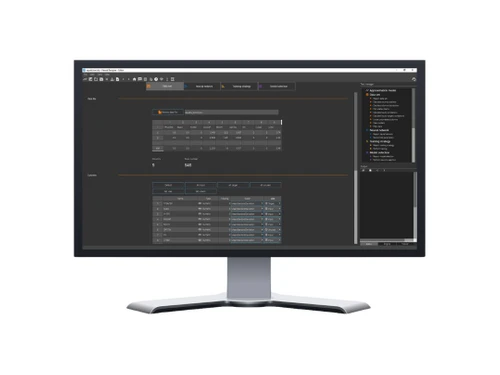
It allows users to create, train, and deploy neural network models without needing coding skills. The platform supports tasks like classification, regression, forecasting, and text analysis through a user-friendly graphical interface.

With GPU acceleration and parallel processing, it efficiently handles large datasets. Neural Designer is used across industries like banking, healthcare, energy, and manufacturing to extract insights and automate processes.

Why Choose Neural Designer Software?

  • No Programming Required: Build and deploy neural network models without coding skills.
  • User-Friendly Interface: Intuitive graphical interface simplifies complex tasks.
  • Advanced Machine Learning: Supports sophisticated techniques for accurate predictions.
  • Versatile Applications: Handles classification, regression, forecasting, and text analysis.
  • High Performance: Optimized with GPU acceleration and parallel processing.
  • Large Dataset Handling: Efficiently processes massive datasets.
  • Customizable Models: Fine-tune neural network architectures as needed.
  • Data Preprocessing Tools: Includes cleaning, normalizing, and transforming tools.
  • Model Validation: Ensures reliable predictions with robust validation methods.
  • Comprehensive Reporting: Generates detailed performance and result reports.
  • Cross-Industry Use: Applicable in healthcare, banking, energy, manufacturing, and more.
  • Predictive Analytics: Enables forecasting trends and data-driven decisions.

Benefits of Neural Designer Software

  • Automated Processes: Saves time by automating repetitive data tasks.
  • Integration Friendly: Easily integrates with existing systems and workflows.
  • Support for Multiple Data Types: Handles numerical, categorical, and text data effectively.
  • Scalable Solution: Scales according to data size and business needs.
  • Real-Time Analysis: Supports quick decision-making with real-time data analysis.
  • Cross-Platform Compatibility: Works on multiple operating systems.
  • Expert Support: Access professional support and detailed documentation.
  • Proven Accuracy: Delivers high-accuracy predictions for better outcomes.

Neural Designer Pricing

Neural Designer price details are available on request at techjockey.com.

The pricing model is based on different parameters, including extra features, deployment type, and the total number of users. For further queries related to the product, you can contact our product team and learn more about the pricing and offers.

Read more

Neural Designer Pricing & Plans

Looking for The Right Pricing?

Share your requirements and get a plan built around your business.

  • Define your business needs
  • Get customised pricing
  • Choose features that fit your workflow

Price Available on Request

Get personalised Neural Designer pricing that fits your needs. Our team will connect with you.

Neural Designer Features

  • icon_check Machine Learning Algorithms
    Offers advanced algorithms for accurate predictions and analytics.
  • icon_check Model Training and Optimization
    Efficiently trains and fine-tunes neural network models.
  • icon_check Visualization
    Provides visual tools to understand data patterns and model performance.
  • icon_check Data Management
    Tools for cleaning, transforming, and organizing datasets.
  • icon_check Code Export
    Allows exporting models to code for integration with other systems.
  • icon_check High-Speed Computing
    Uses GPU and parallel processing for fast computations.
  • icon_check Data Exploration
    Enables interactive analysis to uncover insights from data.
  • icon_check Productivity Tools
    Features to streamline workflow and improve efficiency.
Neural Designer Demo Video play icon

Get Neural Designer Demo

Watch the demo video to explore key features, real workflows, and how the software fits your business needs.

Understand
Key Features
Personal
Demo Insights
Interactive
Demo Support

Neural Designer Specifications

Supported Platforms
Ubuntu Ubuntu Windows Windows MacOS MacOS Linux Linux
Devices
Desktop Desktop
Deployment
Cloud-Based Cloud-Based Perpetual Perpetual
Suitable For
All Industries
Business Specific
All Businesses
Business Size
Small Business Medium Business SMEs
Customer Support
Phone Email Forums
Language
English
Integration
API Integration
AI Features
AI Integrated

Explore the Best Alternative Solutions Similar to Your Business Size and Needs

Neural Designer Review

4.0

Out of 5

img

Overall Rating

Based on
3 Verified Ratings

Rating Breakdown

  • Features 4
  • Value for Money 4.3
  • Ease of Use 3.6
  • Customer Support 4.3

96% Recommend this Product

Add Review

Be the First to Review

This product has no reviews yet. Be the first to leave your feedback.

Add Review

Compare Neural Designer With other Machine Learning Software

Products
Ratings
Pricing
Device Supported
Deployment
Supported Platforms
  • img

    Neural Designer

  • 4.0

  • Price On Request

  • Desktop

    Mobile

  • Web based

    On Premises

  • Windows

    Mac OS

  • img

    Roboflow

  • 4.3

  • Price On Request

  • Desktop

    Mobile

  • Web based

    On Premises

  • Windows

    Mac OS

  • img

    Qubole

  • 4.1

  • Price On Request

  • Desktop

    Mobile

  • Web based

    On Premises

  • Windows

    Mac OS

  • img

    Extreme-ML

  • 4.1

  • Price On Request

  • Desktop

    Mobile

  • Web based

    On Premises

  • Windows

    Mac OS

  • img

    Adobe Sensei

  • 4.0

  • Price On Request

  • Desktop

    Mobile

  • Web based

    On Premises

  • Windows

    Mac OS

  • img

    Agenta

  • 4.1

  • Price On Request

  • Desktop

    Mobile

  • Web based

    On Premises

  • Windows

    Mac OS

  • img

    Encord

  • 4.2

  • Price On Request

  • Desktop

    Mobile

  • Web based

    On Premises

  • Windows

    Mac OS

  • img

    PolyAI

  • 4.2

  • Price On Request

  • Desktop

    Mobile

  • Web based

    On Premises

  • Windows

    Mac OS

  • img

    Simplismart

  • 4.2

  • Price On Request

  • Desktop

    Mobile

  • Web based

    On Premises

  • Windows

    Mac OS

  • img

    E2E Cloud

  • 4.4

  • Price On Request

  • Desktop

    Mobile

  • Web based

    On Premises

  • Windows

    Mac OS

  • img

    MonkeyLearn

  • 4.2

  • Price On Request

  • Desktop

    Mobile

  • Web based

    On Premises

  • Windows

    Mac OS

(0) Product(s) selected

Neural Designer Alternatives

See All Neural Designer Alternatives

Starting Price:

$49 /Month

Available

Price on Request

Available

Price on Request

Available

Price on Request

Available

Price on Request

Available

Price on Request

Available

Price on Request

Starting Price:

$18,000

Articles for Neural Designer

See All Related Articles

How much does Neural Designer Software cost?

Neural Designer pricing information can be requested on techjockey.com.

Is there a mobile app available for Neural Designer Software?

No, Neural Designer does not offer a mobile app.

Which operating systems are compatible with Neural Designer Software?

Neural Designer works on Ubuntu, Windows, macOS, and Linux.

Does Neural Designer Software offer a free trial?

Yes, Neural Designer free trial is available.

How does Neural Designer Software function?

Neural Designer creates, trains, and deploys neural network models for predictive analytics.

Who uses Neural Designer Software?

Professionals in banking, healthcare, energy, manufacturing, and other industries use Neural Designer.

Is a free demo available for Neural Designer Software?

Yes, the Neural Designer free demo can be requested online.

Is Neural Designer Software available for free?

No, Neural Designer is paid software.

20,000+ Software Listed

Best Price Guranteed

Free Expert Consultation

2M+ Happy Customers

Terms and Condtions

close

Users with registered businesses can purchase goods from merchants on the platform to satisfy their business needs. Users are not permitted to utilize any products acquired through the platform for resale, advertising, business, or further distribution.

For each purchase made, users will receive a Tax Invoice (or 'GST invoice') that includes specific details such as:

  • the GSTIN of the user associated with their registered business, and

  • the specified Entity Name for their business.

It should be noted that not all products are eligible for GST Invoice. Only the products displayed by participating sellers with the 'GST-based Invoice Available' callout on the product description page would qualify.

Certain goods and services are not eligible to get a GST Invoice, including items with VAS, i.e., Value Added Services (e.g., Total Mobile Protection/Assured Buyback) and those involving an exchange offer at the time of purchase.

Users must ensure the accuracy of the GSTIN, and business entity name provided for the GST Invoice. Requests for corrections into GST Invoice would not be accommodated by Techjockey.com or any Seller, and any issues arising from user-provided information are the sole responsibility of users.

Techjockey.com is not liable for the GST Invoice or any associated input tax credit. To efficiently claim an input tax credit, users should select the registered place of business address as per the GST authority's data and follow the provisions of the GST Act and rules.

To claim an input tax credit, the delivery and billing addresses must match. Furthermore, input tax credits will not be granted if the delivery address and GSTIN on the invoice are from different states. In case of incorrect GST details provided during the order placement, the order will be canceled automatically.