linkedin
Overleaf logo
Overleaf-write
Overleaf-create
Overleaf-report

Overleaf

Brand: Overleaf

  • No Ratings & Reviews

Have you used Overleaf before?

Share your insights for better experience

Add a Review
Starting Price
₹650

View plans

100% Genuine
Products
Best Price
Guaranteed
Safe & Secure
Payment
  • Description

  • Pricing

  • Features

  • Specification

  • Review

Starting at ₹650

Overleaf Software Overview

Overleaf Company Details

Founded Year:  2011

An academic authorship tool that allows seamless collaboration and effortless manuscript submission, all underpinned by cloud-technology.

Director/Founders John Hammersley, John Lees-Miller
Company Size 1-100 Employees

Overleaf Pricing & Plans

Standard
Starting at ₹650
    • Licenses

      Licenses
      Licenses
    • Monthly

      Monthly
      Monthly

Key Features

  • 10 collaborators per project

  • Increased AI allowance

  • AI Assistant

  • 24x Basic compile timeout

Pro
Starting at ₹1175
    • Licenses

      Licenses
      Licenses
    • Monthly

      Monthly
      Monthly

Key Features

  • Unlimited collaborators per project

  • Max AI allowance

  • AI Assistant

  • 24x Basic compile timeout

Overleaf Features

  • icon_check Document Editor
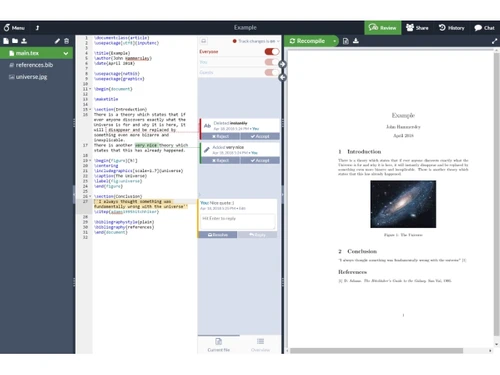
    Create and edit scientific and technical documents online using a powerful LaTeX-based document editing environment.
  • icon_check Visual Editor
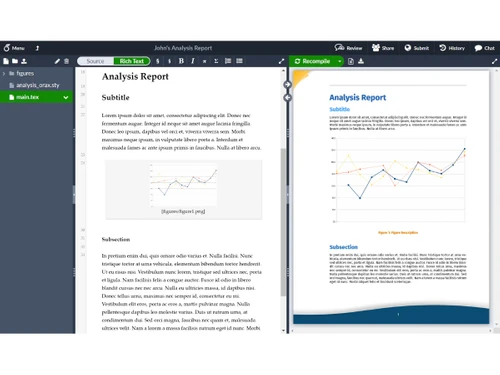
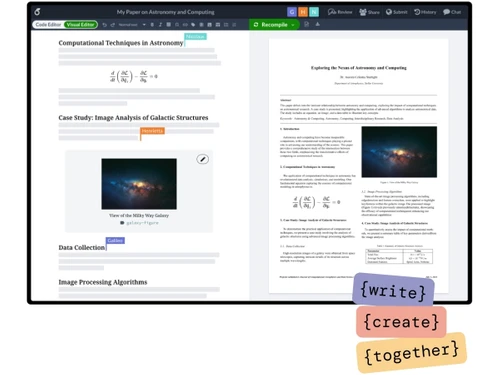
    Edit documents visually without writing LaTeX code, with headings, images, formatting and equations rendered directly.
  • icon_check Code Editor
    Write and modify LaTeX source code directly with syntax support, allowing precise control over document structure and layout.
  • icon_check Real-Time Collaboration
    Collaborate with multiple users simultaneously while editing shared documents and keeping everyone synchronized in real time.
  • icon_check Document Sharing
    Share projects through private invitations or links, allowing collaborators to review, edit and comment on documents.
  • icon_check Version Control
    Maintain document versions and review previous project states to compare changes and restore earlier versions when needed.
  • icon_check Templates
    Access thousands of ready-made templates for research papers, theses, reports, presentations, CVs and other documents.
  • icon_check Auto Compilation
    Automatically compile LaTeX projects in the background and generate updated document output as you make changes.
  • icon_check Real-Time Previews
    View the compiled document output while editing, making it easier to check formatting, equations, tables and figures.
  • icon_check Citation Management
    Manage citations and bibliographies efficiently using LaTeX and integrations with popular reference management platforms.
  • icon_check Reference Search
    Search references by author, title, year or journal to quickly locate and insert relevant citations into your document.
  • icon_check GitHub Integration
    Connect Overleaf projects with GitHub to synchronize documents and incorporate version-controlled workflows into projects.
  • icon_check Dropbox Integration
    Synchronize Overleaf projects with Dropbox to keep files accessible and consistent across supported workflows.
  • icon_check Error Detection
    Identify LaTeX errors and warnings while editing, helping users locate problems and troubleshoot documents more efficiently.

Overleaf Specifications

Supported Platforms
Ubuntu Ubuntu Windows Windows MacOS MacOS Linux Linux
Devices
Desktop Desktop
Deployment
Cloud-Based Cloud-Based Perpetual Perpetual Web-Based Web-Based
Suitable For
All Industries
Business Specific
All Businesses
Business Size
Individual Small Business Startups Medium Business Enterprises SMBs SMEs
Customer Support
Email Live Chat Communities Forums
Language
English
Integration
API Integration
Training Resources
Webinars Documentation Videos
AI Features
AI Integrated
Technology
Next Generation

Overleaf Review

Be the First to Review

This product has no reviews yet. Be the first to leave your feedback.

Add Review

20,000+ Software Listed

Best Price Guranteed

Free Expert Consultation

2M+ Happy Customers

Terms and Condtions

close

Users with registered businesses can purchase goods from merchants on the platform to satisfy their business needs. Users are not permitted to utilize any products acquired through the platform for resale, advertising, business, or further distribution.

For each purchase made, users will receive a Tax Invoice (or 'GST invoice') that includes specific details such as:

  • the GSTIN of the user associated with their registered business, and

  • the specified Entity Name for their business.

It should be noted that not all products are eligible for GST Invoice. Only the products displayed by participating sellers with the 'GST-based Invoice Available' callout on the product description page would qualify.

Certain goods and services are not eligible to get a GST Invoice, including items with VAS, i.e., Value Added Services (e.g., Total Mobile Protection/Assured Buyback) and those involving an exchange offer at the time of purchase.

Users must ensure the accuracy of the GSTIN, and business entity name provided for the GST Invoice. Requests for corrections into GST Invoice would not be accommodated by Techjockey.com or any Seller, and any issues arising from user-provided information are the sole responsibility of users.

Techjockey.com is not liable for the GST Invoice or any associated input tax credit. To efficiently claim an input tax credit, users should select the registered place of business address as per the GST authority's data and follow the provisions of the GST Act and rules.

To claim an input tax credit, the delivery and billing addresses must match. Furthermore, input tax credits will not be granted if the delivery address and GSTIN on the invoice are from different states. In case of incorrect GST details provided during the order placement, the order will be canceled automatically.