linkedin
Plasmic logo
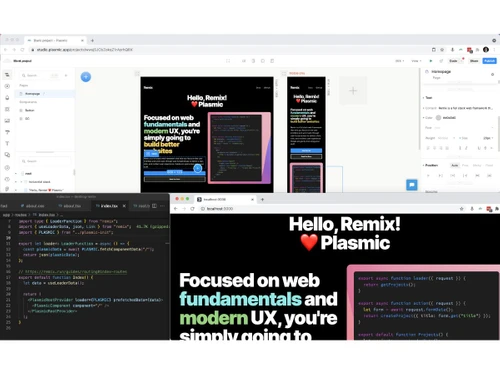
play Building applications with Plasmic: overview demo
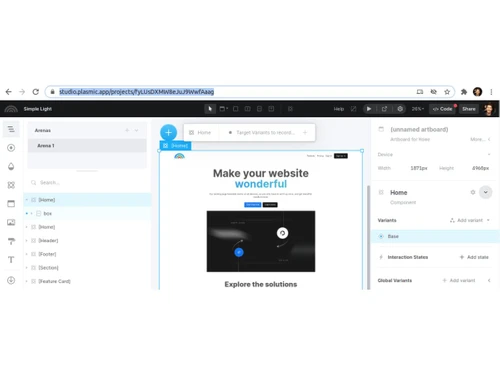
plasmic-dashboard
plasmic-website

Plasmic

Brand: Plasmic

  • 4.3

  • 4 Ratings

A visual low-code/no-code software for building and deploying web apps with clean, production-ready code.

See More

Have you used Plasmic before?

Share your insights for better experience

Add a Review
Starting Price
$49

View plans

100% Genuine
Products
Best Price
Guaranteed
Safe & Secure
Payment
  • Description

  • Pricing

  • Features

  • Specification

  • Review

  • FAQ

Starting at $49

PlasmicSoftware Overview

What is Plasmic?

Plasmic is a low code no code software that lets you create websites and apps without heavy coding. It helps you design pages easily and still works smoothly with your existing code.

You can connect it with tools like Shopify, APIs, and other data sources. Plasmic allows you to turn Figma designs into real, working React components.

It also includes a simple CMS to manage content like text and images. You can run A/B tests and personalize pages to improve user experience.

Both developers and non-technical users can work together on it. Plasmic makes building, editing, and deploying websites faster and more flexible.

Why Choose Plasmic Software?

  • No-Code Visual Builder: Plasmic offers an intuitive drag-and-drop interface for building websites and apps. It lets non-developers create high-quality UIs without writing code.
  • Low-Code Flexibility: While it emphasizes visual creation, Plasmic also supports custom React components. This gives developers full control to enhance or extend any feature.
  • Seamless Integration With Codebases: Plasmic integrates smoothly with existing frameworks like React, Next.js, and Vue. You can embed Plasmic pages directly into your application structure.
  • Production-Ready Output: The platform generates clean, maintainable code instead of messy exports. This ensures scalability and avoids being locked into the tool.
  • Drag-and-Drop UI Editing: Users can create complex layouts and components with a simple visual editor. It speeds up designing without relying on technical skills.
  • Real-Time Collaboration: Multiple team members can work together on the same project simultaneously. This boosts productivity and eliminates communication gaps.
  • A/B Testing Capabilities: Plasmic helps teams run experiments to compare different page versions. It improves decision-making and boosts conversion rates.

Benefits of Plasmic Software

  • Responsive Design Tools: You can design for multiple screen sizes using breakpoints and flexible layouts. This ensures every page works perfectly on mobile, tablet, and desktop.
  • Fast Deployment Options: Plasmic supports quick deployment to Vercel, Netlify, AWS, and other platforms. Updates go live instantly without manual configuration.
  • Design System Support: Import or create your own design systems directly inside Plasmic. Teams can maintain consistent branding across all pages.
  • Permissions & Role Management: Admins can assign different roles to designers, developers, and editors. This keeps projects organized with the right access control.
  • Version Control & Revision History: You can view, track, and roll back changes whenever needed. It provides security and transparency throughout the development cycle.
  • Supports Multi-Page Sites: Plasmic isn't limited to landing pages, it handles full websites and apps. It scales easily with large, multi-page projects.
  • Highly Customizable: Users can customize layouts, animations, and interactions visually or via code. This makes it suitable for simple websites as well as complex apps.
  • Marketing-Friendly Tools: Marketers can launch landing pages and campaigns without waiting for developers. It reduces turnaround time and speeds up go-to-market execution.
  • Rich Integrations: Plasmic connects with tools like Shopify, Firebase, Stripe, Airtable, and more. These integrations help build feature-rich experiences quickly.
  • Open Architecture: Plasmic is built to integrate into any existing tech stack without restrictions. You maintain full ownership of your code, content, and deployment.

Plasmic Pricing

Plasmic price starts at USD 49 at Techjockey.com. The pricing model is based on different parameters, including extra features, deployment type, and the total number of users. For further queries related to the product, you can contact our product team and learn more about the pricing and offers.

Read more

Plasmic Company Details

Founded Year:  2019

Plasmic is a visual development platform that empowers your entire team to build production-grade web apps fast, from internal tools to customer-facing products and websites. Plasmic breaks through the boundaries of no-code, integrating with your codebase for endless possibilities.

Director/Founders Chung Wu, Yang Zhang
Company Size 1-100 Employees

Plasmic Pricing & Plans

Starter
Starting at $49
    • Licenses

      Licenses
      Licenses
    • Monthly

      Monthly
      Monthly

Key Features

  • Included collaborators-3

  • Maximum collaborators-3

  • Page views-100k

  • Component library

  • Integration library

  • Template library

  • Custom domains

Pro
Starting at $129
    • Licenses

      Licenses
      Licenses
    • Monthly

      Monthly
      Monthly

Key Features

  • Included collaborators-4

  • Maximum collaborators-10

  • Page views-250k

  • Component library

  • Integration library

  • Template library

  • Custom domains

Scale
Starting at $499
    • Licenses

      Licenses
      Licenses
    • Monthly

      Monthly
      Monthly

Key Features

  • Included collaborators-8

  • Maximum collaborators-30

  • Page views-500k

  • Component library

  • Integration library

  • Template library

  • Custom domains

Plasmic Features

  • icon_check Code Integration
    Connect directly with existing codebases, ensuring flexibility and no vendor lock-in for developers.
  • icon_check Drag and Drop Functionality
    Quickly arrange components and layouts with a simple drag-and-drop interface for faster design workflows.
  • icon_check Data Integration
    Link to databases, APIs, and services like Supabase, GraphQL, or REST endpoints for dynamic content.
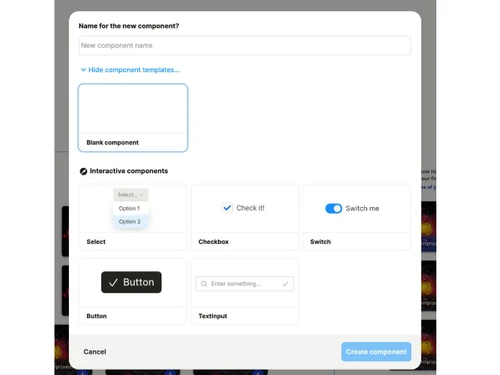
  • icon_check Custom Components
    Allow developers to register reusable components that non-developers can use in visual projects.
  • icon_check Data Import/Export
    Import UI designs directly from Figma into Plasmic to convert them into functional, editable code.
  • icon_check Real-Time Collaboration
    Collaborate simultaneously with teammates in the same workspace using multiplayer editing.
  • icon_check Role Management
    Assign different permissions to team members, controlling access to specific features and content.
  • icon_check Version Control
    Use branching and merging workflows to safely test, review, and approve changes before publishing.
  • icon_check Content Management
    Manage text, images, and assets directly in the editor without needing engineering support.
  • icon_check Cross-Platform Support
    Build UIs that work seamlessly across web, mobile, and responsive devices with one workflow.
  • icon_check User Access Control
    Use fine-grained permissions and SSO support to secure access for both collaborators and end users.
  • icon_check Compliance Management
    Ensure enterprise-grade protection with SOC 2 compliance for handling sensitive business data.
  • icon_check Template Library
    Accelerate development with a library of pre-built templates for common app and website layouts.
  • icon_check Design System Support
    Enforce branding consistency by applying design systems directly within the platform.
Plasmic Demo Video play icon

Get Plasmic Demo

Watch the demo video to explore key features, real workflows, and how the software fits your business needs.

Understand
Key Features
Personal
Demo Insights
Interactive
Demo Support

Plasmic Specification

Supported Platforms
Ubuntu Ubuntu Windows Windows MacOS MacOS Linux Linux
Devices
Desktop Desktop
Deployment
Web-Based Web-Based
Suitable For
All Industries
Business Specific
All Businesses
Business Size
Small Business Startups Medium Business Enterprises
Customer Support
Email Communities
Language
English
Integration
API Integration
Training Resources
Videos

Plasmic Review

4.3

Out of 5

img

Overall Rating

Based on
4 Verified Ratings

Rating Breakdown

  • Features 4
  • Value for Money 4.1
  • Ease of Use 4.5
  • Customer Support 4.5

80% Recommend this Product

Add Review

Techjockey Trusted Reviews from Verified Users

No reviews are currently available for Plasmic. Discover similar Low Code No Code Software reviews

  • Softr

    4.3

    Whats great - Softr allowed me to create a Progressive Web App (PWA) that functioned adequately on mobile browsers. read more

  • Alchemy

    4.4

    Whats great - High uptime and low-latency performance. read more

  • m Power

    4.4

    Whats great - Each of our 2-week sprints accomplishes with one programmer what many development shops would take months to develop. read more

How much does Plasmic cost?

Plasmic pricing starts at USD 49 on Techjockey.com.

Is there a mobile app available for Plasmic Software?

No, Plasmic does not offer a mobile app and is accessible through a web browser.

Which operating systems are compatible with Plasmic Software?

Plasmic works on any OS that supports modern web browsers, including Ubuntu, Windows, macOS, and Linux.

Does Plasmic Software offer a free trial?

Yes, Plasmic provides a free plan that users can try without any trial limits.

How does Plasmic Software function?

Plasmic works as a visual builder that integrates with codebases to design and publish web pages and apps.

Who uses Plasmic Software?

Designers, developers, marketers, and product teams use Plasmic to build websites and apps quickly.

Is a free demo available for Plasmic Software?

Yes, Plasmic offers documentation, tutorials, and demo resources for new users.

Is Plasmic Software available for free?

Yes, Plasmic has a free tier with essential features.

20,000+ Software Listed

Best Price Guranteed

Free Expert Consultation

2M+ Happy Customers

Terms and Condtions

close

Users with registered businesses can purchase goods from merchants on the platform to satisfy their business needs. Users are not permitted to utilize any products acquired through the platform for resale, advertising, business, or further distribution.

For each purchase made, users will receive a Tax Invoice (or 'GST invoice') that includes specific details such as:

  • the GSTIN of the user associated with their registered business, and

  • the specified Entity Name for their business.

It should be noted that not all products are eligible for GST Invoice. Only the products displayed by participating sellers with the 'GST-based Invoice Available' callout on the product description page would qualify.

Certain goods and services are not eligible to get a GST Invoice, including items with VAS, i.e., Value Added Services (e.g., Total Mobile Protection/Assured Buyback) and those involving an exchange offer at the time of purchase.

Users must ensure the accuracy of the GSTIN, and business entity name provided for the GST Invoice. Requests for corrections into GST Invoice would not be accommodated by Techjockey.com or any Seller, and any issues arising from user-provided information are the sole responsibility of users.

Techjockey.com is not liable for the GST Invoice or any associated input tax credit. To efficiently claim an input tax credit, users should select the registered place of business address as per the GST authority's data and follow the provisions of the GST Act and rules.

To claim an input tax credit, the delivery and billing addresses must match. Furthermore, input tax credits will not be granted if the delivery address and GSTIN on the invoice are from different states. In case of incorrect GST details provided during the order placement, the order will be canceled automatically.