linkedin
R-Drive Image logo
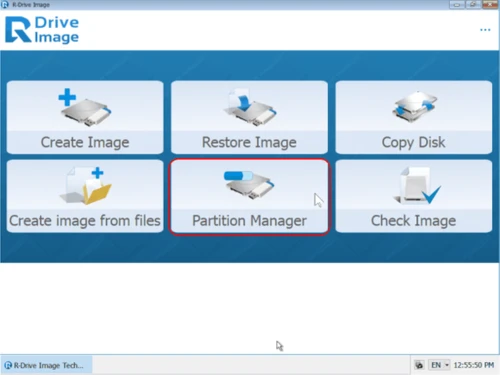
R-Drive Image-overview
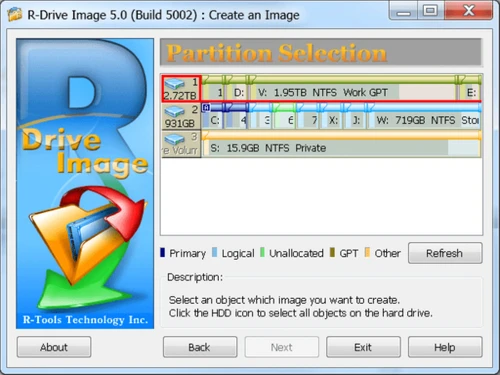
R-Drive Image-create
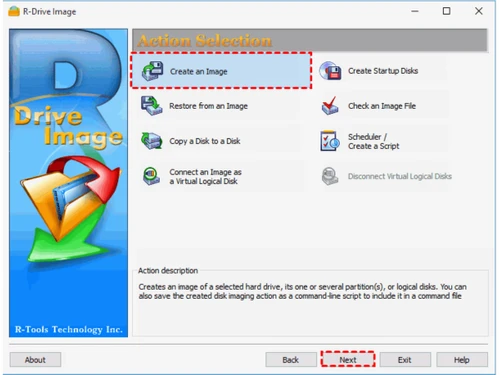
R-Drive Image-action-selection

R-Drive Image

Brand: R-Tools Technology Inc

  • No Ratings & Reviews

Have you used R-Drive Image before?

Share your insights for better experience

Add a Review
Starting Price
$45

View plans

100% Genuine
Products
Best Price
Guaranteed
Safe & Secure
Payment
  • Pricing

  • Features

  • Specification

  • Review

Starting at $45

R-Drive Image Pricing & Plans

Standalone
Starting at $45
    • Licenses (One Time)

      Licenses (One Time)
      Licenses (One Time)

Key Features

  • Drive Imaging and Backup

  • System Restore and Disk Copy

  • Scheduler and Unattended Actions

  • Partition Manager

  • Imaging of Files

Corporate
Starting at $189
    • Licenses (One Time)

      Licenses (One Time)
      Licenses (One Time)

Key Features

  • Drive Imaging and Backup

  • System Restore and Disk Copy

  • Scheduler and Unattended Actions

  • Partition Manager

  • Imaging of Files

Technician
Starting at $299
    • Licenses (One Time)

      Licenses (One Time)
      Licenses (One Time)

Key Features

  • Drive Imaging and Backup

  • System Restore and Disk Copy

  • Scheduler and Unattended Actions

  • Partition Manager

  • Imaging of Files

Commercial
Starting at $499
    • Licenses (One Time)

      Licenses (One Time)
      Licenses (One Time)

Key Features

  • Drive Imaging and Backup

  • System Restore and Disk Copy

  • Scheduler and Unattended Actions

  • Partition Manager

  • Imaging of Files

OEM kit
Starting at $898
    • Licenses (One Time)

      Licenses (One Time)
      Licenses (One Time)

Key Features

  • Drive Imaging and Backup

  • System Restore and Disk Copy

  • Scheduler and Unattended Actions

  • Partition Manager

  • Imaging of Files

R-Drive Image Features

  • icon_check Disk Imaging
    Creates exact images of entire hard drives, partitions, and logical disks to support reliable backup and system restoration.
  • icon_check Data Backup
    Backs up complete drives, partitions, and individual files to local disks, removable media, network drives, or cloud storage.
  • icon_check Data Recovery
    Restores complete disk images or selected files after accidental deletion, operating system crashes, or hardware failures.
  • icon_check Disk Cloning
    Copies an entire disk directly to another drive, helping users migrate systems or replace existing storage devices.
  • icon_check Incremental Backup
    Records changes since the previous imaging operation, helping reduce storage requirements while preserving recovery points.
  • icon_check Differential Backup
    Records changes since the last full image, allowing users to maintain updated backups with fewer image files.
  • icon_check Scheduling
    Schedules disk imaging and other supported operations to run automatically at predefined times or system events.
  • icon_check Automated Backup
    Runs unattended backup operations through scheduled tasks, scripts, and command-line controls with minimal manual effort.
  • icon_check Data Encryption
    Protects supported disk image formats using encryption and password protection to help secure sensitive backup data.
  • icon_check Data Compression
    Compresses disk image data using configurable compression levels to reduce storage requirements for backup files.
  • icon_check Partition Management
    Creates, deletes, resizes, and wipes disk partitions to support storage organization, maintenance, and disk preparation.
  • icon_check Activity Logging
    Maintains detailed operation logs to help administrators review backup activities, identify errors, and troubleshoot failures.
  • icon_check Backup Replication
    Creates multiple copies of disk images in different local, network, or cloud destinations to improve backup redundancy.
  • icon_check Cloud Backup
    Stores and restores disk images using supported cloud services, including Google Drive, OneDrive, Dropbox, and Amazon S3.

R-Drive Image Specifications

Supported Platforms
Windows Windows Linux Linux
Devices
Desktop Desktop
Deployment
Perpetual Perpetual
Suitable For
All Industries
Business Specific
All Businesses
Business Size
Individual Small Business Startups Medium Business Enterprises SMBs SMEs MSMEs
Customer Support
Email
Language
English
Training Resources
Documentation

R-Drive Image Review

Be the First to Review

This product has no reviews yet. Be the first to leave your feedback.

Add Review

20,000+ Software Listed

Best Price Guranteed

Free Expert Consultation

2M+ Happy Customers

Terms and Condtions

close

Users with registered businesses can purchase goods from merchants on the platform to satisfy their business needs. Users are not permitted to utilize any products acquired through the platform for resale, advertising, business, or further distribution.

For each purchase made, users will receive a Tax Invoice (or 'GST invoice') that includes specific details such as:

  • the GSTIN of the user associated with their registered business, and

  • the specified Entity Name for their business.

It should be noted that not all products are eligible for GST Invoice. Only the products displayed by participating sellers with the 'GST-based Invoice Available' callout on the product description page would qualify.

Certain goods and services are not eligible to get a GST Invoice, including items with VAS, i.e., Value Added Services (e.g., Total Mobile Protection/Assured Buyback) and those involving an exchange offer at the time of purchase.

Users must ensure the accuracy of the GSTIN, and business entity name provided for the GST Invoice. Requests for corrections into GST Invoice would not be accommodated by Techjockey.com or any Seller, and any issues arising from user-provided information are the sole responsibility of users.

Techjockey.com is not liable for the GST Invoice or any associated input tax credit. To efficiently claim an input tax credit, users should select the registered place of business address as per the GST authority's data and follow the provisions of the GST Act and rules.

To claim an input tax credit, the delivery and billing addresses must match. Furthermore, input tax credits will not be granted if the delivery address and GSTIN on the invoice are from different states. In case of incorrect GST details provided during the order placement, the order will be canceled automatically.