linkedin
RealFake logo
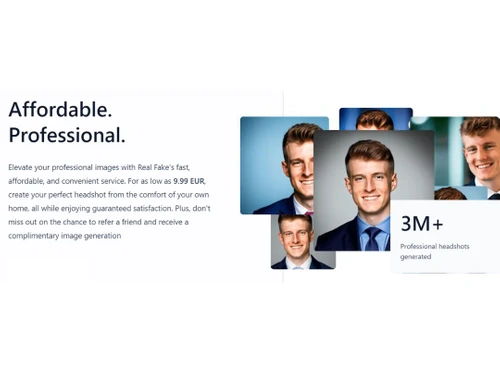
RealFake Affordable
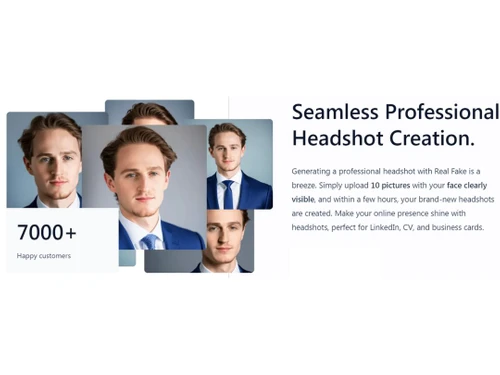
RealFake Seamless
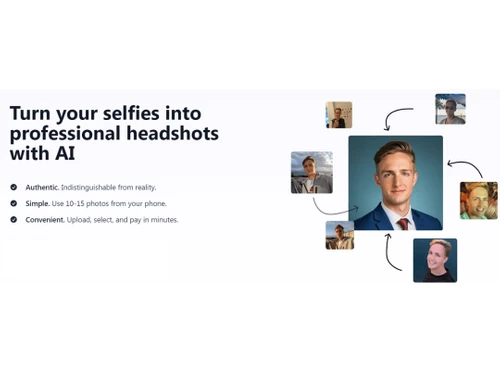
RealFake Selfies

RealFake

Brand: Profaile GmbH

  • 4.1

  • 15 Ratings & 10 Reviews

RealFake AI Image Generator is an advanced tool that harnesses the power of artificial intelligence to generate highly realistic and customizable images.

See More

Have you used RealFake before?

Share your insights for better experience

Add a Review
Starting Price
€10

View plans

100% Genuine
Products
Best Price
Guaranteed
Safe & Secure
Payment
  • Description

  • Pricing

  • Features

  • Specification

  • Review

  • Compare

  • Alternatives

  • FAQ

Starting at €10

RealFake Software Overview

What is RealFake Software?

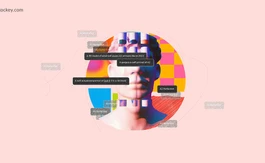
RealFake AI image generator is a revolutionary AI-powered solution that effortlessly transforms your everyday selfies into stunning, professional headshots. With RealFake, authenticity meets flawless realism, ensuring your headshots are indistinguishable from reality.

Creating professional headshots has never been easier. Simply select 10-20 photos from your phone where your face is visible, upload them to RealFake, and your personalized headshots are ready in just a few hours. It's a seamless and convenient process that saves you time and effort.

Enhance your online presence and make a lasting impression with headshots perfect for LinkedIn profiles, CVs, and business cards. RealFake helps you shine professionally, allowing you to showcase your best self to the world.

RealFake AI Image Generator's deep learning algorithms analyze vast amounts of existing visual data, enabling it to understand and replicate the intricacies of different styles, textures, and lighting conditions. This level of detail and realism sets this software apart, making it a powerful tool for filmmakers, game developers, and visual effects artists. It can generate lifelike characters and breathtaking landscapes and even simulate realistic lighting and shadows. RealFake AI Image Generator offers a cost-effective and time-efficient solution for creating stunning visuals by reducing the need for extensive photoshoots or expensive CGI production.

Why Choose RealFake Software?

Don't settle for mediocre headshots when you can have professional-grade results with RealFake. Embrace the power of AI and transform your selfies into stunning headshots that exude confidence and professionalism. Upgrade your online presence today and let RealFake be your go-to solution for impressive headshot creation.

Benefits of RealFake Photo Editing Software

  • RealFake enables you to transform your selfies into high-quality, professional headshots, enhancing your online presence and leaving a lasting impression on platforms like LinkedIn, CVs, and business cards.
  • Enjoy affordable headshot creation without compromising on quality. Starting at 9.99 EUR, you can elevate your professional image without breaking the bank.
  • Creating headshots with RealFake is a seamless and convenient process. Simply upload your selected photos and receive your customized headshots within a few hours, saving you valuable time and effort compared to traditional photoshoots.
  • It offers customization features, allowing you to personalize your headshots to align with your unique style and branding. You control the outcome, ensuring the headshots represent your professional identity.
  • The platform utilizes cutting-edge artificial intelligence technology to generate headshots that are indistinguishable from reality. The advanced algorithms ensure that your headshots look authentic, enhancing your credibility and professionalism.

Pricing of RealFake Software

RealFake is priced at € 10 on techjockey.com.

The overall pricing model is based on different factors such as personalization, extra features required, total users, and the deployment type. Please feel free to request a call from our product experts if you want to learn more about our subscription plans or premium package deals.

Read more

Profaile GmbH Company Details

Founded Year:  2023

Real Fake turns your selfies into professional headshots

Director/Founders Jan-Oliver Seidenfuss and Alexander Eichhorn
Company Size 1-100 Employees

RealFake Pricing & Plans

1 AI Headshot Style
Starting at €10
    • Licenses (One Time)

      Licenses (One Time)
      Licenses (One Time)

Key Features

  • 40 headshots

  • 1 headshot style: professional or casual

  • Variety of outfits and backgrounds

All styles
Starting at €13
    • Licenses (One Time)

      Licenses (One Time)
      Licenses (One Time)

Key Features

  • 80 headshots

  • 2 headshot style: professional or casual

  • Variety of outfits and backgrounds

  • 1 free redo

RealFake Features

Image Generation and Processing

  • icon_check Real-time Preview
    Provides real-time previews of the image as users adjust its parameters offering immediate feedback on the changes
  • icon_check Image-to-Image Transformation
    Modifies the existing image to new style
  • icon_check Real-Time Rendering
    Produces immediate results by creating the final image in real time while the user modifies the prompt or settings
  • icon_check Multi-Layer Image Processing
    Builds pictures layer by layer adjusting various components to produce more precise and detailed images
  • icon_check High-Resolution Output
    Generates HD-quality output
  • icon_check Drag and Drop
    Providing drag and drop functionality and an easy-to-use interface
  • icon_check Text-to-Image Generation
    Converting the entered text into an image
  • icon_check Batch Generation
    Generates multiple images from a single prompt, ideal for exploring different variations
  • icon_check Preset Styles
    Provides in-built styles and templates

Editing and Customization Tools

  • icon_check Content Filters
    Users can add filters to photos, regulating content production, such as allowing or prohibiting NSFW content.
  • icon_check Style Transfer
    Applying artistic style of image to another
  • icon_check Background Removal
    Smartly detects the image and removes the elements as per the users' choice
  • icon_check Adjustable Parameters
    Controling the aspects like size, resl.,color scheme,etc
  • icon_check Layer Control
    Allows users to manipulate layers, background, objects, shadows, etc.
  • icon_check Realistic Object Generation
    Creates realistic and coherent images
  • icon_check Resolution Control
    Lets users choose the resolution at that they want created images to be
  • icon_check Image Upscaling
    Enhances the image quality
  • icon_check Object Removal
    Uses AI techniques to eliminate undesired things from photos, erasing all traces of the deleted objects
  • icon_check Denoising
    Reducing noise from the image and thereby providing clarity
  • icon_check Image Weights
    Gives options for varying the proportion of text prompts to picture prompts
  • icon_check Style Adaptation
    Allows users to create multiple alteration of an image and apply the visual style of one image onto another
  • icon_check AI Editor
    Use artificial intelligence to improve, fix, or create images
  • icon_check 3D Effects
    Make 3D design images from simple text descriptions
  • icon_check Text Overlay
    Allows the user to add text over the generated images
  • icon_check Image Tiling
    Allows the user to create seamless patterns and repeating patterns

Prompt Control and Enhancements

  • icon_check Prompt Sensitivity
    Adjust the accuracy of the generated image and ensure that it matches the input
  • icon_check Prompt Flexibility
    Facilitates the users with ability to adjust and modify their text prompts and get desired results
  • icon_check Prompt Editing
    Allows the user modify the entered prompt
  • icon_check Prompt Enhancer
    Reads your prompt, analyzes it and then make changes in it automatically so that you get an upgraded image.
  • icon_check Prompt Matrix
    Modifies settings to create multiple versions of a single prompt
  • icon_check Negative Prompt
    Feature using which user can enter those details that they want explicitly not included
  • icon_check Seed
    Gives the user the ability to specify a seed number for consistent image generation
  • icon_check Real-Time Generation
    Generates images as users enter the prompts thereby reducing wait time

Model and AI Capabilities

  • icon_check Fine Tuning
    The process of training a pre-trained model that fits the requirements of the user
  • icon_check Model Merging
    Combines features from several AI models to produce image generating tools that are more effective and versatile
  • icon_check Multi-Model Support
    Gives users access to a variety of AI models so they may select the one that best suits their needs

Collaboration and Sharing

  • icon_check Image Sharing
    Easily share your artwork with other via links on social media
  • icon_check Custom Templates
    Allows the user create and save new templates
  • icon_check Prompt Libraries
    Provides users with a set of pre-written text suggestions
  • icon_check Collaboration Tools
    Feature that allows multiple users to work in collaboration

Branding and Commercial Use

  • icon_check Data Privacy
    Ensures user data and generated content are securely handled
  • icon_check Brand Kit Integration
    Enables users to brand created photos, guaranteeing uniformity across material
  • icon_check Commercial Rights
    Defines the legal usage of generated images allowing the user if they can use it for commercial purposes

Integration Supported

  • icon_check API Integration
    Provides the creator with an API of an image so that they can use it on other processes or apps
  • icon_check Content Management Systems (CMS) Integration
    Allowing direct integration with CMS platforms allowing user to publish images on websites
  • icon_check Design and Editing Software Integration
    Connectiing the design other editing tools for further image refinement
  • icon_check Cloud Storage and Collaboration Tools Integration
    Allows users to save and share images directly onto the cloud storage
  • icon_check E-Commerce Platforms Integration
    Provides the ability to generate product images directly for use on platforms
  • icon_check 3D Modeling Software Integration
    Allow the user to create and modify 3D components inside the images using 3D applications
  • icon_check Game Engines Integration
    Allows created pictures to be seamlessly integrated with gaming engines
  • icon_check Video Editing Tools Integration
    Allows the user to connects with video editing software
  • icon_check Animation Tools Integration
    Enables the mixing of AI-generated images with animation software
  • icon_check NFT Marketplaces
    Supports direct export of AI-generated images as NFTs allowing users to mint and sell their creations on platforms
  • icon_check Plugin & Extensions
    Extending functionality by adding add-ons and plugins

RealFake Specifications

Supported Platforms
Ubuntu Ubuntu Windows Windows iOS iOS MacOS MacOS Linux Linux
Devices
Desktop Desktop Mobile Mobile iPad iPad
Deployment
Cloud-Based Cloud-Based
Suitable For
All Industries
Business Specific
All Businesses
Business Size
Small Business Startups Medium Business Enterprises
Customer Support
Email Live Chat
Language
English Deutsche
Training Resources
Videos
AI Features
AI Integrated

Explore the Best Alternative Solutions Similar to Your Business Size and Needs

RealFake Reviews

4.1

Out of 5

img

Overall Rating

Based on
10 Verified Reviews

Rating Breakdown

  • Features 4.2
  • Value for Money 4.1
  • Ease of Use 4.1
  • Customer Support 4.1

82% Recommend this Product

Add Review

Pros

  • "I didn’t have to leave my house or deal with any scheduling. The photos came out looking very professional, and the whole process was hassle-free."

    Nitin Sikri Jul 17, 2024

Cons

  • "One thing I noticed was that if the photos weren’t well-lit, the results weren’t as good. So, you’ll need to be careful with the quality of your selfies before uploading. "

    Ashish AnandOct 5, 2024

  • "If your selfies aren’t great in terms of lighting or focus, the results might not be as good as you’d like. You need to make sure the selfies you upload are high-quality. "

    Nitin DholakiyaOct 3, 2024

  • "If your selfies are of low quality or poorly lit, the final headshots won’t look as good. I had to retake a couple of photos to get the results I wanted."

    Deepak Kumar Oct 3, 2024

Dikshant sharma

Editor

Industry: Graphic Design

3.8

Reviewed on: Jul 26, 2024

Techjockey Verified

“RealFake Saved Me from Scheduling Expensive Photoshoots”

RealFake transforms your selfies into professional headshots. You upload 10-20 photos, and within a few hours, you receive your new headshots, ready for use on professional platforms. It’s a quick, easy, and affordable way to update your online profiles without the need for expensive or time-consuming photoshoots. You can also tweak the final images to match your style.

Pros

The speed and convenience of RealFake really stood out. I didn’t have to waste time setting up appointments or worrying about high costs. The headshots I got were polished and ready for use, which was exactly what I needed.

Cons

The only downside I found was that the results depend heavily on the quality of the selfies you upload. If your selfies aren’t well-lit or focused, the final headshots won’t be as good.

Switched from Leonardo AI

Reason to switch

I needed a faster, more convenient way to get headshots, and RealFake gave me exactly that.

Nitin Dholakiya

Editor

Industry: Education User since: 1-2 years

3.8

Reviewed on: Oct 3, 2024

Techjockey Verified

“A Convenient Option for Professional Headshots”

RealFake helps you create professional headshots by uploading a set of selfies. After a few hours, you’ll receive new, polished headshots that are ready for use on your business profiles or CVs. It’s a fast and convenient alternative to traditional photoshoots, and you can make some small adjustments to the photos to match your personal style.

Pros

The entire process is so convenient. I didn’t need to leave my house or deal with any complicated steps. The final photos were clear and professional, which is exactly what I needed for my profile.

Cons

If your selfies aren’t great in terms of lighting or focus, the results might not be as good as you’d like. You need to make sure the selfies you upload are high-quality.

Switched from Kaiber AI

Reason to switch

I switched to RealFake because I needed something faster and easier than manual photo editing.

Ramesh Kumar

Editor

Industry: SAAS User since: 1-2 years

4

Reviewed on: Aug 8, 2024

Techjockey Verified

“Fast and Simple Way to Get Headshots with RealFake”

RealFake lets you quickly create professional headshots by uploading 10-20 selfies. Within a few hours, you get high-quality images that are perfect for professional use. It’s affordable, easy to use, and a great solution for anyone who needs to update their online presence. The ability to tweak the final images is also a nice touch.

Pros

The best thing was the speed. I needed the headshots fast, and RealFake delivered them on time. I also liked the flexibility of being able to make small tweaks to the photos after they were created.

Cons

The final product depends on the quality of your selfies. If your original pictures aren’t clear or well-lit, the headshots might not look as polished as they could.

Switched from NovelAI

Reason to switch

I switched to RealFake because I wanted more natural-looking headshots that didn’t feel overly edited.

See All RealFake Reviews

Compare RealFake With other AI Image Generators

Products
Ratings
Pricing
Device Supported
Deployment
Supported Platforms
  • img

    RealFake

  • 4.1

  • Price On Request

  • Desktop

    Mobile

  • Web based

    On Premises

  • Windows

    Mac OS

  • img

    Remaker AI

  • 4.2

  • Price On Request

  • Desktop

    Mobile

  • Web based

    On Premises

  • Windows

    Mac OS

  • img

    Deepnude

  • 3.7

  • Price On Request

  • Desktop

    Mobile

  • Web based

    On Premises

  • Windows

    Mac OS

  • img

    Leonardo AI

  • 3.8

  • Price On Request

  • Desktop

    Mobile

  • Web based

    On Premises

  • Windows

    Mac OS

  • img

    Adobe Firefly

  • 4.0

  • Price On Request

  • Desktop

    Mobile

  • Web based

    On Premises

  • Windows

    Mac OS

  • img

    DeepSukebe

  • 4.2

  • Price On Request

  • Desktop

    Mobile

  • Web based

    On Premises

  • Windows

    Mac OS

  • img

    Facet AI

  • 4.3

  • Price On Request

  • Desktop

    Mobile

  • Web based

    On Premises

  • Windows

    Mac OS

  • img

    SUPERMACHINE

  • 4.2

  • Price On Request

  • Desktop

    Mobile

  • Web based

    On Premises

  • Windows

    Mac OS

  • img

    GoEnhance AI

  • 4.3

  • Price On Request

  • Desktop

    Mobile

  • Web based

    On Premises

  • Windows

    Mac OS

  • img

    Getimg AI

  • 3.9

  • ₹ 850

  • Desktop

    Mobile

  • Web based

    On Premises

  • Windows

    Mac OS

  • img

    DiffusionBee

  • 4.2

  • Price On Request

  • Desktop

    Mobile

  • Web based

    On Premises

  • Windows

    Mac OS

(0) Product(s) selected

RealFake Alternatives

See All RealFake Alternatives

Starting Price:

$30 /Month

Available

Price on Request

Available

Price on Request

SAVE UPTO 25%

Articles for RealFake

See All Related Articles

Which operating system does the RealFake Photo Editing Solution support?

RealFake Photo Editing Solution is compatible with Windows and macOS operating systems.

Is there any RealFake app?

RealFake app is unavailable on Android and iOS devices.

What is the deployment type of the RealFake?

RealFake system supports web-based deployment.

How much does the RealFake Photo Editing solution cost?

RealFake Photo Editing solution pricing starts from ? 10 at techjockey.com.

Who are the potential users of RealFake?

RealFake Photo Editing Software can be used by photo editors, businessmen, entrepreneurs, and individuals who need an effective AI-powered photo editing platform.

Is there any free trial or demo for RealFake Photo Editor?

RealFake software demo is available for free with techjockey.com.

Is the RealFake Photo Editing System free?

The RealFake system does not offer a free trial.

How can you download the RealFake Photo Editing software?

RealFake software is a web-based platform. So, you don?t have to download any software or app to use it.

How does the RealFake Photo Editor work?

RealFake uses advanced AI algorithms to seamlessly edit images by removing or changing backgrounds. It reads the image content and identifies the face elements. It then intelligently replaces the face and removes the background, producing professional-looking and visually appealing photos.

20,000+ Software Listed

Best Price Guranteed

Free Expert Consultation

2M+ Happy Customers

Terms and Condtions

close

Users with registered businesses can purchase goods from merchants on the platform to satisfy their business needs. Users are not permitted to utilize any products acquired through the platform for resale, advertising, business, or further distribution.

For each purchase made, users will receive a Tax Invoice (or 'GST invoice') that includes specific details such as:

  • the GSTIN of the user associated with their registered business, and

  • the specified Entity Name for their business.

It should be noted that not all products are eligible for GST Invoice. Only the products displayed by participating sellers with the 'GST-based Invoice Available' callout on the product description page would qualify.

Certain goods and services are not eligible to get a GST Invoice, including items with VAS, i.e., Value Added Services (e.g., Total Mobile Protection/Assured Buyback) and those involving an exchange offer at the time of purchase.

Users must ensure the accuracy of the GSTIN, and business entity name provided for the GST Invoice. Requests for corrections into GST Invoice would not be accommodated by Techjockey.com or any Seller, and any issues arising from user-provided information are the sole responsibility of users.

Techjockey.com is not liable for the GST Invoice or any associated input tax credit. To efficiently claim an input tax credit, users should select the registered place of business address as per the GST authority's data and follow the provisions of the GST Act and rules.

To claim an input tax credit, the delivery and billing addresses must match. Furthermore, input tax credits will not be granted if the delivery address and GSTIN on the invoice are from different states. In case of incorrect GST details provided during the order placement, the order will be canceled automatically.