USA
USA UAE
UAESmall Business
Designed for startups and growing businesses


See More




Brand: S & S Computing
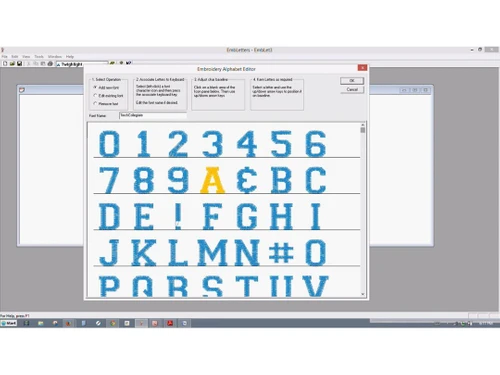
An embroidery software that lets you create, format, and export text designs using over 70 hand-digitized fonts in various stitch file formats.
See MoreHave you used SewWrite before?
Share your insights for better experience
Design Creation & Editing
 Editing Tools Manual & Auto-Digitizing Vector Support Drawing Tools
 Stitch Functions
Stitch Types Applique Support 3D Puff Embroidery Lettering and Typography
Built-in Embroidery Fonts Monogramming Tools TrueType Font Conversion File Handling and Compatibility
Import/Export Formats Multi-Brand Support Hoop Size Management Image Import Layout and Composition Tools
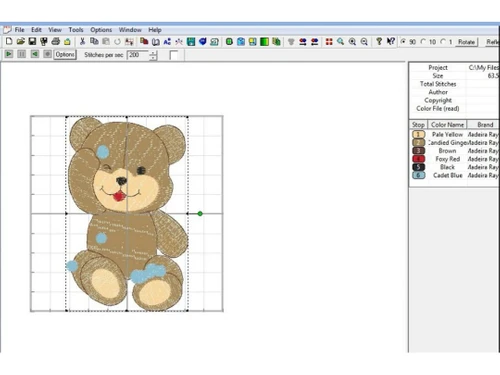
Templates and Guidelines Multi-Hooping Support Background Image Placement Stitch Simulation and Preview
Thread Color Management 3D Simulation Stitch-by-Stitch Preview Automation Features
Auto-Density Management Auto-Underlay Generation Branching and Pathing Optimization Color and Material Management
Thread Charts Color Matching Tools Auto Color Reduction Fabric Type Settings Stabilizer Recommendations Output and Printing
Print Design Sheets Production Worksheets Analytics & Reporting
Stitch count reports Time to complete estimation Color change reports Thread usage reports 

Watch the demo video to explore key features, real workflows, and how the software fits your business needs.
 Windows
  MacOS
MacOS  Desktop
  Perpetual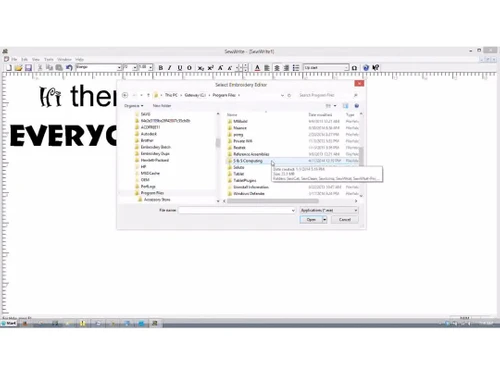
Small Business
Designed for startups and growing businesses
Medium Business
Built for business growth and flexibility
Enterprises
Designed for complex and large-scale business needs
4.4
Out of 5

Overall Rating
Based on
6 Verified Ratings
Rating Breakdown
93% Recommend this Product
Add ReviewThis product has no reviews yet. Be the first to leave your feedback.
Add Review
SewWrite
Price On Request
Desktop
Mobile
Web based
On Premises
Windows
Mac OS

SewWhat Pro
Price On Request
Desktop
Mobile
Web based
On Premises
Windows
Mac OS

SewArt
Price On Request
Desktop
Mobile
Web based
On Premises
Windows
Mac OS

Wilcom EmbroideryStudio
Price On Request
Desktop
Mobile
Web based
On Premises
Windows
Mac OS

SewIconz
Price On Request
Desktop
Mobile
Web based
On Premises
Windows
Mac OS

Stitchmax
₹ 6000
Desktop
Mobile
Web based
On Premises
Windows
Mac OS

PE Design 11
Price On Request
Desktop
Mobile
Web based
On Premises
Windows
Mac OS

Hatch Embroidery
Price On Request
Desktop
Mobile
Web based
On Premises
Windows
Mac OS

Chroma Digitizing Software
Price On Request
Desktop
Mobile
Web based
On Premises
Windows
Mac OS
Wilcom EmbroideryStudio Designing
Price On Request
Desktop
Mobile
Web based
On Premises
Windows
Mac OS

Creativate Embroidery Software
Price On Request
Desktop
Mobile
Web based
On Premises
Windows
Mac OS
(2) Product(s) selected
Starting Price:
$75 /Quantity
Starting Price:
$25 /Quantity
Starting Price:
$149 /Month
Starting Price:
$19 /Month

Starting Price:
$2,199 /Quantity

Starting Price:
$10 /Month

Starting Price:
$790 /Year

Starting Price:
$119 /Quantity

Starting Price:
$40 /Month

Starting Price:
$1,299 /Lifetime

Starting Price:
$699 /Quantity
SewWrite is priced at approximately $40 at Techjockey.com.
No, SewWrite is not available as a mobile app.
SewWrite is compatible with Windows and MacOS.
Yes, SewWrite free trial version is available for download.
SewWrite lets users create, format, and export embroidery lettering designs using digitized fonts.
SewWrite is used by embroidery hobbyists, small businesses, and professional designers.
Yes, the SewWrite free demo version is available on the official website.
No, SewWrite is not available for free.
20,000+ Software Listed
Best Price Guranteed
Free Expert Consultation
2M+ Happy Customers
Terms and Condtions

Users with registered businesses can purchase goods from merchants on the platform to satisfy their business needs. Users are not permitted to utilize any products acquired through the platform for resale, advertising, business, or further distribution.
For each purchase made, users will receive a Tax Invoice (or 'GST invoice') that includes specific details such as:
the GSTIN of the user associated with their registered business, and
the specified Entity Name for their business.
It should be noted that not all products are eligible for GST Invoice. Only the products displayed by participating sellers with the 'GST-based Invoice Available' callout on the product description page would qualify.
Certain goods and services are not eligible to get a GST Invoice, including items with VAS, i.e., Value Added Services (e.g., Total Mobile Protection/Assured Buyback) and those involving an exchange offer at the time of purchase.
Users must ensure the accuracy of the GSTIN, and business entity name provided for the GST Invoice. Requests for corrections into GST Invoice would not be accommodated by Techjockey.com or any Seller, and any issues arising from user-provided information are the sole responsibility of users.
Techjockey.com is not liable for the GST Invoice or any associated input tax credit. To efficiently claim an input tax credit, users should select the registered place of business address as per the GST authority's data and follow the provisions of the GST Act and rules.
To claim an input tax credit, the delivery and billing addresses must match. Furthermore, input tax credits will not be granted if the delivery address and GSTIN on the invoice are from different states. In case of incorrect GST details provided during the order placement, the order will be canceled automatically.