linkedin
SmartDeploy logo
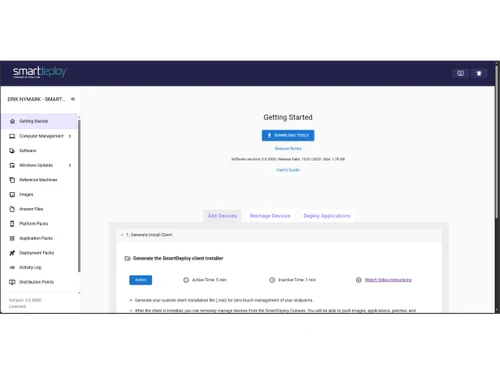
SmartDeploy-overview
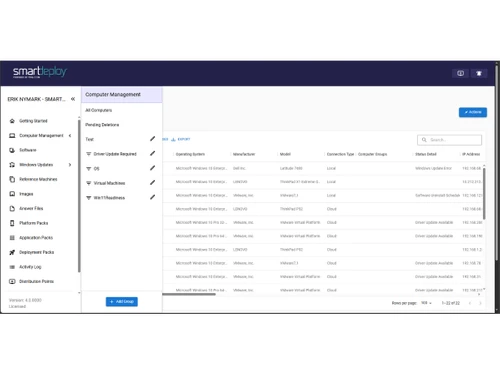
SmartDeploy-computer management
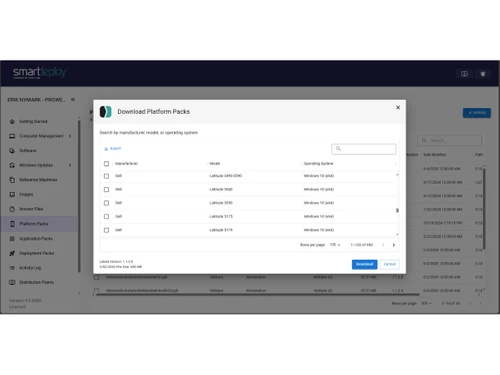
SmartDeploy-platform packs

SmartDeploy

Brand: SmartDeploy

  • No Ratings & Reviews

Have you used SmartDeploy before?

Share your insights for better experience

Add a Review
Starting Price
$1100

View plans

100% Genuine
Products
Best Price
Guaranteed
Safe & Secure
Payment
  • Description

  • Pricing

  • Features

  • Specification

  • Review

Starting at $1,100

SmartDeploy Software Overview

SmartDeploy Company Details

Founded Year:  2009

SmartDeploy is a provider of endpoint management solutions that enables centralized, single-image management of Windows and applications.

Director/Founders Aaron Suzuki
Company Size 1-100 Employees

SmartDeploy Pricing & Plans

Starter
Key Features
  • Centralized single-image management
  • Model-specific device driver Platform Packs
  • Flexible offline & on-network deployments
  • Expert email and phone support
  • Major & minor software version upgrades
Starting at $1100
    • Licenses

      Licenses
      Licenses
    • Yearly

      Yearly
      Yearly

Key Features

  • Centralized single-image management

  • Model-specific device driver Platform Packs

  • Flexible offline & on-network deployments

  • Expert email and phone support

  • Major & minor software version upgrades

SmartDeploy Features

  • icon_check Operating System Deployment
    Deploy Windows operating systems across multiple computers using centralized imaging workflows and automated configuration.
  • icon_check Disk Imaging
    Capture, manage, and deploy standardized Windows images to simplify computer provisioning, refreshes, and recovery.
  • icon_check Driver Management
    Manage and deploy hardware-specific drivers using platform packs for supported computer manufacturers and models.
  • icon_check Application Packaging
    Package applications for repeatable deployment across computers, helping standardize software installations and configurations.
  • icon_check Patch Management
    Deploy supported Windows updates and software patches to help maintain endpoint security, stability, and compatibility.
  • icon_check Remote Deployment
    Provision remote Windows computers by deploying operating system images and applications without requiring onsite access.
  • icon_check Task Automation
    Execute supported deployment scripts and administrative tasks remotely to simplify endpoint configuration and maintenance.
  • icon_check Endpoint Management
    Centralize deployment activities, device provisioning, application installation, and endpoint maintenance for IT administrators.
  • icon_check Data Migration
    Support the transfer of user files and settings during computer replacement or operating system migration projects.
  • icon_check Deployment Automation
    Automate repeatable operating system and application deployment tasks to reduce manual effort and configuration errors.
  • icon_check Inventory Management
    Collect software inventory information from managed computers to help administrators review installed applications.
  • icon_check Multicast Deployment
    Distribute Windows images to multiple computers simultaneously using supported multicast deployment capabilities.

SmartDeploy Specifications

Supported Platforms
Windows Windows
Devices
Desktop Desktop
Deployment
Cloud-Based Cloud-Based Perpetual Perpetual Hybrid Hybrid
Suitable For
All Industries
Business Specific
All Businesses
Business Size
Small Business Startups Medium Business Enterprises SMBs SMEs MSMEs
Customer Support
Phone Email
Language
English
Training Resources
Live Online Documentation Videos

SmartDeploy Review

Be the First to Review

This product has no reviews yet. Be the first to leave your feedback.

Add Review

20,000+ Software Listed

Best Price Guranteed

Free Expert Consultation

2M+ Happy Customers

Terms and Condtions

close

Users with registered businesses can purchase goods from merchants on the platform to satisfy their business needs. Users are not permitted to utilize any products acquired through the platform for resale, advertising, business, or further distribution.

For each purchase made, users will receive a Tax Invoice (or 'GST invoice') that includes specific details such as:

  • the GSTIN of the user associated with their registered business, and

  • the specified Entity Name for their business.

It should be noted that not all products are eligible for GST Invoice. Only the products displayed by participating sellers with the 'GST-based Invoice Available' callout on the product description page would qualify.

Certain goods and services are not eligible to get a GST Invoice, including items with VAS, i.e., Value Added Services (e.g., Total Mobile Protection/Assured Buyback) and those involving an exchange offer at the time of purchase.

Users must ensure the accuracy of the GSTIN, and business entity name provided for the GST Invoice. Requests for corrections into GST Invoice would not be accommodated by Techjockey.com or any Seller, and any issues arising from user-provided information are the sole responsibility of users.

Techjockey.com is not liable for the GST Invoice or any associated input tax credit. To efficiently claim an input tax credit, users should select the registered place of business address as per the GST authority's data and follow the provisions of the GST Act and rules.

To claim an input tax credit, the delivery and billing addresses must match. Furthermore, input tax credits will not be granted if the delivery address and GSTIN on the invoice are from different states. In case of incorrect GST details provided during the order placement, the order will be canceled automatically.