linkedin
Speed Car Rental Software logo
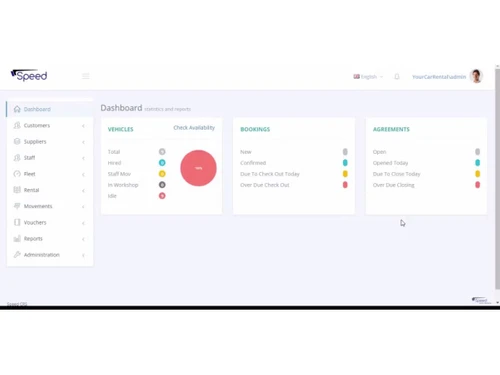
Speed Car Rental Software-dashboard
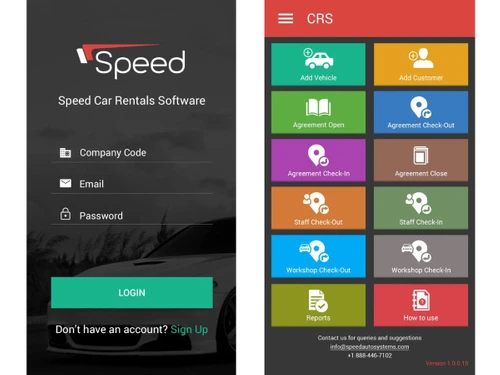
Speed Car Rental Software-login
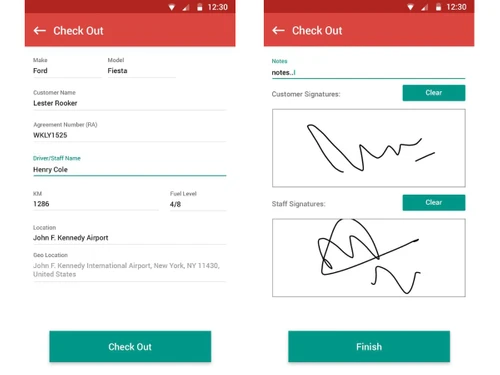
Speed Car Rental Software-checkout

Speed Car Rental Software

Brand: Speed Auto Systems

  • 4.2

  • 5 Ratings

A Car Rental Software that streamlines car rental operations by managing bookings, fleets, customers, and digital agreements efficiently.

See More

Have you used Speed Car Rental Software before?

Share your insights for better experience

Add a Review

Price Available on Request

Questions about pricing or customization? We’re here to help, just a click away.

100% Genuine
Products
Best Price
Guaranteed
Safe & Secure
Payment
  • Description

  • Pricing

  • Features

  • Specification

  • Review

  • FAQ

Speed Car Rental Software Overview

What is Speed Car Rental Software?

Speed Car Rental Software is a car rental software that helps car rental companies manage their daily work easily. It lets businesses handle bookings, customer details, vehicle availability, and rental agreements all in one place.

The software works on computers, mobiles, and tablets, so staff can manage rentals from anywhere. It also allows paperless work by storing documents digitally and letting customers sign agreements electronically.

With its mobile app, staff can check cars, record damages, and take photos during pick-up and return. It supports online bookings, multiple languages, and gives helpful reports to track how the business is running.

Why Choose Speed Car Rental Software?

  • Cloud-Based Platform: Access your rental system from anywhere with no hardware dependency.
  • Easy Reservation Management: Quickly create, modify, and cancel bookings.
  • Real-Time Fleet Tracking: Monitor vehicle status, availability, and location instantly.
  • Digital Rental Agreements: Manage agreements electronically with e-signatures.
  • Mobile App Support: Handle inspections, check-ins, and check-outs using mobile devices.
  • Automated Billing & Invoicing: Generate accurate bills and invoices automatically.
  • Document Scanning Capability: Scan IDs, passports, and licenses for fast verification.
  • Paperless Operations: Eliminate paperwork and speed up workflow.
  • Broker API Integration: Connect with booking engines and third-party brokers seamlessly.

Benefits of Speed Car Rental Software

  • Damage Tracking Tools: Record and track vehicle damages with photos.
  • Customer Management: Maintain customer profiles, documents, and rental history.
  • Multi-Branch Support: Manage all rental locations from a single dashboard.
  • Automated Alerts & Notifications: Receive updates on bookings, rentals, and maintenance.
  • Maintenance Scheduling: Track service history and schedule maintenance efficiently.
  • Secure Data Storage: Protect all records with strong security measures.
  • Customizable Workflows: Adjust features and processes to suit your business.
  • Fast Vehicle Check-In/Out: Speed up rental processing with digital tools.
  • Comprehensive Reporting: Get insights into revenue, fleet status, and performance.
  • User-Friendly Interface: Offers simple, intuitive navigation for staff.
  • Excellent Scalability: Works for both small rental agencies and large fleets.

Speed Car Rental Pricing

Speed Car Rental price details are available on request at techjockey.com. The pricing model is based on different parameters, including extra features, deployment type, and the total number of users. For further queries related to the product, you can contact our product team and learn more about the pricing and offers.

Read more

Speed Auto Systems Company Details

Founded Year:  2003

Speed Auto Systems is a software platform and smart solution provider for car rental and leasing businesses.

Director/Founders Muhammad Shakeel
Company Size 1-100 Employees

Speed Car Rental Software Pricing & Plans

Looking for The Right Pricing?

Share your requirements and get a plan built around your business.

  • Define your business needs
  • Get customised pricing
  • Choose features that fit your workflow

Price Available on Request

Get personalised Speed Car Rental Software pricing that fits your needs. Our team will connect with you.

Speed Car Rental Software Features

  • icon_check Booking Management
    Manage new, confirmed, cancelled bookings with real‐time availability to prevent double bookings.
  • icon_check Vehicle Tracking
    Track vehicle status, location, usage, condition, documents and maintenance schedules.
  • icon_check Agreement Management
    Create, edit, extend, cancel or close rental agreements with digital signatures.
  • icon_check Payment Integration
    Secure payment options, auto-invoices, deposit/advance management, receipts.
  • icon_check Maintenance Management
    Schedule preventive maintenance, track repairs, workshops, spares and keep vehicle health up.
  • icon_check Alerts & Notifications
    Reminders for upcoming booking, return due, service due, document expiry etc.
  • icon_check Reporting & Analytics
    View fleet utilisation, revenue metrics, booking trends; exportable reports.
  • icon_check Multi Branch
    Support operations across several branches, with centralized view but localized control.
  • icon_check Document Management
    Upload / store registration, insurance, license docs and send expiry alerts.
  • icon_check Inspection Management
    Pre-rental vehicle inspection; record damages, manage repairs; log damage movement.
  • icon_check User Roles & Permissions
    Different access levels (admin, branch manager, staff), secure data, authentication & authorisation.

Speed Car Rental Software Specifications

Supported Platforms
Windows Windows iOS iOS Android Android MacOS MacOS
Devices
Desktop Desktop Mobile Mobile Tablet Tablet iPad iPad
Deployment
Cloud-Based Cloud-Based Perpetual Perpetual
Suitable For
All Industries
Business Specific
All Businesses
Business Size
Small Business Startups Medium Business Enterprises
Customer Support
Email Communities
Language
English
Training Resources
Videos

Speed Car Rental Software Review

4.2

Out of 5

img

Overall Rating

Based on
5 Verified Ratings

Rating Breakdown

  • Features 4.2
  • Value for Money 4.3
  • Ease of Use 4.2
  • Customer Support 4.4

80% Recommend this Product

Add Review

Be the First to Review

This product has no reviews yet. Be the first to leave your feedback.

Add Review

How much does Speed Car Rental cost?

Speed Car Rental Software pricing is available upon request on Techjockey.com.

Is there a mobile app available for Speed Car Rental Software?

Yes, Speed Car Rental offers an iOS and Android mobile app for check-ins, inspections, and rental operations.

Which operating systems are compatible with Speed Car Rental Software?

Speed Car Rental is cloud-based and works on Windows, macOS, Android, and iOS devices.

Does Speed Car Rental Software offer a free trial?

Yes, Speed Car Rental free trial is available upon request.

How does Speed Car Rental Software function?

Speed Car Rental automates reservations, fleet tracking, billing, agreements, and customer management.

Who uses Speed Car Rental Software?

Car rental companies, leasing firms, and fleet operators use Speed Car Rental.

Is a free demo available for Speed Car Rental Software?

Yes, Speed Car Rental free demo can be requested from the provider.

Is Speed Car Rental Software available for free?

No, Speed Car Rental is paid software, though demos and trials are offered.

20,000+ Software Listed

Best Price Guranteed

Free Expert Consultation

2M+ Happy Customers

Terms and Condtions

close

Users with registered businesses can purchase goods from merchants on the platform to satisfy their business needs. Users are not permitted to utilize any products acquired through the platform for resale, advertising, business, or further distribution.

For each purchase made, users will receive a Tax Invoice (or 'GST invoice') that includes specific details such as:

  • the GSTIN of the user associated with their registered business, and

  • the specified Entity Name for their business.

It should be noted that not all products are eligible for GST Invoice. Only the products displayed by participating sellers with the 'GST-based Invoice Available' callout on the product description page would qualify.

Certain goods and services are not eligible to get a GST Invoice, including items with VAS, i.e., Value Added Services (e.g., Total Mobile Protection/Assured Buyback) and those involving an exchange offer at the time of purchase.

Users must ensure the accuracy of the GSTIN, and business entity name provided for the GST Invoice. Requests for corrections into GST Invoice would not be accommodated by Techjockey.com or any Seller, and any issues arising from user-provided information are the sole responsibility of users.

Techjockey.com is not liable for the GST Invoice or any associated input tax credit. To efficiently claim an input tax credit, users should select the registered place of business address as per the GST authority's data and follow the provisions of the GST Act and rules.

To claim an input tax credit, the delivery and billing addresses must match. Furthermore, input tax credits will not be granted if the delivery address and GSTIN on the invoice are from different states. In case of incorrect GST details provided during the order placement, the order will be canceled automatically.