USA
 UAE


Brand: Thunai AI
Have you used Thunai Edge before?
Share your insights for better experience
Brand: Thunai AI
Founded Year: 2020
Since 2020, Entrans has emerged as a global leader in AI-first digital engineering, empowering enterprises to innovate and scale with confidence. Trusted by 100+ clients - including multiple Fortune 500 leaders across BFSI, Healthcare, Retail, and Hi-Tech - we deliver end-to-end transformation.
Looking for The Right Pricing?
Share your requirements and get a plan built around your business.
Price Available on Request
Get personalised Thunai Edge pricing that fits your needs. Our team will connect with you.
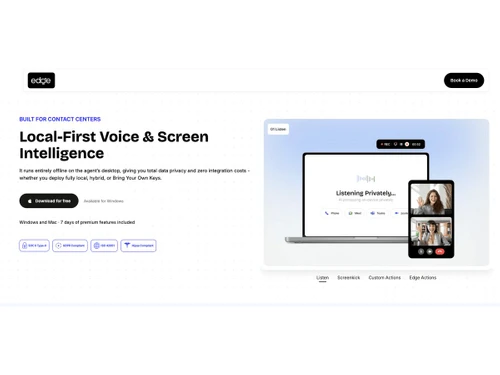
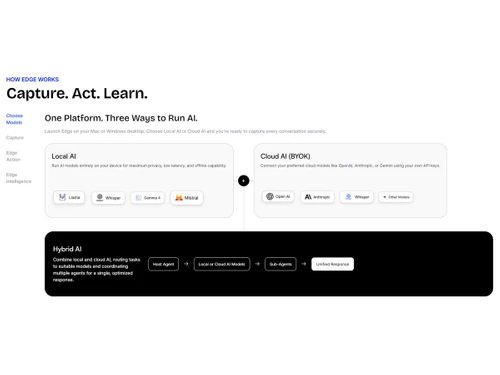
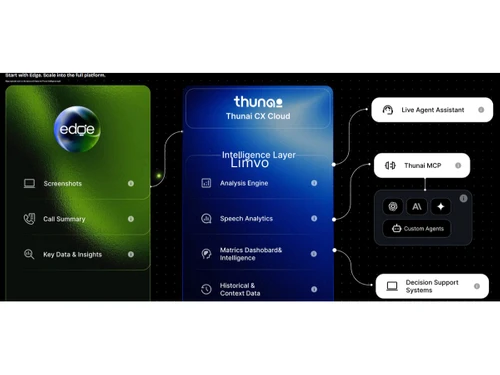
 Meeting Recording Call Recording AI Transcription Meeting Summarisation Action Item Extraction Screen Activity Capture Workflow Automation Multi-Agent Coordination Repeatable Skill Creation BYOK Model Integration Custom Action Creation CRM Automation AI Integration Knowledge Extraction SOP Generation
 Windows
 MacOS
 Desktop
 Perpetual
 Web-Based
This product has no reviews yet. Be the first to leave your feedback.
Add Review21,000+ Software Listed
Best Price Guranteed
Free Expert Consultation
5M+ Happy Customers
Terms and Condtions

Users with registered businesses can purchase goods from merchants on the platform to satisfy their business needs. Users are not permitted to utilize any products acquired through the platform for resale, advertising, business, or further distribution.
For each purchase made, users will receive a Tax Invoice (or 'GST invoice') that includes specific details such as:
the GSTIN of the user associated with their registered business, and
the specified Entity Name for their business.
It should be noted that not all products are eligible for GST Invoice. Only the products displayed by participating sellers with the 'GST-based Invoice Available' callout on the product description page would qualify.
Certain goods and services are not eligible to get a GST Invoice, including items with VAS, i.e., Value Added Services (e.g., Total Mobile Protection/Assured Buyback) and those involving an exchange offer at the time of purchase.
Users must ensure the accuracy of the GSTIN, and business entity name provided for the GST Invoice. Requests for corrections into GST Invoice would not be accommodated by Techjockey.com or any Seller, and any issues arising from user-provided information are the sole responsibility of users.
Techjockey.com is not liable for the GST Invoice or any associated input tax credit. To efficiently claim an input tax credit, users should select the registered place of business address as per the GST authority's data and follow the provisions of the GST Act and rules.
To claim an input tax credit, the delivery and billing addresses must match. Furthermore, input tax credits will not be granted if the delivery address and GSTIN on the invoice are from different states. In case of incorrect GST details provided during the order placement, the order will be canceled automatically.