linkedin
TryCast logo
play Cast | Using the Studio
TryCast Podcast
TryCast Editor

TryCast

Brand: Debacle

  • 4.6

  • 5 Ratings

TryCast is an all-in-one podcasting solution that simplifies podcast creation through cloud recording, editing, publishing, and global collaboration.

See More

Have you used TryCast before?

Share your insights for better experience

Add a Review
Starting Price
$10

View plans

100% Genuine
Products
Best Price
Guaranteed
Safe & Secure
Payment
  • Description

  • Pricing

  • Features

  • Specification

  • Review

  • Compare

  • Alternatives

  • FAQ

Starting at $10

TryCast Software Overview

What is TryCast Software?

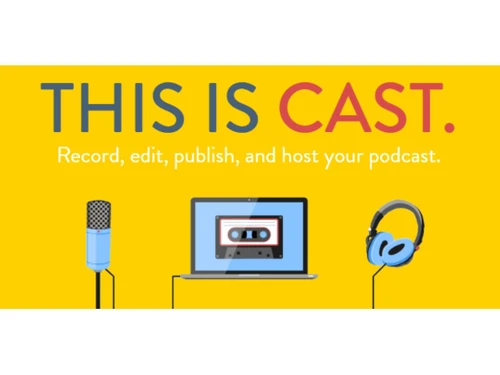
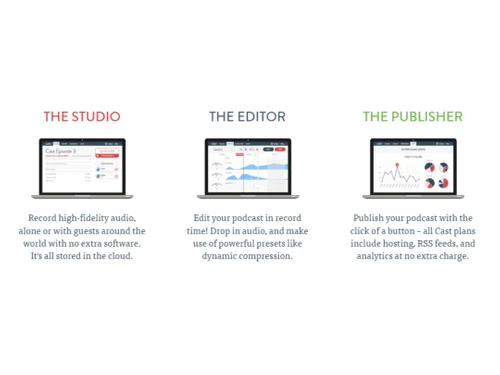
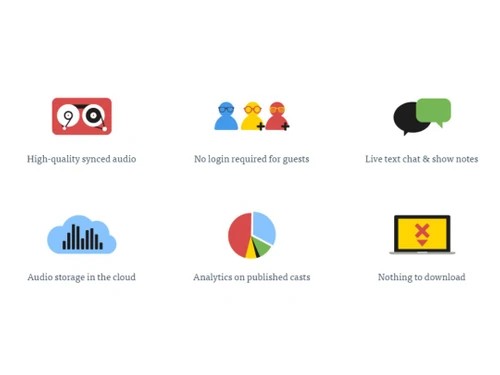
TryCast is a web-based, all-in-one podcasting platform. It mainly comprises three major components: a studio, an editor, and a publisher. With these three components, it allow users to create quality podcast content, edit it with various editing options, and publish it to reach wider audiences. With cloud-based audio storage support, live text chats, and a user-friendly interface, it helps content creators create and publish content without hurdles. The studio is a component that provides support for high-quality remote recording. Cloud storage makes it possible for content creators to avoid the worry about storage space and create high-quality content recording.

The TryCast editor component comes with powerful editing tools that allow users to edit content from the same platform and publish it quickly. The publisher component makes publishing easier. This platform also provides users with analytical support, giving ideas on podcast performance, viewers' stats, downloads, traffic rates, etc., to make better content that generates revenue. The platform helps with collaborative work on podcasts through a no-login guest feature and thus makes publishing easy with one-click functionality, including hosting, RSS feeds, and analytics. It also provides Dropbox synchronization for recordings and thus is a complete podcast creation to the publishing platform.

Why Choose TryCast?

  • All-in-one platform: Gives a platform for content creators to record and edit podcasts with its Studio and Editor and simplifies the publishing process.
  • Remote collaboration: Allows to connect with global guests, supporting high-fidelity audio recording and real-time text chat for collaboration for podcast productions.
  • Editing: Manages post-production with its Editor, which uses dynamic compression presets for quick and professional podcast editing, giving a polished final product.
  • Publishing: Simplify podcast management with its all-in-one Publisher, providing one-click publishing, hosting, RSS feeds, and analytics.
  • Analytics: It gives creators an analysis of content performance and audience behavior to create better content for generating revenues.

Benefits of TryCast Podcast Hosting Software

  • Cloud support: It provides cloud-based storage that makes accessibility and security for podcast recordings and removes the need for local storage issues.
  • Global accessibility: Allows collaborative working with guests worldwide through guest no-login features and live text chat for a borderless podcasting experience.
  • Powerful editing: Utilize Editor with dynamic compression presets to reduce post-production time and maintain high-quality audio for professional podcast content.
  • Instant publishing: Simplify the publishing process with one-click functionality, providing immediate access to hosting and RSS feeds for efficient podcast distribution.
  • Analytics: Gives insights on podcast performance for analysis and making better content based on customer preferences.

TryCast Pricing

TryCast price in India starts from $10 at techjockey.com. It comes with multiple pricing plans and caters to a diverse customer base.

For subscription-related details and offers on premium packages, please request a call back from our product experts.

Read more

TryCast Pricing & Plans

Hobby
Key Features
  • 10 hours of recording time
  • Unlimited editing and mixing
  • Unlimited podcast hosting
  • One RSS feed
Starting at $10
    • Monthly

      Monthly
      Monthly

Key Features

  • 10 hours of recording time

  • Unlimited editing and mixing

  • Unlimited podcast hosting

  • One RSS feed

TryCast Features

  • icon_check Podcast Hosting
    Provides hosting with one-click publishing with a reliable foundation for podcast distribution needs.
  • icon_check Import / Export Management
    Manage podcast content with easy import/export features for content organization and distribution processes.
  • icon_check Audio Recording
    Capture high-quality audio, whether solo or with global guests, using cloud-based recording functionality.
  • icon_check Analytics
    Gain valuable insights into podcast performance with detailed analytics for content optimization and audience engagement.
  • icon_check Data Storage
    Rely on secure cloud storage for scalable storage solutions, thus making podcast recordings accessible and protected.
  • icon_check Podcast Recording
    Record high-quality audio for professional podcasting, whether solo or collaborative, with its intuitive Studio.
  • icon_check Social Sharing
    Increase podcast reach with easy social sharing integration, expanding audience and engagement across various platforms.
  • icon_check Editing and Mixing
    Use Editor, which offers powerful tools like dynamic compression presets for professional podcast editing and mixing.
TryCast Demo Video play icon

Get TryCast Demo

Watch the demo video to explore key features, real workflows, and how the software fits your business needs.

Understand
Key Features
Personal
Demo Insights
Interactive
Demo Support

TryCast Specifications

Supported Platforms
Ubuntu Ubuntu Windows Windows MacOS MacOS Linux Linux
Devices
Desktop Desktop Mobile Mobile Tablet Tablet iPad iPad
Deployment
Cloud-Based Cloud-Based
Suitable For
All Industries
Business Specific
All Businesses
Business Size
Small Business Medium Business SMBs SMEs
Customer Support
Email
Language
English

Explore the Best Alternative Solutions Similar to Your Business Size and Needs

TryCast Review

4.6

Out of 5

img

Overall Rating

Based on
5 Verified Ratings

Rating Breakdown

  • Features 4.2
  • Value for Money 4.6
  • Ease of Use 4.6
  • Customer Support 5

90% Recommend this Product

Add Review

Be the First to Review

This product has no reviews yet. Be the first to leave your feedback.

Add Review

Compare TryCast With other Podcast Hosting Platforms

Products
Ratings
Pricing
Device Supported
Deployment
Supported Platforms
  • img

    TryCast

  • 4.6

  • Price On Request

  • Desktop

    Mobile

  • Web based

    On Premises

  • Windows

    Mac OS

  • img

    Auphonic

  • 4.2

  • Price On Request

  • Desktop

    Mobile

  • Web based

    On Premises

  • Windows

    Mac OS

  • img

    Soundify

  • 4.4

  • Price On Request

  • Desktop

    Mobile

  • Web based

    On Premises

  • Windows

    Mac OS

  • img

    Megaphone

  • 4.5

  • Price On Request

  • Desktop

    Mobile

  • Web based

    On Premises

  • Windows

    Mac OS

  • img

    RedCircle

  • 4.2

  • Price On Request

  • Desktop

    Mobile

  • Web based

    On Premises

  • Windows

    Mac OS

  • img

    Headliner

  • 4.4

  • Price On Request

  • Desktop

    Mobile

  • Web based

    On Premises

  • Windows

    Mac OS

  • img

    Casted

  • 4.5

  • Price On Request

  • Desktop

    Mobile

  • Web based

    On Premises

  • Windows

    Mac OS

  • img

    Alitu

  • 3.9

  • Price On Request

  • Desktop

    Mobile

  • Web based

    On Premises

  • Windows

    Mac OS

  • img

    Libsyn

  • 4.5

  • Price On Request

  • Desktop

    Mobile

  • Web based

    On Premises

  • Windows

    Mac OS

  • img

    SoundCloud

  • 4.3

  • Price On Request

  • Desktop

    Mobile

  • Web based

    On Premises

  • Windows

    Mac OS

  • img

    Podimo

  • 4.1

  • Price On Request

  • Desktop

    Mobile

  • Web based

    On Premises

  • Windows

    Mac OS

(0) Product(s) selected

TryCast Alternatives

See All TryCast Alternatives

Starting Price:

$13 /Month

Starting Price:

$38 /Month

Available

Price on Request

Starting Price:

$9 /Month

Starting Price:

$12 /Month

Starting Price:

$20 /Month

Starting Price:

$10

Which operating system does TryCast Software Support?

TryCast software is compatible with Windows, Ubuntu, MacOS, and Linux operating systems.

Is there any TryCast app?

The TryCast app is available for Android and iOS mobile devices.

What is the deployment type of the TryCast?

The TryCast system supports web-based deployment.

How Much Does the TryCast Podcast Hosting Software Cost?

TryCast pricing starts from $10 at techjockey.com.

Who are the potential users of TryCast?

TryCast is typically used in media, education, business, and entertainment industries by Creators, podcasters, and professionals for podcast content production and hosting.

Is there any free trial or demo for TryCast?

The demo is available for free with techjockey.com.

Is TryCast free?

TryCast offers a free trial. However, the premium plan with advanced features starts at $10.

How can you download TryCast?

Software installation is not required, as it is web-based. Just open the Setup Wizard to get started.

How does TryCast work?

TryCast helps content creators with easy podcasting creation and hosting by offering cloud-based recording, editing, global collaboration, instant publishing, and analytics.

20,000+ Software Listed

Best Price Guranteed

Free Expert Consultation

2M+ Happy Customers

Terms and Condtions

close

Users with registered businesses can purchase goods from merchants on the platform to satisfy their business needs. Users are not permitted to utilize any products acquired through the platform for resale, advertising, business, or further distribution.

For each purchase made, users will receive a Tax Invoice (or 'GST invoice') that includes specific details such as:

  • the GSTIN of the user associated with their registered business, and

  • the specified Entity Name for their business.

It should be noted that not all products are eligible for GST Invoice. Only the products displayed by participating sellers with the 'GST-based Invoice Available' callout on the product description page would qualify.

Certain goods and services are not eligible to get a GST Invoice, including items with VAS, i.e., Value Added Services (e.g., Total Mobile Protection/Assured Buyback) and those involving an exchange offer at the time of purchase.

Users must ensure the accuracy of the GSTIN, and business entity name provided for the GST Invoice. Requests for corrections into GST Invoice would not be accommodated by Techjockey.com or any Seller, and any issues arising from user-provided information are the sole responsibility of users.

Techjockey.com is not liable for the GST Invoice or any associated input tax credit. To efficiently claim an input tax credit, users should select the registered place of business address as per the GST authority's data and follow the provisions of the GST Act and rules.

To claim an input tax credit, the delivery and billing addresses must match. Furthermore, input tax credits will not be granted if the delivery address and GSTIN on the invoice are from different states. In case of incorrect GST details provided during the order placement, the order will be canceled automatically.