linkedin
Uptrace logo
play Monitor and optimize your systems with Uptrace
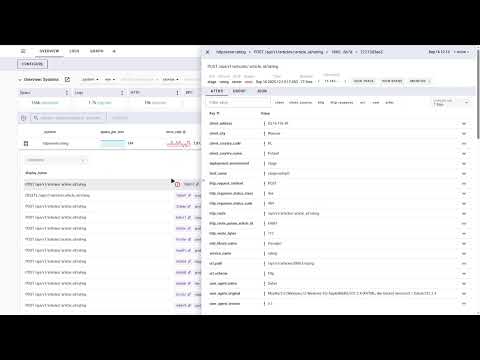
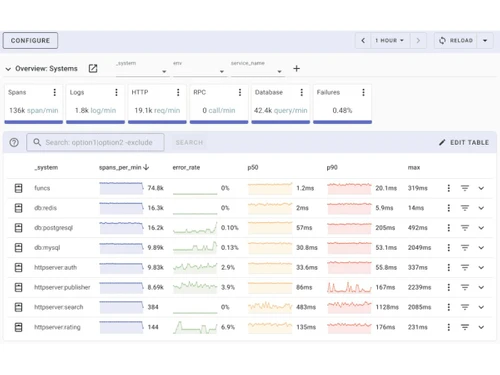
Uptrace-monitoring
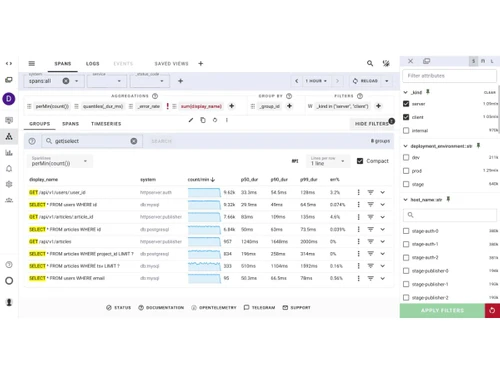
Uptrace-spans

Uptrace

Brand: Uptrace

  • 4.2

  • 4 Ratings

An open-source observability tool built on OpenTelemetry that monitors distributed systems through traces, metrics, and logs in one platform.

See More

Have you used Uptrace before?

Share your insights for better experience

Add a Review

Price Available on Request

Questions about pricing or customization? We’re here to help, just a click away.

100% Genuine
Products
Best Price
Guaranteed
Safe & Secure
Payment
  • Description

  • Pricing

  • Features

  • Specification

  • Review

  • FAQ

Uptrace Software Overview

What is Uptrace?

Uptrace is a smart observability tool that helps developers and DevOps teams monitor complex distributed systems using OpenTelemetry standards. This hyperconverged infrastructure solution combines distributed tracing, metrics collection, and log management in a single unified platform without vendor lock-in.

With Uptrace, teams can track requests across microservices, analyse performance bottlenecks, correlate logs with traces, and troubleshoot issues faster using intuitive dashboards and powerful query builders.

This observability tool is perfect for software engineers, site reliability engineers, DevOps teams, and organisations running microservices, Kubernetes clusters, cloud-native applications, and distributed architectures. Unlike proprietary APM tools with unpredictable pricing, Uptrace is fully open-source, using the OpenTelemetry protocol for instrumentation portability.

The platform provides service dependency maps, automatic alerting through email and Slack, rich visualization dashboards, cost-effective storage with ClickHouse database, and supports both self-hosted and cloud-hosted deployments. Teams get complete visibility into their systems while maintaining control over data, avoiding vendor lock-in, and keeping costs predictable as they scale.

Why Choose Uptrace?

  • OpenTelemetry native: Built entirely on OpenTelemetry standards ensuring vendor neutrality, instrumentation portability, and future-proof observability pipelines.
  • Unified observability: Combines traces, metrics, and logs in single platform eliminating need for multiple tools and reducing context switching.
  • Cost-effective solution: Open-source with predictable pricing replaces expensive commercial tools costing 5x more with same capabilities.
  • Faster troubleshooting: Correlates logs, metrics, and traces automatically reducing mean time to resolution for production issues significantly.
  • Scalable architecture: Handles billions of spans on single server using efficient ClickHouse storage and intelligent sampling strategies.

Benefits of Uptrace

  • Reduced monitoring costs: Open-source model with efficient storage cuts observability expenses dramatically compared to commercial APM platforms.
  • Improved system reliability: Complete visibility into distributed systems helps identify and fix issues before customers experience downtime.
  • Faster development cycles: Quick troubleshooting and performance insights enable teams to ship features faster with confidence.
  • Better resource utilization: Performance analytics reveal inefficient code and overprovisioned infrastructure reducing cloud computing costs.
  • Enhanced collaboration: Unified platform with shared dashboards improves communication between development, operations, and business teams.
  • Future-proof investment: OpenTelemetry standard ensures monitoring infrastructure remains relevant as technology landscape evolves continuously.
  • Simplified operations: Single tool for traces, metrics, and logs eliminates complexity of managing multiple observability solutions.
  • Data ownership: Self-hosted option gives complete control over sensitive telemetry data meeting compliance and security requirements.

Uptrace Pricing

Uptrace pricing is available on request at Techjockey.com. The pricing model is based on different parameters, including extra features, deployment type, and the total number of users. For further queries related to the product, you can contact our product team and learn more about the pricing and offers.

Read more

Uptrace Pricing & Plans

Looking for The Right Pricing?

Share your requirements and get a plan built around your business.

  • Define your business needs
  • Get customised pricing
  • Choose features that fit your workflow

Price Available on Request

Get personalised Uptrace pricing that fits your needs. Our team will connect with you.

Uptrace Features

  • icon_check Distributed Tracing
    Capture, visualize, and analyze request flows across microservices to identify bottlenecks.
  • icon_check Metrics Collection
    Collect real-time application and infrastructure metrics for monitoring system performance.
  • icon_check Log Management
    Aggregate, search, and analyze logs for debugging and auditing purposes.
  • icon_check Error Tracking
    Detect, group, and investigate application errors and exceptions automatically.
  • icon_check Service Map
    Visual representation of services and their dependencies to understand architecture.
  • icon_check Custom Dashboards
    Create and share dashboards to visualize metrics, traces, and logs in one view.
  • icon_check Alerts & Notifications
    Configure threshold-based alerts for metrics, errors, or anomalous behaviors.
  • icon_check Performance Analytics
    Analyze application performance trends over time to optimize code and infrastructure.
  • icon_check Data Retention
    Configure retention periods for logs, metrics, and traces to manage storage costs.
  • icon_check API & SDK
    Programmatic access to send, query, and manage telemetry data via APIs and SDKs.
  • icon_check Self-Hosting Option
    Deploy Uptrace on your infrastructure for full control over observability data.
Uptrace Demo Video play icon

Get Uptrace Demo

Watch the demo video to explore key features, real workflows, and how the software fits your business needs.

Understand
Key Features
Personal
Demo Insights
Interactive
Demo Support

Uptrace Specifications

Supported Platforms
Ubuntu Ubuntu Windows Windows MacOS MacOS Linux Linux
Devices
Desktop Desktop
Deployment
Cloud-Based Cloud-Based
Suitable For
All Industries
Business Specific
All Businesses
Business Size
Small Business Startups Medium Business Enterprises
Customer Support
Email Communities
Language
English
Integration
API Integration
Training Resources
Videos

Uptrace Review

4.2

Out of 5

img

Overall Rating

Based on
4 Verified Ratings

Rating Breakdown

  • Features 3.7
  • Value for Money 4.6
  • Ease of Use 4.2
  • Customer Support 4.3

80% Recommend this Product

Add Review

Be the First to Review

This product has no reviews yet. Be the first to leave your feedback.

Add Review

Articles for Uptrace

See All Related Articles

How much does Uptrace cost?

Uptrace pricing is available on request at Techjockey.com. Contact experts for current offers and packages.

How does Uptrace work?

Collects telemetry via OpenTelemetry protocol, stores data in ClickHouse and PostgreSQL, correlates traces with metrics and logs, provides query interface, and sends alerts.

Who uses Uptrace?

DevOps teams, software engineers, site reliability engineers, and organizations monitoring microservices, Kubernetes, cloud-native apps, and distributed systems.

Is Uptrace truly open-source?

Yes, fully open-source available on GitHub with no feature restrictions, transparent development, and active community contributions.

Does Uptrace support OpenTelemetry?

Yes, built entirely on OpenTelemetry standards supporting OTLP gRPC/HTTP protocols for traces, metrics, and logs natively.

Can I self-host Uptrace?

Yes, available as DEB/RPM packages, Docker images, Kubernetes Helm charts for self-hosting with complete data control.

How does Uptrace compare to Datadog?

Provides similar capabilities at fraction of cost, uses OpenTelemetry avoiding lock-in, offers both open-source and cloud options.

Does Uptrace include alerting?

Yes, native alerting with notifications via email, Slack, Telegram, webhooks based on custom thresholds and conditions.

What databases does Uptrace use?

ClickHouse for high-volume telemetry data storage and PostgreSQL for application metadata in optimized dual-database architecture.

Can Uptrace handle high-volume traffic?

Yes, processes billions of spans efficiently with intelligent sampling, batch processing, and optimized storage on a single server.

20,000+ Software Listed

Best Price Guranteed

Free Expert Consultation

2M+ Happy Customers

Terms and Condtions

close

Users with registered businesses can purchase goods from merchants on the platform to satisfy their business needs. Users are not permitted to utilize any products acquired through the platform for resale, advertising, business, or further distribution.

For each purchase made, users will receive a Tax Invoice (or 'GST invoice') that includes specific details such as:

  • the GSTIN of the user associated with their registered business, and

  • the specified Entity Name for their business.

It should be noted that not all products are eligible for GST Invoice. Only the products displayed by participating sellers with the 'GST-based Invoice Available' callout on the product description page would qualify.

Certain goods and services are not eligible to get a GST Invoice, including items with VAS, i.e., Value Added Services (e.g., Total Mobile Protection/Assured Buyback) and those involving an exchange offer at the time of purchase.

Users must ensure the accuracy of the GSTIN, and business entity name provided for the GST Invoice. Requests for corrections into GST Invoice would not be accommodated by Techjockey.com or any Seller, and any issues arising from user-provided information are the sole responsibility of users.

Techjockey.com is not liable for the GST Invoice or any associated input tax credit. To efficiently claim an input tax credit, users should select the registered place of business address as per the GST authority's data and follow the provisions of the GST Act and rules.

To claim an input tax credit, the delivery and billing addresses must match. Furthermore, input tax credits will not be granted if the delivery address and GSTIN on the invoice are from different states. In case of incorrect GST details provided during the order placement, the order will be canceled automatically.