 USA
USA UAE
UAESmall Business
Designed for startups and growing businesses


See More


Brand: Metabrix Labs
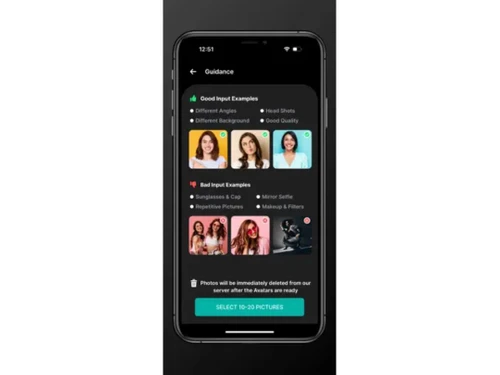
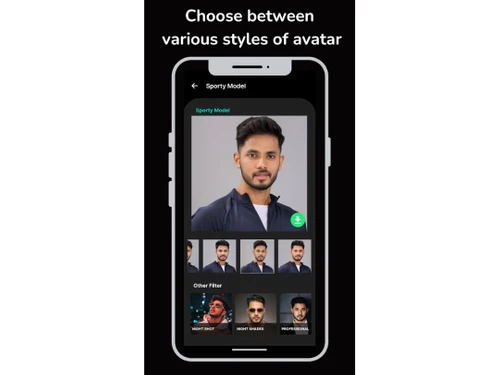
Voge AI is an advanced software solution designed to create and manage hyper-realistic digital avatars. It offers a range of features that support various aspects of avatar creation and customization, making it ideal for personal and professional use.
See MoreHave you used Voge AI before?
Share your insights for better experience
Brand: Metabrix Labs
Founded Year: 2022
Metabrix Labs
Looking for The Right Pricing?
Share your requirements and get a plan built around your business.
Price Available on Request
Get personalised Voge AI pricing that fits your needs. Our team will connect with you.
Image Generation and Processing
 Image-to-Image Transformation High-Resolution Output Preset Styles Drag and Drop Text-to-Image Generation Real-time Preview Real-Time Rendering Multi-Layer Image Processing Batch Generation
 Editing and Customization Tools
Realistic Object Generation Image Upscaling Adjustable Parameters Style Adaptation Content Filters Style Transfer Background Removal Denoising AI Editor 3D Effects Layer Control Resolution Control Object Removal Text Overlay Image Tiling Image Weights Prompt Control and Enhancements
Prompt Sensitivity Prompt Flexibility Prompt Editing Prompt Enhancer Prompt Matrix Negative Prompt Seed Real-Time Generation Model and AI Capabilities
Multi-Model Support Fine Tuning Model Merging Collaboration and Sharing
Image Sharing Prompt Libraries Collaboration Tools Custom Templates Branding and Commercial Use
Data Privacy Brand Kit Integration Commercial Rights Integration Supported
API Integration Content Management Systems (CMS) Integration Design and Editing Software Integration Cloud Storage and Collaboration Tools Integration E-Commerce Platforms Integration 3D Modeling Software Integration Game Engines Integration Video Editing Tools Integration Animation Tools Integration NFT Marketplaces Plugin & Extensions  iOS
iOS  Android
  Mobile
  Perpetual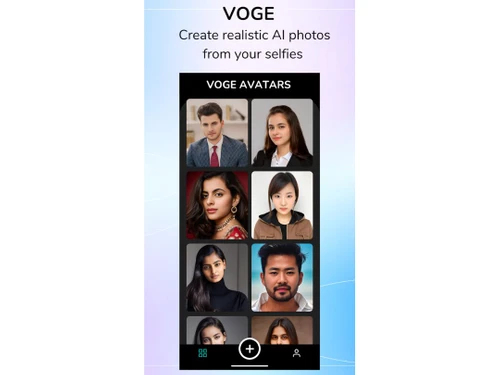
Small Business
Designed for startups and growing businesses
Medium Business
Built for business growth and flexibility
Enterprises
Designed for complex and large-scale business needs
4.2
Out of 5

Overall Rating
Based on
11 Verified Reviews
Rating Breakdown
90% Recommend this Product
Add ReviewUsers generally appreciate Voge AI for its user-friendly interface and the ability to create diverse, high-quality avatars that enhance online presence and branding. Many find the tool enjoyable for personal expression and social media use. However, common complaints include long processing times, limited customization options in the free version, and a paywall for certain features. Despite these drawbacks, customer support is frequently praised, contributing to a positive overall experience.
Pros
"Voge AI is easy to use and navigate through its features. The dashboard is simple, and I got a grasp of what is happening quickly."
"The avatars look very realistic and capture facial features well."
"Easy to use, wide range of styles, great customization, convenient mobile app, high-quality results."
Cons
"When I first used it, I found the platform to be a bit overwhelming. There are a lot of features, and it took me some time to learn them."
"The processing time can be quite long, sometimes over 36 hours."
"Limited advanced editing features, some styles feel a bit cartoonish."

Jan 23, 2025
Techjockey Verified
“Creative Tool with Some Drawbacks”
Voge AI is a creative tool that allows users to generate avatars in various styles, including realistic, anime, and cartoon. The app is user-friendly, and sharing avatars on social media is straightforward. However, some users have reported long processing times and limited customization options in the free version.
Pros
Offers a range of avatar styles and easy sharing options.
Cons
Some users report long processing times and limited customization.
Reason to switch
Voilà AI Artist had fewer style options, and Voge AI provided a broader range.
Feb 21, 2025
Techjockey Verified
“Enhances Online Presence”
Voge AI helped me stand out online by providing unique avatars. It was a great tool for enhancing my digital presence. However, the free trial was limited, and I had to subscribe for continued use.
Pros
Helps in creating a unique online identity.
Cons
Limited free trials.
Reason to switch
Avatar SDK was more complex to use, and Voge AI offered a simpler solution.
Feb 13, 2025
Techjockey Verified
“Impressive Technology”
The technology behind Voge AI is impressive. The avatars are detailed and realistic. I did encounter some glitches, but they were minor and didn't affect the overall experience.
Pros
Advanced AI creates detailed avatars.
Cons
Occasional glitches during processing.
Reason to switch
Artbreeder required more manual adjustments, while Voge AI automated the process.

Voge AI
Price On Request
Desktop
Mobile
Web based
On Premises
Windows
Mac OS

Remaker AI
Price On Request
Desktop
Mobile
Web based
On Premises
Windows
Mac OS

Deepnude
Price On Request
Desktop
Mobile
Web based
On Premises
Windows
Mac OS

Leonardo AI
Price On Request
Desktop
Mobile
Web based
On Premises
Windows
Mac OS

Adobe Firefly
Price On Request
Desktop
Mobile
Web based
On Premises
Windows
Mac OS

DeepSukebe
Price On Request
Desktop
Mobile
Web based
On Premises
Windows
Mac OS

Facet AI
Price On Request
Desktop
Mobile
Web based
On Premises
Windows
Mac OS

SUPERMACHINE
Price On Request
Desktop
Mobile
Web based
On Premises
Windows
Mac OS

GoEnhance AI
Price On Request
Desktop
Mobile
Web based
On Premises
Windows
Mac OS

Getimg AI
₹ 850
Desktop
Mobile
Web based
On Premises
Windows
Mac OS

DiffusionBee
Price On Request
Desktop
Mobile
Web based
On Premises
Windows
Mac OS
(2) Product(s) selected
Starting Price:
$30 /Month
Starting Price:
$19 /Month
Starting Price:
$10 /Month
Available
Price on Request

Available
Price on Request

Starting Price:
$9 /Month

Available
Price on Request

Available
Price on Request

Starting Price:
$5
Starting Price:
$12 /Month





Voge AI pricing varies depending on the selected plan and features. For detailed pricing information, please visit Techjockey.com or contact their sales team.
Yes, Voge AI offers a mobile app that allows users to create and manage their avatars on iOS and Android devices.
Voge AI enables users to create avatars using intuitive tools for customization, styling, and applying filters to achieve desired appearances.
Yes, you can explore Voge AI through a free trial available at Techjockey.com to experience its features and functionalities.
Voge AI supports Windows, macOS, iOS, and Android operating systems for both desktop and mobile users.
The availability of offline access may vary depending on the specific features and plan chosen. Check Techjockey.com for more details.
Key features include AI avatars, avatar styles, mobile app accessibility, hyper-realistic images, in-app digital guidance, and customizable filters.
Yes, Voge AI is designed to meet the needs of professionals seeking high-quality avatar creation tools for presentations and commercial projects.
You can access Voge AI by visiting Techjockey.com or downloading the mobile app on your iOS or Android device.
Voge AI uses advanced technology to create hyper-realistic avatars that are visually impressive and suitable for various digital applications.
20,000+ Software Listed
Best Price Guranteed
Free Expert Consultation
2M+ Happy Customers
Terms and Condtions

Users with registered businesses can purchase goods from merchants on the platform to satisfy their business needs. Users are not permitted to utilize any products acquired through the platform for resale, advertising, business, or further distribution.
For each purchase made, users will receive a Tax Invoice (or 'GST invoice') that includes specific details such as:
the GSTIN of the user associated with their registered business, and
the specified Entity Name for their business.
It should be noted that not all products are eligible for GST Invoice. Only the products displayed by participating sellers with the 'GST-based Invoice Available' callout on the product description page would qualify.
Certain goods and services are not eligible to get a GST Invoice, including items with VAS, i.e., Value Added Services (e.g., Total Mobile Protection/Assured Buyback) and those involving an exchange offer at the time of purchase.
Users must ensure the accuracy of the GSTIN, and business entity name provided for the GST Invoice. Requests for corrections into GST Invoice would not be accommodated by Techjockey.com or any Seller, and any issues arising from user-provided information are the sole responsibility of users.
Techjockey.com is not liable for the GST Invoice or any associated input tax credit. To efficiently claim an input tax credit, users should select the registered place of business address as per the GST authority's data and follow the provisions of the GST Act and rules.
To claim an input tax credit, the delivery and billing addresses must match. Furthermore, input tax credits will not be granted if the delivery address and GSTIN on the invoice are from different states. In case of incorrect GST details provided during the order placement, the order will be canceled automatically.



