linkedin
VPLAY logo
VPLAY-dashboard
VPLAY-overview
VPLAY-scene

VPLAY

Brand: StreamLabs

  • 4.1

  • 3 Ratings

VPLAY helps broadcasters manage video playout, live streaming, scheduling, graphics, and media automation for TV and OTT channels.

See More

Have you used VPLAY before?

Share your insights for better experience

Add a Review

Price Available on Request

Questions about pricing or customization? We’re here to help, just a click away.

100% Genuine
Products
Best Price
Guaranteed
Safe & Secure
Payment
  • Description

  • Pricing

  • Features

  • Specification

  • Review

  • FAQ

VPLAY Software Overview

What is VPLAY?

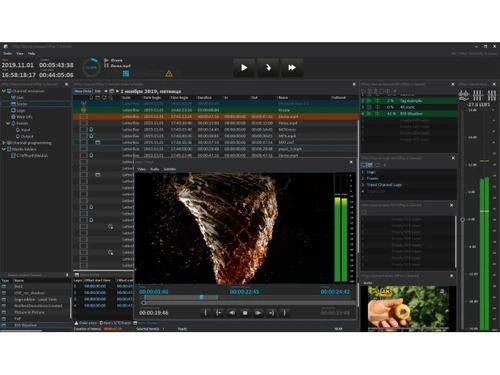
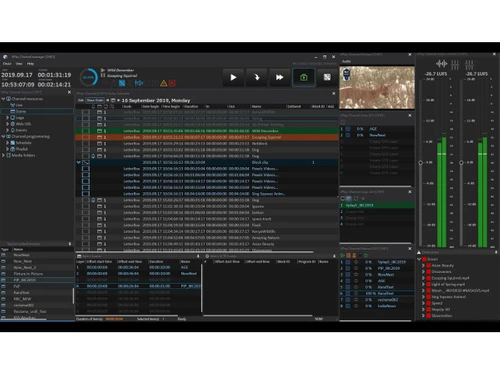
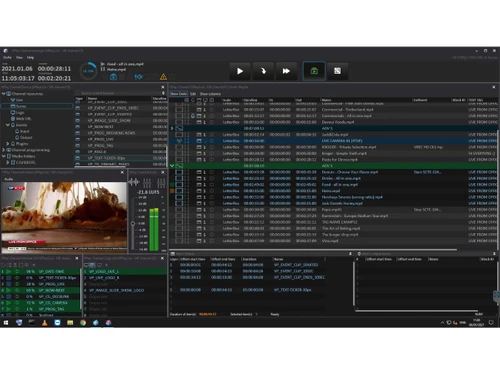
VPLAY is a professional TV broadcast playout software used by broadcasters, IPTV operators, and OTT streaming companies. It helps manage and automate TV channel broadcasting from a single system.

VPLAY allows users to create playlists, schedule programs, insert advertisements, and control live broadcasts easily. It supports SD, HD, 4K, and IP streaming formats for modern broadcasting needs. The software also includes graphic overlay tools for logos, subtitles, tickers, and live text updates. It supports live ingest from different video sources and offers remote control through LAN or VPN connections.

VPLAY can automatically manage audio levels and regional ad insertion using SCTE-35 tags. It also supports multi-channel operations, allowing several TV channels to run at the same time. The software is designed for 24/7 broadcasting with backup and redundancy features for uninterrupted streaming. VPLAY is widely used in television stations, media companies, and digital streaming platforms for reliable and flexible broadcast automation.

Why Choose VPLAY Software?

  • All-in-One Broadcasting Solution: VPLAY combines playout, ingest, streaming, scheduling, and graphics management in a single platform.
  • Supports Multiple Formats: The software supports SD, HD, Full HD, and 4K broadcasting formats for flexible media delivery.
  • Reliable 24/7 Operations: It is designed for continuous broadcasting with stable and uninterrupted channel performance.
  • Easy Channel Automation: VPLAY automates playlists, scheduling, and media workflows to reduce manual effort.
  • Live Streaming Support: The platform enables smooth live streaming for TV channels and OTT services.
  • Advanced Graphics Integration: Users can add real-time logos, tickers, captions, and on-screen graphics easily.
  • Multi-Channel Management: It allows broadcasters to manage multiple TV or streaming channels from one system.
  • IP-Based Broadcasting: VPLAY supports modern IP workflows for flexible and scalable broadcasting.
  • Advertisement Insertion: The software includes automated ad insertion features for monetization.

Benefits of VPLAY Software

  • Subtitle and Closed Caption Support: It supports subtitles and captions for better accessibility and compliance.
  • Real-Time Monitoring: Broadcasters can monitor playout and streaming activities in real time.
  • Media Asset Management: The platform helps organize, manage, and access media files efficiently.
  • Cloud and On-Premise Deployment: Users can deploy VPLAY on local servers or cloud infrastructure as per their needs.
  • Smooth OTT Integration: It integrates well with OTT platforms for digital content distribution.
  • Audio Level Management: The software ensures consistent audio levels during broadcasting.
  • Professional Broadcast Quality: It delivers high-quality video output suitable for professional TV and media operations.

VPLAY Pricing

VPLAY price details are available on request at techjockey.com.

The pricing model is based on different parameters, including extra features, deployment type, and the total number of users. For further queries related to the product, you can contact our product team and learn more about the pricing and offers.

Read more

StreamLabs Company Details

Founded Year:  1991

Stream Labs is an international professional broadcast solutions development and manufacturing company, with offices in the USA and Latvia.

Director/Founders Sergey Lakham
Company Size 1-100 Employees

VPLAY Pricing & Plans

Looking for The Right Pricing?

Share your requirements and get a plan built around your business.

  • Define your business needs
  • Get customised pricing
  • Choose features that fit your workflow

Price Available on Request

Get personalised VPLAY pricing that fits your needs. Our team will connect with you.

VPLAY Features

  • icon_check Channel Playout Automation
    Automates 24/7 TV or OTT channel playout with scheduled playlists, loops, live inserts, and failover support.
  • icon_check Media Ingest Management
    Ingests live feeds and file-based media from SDI, NDI, or IP sources and prepares them for scheduled playout.
  • icon_check Playlist Scheduling
    Creates and manages time-based or event-based playlists with precise control over content order and duration.
  • icon_check Multi Format Support
    Supports SD, HD, 4K/UHD resolutions and common broadcast formats like MXF, MOV, MP4, and AVI files.
  • icon_check IP & SDI Output
    Delivers playout via SDI hardware or IP streams including MPEG-TS, SRT, RTMP, and HLS outputs.
  • icon_check Graphics Overlay Engine
    Adds logos, tickers, crawls, clocks, and lower-third graphics using multi-layer real-time composition.
  • icon_check Live Input Switching
    Switches seamlessly between live sources and prerecorded content without interrupting the broadcast stream.
  • icon_check Subtitle & Caption Support
    Supports SRT and other subtitle formats with burn-in or pass-through options for compliance needs.
  • icon_check Audio Processing
    Provides audio levelling, channel mapping, and loudness control to meet broadcast audio standards.
  • icon_check SCTE Ad Signaling
    Supports SCTE-35/SCTE-104 triggers for dynamic ad insertion and downstream monetization workflows.
  • icon_check Multi-channel Management
    Runs and controls multiple channels simultaneously from a single system or distributed architecture.
  • icon_check Client Management
    Enables remote control and monitoring using centralized servers and distributed playout clients.
  • icon_check Redundancy & Failover
    Ensures uninterrupted broadcasting with backup sources, redundancy options, and automatic failover.
  • icon_check User Access Management
    Allows role-based user permissions to control scheduling, playout, and system configuration securely.
  • icon_check Metadata & Asset Tagging
    Manages metadata, content IDs, and tags to simplify search, compliance tracking, and automation.
  • icon_check Cloud & Virtual Deployment
    Deployable on-premises, virtual machines, or cloud environments for flexible broadcast operations.

VPLAY Specifications

Supported Platforms
Linux Linux
Devices
Desktop Desktop
Deployment
Cloud-Based Cloud-Based
Suitable For
All Industries
Business Specific
All Businesses
Business Size
Small Business Medium Business Enterprises
Customer Support
Email Communities
Language
English
Training Resources
Videos

VPLAY Review

4.1

Out of 5

img

Overall Rating

Based on
3 Verified Ratings

Rating Breakdown

  • Features 4.3
  • Value for Money 4.3
  • Ease of Use 4.3
  • Customer Support 3.6

80% Recommend this Product

Add Review

Be the First to Review

This product has no reviews yet. Be the first to leave your feedback.

Add Review

How much does VPLAY Software cost?

VPLAY pricing information is available upon request at techjockey.com.

Is there a mobile app available for VPLAY Software?

No, VPLAY Software mobile app is not available.

Which operating systems are compatible with VPLAY Software?

VPLAY Software is compatible with Linux-based systems and broadcast server setups.

Does VPLAY Software offer a free trial?

Yes, users can request a free trial or evaluation from the vendor.

How does VPLAY Software function?

VPLAY automates video playout, live streaming, scheduling, graphics insertion, and media broadcasting workflows.

Who uses VPLAY Software?

TV broadcasters, OTT providers, media networks, and production studios use VPLAY Software.

Is a free demo available for VPLAY Software?

Yes, a free demo of VPLAY Software is available on request.

Is VPLAY Software available for free?

No, VPLAY Software is a paid broadcast automation solution.

20,000+ Software Listed

Best Price Guranteed

Free Expert Consultation

2M+ Happy Customers

Terms and Condtions

close

Users with registered businesses can purchase goods from merchants on the platform to satisfy their business needs. Users are not permitted to utilize any products acquired through the platform for resale, advertising, business, or further distribution.

For each purchase made, users will receive a Tax Invoice (or 'GST invoice') that includes specific details such as:

  • the GSTIN of the user associated with their registered business, and

  • the specified Entity Name for their business.

It should be noted that not all products are eligible for GST Invoice. Only the products displayed by participating sellers with the 'GST-based Invoice Available' callout on the product description page would qualify.

Certain goods and services are not eligible to get a GST Invoice, including items with VAS, i.e., Value Added Services (e.g., Total Mobile Protection/Assured Buyback) and those involving an exchange offer at the time of purchase.

Users must ensure the accuracy of the GSTIN, and business entity name provided for the GST Invoice. Requests for corrections into GST Invoice would not be accommodated by Techjockey.com or any Seller, and any issues arising from user-provided information are the sole responsibility of users.

Techjockey.com is not liable for the GST Invoice or any associated input tax credit. To efficiently claim an input tax credit, users should select the registered place of business address as per the GST authority's data and follow the provisions of the GST Act and rules.

To claim an input tax credit, the delivery and billing addresses must match. Furthermore, input tax credits will not be granted if the delivery address and GSTIN on the invoice are from different states. In case of incorrect GST details provided during the order placement, the order will be canceled automatically.