 USA
USA UAE
UAE



Brand: Timedomain
An AI music generator designed to help creators generate realistic singing vocals, instruments, and audio elements using artificial intelligence.
See MoreHave you used ACE Studio before?
Share your insights for better experience
 AI Vocal Synthesis Multi-Language Support Vocal Parameter Automation Formant Shift Control Custom Voice Cloning AI Instrument Synthesis Stem Splitter DAW Bridge Plugin Phoneme Level Editing Real time AI Rendering Vocal Double Generation Pitch Curve Modification Import/Export Management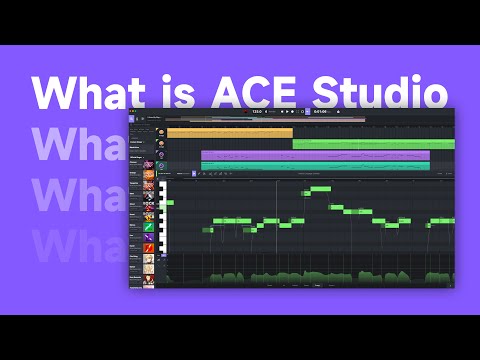

Watch the demo video to explore key features, real workflows, and how the software fits your business needs.
 Ubuntu
  Windows
  MacOS
MacOS  Linux
Linux  Desktop
  Cloud-Based
4.2
Out of 5

Overall Rating
Based on
4 Verified Ratings
Rating Breakdown
80% Recommend this Product
Add ReviewThis product has no reviews yet. Be the first to leave your feedback.
Add ReviewACE Studio pricing starts at USD 199 at techjockey.com. Pricing is customised based on specific business needs.
ACE Studio is primarily available as a desktop application for Windows and may also offer compatibility options depending on updates. Users should check the official requirements for the latest OS support details.
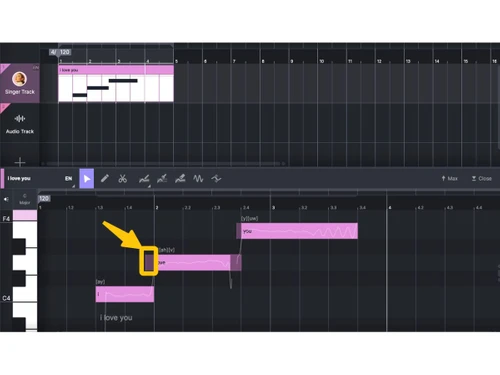
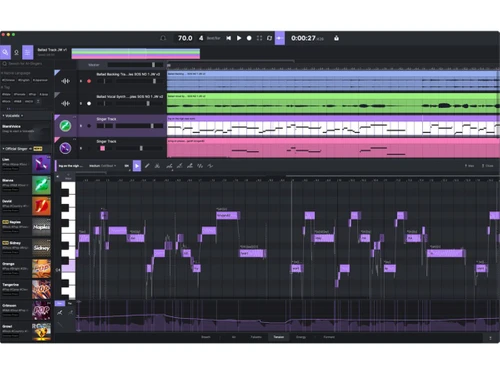
ACE Studio uses AI vocal synthesis to convert MIDI files and lyrics into realistic singing performances. Users can edit pitch, timing, tone, and expression to create customized vocal tracks.
Yes, ACE Studio is suitable for small businesses such as music studios, content creators, and production teams that want cost-effective vocal production without hiring professional singers.
ACE Studio typically offers trial options or limited access versions so users can explore its AI vocal generation features before purchasing a full license.
Key features include AI singing voice generation, MIDI-to-vocal conversion, pitch and timing control, voice customization, and audio editing tools.
ACE Studio mainly operates as a desktop software application rather than a mobile app, focusing on professional music production environments.
Potential users include musicians, music producers, composers, content creators, game developers, studios, and educators involved in audio production.
ACE Studio uses standard software security practices and licensing systems to protect user data and intellectual property.
ACE Studio is used to create AI-generated singing vocals, produce music tracks, develop demos, and enhance audio production workflows efficiently without traditional recording sessions.
20,000+ Software Listed
Best Price Guranteed
Free Expert Consultation
2M+ Happy Customers
Terms and Condtions

Users with registered businesses can purchase goods from merchants on the platform to satisfy their business needs. Users are not permitted to utilize any products acquired through the platform for resale, advertising, business, or further distribution.
For each purchase made, users will receive a Tax Invoice (or 'GST invoice') that includes specific details such as:
the GSTIN of the user associated with their registered business, and
the specified Entity Name for their business.
It should be noted that not all products are eligible for GST Invoice. Only the products displayed by participating sellers with the 'GST-based Invoice Available' callout on the product description page would qualify.
Certain goods and services are not eligible to get a GST Invoice, including items with VAS, i.e., Value Added Services (e.g., Total Mobile Protection/Assured Buyback) and those involving an exchange offer at the time of purchase.
Users must ensure the accuracy of the GSTIN, and business entity name provided for the GST Invoice. Requests for corrections into GST Invoice would not be accommodated by Techjockey.com or any Seller, and any issues arising from user-provided information are the sole responsibility of users.
Techjockey.com is not liable for the GST Invoice or any associated input tax credit. To efficiently claim an input tax credit, users should select the registered place of business address as per the GST authority's data and follow the provisions of the GST Act and rules.
To claim an input tax credit, the delivery and billing addresses must match. Furthermore, input tax credits will not be granted if the delivery address and GSTIN on the invoice are from different states. In case of incorrect GST details provided during the order placement, the order will be canceled automatically.

