linkedin
Aircada Pro logo
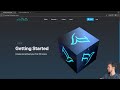
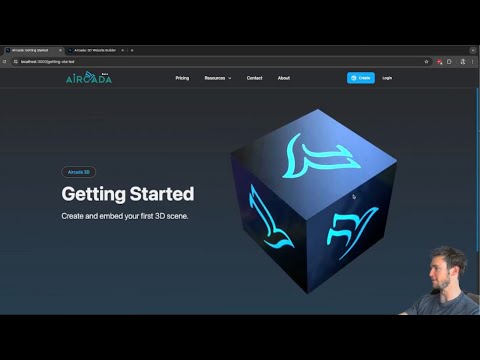
play Create and Embed 3D Content on Your Site
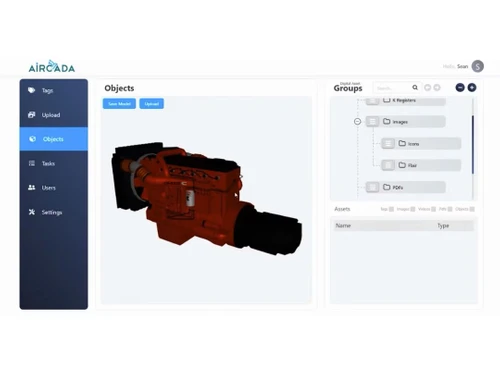
Aircada Pro object
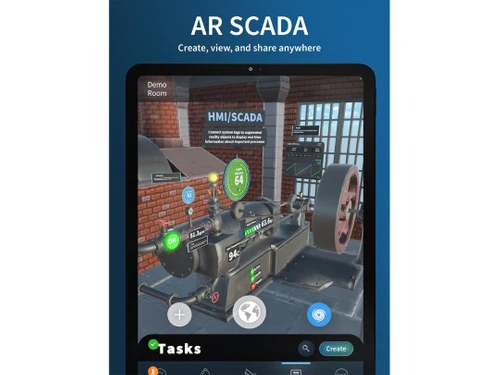
Aircada Pro task

Aircada Pro

Brand: Aircada

  • 4.1

  • 3 Ratings

Aircada Pro SCADA Software empowers efficient monitoring and control of industrial processes through advanced data visualization and robust remote access capabilities.

See More

Have you used Aircada Pro before?

Share your insights for better experience

Add a Review

Price Available on Request

Questions about pricing or customization? We’re here to help, just a click away.

100% Genuine
Products
Best Price
Guaranteed
Safe & Secure
Payment
  • Description

  • Pricing

  • Features

  • Specification

  • Review

  • Compare

  • FAQ

Aircada Pro Software Overview

What is Aircada Pro Software?

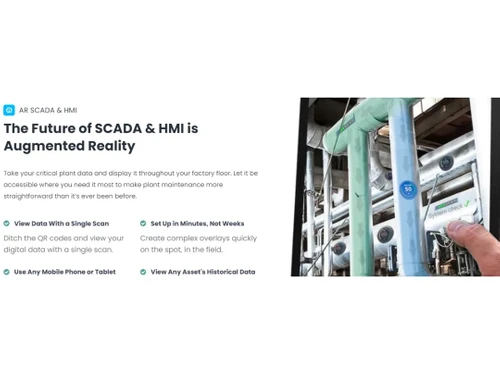
Aircada Pro SCADA software is an industrial augmented reality and intelligent operations solution. With its quick setup and user-friendly interface, Aircada brings augmented reality to your organization, revolutionizing how knowledge is stored and accessed. Save your organization's valuable knowledge, whether it's recorded videos, live and historical IoT data, maintenance procedures, or documentation, and place it right where you need it on-site.

With Aircada Pro's knowledge management platform, anyone can easily access the necessary information, ensuring smooth operations. No need to invest further in expensive hardware and QR codes - Aircada Pro utilizes advanced spatial AI and can be accessed using a phone or tablet. Automate your processes with augmented reality, freeing up your experienced workers' time and streamlining onboarding for new hires.

Troubleshooting becomes faster and more efficient with IoT data displays placed directly above assets, and guided navigation helps newcomers locate assets effortlessly. Simplify preventative maintenance by scheduling tasks and ensuring everyone knows maintenance requirements.

With Aircada Pro, knowledge sharing becomes seamless - scan work areas, add content through the web interface, place augmented reality content anywhere, and access it with a simple button on the mobile app. Embrace the power of augmented reality and transform your operations with Aircada Pro.

Why Choose Aircada Pro?

Aircada Pro is particularly beneficial for organizations in various industries that want to leverage the power of augmented reality (AR) for intelligent operations. It can help with knowledge centralization, streamlined onboarding processes, enhanced troubleshooting capabilities, and efficient maintenance practices. Aircada Pro empowers your workforce by providing easy access to critical information and fostering collaboration through AR technology. It enables your organization to improve productivity, reduce downtime, and enhance operational efficiency, ultimately leading to cost savings and a competitive edge in the market.

Benefits of Aircada SCADA Software

  • Aircada Pro allows you to save and organize all your organization's knowledge in one place, ensuring easy access for everyone and maintaining smooth operations in any situation.
  • With this software, you can set up industrial augmented reality quickly and easily. You can spatially map multiple rooms in just an hour and have live data ready for viewing.
  • Automate the onboarding process for new hires by providing them with centralized knowledge of each asset. This empowers them to onboard themselves and reduces the need to rely on experienced workers for repetitive training.
  • It enables better and faster troubleshooting by creating IoT data displays that give your team all the necessary tools to address issues. Having relevant data accessible directly above assets simplifies the troubleshooting process.
  • Simplify preventative maintenance by scheduling and managing recurring tasks. The Aircada Pro ensures that your team is aware of when maintenance needs to be performed, reducing the occurrence of machine failures and downtime.

Aircada SCADA Price

Aircada SCADA system pricing is available on request at techjockey.com.

The overall pricing model is based on different factors such as personalization, extra features required, total users, and the deployment type. Please feel free to request a call from our product experts if you want to learn more about our subscription plans or premium package deals.

Read more

Aircada Company Details

Founded Year:  2020

Augmented Reality SCADA and HMI

Director/Founders Sean Chenoweth
Company Size 1-100 Employees

Aircada Pro Pricing & Plans

Looking for The Right Pricing?

Share your requirements and get a plan built around your business.

  • Define your business needs
  • Get customised pricing
  • Choose features that fit your workflow

Price Available on Request

Get personalised Aircada Pro pricing that fits your needs. Our team will connect with you.

Aircada Pro Features

  • icon_check Augmented Reality
    Enhance your reality by overlaying digital information onto the physical world.
  • icon_check 3D Product Visualization
    Experience products in immersive 3D, allowing for better understanding and visualization.
  • icon_check Content Creation
    Create and customize digital content to suit your needs and requirements.
  • icon_check Virtual Reality
    Immerse yourself in virtual environments for training, simulation, and interactive experiences.
  • icon_check Object Recognition
    Identifying and tracking objects in real-time enhances interaction and functionality.
  • icon_check Alarm Management
    Effectively manage and respond to alarms and notifications for efficient operations.
  • icon_check Data Visualizations
    Transform complex data into visually appealing and understandable representations.
  • icon_check HMI Integration
    Seamlessly integrate with Human-Machine Interfaces for comprehensive control and monitoring capabilities.
Aircada Pro Demo Video play icon

Get Aircada Pro Demo

Watch the demo video to explore key features, real workflows, and how the software fits your business needs.

Understand
Key Features
Personal
Demo Insights
Interactive
Demo Support

Aircada Pro Specification

Supported Platforms
Windows Windows
Devices
Desktop Desktop
Deployment
Web-Based Web-Based
Suitable For
All Industries
Business Specific
All Businesses
Business Size
Small Business Startups Medium Business Enterprises
Customer Support
Email
Language
English
Training Resources
Videos

Explore the Best Alternative Solutions Similar to Your Business Size and Needs

Aircada Pro Review

4.1

Out of 5

img

Overall Rating

Based on
3 Verified Ratings

Rating Breakdown

  • Features 3.8
  • Value for Money 4.1
  • Ease of Use 4.1
  • Customer Support 4.3

86% Recommend this Product

Add Review

Be the First to Review

This product has no reviews yet. Be the first to leave your feedback.

Add Review

Compare Aircada Pro With other SCADA Software

Products
Ratings
Pricing
Device Supported
Deployment
Supported Platforms
  • img

    Aircada Pro

  • 4.1

  • Price On Request

  • Desktop

    Mobile

  • Web based

    On Premises

  • Windows

    Mac OS

  • img

    Ignition SCADA

  • 4.5

  • Price On Request

  • Desktop

    Mobile

  • Web based

    On Premises

  • Windows

    Mac OS

  • img

    GENESIS64

  • 4.5

  • Price On Request

  • Desktop

    Mobile

  • Web based

    On Premises

  • Windows

    Mac OS

  • img

    Inview SCADA

  • 4.2

  • Price On Request

  • Desktop

    Mobile

  • Web based

    On Premises

  • Windows

    Mac OS

  • img

    EisBaer SCADA

  • 4.0

  • Price On Request

  • Desktop

    Mobile

  • Web based

    On Premises

  • Windows

    Mac OS

  • img

    SIMATIC WinCC

  • 4.2

  • Price On Request

  • Desktop

    Mobile

  • Web based

    On Premises

  • Windows

    Mac OS

  • img

    Action NET

  • 4.2

  • Price On Request

  • Desktop

    Mobile

  • Web based

    On Premises

  • Windows

    Mac OS

  • img

    IntregraXor

  • 4.2

  • Price On Request

  • Desktop

    Mobile

  • Web based

    On Premises

  • Windows

    Mac OS

  • img

    ETAP ADMS

  • 4.2

  • Price On Request

  • Desktop

    Mobile

  • Web based

    On Premises

  • Windows

    Mac OS

(0) Product(s) selected

Which operating system does Aircada Pro Software Support?

Aircada Pro software is compatible with Windows and macOS operating systems.

Is there any Aircada Pro app?

Aircada Pro app is available for Android and iOS devices.

What is the deployment type of the Aircada Pro?

Aircada Pro system supports cloud-based deployment.

How much does Aircada Pro Cost?

For Aircada Pro price in India, please request a call back for subscription-related details and to avail offers on premium packages.

Who are the potential users of Aircada Pro SCADA Software?

Aircada Pro SCADA software is used by engineers, system integrators, automation, and control professionals.

Is there any free trial or demo for Aircada Pro SCADA?

Aircada Pro SCADA system demo is available for free with techjockey.com.

Is Aircada Pro free?

Aircada Pro does not offer a free trial. Please request a call back for subscription-related details and to avail offers on premium packages.

How can you download Aircada Pro Software?

For Aircada Pro installation, download the installation file on your system and open Setup Wizard to get started.

How Does Aircada Pro Work?

Aircada Pro will help you enhance your reality by overlaying digital information onto the physical world. You can easily customize digital content to suit your needs and requirements. You can seamlessly integrate with Human-Machine Interfaces for comprehensive control and monitoring capabilities.

20,000+ Software Listed

Best Price Guranteed

Free Expert Consultation

2M+ Happy Customers

Terms and Condtions

close

Users with registered businesses can purchase goods from merchants on the platform to satisfy their business needs. Users are not permitted to utilize any products acquired through the platform for resale, advertising, business, or further distribution.

For each purchase made, users will receive a Tax Invoice (or 'GST invoice') that includes specific details such as:

  • the GSTIN of the user associated with their registered business, and

  • the specified Entity Name for their business.

It should be noted that not all products are eligible for GST Invoice. Only the products displayed by participating sellers with the 'GST-based Invoice Available' callout on the product description page would qualify.

Certain goods and services are not eligible to get a GST Invoice, including items with VAS, i.e., Value Added Services (e.g., Total Mobile Protection/Assured Buyback) and those involving an exchange offer at the time of purchase.

Users must ensure the accuracy of the GSTIN, and business entity name provided for the GST Invoice. Requests for corrections into GST Invoice would not be accommodated by Techjockey.com or any Seller, and any issues arising from user-provided information are the sole responsibility of users.

Techjockey.com is not liable for the GST Invoice or any associated input tax credit. To efficiently claim an input tax credit, users should select the registered place of business address as per the GST authority's data and follow the provisions of the GST Act and rules.

To claim an input tax credit, the delivery and billing addresses must match. Furthermore, input tax credits will not be granted if the delivery address and GSTIN on the invoice are from different states. In case of incorrect GST details provided during the order placement, the order will be canceled automatically.