linkedin
Amahi logo
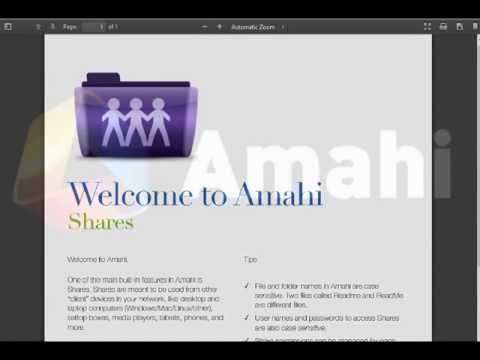
play Shares - Amahi Videos
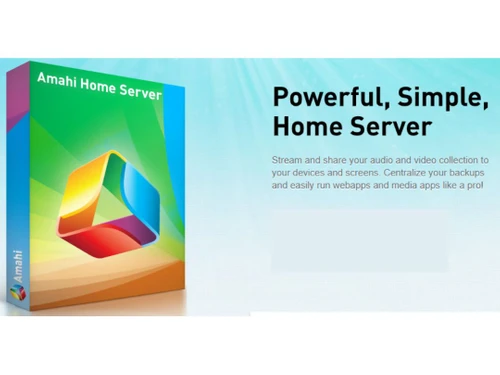
Amahi Centralize
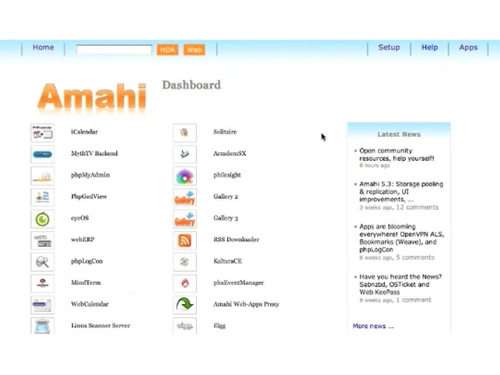
Amahi Dashboard

Amahi

Brand: Amahi

  • 4.1

  • 5 Ratings

Amahi NAS Software transforms your home computer into a powerful network-attached storage server, effortlessly centralizing your data.

See More

Have you used Amahi before?

Share your insights for better experience

Add a Review

Price Available on Request

Questions about pricing or customization? We’re here to help, just a click away.

100% Genuine
Products
Best Price
Guaranteed
Safe & Secure
Payment
  • Description

  • Pricing

  • Features

  • Specification

  • Review

  • Compare

  • Alternatives

  • FAQ

Amahi Software Overview

What is Amahi Software?

Amahi is a versatile and user-friendly Network Attached Storage (NAS) software designed to cater to the needs of small networks and home users. Renowned for its accessibility and open-source nature, the software offers many features that empower users to manage and enhance their network storage capabilities effortlessly.

The platform simplifies the often-complex world of NAS management. It allows users to seamlessly deploy media, backup, and web applications, making it an ideal choice for individuals and small network environments. It offers support for both hardware and software RAID configurations, providing users with flexibility in safeguarding their data. This redundancy and data protection capability ensure that critical information remains secure and available.

It leverages advanced technology to surpass the simplicity of mere download and installation. To harness the full potential of the NAS software, users can opt for a fresh OS installation, integrating the repositories during setup. Typically, the server OS of choice is Fedora Server, renowned for its reliability and performance. Its user-friendly interface, support for RAID configurations, and compatibility with advanced server OS make it a valuable tool for efficiently managing network storage and services.

Why Choose Amahi System?

Amahi is built on open-source technology; specifically, Fedora provides a stable and secure base for your data and applications. It allows you to view all your calendars via a web interface or through calendar clients like Sunbird/Lightning or Chandler, supporting the standard WEBDAV protocol. The NAS software allows you to back up all your networked PCs on your home network and restore them if needed.

It allows you to access, share, and search your files from any machine on your network for efficient file management. You can automatically set up your own VPN for secure access to your network from anywhere. The Network Attached Storage tool allows you to access shared applications like calendaring and private wikis to help manage your home and family efficiently. You can seamlessly integrate the platform with iCal, the calendar client in MacOS X, and view shared calendars on your iPhone or iPod Touch.

Benefits of Amahi NAS Software

  • The Network Attached Storage software uses Storage Pooling technology, specifically Greyhole, to pool disk drives and make them appear as a single pool of disk space.
  • It utilizes a modular application architecture that allows you to easily install, create, port, and manage applications with a single click.
  • The platform includes pre-configured OpenVPN and IPsec VPN servers, making setting up Virtual Private Networking for remote access simple.
  • It allows you to monitor your disk usage, temperature, status, and total disk usage.
  • The NAS software empowers you to simplify your networking with services like DHCP-integrated dynamic DNS, web servers, and NAS servers.

Pricing of Amahi NAS Solution

Amahi NAS solution pricing is available on request at techjockey.com.

The pricing model is based on different parameters, including extra features, deployment type, and total users. For further queries related to the product, you can contact our product team and learn more about the pricing and offers.

Read more

Amahi Company Details

Founded Year:  2009

Amahi is a media, home and app server software known for its easy-to-use user interface.

Director/Founders Carlos Puchol
Company Size 1-100 Employees

Amahi Pricing & Plans

Looking for The Right Pricing?

Share your requirements and get a plan built around your business.

  • Define your business needs
  • Get customised pricing
  • Choose features that fit your workflow

Price Available on Request

Get personalised Amahi pricing that fits your needs. Our team will connect with you.

Amahi Features

  • icon_check Media Streaming
    Allows convenient access to music, videos, and other content on various devices within the network.
  • icon_check File Sharing
    Users can easily share files and documents across the network to simplify collaboration and data accessibility.
  • icon_check Dashboards
    Provides a central hub for managing and configuring various server aspects.
  • icon_check Virtual Private Network
    Allows users to create secure and encrypted connections to their network.
  • icon_check Easy Backup
    Ensures critical data is regularly and securely backed up to minimize the risk of data loss.
  • icon_check Dynamic DNS
    Provides a domain name that automatically updates to the server's changing IP address.
  • icon_check Integrations
    Connects with your favourite apps for a truly unified data management experience.
Amahi Demo Video play icon

Get Amahi Demo

Watch the demo video to explore key features, real workflows, and how the software fits your business needs.

Understand
Key Features
Personal
Demo Insights
Interactive
Demo Support

Amahi Specification

Supported Platforms
Ubuntu Ubuntu Windows Windows iOS iOS Android Android MacOS MacOS Linux Linux
Devices
Desktop Desktop Mobile Mobile Tablet Tablet iPad iPad
Deployment
Web-Based Web-Based
Suitable For
All Industries
Business Specific
All Businesses
Business Size
Small Business Startups Medium Business SMBs SMEs MSMBs MSMEs
Customer Support
Email Communities
Language
English
Training Resources
Documentation Videos

Explore the Best Alternative Solutions Similar to Your Business Size and Needs

Amahi Review

4.1

Out of 5

img

Overall Rating

Based on
5 Verified Ratings

Rating Breakdown

  • Features 4
  • Value for Money 3.9
  • Ease of Use 4.3
  • Customer Support 4.2

90% Recommend this Product

Add Review

Be the First to Review

This product has no reviews yet. Be the first to leave your feedback.

Add Review

Compare Amahi With other NAS Software

Products
Ratings
Pricing
Device Supported
Deployment
Supported Platforms
  • img

    Amahi

  • 4.1

  • Price On Request

  • Desktop

    Mobile

  • Web based

    On Premises

  • Windows

    Mac OS

  • img

    TrueNAS

  • 4.2

  • Price On Request

  • Desktop

    Mobile

  • Web based

    On Premises

  • Windows

    Mac OS

  • img

    OpenMediaVault

  • 3.9

  • Price On Request

  • Desktop

    Mobile

  • Web based

    On Premises

  • Windows

    Mac OS

  • img

    Rockstor

  • 4.1

  • Price On Request

  • Desktop

    Mobile

  • Web based

    On Premises

  • Windows

    Mac OS

  • img

    XigmaNAS

  • 4.3

  • Price On Request

  • Desktop

    Mobile

  • Web based

    On Premises

  • Windows

    Mac OS

  • img

    PetaSAN

  • 4.2

  • Price On Request

  • Desktop

    Mobile

  • Web based

    On Premises

  • Windows

    Mac OS

  • img

    Openfiler

  • 4.2

  • Price On Request

  • Desktop

    Mobile

  • Web based

    On Premises

  • Windows

    Mac OS

  • img

    MayaNAS

  • 4.1

  • Price On Request

  • Desktop

    Mobile

  • Web based

    On Premises

  • Windows

    Mac OS

  • img

    SoftNAS

  • 4.5

  • Price On Request

  • Desktop

    Mobile

  • Web based

    On Premises

  • Windows

    Mac OS

(0) Product(s) selected

Amahi Alternatives

See All Amahi Alternatives

Available

Price on Request

Starting Price:

$8 /hour

Which operating system does the Amahi support?

Amahi is compatible with Windows and macOS device systems.

Is there any Amahi App?

The Amahi app is not available on Android and iOS devices.

What is the deployment type of the Amahi System?

Amahi NAS system supports cloud-based deployment.

How much does the Amahi Cost?

Amahi pricing is available on request at techjockey.com.

Who are the potential users of the Amahi?

Amahi can be used by entrepreneurs, web developers, web owners, AWS users, large enterprises and anyone who operates their business in the cloud and is looking for a storage system.

Is there any free trial or demo for Amahi?

The Amahi demo is available for free with techjockey.com.

Is the Amahi free?

The Amahi system does not offer a free trial.

How can you download the Amahi?

For Amahi Software, installation is not required, as it is cloud-based. Just open the Setup Wizard to get started.

How does Amahi work?

Amahi Home Server is user-friendly NAS software designed to simplify home networking. It offers a straightforward interface and features top-notch media, backup, and web applications tailored for small network environments, making it an ideal choice for managing and accessing digital content and services within your home network.

20,000+ Software Listed

Best Price Guranteed

Free Expert Consultation

2M+ Happy Customers

Terms and Condtions

close

Users with registered businesses can purchase goods from merchants on the platform to satisfy their business needs. Users are not permitted to utilize any products acquired through the platform for resale, advertising, business, or further distribution.

For each purchase made, users will receive a Tax Invoice (or 'GST invoice') that includes specific details such as:

  • the GSTIN of the user associated with their registered business, and

  • the specified Entity Name for their business.

It should be noted that not all products are eligible for GST Invoice. Only the products displayed by participating sellers with the 'GST-based Invoice Available' callout on the product description page would qualify.

Certain goods and services are not eligible to get a GST Invoice, including items with VAS, i.e., Value Added Services (e.g., Total Mobile Protection/Assured Buyback) and those involving an exchange offer at the time of purchase.

Users must ensure the accuracy of the GSTIN, and business entity name provided for the GST Invoice. Requests for corrections into GST Invoice would not be accommodated by Techjockey.com or any Seller, and any issues arising from user-provided information are the sole responsibility of users.

Techjockey.com is not liable for the GST Invoice or any associated input tax credit. To efficiently claim an input tax credit, users should select the registered place of business address as per the GST authority's data and follow the provisions of the GST Act and rules.

To claim an input tax credit, the delivery and billing addresses must match. Furthermore, input tax credits will not be granted if the delivery address and GSTIN on the invoice are from different states. In case of incorrect GST details provided during the order placement, the order will be canceled automatically.