linkedin
AqQA logo
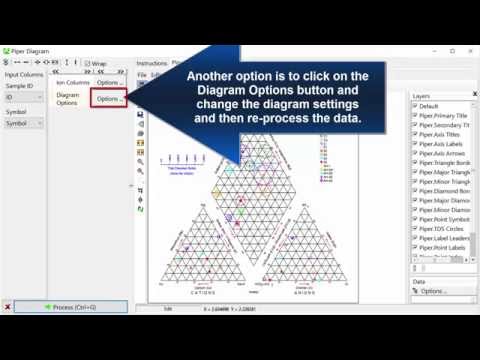
play Creating Piper Diagrams
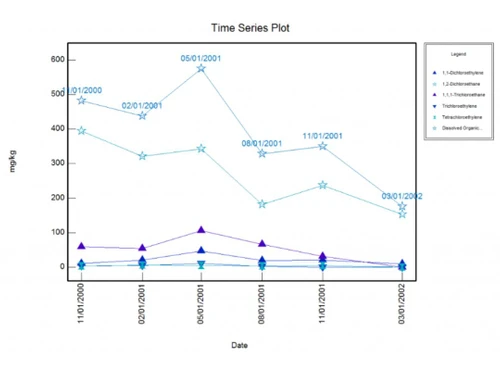
AqQA Time Series Graph
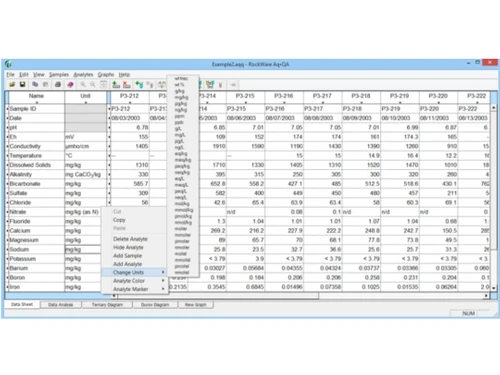
AqQA Analysis

AqQA

Brand: RockWare

  • 4.5

  • 5 Ratings

AqQA is an advanced data visualization and modeling software designed for geoscientists and engineers

See More

Have you used AqQA before?

Share your insights for better experience

Add a Review
Starting Price
$349

View plans

100% Genuine
Products
Best Price
Guaranteed
Safe & Secure
Payment
  • Description

  • Pricing

  • Features

  • Specification

  • Review

  • Compare

  • FAQ

Starting at $349

AqQA Software Overview

What is AqQA?

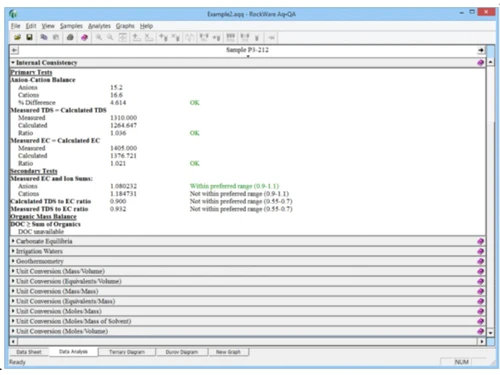
AqQA is a powerful software solution for groundwater modeling and analysis. It provides a comprehensive set of tools for creating and analyzing groundwater models and for visualizing and reporting on groundwater data. AqQA is used by professionals in various industries, including environmental consulting, water resources management, and mining.

It is particularly useful for environmental scientists, engineers, and researchers in water resources management and monitoring. It provides an intuitive user interface and offers various applications, including flood forecasting, water quality assessment, and water resources management. With AqQA, users can easily process large datasets, perform complex analyses, and generate clear and concise reports, making it an invaluable tool for water resources professionals.

Why Choose AqQA Software?

  • Powerful Modeling and Analysis Tools: AqQA provides a comprehensive set of modeling and analysis tools that can be used to solve a wide variety of groundwater problems.
  • Easy to Use: AqQA is designed to be easy to use, even for users with limited experience in groundwater modeling.
  • Versatile: AqQA can be used for various applications, including groundwater contamination studies, water resources management, and mining.
  • Non-Invasive: AqQA is a non-invasive technique, which means that it does not require drilling or excavation. This makes it a cost-effective and environmentally friendly way to explore the subsurface.
  • Field Efficiency: AqQA integrates different geophysical devices on a common platform. This allows for the rapid completion of entire survey areas efficiently.

Benefits of AqQA Platform

  • Improved Efficiency: AqQA can help groundwater professionals improve their efficiency by automating many of the groundwater modeling and analysis tasks.
  • Increased Accuracy: AqQA can help users create more accurate groundwater models and visualizations, which can lead to better decision-making.
  • Explanation Generation: Rather than solely presenting analysis results, AqQA provides explanations for findings and predictions, such as feature importance and natural language explanations. This helps audiences, including non-technical stakeholders, understand the rationale behind the analysis, enabling more informed decision-making.
  • Storytelling Capabilities: AqQA’s powerful storytelling tools, including the ability to create presentations and narratives around data, enable users to transform complex analytics into compelling stories. These stories can effectively convey findings and insights, making them more engaging and memorable to clients and stakeholders.

Pricing of AqQA

AqQA pricing starts at INR25,000.for the Single License, available at techjockey.com.

The pricing model is based on different parameters, including extra features, deployment type, and the total number of users. For further queries related to the product, you can contact our product team and learn more about the pricing and offers.

Read more

RockWare Company Details

Founded Year:  1983

RockWare Earth science software sales, consulting and training.

Director/Founders Thomas Reed
Company Size 1-100 Employees

AqQA Pricing & Plans

AqQA Single License
Key Features
  • Data Interface
  • Data Analysis
  • 3D Modeling
  • Analytics & Reporting
  • Subsurface Characterization
Starting at $349
    • Users

      Users
      Users

Key Features

  • Data Interface

  • Data Analysis

  • 3D Modeling

  • Analytics & Reporting

  • Subsurface Characterization

AqQA Features

  • icon_check 3D Modeling
    Create and edit 3D groundwater models to simulate groundwater flow and contaminant transport.
  • icon_check Analytics & Reporting
    Analyse groundwater data using various statistical and graphical tools.
  • icon_check Data Import/Export
    Import and export data from various file formats, including industry-standard formats like MODFLOW and GMS.
  • icon_check Subsurface Characterization
    Characterise the subsurface using kriging, contouring, and volume calculations.
  • icon_check 3D Visualization
    Visualise groundwater data in 3D to gain insights into subsurface conditions.
  • icon_check Diagrams
    Create a variety of diagrams, including potentiometric surface maps, flow nets, and time-series plots.
  • icon_check Data Analysis
    Perform statistical analysis and time series analysis on groundwater data. Data Interface
  • icon_check Data Interface
    User-friendly data interface makes importing, exporting, and managing data easy.
AqQA Demo Video play icon

Get AqQA Demo

Watch the demo video to explore key features, real workflows, and how the software fits your business needs.

Understand
Key Features
Personal
Demo Insights
Interactive
Demo Support

AqQA Specification

Supported Platforms
Ubuntu Ubuntu Windows Windows MacOS MacOS Linux Linux
Devices
Desktop Desktop
Deployment
Web-Based Web-Based
Suitable For
All Industries
Business Specific
All Businesses
Business Size
Small Business Medium Business Enterprises
Customer Support
Email Communities
Language
English

Explore the Best Alternative Solutions Similar to Your Business Size and Needs

AqQA Review

4.5

Out of 5

img

Overall Rating

Based on
5 Verified Ratings

Rating Breakdown

  • Features 4.4
  • Value for Money 4.3
  • Ease of Use 4.6
  • Customer Support 5

90% Recommend this Product

Add Review

Be the First to Review

This product has no reviews yet. Be the first to leave your feedback.

Add Review

Compare AqQA With other Groundwater Modeling Software

Products
Ratings
Pricing
Device Supported
Deployment
Supported Platforms
  • img

    AqQA

  • 4.5

  • Price On Request

  • Desktop

    Mobile

  • Web based

    On Premises

  • Windows

    Mac OS

  • img

    RockWorks

  • 4.6

  • Price On Request

  • Desktop

    Mobile

  • Web based

    On Premises

  • Windows

    Mac OS

  • img

    LogPlot

  • 4.5

  • Price On Request

  • Desktop

    Mobile

  • Web based

    On Premises

  • Windows

    Mac OS

  • img

    Aquaveo GMS

  • 4.1

  • Price On Request

  • Desktop

    Mobile

  • Web based

    On Premises

  • Windows

    Mac OS

  • img

    Feflow

  • 4.2

  • Price On Request

  • Desktop

    Mobile

  • Web based

    On Premises

  • Windows

    Mac OS

  • img

    GuardCenter Info

  • 4.2

  • Price On Request

  • Desktop

    Mobile

  • Web based

    On Premises

  • Windows

    Mac OS

  • img

    Pure Pani

  • 4.1

  • Price On Request

  • Desktop

    Mobile

  • Web based

    On Premises

  • Windows

    Mac OS

  • img

    Brgm MARTHE

  • 4.0

  • Price On Request

  • Desktop

    Mobile

  • Web based

    On Premises

  • Windows

    Mac OS

  • img

    Deltares iMOD

  • 4.0

  • Price On Request

  • Desktop

    Mobile

  • Web based

    On Premises

  • Windows

    Mac OS

(0) Product(s) selected

Which operating systems support AqQA?

AqQA supports Ubuntu, Windows, MacOS, and Linux for desktop and web-based deployment.

Is there an AqQA app?

AqQA can be accessed on desktop computers and through web browsers.

What is the deployment type of AqQA?

AqQA can be deployed on desktops and accessed through web-based platforms.

Who are the potential users for AqQA?

AqQA suits users across all industries and business sizes, including small businesses, medium-sized enterprises, and large corporations.

Is there any free trial for AqQA?

Users interested in pricing details, customization requirements, or other queries can contact techjockey.com or AqQA directly.

Is AqQA software free?

Pricing details for AqQA are available upon request. Users can contact AqQA for pricing details, customization requirements, or other queries.

How can you download AqQA?

Users interested in AqQA are encouraged to request pricing details, customization requirements, or other queries directly from AqQA.

How does AqQA work?

AqQA is a comprehensive software solution that adapts to various industries and business scales. It includes capabilities for data interface, data analysis, 3D modeling, analytics & reporting, and subsurface characterization. With support for the English language and catering to global users, AqQA provides extensive tools for diverse sectors, with pricing starting at ?25,000.

20,000+ Software Listed

Best Price Guranteed

Free Expert Consultation

2M+ Happy Customers

Terms and Condtions

close

Users with registered businesses can purchase goods from merchants on the platform to satisfy their business needs. Users are not permitted to utilize any products acquired through the platform for resale, advertising, business, or further distribution.

For each purchase made, users will receive a Tax Invoice (or 'GST invoice') that includes specific details such as:

  • the GSTIN of the user associated with their registered business, and

  • the specified Entity Name for their business.

It should be noted that not all products are eligible for GST Invoice. Only the products displayed by participating sellers with the 'GST-based Invoice Available' callout on the product description page would qualify.

Certain goods and services are not eligible to get a GST Invoice, including items with VAS, i.e., Value Added Services (e.g., Total Mobile Protection/Assured Buyback) and those involving an exchange offer at the time of purchase.

Users must ensure the accuracy of the GSTIN, and business entity name provided for the GST Invoice. Requests for corrections into GST Invoice would not be accommodated by Techjockey.com or any Seller, and any issues arising from user-provided information are the sole responsibility of users.

Techjockey.com is not liable for the GST Invoice or any associated input tax credit. To efficiently claim an input tax credit, users should select the registered place of business address as per the GST authority's data and follow the provisions of the GST Act and rules.

To claim an input tax credit, the delivery and billing addresses must match. Furthermore, input tax credits will not be granted if the delivery address and GSTIN on the invoice are from different states. In case of incorrect GST details provided during the order placement, the order will be canceled automatically.