 USA
USA UAE
UAESmall Business
Designed for startups and growing businesses


See More


Brand: LimeWire
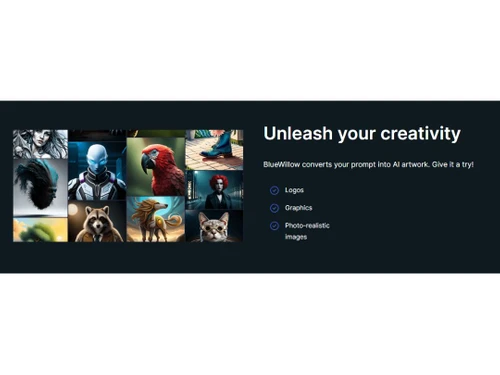
BlueWillow is an AI-powered image generator that creates realistic and high-quality images based on user input or prompts.
See MoreHave you used BlueWillow before?
Share your insights for better experience
Brand: LimeWire
Founded Year: 2000
LimeWire
Looking for The Right Pricing?
Share your requirements and get a plan built around your business.
Price Available on Request
Get personalised BlueWillow pricing that fits your needs. Our team will connect with you.
Image Generation and Processing
 Real-time Preview Text-to-Image Generation Image-to-Image Transformation High-Resolution Output Preset Styles Drag and Drop Real-Time Rendering Multi-Layer Image Processing Batch Generation
 Editing and Customization Tools
Content Filters Adjustable Parameters Image Upscaling Image Tiling Denoising Image Weights AI Editor 3D Effects Style Transfer Layer Control Realistic Object Generation Resolution Control Object Removal Background Removal Text Overlay Style Adaptation Prompt Control and Enhancements
Prompt Sensitivity Prompt Editing Negative Prompt Seed Real-Time Generation Prompt Flexibility Prompt Enhancer Prompt Matrix Model and AI Capabilities
Multi-Model Support Fine Tuning Model Merging Collaboration and Sharing
Prompt Libraries Image Sharing Custom Templates Collaboration Tools Branding and Commercial Use
Data Privacy Commercial Rights Brand Kit Integration Integration Supported
API Integration NFT Marketplaces Plugin & Extensions Content Management Systems (CMS) Integration Design and Editing Software Integration Cloud Storage and Collaboration Tools Integration E-Commerce Platforms Integration 3D Modeling Software Integration Game Engines Integration Video Editing Tools Integration Animation Tools Integration  Ubuntu
  Windows
  MacOS
MacOS  Linux
Linux  Desktop
  Cloud-Based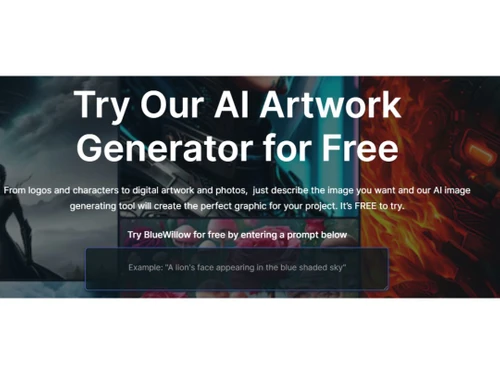
Small Business
Designed for startups and growing businesses
Medium Business
Built for business growth and flexibility
Enterprises
Designed for complex and large-scale business needs
3.9
Out of 5

Overall Rating
Based on
10 Verified Reviews
Rating Breakdown
81% Recommend this Product
Add ReviewCustomers appreciate BlueWillow for its affordability and ability to generate high-quality visuals for various projects, making it a popular choice among editors and graphic designers. Users frequently highlight its ease of use and the creative freedom it offers, allowing them to produce images without needing advanced design skills. However, some limitations include a learning curve for optimal input, occasional delays in image generation, and instances where the results do not fully match user expectations. Overall, BlueWillow is viewed as a reliable tool for budget-conscious users seeking effective design solutions.
Pros
"The tool helps me create images for my design projects without needing to hire a graphic designer. It also offers logo makers to make logos without any hassle."
"Bluewillow offers good images are usually high quality, and I’ve been able to create banners and logos for my business without hiring a designer."
"BlueWillow has really helped me with my graphic design projects. It’s easy to use and has a lot of different styles to choose from, which is great when I need variety."
Cons
"It’s not always clear what kind of input will generate the best results."
"Sometimes the images take a while to generate, which can slow down my creative process."
"There are times when the software doesn’t quite capture the image I’m imagining. It takes a few tries to get the result I want. "

Sep 2, 2024
Techjockey Verified
“Bluewillow: Well known for its range of features and budget friendly design”
The software allows me to create visuals for my blog and social media without having to spend a ton of money or time.
Pros
BlueWillow is affordable and accessible for someone like me who works on small projects. It gives me access to good-quality images without needing a professional designer. The images are creative, I just need to describe the image I want to generate.
Cons
Nothing to dislike.
Reason to switch
I needed a cheaper tool that could still produce good-quality visuals for my projects.
Sep 2, 2024
Techjockey Verified
“Helpful for Design Projects with a Learning Curve”
BlueWillow has helped me generate nice images for my marketing and personal projects.
Pros
The tool helps me create images for my design projects without needing to hire a graphic designer. It also offers logo makers to make logos without any hassle.
Cons
It’s not always clear what kind of input will generate the best results.
Reason to switch
I wanted more flexibility in the types of visuals I could create.
Jul 9, 2024
Techjockey Verified
“Bluewillow: All in one AI Image Generator”
BlueWillow is a good AI image generator for people who need a cost-friendly option. It’s great for creating simple visuals, though it’s not without its flaws.
Pros
I use BlueWillow when I need quick visuals for projects. It’s an affordable option, and it generates images that are generally decent. I like the fact that I don’t need any special design skills to get good results.
Cons
I haven’t faced any issues so far.
Reason to switch
I wanted to explore more ai image generator.

BlueWillow
Price On Request
Desktop
Mobile
Web based
On Premises
Windows
Mac OS

Remaker AI
Price On Request
Desktop
Mobile
Web based
On Premises
Windows
Mac OS

Deepnude
Price On Request
Desktop
Mobile
Web based
On Premises
Windows
Mac OS

Leonardo AI
Price On Request
Desktop
Mobile
Web based
On Premises
Windows
Mac OS

Adobe Firefly
Price On Request
Desktop
Mobile
Web based
On Premises
Windows
Mac OS

DeepSukebe
Price On Request
Desktop
Mobile
Web based
On Premises
Windows
Mac OS

Facet AI
Price On Request
Desktop
Mobile
Web based
On Premises
Windows
Mac OS

SUPERMACHINE
Price On Request
Desktop
Mobile
Web based
On Premises
Windows
Mac OS

GoEnhance AI
Price On Request
Desktop
Mobile
Web based
On Premises
Windows
Mac OS

Getimg AI
₹ 850
Desktop
Mobile
Web based
On Premises
Windows
Mac OS

DiffusionBee
Price On Request
Desktop
Mobile
Web based
On Premises
Windows
Mac OS
(0) Product(s) selected
Starting Price:
$30 /Month
Starting Price:
$19 /Month
Starting Price:
$10 /Month
Available
Price on Request

Available
Price on Request

Starting Price:
$9 /Month

Available
Price on Request

Available
Price on Request

Starting Price:
$5
Starting Price:
$12 /Month






BlueWillow Software is compatible with Ubuntu, Windows, Linux, and MacOS.
BlueWillow Software is not available for Android and iOS app users.
It supports web-based deployment.
BlueWillow price details are available on request at techjockey.com.
BlueWillow Software is typically used by all industries to produce lifelike images based on user prompts or input.
Yes, a demo of BlueWillow is available at techjockey.com.
BlueWillow Software is available for free.
No, BlueWillow Software does not offer a free trial.
BlueWillow Software installation is not required, as it is web-based. Just open the Setup Wizard to get started.
BlueWillow Software utilizes advanced AI algorithms to generate high-quality images based on user inputs and preferences.
LimeWire AI API gives access to industry-based AI models to generate and transform images. Using the API of the image's user can either send it to other users, download it or publish it over another webpage.
0 0
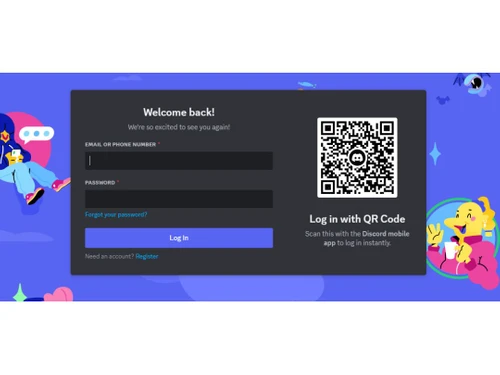
LimeWire currently owns BlueWillow, which is rapidly evolving through the integration of advanced AI image generation capabilities, community engagement, and user-friendly accessibility. Users can leverage multiple AI models for diverse artistic styles and create high-quality visuals with simple text prompts, all within a platform that emphasizes sharing and potential monetization through features like NFT creation and a vibrant Discord community for collaboration and feedback.
0 0
For image generating projects, BlueWillow by LimeWire does not currently provide real-time collaborative functionalities. There isn't an integrated system that allows numerous people to work on the same project at once, but users can still generate graphics on their own in response to instructions. Users may need to use third-party tools or platforms that allow real-time collaboration features in order to create collaborative images.
0 0
No, as for now LimeWire does not support batch image generation for large-scale projects. The platform's main purpose is to create unique graphics in response to user input. Some large-scale production-focused AI picture generators might be a better fit for consumers who require batch processing capabilities. Still, BlueWillow is particularly good at producing distinctive, high-quality photos from a single suggestion.
0 0
Yes, BlueWillow by LimeWire create custom art based on user inputs or prompts. By entering a detailed description users can guide the algorithm and create immersive images.
0 0
20,000+ Software Listed
Best Price Guranteed
Free Expert Consultation
2M+ Happy Customers
Terms and Condtions

Users with registered businesses can purchase goods from merchants on the platform to satisfy their business needs. Users are not permitted to utilize any products acquired through the platform for resale, advertising, business, or further distribution.
For each purchase made, users will receive a Tax Invoice (or 'GST invoice') that includes specific details such as:
the GSTIN of the user associated with their registered business, and
the specified Entity Name for their business.
It should be noted that not all products are eligible for GST Invoice. Only the products displayed by participating sellers with the 'GST-based Invoice Available' callout on the product description page would qualify.
Certain goods and services are not eligible to get a GST Invoice, including items with VAS, i.e., Value Added Services (e.g., Total Mobile Protection/Assured Buyback) and those involving an exchange offer at the time of purchase.
Users must ensure the accuracy of the GSTIN, and business entity name provided for the GST Invoice. Requests for corrections into GST Invoice would not be accommodated by Techjockey.com or any Seller, and any issues arising from user-provided information are the sole responsibility of users.
Techjockey.com is not liable for the GST Invoice or any associated input tax credit. To efficiently claim an input tax credit, users should select the registered place of business address as per the GST authority's data and follow the provisions of the GST Act and rules.
To claim an input tax credit, the delivery and billing addresses must match. Furthermore, input tax credits will not be granted if the delivery address and GSTIN on the invoice are from different states. In case of incorrect GST details provided during the order placement, the order will be canceled automatically.



