linkedin
Bolt New logo
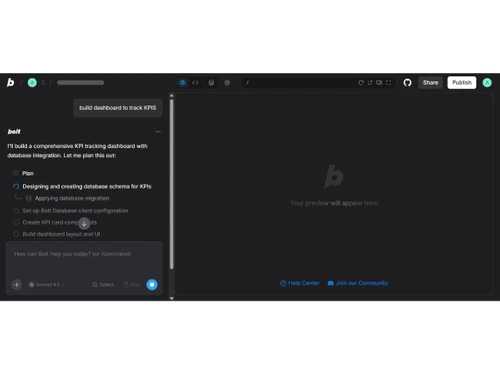
Bolt New-dashboard
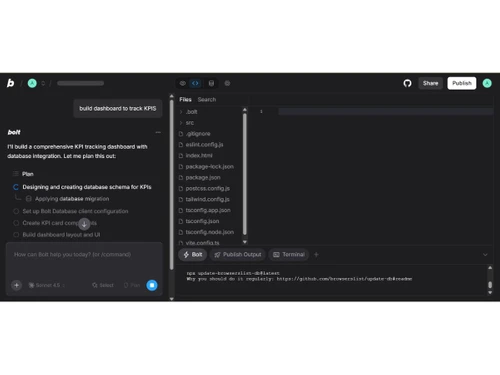
Bolt New-files
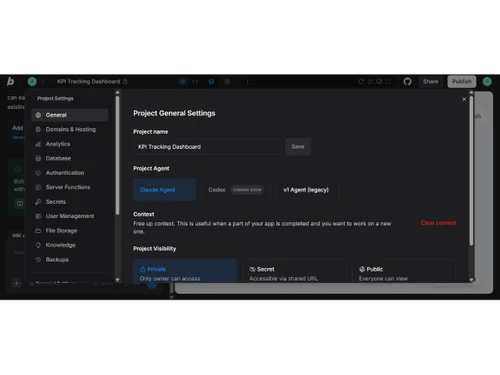
Bolt New-setting

Bolt New

Brand: StackBlitz Inc

  • No Ratings & Reviews

Bolt New acts like your personal development assistant who understands every instruction. Projects take shape quickly, right inside your browser window.

See More

Have you used Bolt New before?

Share your insights for better experience

Add a Review
Starting Price
$25

View plans

100% Genuine
Products
Best Price
Guaranteed
Safe & Secure
Payment
  • Description

  • Pricing

  • Features

  • Specification

  • Review

  • FAQ

Starting at $25

Bolt New Software Overview

What is Bolt New Software?

Bolt New is an AI-powered development platform that creates applications from written descriptions. This website builder removes the need for manual setup and complex technical preparation steps. The system works entirely in the browser, which keeps access simple and fast.

Users can easily guide the process through clear instructions instead of writing detailed code. The environment keeps everything connected during project creation. The trusted website builder offers a straightforward way to turn thoughts into structured applications.

It handles multiple parts of development within a single workspace. Users can build projects without jumping between different tools or systems. The process stays smooth and organized from start to finish. Work progresses steadily with minimal interruptions.

Why Choose Bolt New Software?

  • Quick Idea Flow: Simple inputs shape projects without long preparation steps. Work moves forward without slowing early momentum.
  • Clean Work Setup: Browser access removes heavy installations and confusing configurations. A smoother start appears for every new project.
  • All-in-One Space: Different development parts sit together within one clear workspace. Switching between tools no longer interrupts progress.
  • Easy Learning Curve: New users can get the hang of the system without deep technical knowledge. Growth takes place steadily during regular use.
  • Fast Project Start: Early project setup takes nominal time and effort. Energy stays focused on building useful ideas.
  • Clear Work Direction: Steps follow a natural and easy-to-track order. Confusion rarely enters the development process.
  • Flexible Build Control: Projects adjust easily according to changing needs. Work continues without rigid limitations.
  • Smooth Project Growth: Expanding ideas fit well within the existing structure. Larger builds continue without added complexity.

Benefits of Bolt New Software

  • Real-Time Preview: Live output appears while changes take place during development. Results show instantly without waiting for a manual refresh.
  • Full Stack Support: Frontend and backend parts connect within one development process. Projects move forward without handling layers separately.
  • Built-In Hosting: Deployment takes place directly from the same working environment. Projects can reach the live stage without external setup steps.
  • Rapid Prototyping Pace: Early models take shape quickly for testing ideas. Feedback cycles come about faster during development stages.
  • Seamless API Handling: External services connect without complex integration steps. Data flow continues without unnecessary technical barriers.
  • Code Refinement Ease: Adjustments appear quickly within generated project structures. Improvements continue without slowing progress.

Bolt New Software Pricing

Bolt New Software price starts at USD 25.00 per month at Techjockey.

The pricing model is based on different parameters, including extra features, deployment type, and the total number of users. For further queries related to the product, you can contact our product team and learn more about the pricing and offers.

Read more

StackBlitz Inc Company Details

Founded Year:  2018

StackBlitz is a developer of an integrated software used to offer comprehensive facilities to computer programmers for software development.

Director/Founders Albert Pai, Eric Simons
Company Size 1-100 Employees

Bolt New Pricing & Plans

Pro
Starting at $25
    • Licenses

      Licenses
      Licenses
    • Monthly

      Monthly
      Monthly

Key Features

  • Public and private projects

  • No daily token limit

  • Start at 10M tokens per month

  • 100MB file upload limit

  • Website hosting

Teams
Starting at $30
    • Licenses

      Licenses
      Licenses
    • Monthly

      Monthly
      Monthly

Key Features

  • Centralized billing

  • Team-level access management

  • Granular admin controls & user provisioning

  • Private NPM registries support

  • Unused tokens roll over to next month

Bolt New Features

  • icon_check AI Code Generation
    Automatically generates full-stack application code from natural language prompts, reducing manual development time.
  • icon_check Full-Stack Development
    Creates frontend, backend, APIs, and database structures together, enabling complete application creation in one workflow.
  • icon_check Browser-Based IDE
    Provides a complete development environment directly in the browser without requiring local installations or setup.
  • icon_check Live Preview
    Instantly displays application changes in real time, allowing users to test functionality and UI during development.
  • icon_check One-Click Deployment
    Enables quick deployment of applications to hosting platforms with minimal configuration and technical complexity.
  • icon_check UI Component Generation
    Automatically builds responsive user interface components based on prompts, saving design and coding effort.
  • icon_check Backend Integration
    Connects applications with databases, authentication systems, and APIs without requiring manual backend configuration.
  • icon_check Authentication
    Generates user login, signup, and authorization flows, helping developers implement secure access controls quickly.
  • icon_check Database Management
    Provides built-in database creation and management tools for storing and retrieving application data efficiently.
  • icon_check Code Editing Assistance
    Allows users to refine or modify generated code using follow-up prompts or manual editing within the IDE.
  • icon_check Third Party Integrations
    Supports integration with external services like payment gateways, APIs, and cloud platforms to extend functionality.
  • icon_check Project Export
    Lets users download generated codebases for external hosting, customization, or collaboration with development teams.
  • icon_check Responsive Design
    Ensures generated applications adapt across desktop, tablet, and mobile devices with modern responsive layouts.
  • icon_check Version Control
    Enables tracking of project changes and iterations, helping teams manage development progress effectively.
  • icon_check Collaboration Tools
    Facilitates teamwork by allowing multiple contributors to work on projects and share development environments.
  • icon_check AI Prompt Refinement
    Improves application features iteratively by adjusting prompts, enabling rapid experimentation and enhancements.

Bolt New Specifications

Supported Platforms
Windows Windows MacOS MacOS
Devices
Desktop Desktop
Deployment
Cloud-Based Cloud-Based
Suitable For
All Industries
Business Specific
All Businesses
Business Size
Small Business Startups Medium Business Enterprises
Customer Support
Email Communities
Language
English
Training Resources
Videos

Bolt New Review

Techjockey Trusted Reviews from Verified Users

No reviews are currently available for Bolt New. Discover similar Website Builder reviews

  • Readdy AI

    4.5

    Whats great - Generates a complete, professionally designed website from a simple text prompt in just minutes, eliminating the need for any... read more
  • Nicepage

    3.9

    Whats great - Templates read more

  • Zalvis

    5.0

    Whats great - They have good management team, they listen all our requirements carefully, and then make them happen as per instructions. read more


Articles for Bolt New

See All Related Articles

How much does Bolt New Software cost?

The software price starts at USD 25.00 per month on techjockey.com. Final cost depends on added features, usage level, and deployment needs.

Who uses Bolt New Software?

Developers, designers, and product teams commonly use Bolt New for building applications. It also suits beginners who want to create apps without deep technical setup.

Is there a mobile app available for Bolt New Software?

No, there is no dedicated mobile app available for this platform.

Which operating systems are compatible with Bolt New Software?

It supports Windows and macOS systems for access.

Does Bolt New Software offer a free trial?

Yes, a free trial option is available for new users.

How does Bolt New Software function?

It creates applications from simple written instructions provided by users. The system builds, edits, and deploys projects directly within the browser.

20,000+ Software Listed

Best Price Guranteed

Free Expert Consultation

2M+ Happy Customers

Terms and Condtions

close

Users with registered businesses can purchase goods from merchants on the platform to satisfy their business needs. Users are not permitted to utilize any products acquired through the platform for resale, advertising, business, or further distribution.

For each purchase made, users will receive a Tax Invoice (or 'GST invoice') that includes specific details such as:

  • the GSTIN of the user associated with their registered business, and

  • the specified Entity Name for their business.

It should be noted that not all products are eligible for GST Invoice. Only the products displayed by participating sellers with the 'GST-based Invoice Available' callout on the product description page would qualify.

Certain goods and services are not eligible to get a GST Invoice, including items with VAS, i.e., Value Added Services (e.g., Total Mobile Protection/Assured Buyback) and those involving an exchange offer at the time of purchase.

Users must ensure the accuracy of the GSTIN, and business entity name provided for the GST Invoice. Requests for corrections into GST Invoice would not be accommodated by Techjockey.com or any Seller, and any issues arising from user-provided information are the sole responsibility of users.

Techjockey.com is not liable for the GST Invoice or any associated input tax credit. To efficiently claim an input tax credit, users should select the registered place of business address as per the GST authority's data and follow the provisions of the GST Act and rules.

To claim an input tax credit, the delivery and billing addresses must match. Furthermore, input tax credits will not be granted if the delivery address and GSTIN on the invoice are from different states. In case of incorrect GST details provided during the order placement, the order will be canceled automatically.