linkedin
Browse AI logo
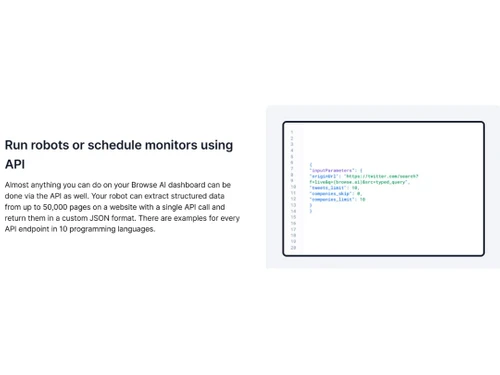
Browse AI Run Robots
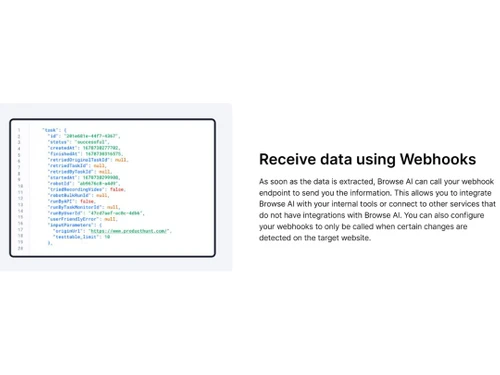
Browse AI Webhooks
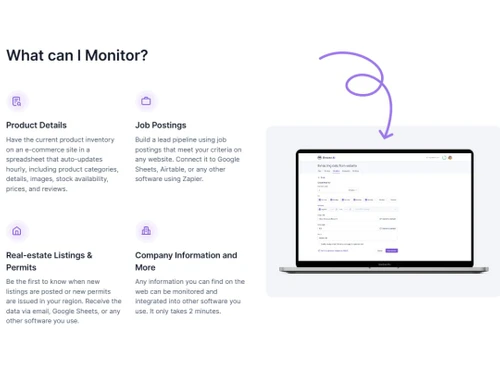
Browse AI Monitor

Browse AI

Brand: Browse AI

  • 4.5

  • 4 Ratings

Browse AI Web Scraping Software automates data extraction from websites, providing effortless browsing and precise data extraction with advanced scraping capabilities.

See More

Have you used Browse AI before?

Share your insights for better experience

Add a Review
Starting Price
$49

View plans

100% Genuine
Products
Best Price
Guaranteed
Safe & Secure
Payment
  • Description

  • Pricing

  • Features

  • Specification

  • Review

  • Compare

  • Alternatives

  • FAQ

Starting at $49

Browse AI Software Overview

What is Browse AI Software?

Browse AI is an artificial intelligence-based platform that helps in data scrapping and web monitoring. It uses AI robots that can be trained to automate and mimic human-like actions of visiting websites, opening web pages, logging in with the right credentials, filling forms, clicking buttons and links, taking screenshots and monitoring webpages for any change. In this way, these robots can be trained to extract data, survey websites, update with changes and capture data details in real-time.

Browse AI robots can be custom-built and trained to extract user-specific data from a website. The user can train robots to extract data in numerous formats like text, numbers, images, etc. Robots can be trained to automate tasks that would typically be done manually. The data extracted can be filled in a spreadsheet.

It can extract location-specific data from websites with the help of AI's geolocation capabilities. It supports integrations with APIs like Google Sheets and Zapier for seamlessly connecting with other tools and systems. The robot can be scheduled to run at a specific time automating data extraction or monitoring tasks. Robots can download files from websites and give updated data automatically.

Why Choose Browse AI Software?

It allows users to train and customise robots to automate website data extraction and monitoring tasks. Its user-friendly interface, click-and-extract functionality, and automation make it a highly efficient tool. Browse AI allows users to extract data from the website by mimicking human actions more simply and effectively. It saves time and effort. It can even be trained to log in, monitor, and store data in a Spreadsheet for further use.

Benefits of Browse AI

  • Automating the tasks of extraction and monitoring the website saves valuable time.
  • It streamlines data extraction processes, allowing users to focus on other activities.
  • Users can scrap data from websites without the need for coding skills.
  • The data extraction process ensures accurate, updated, and reliable information from websites.
  • It supports integration with API, Google Sheets, and Zapier for easy data transfer.
  • Users can track website changes, extract data, and receive notifications using AI robots.
  • Browse AI uses stronger encryption protocols to ensure data security.
  • It allows data export and saving in files for further use.

Browse AI Pricing

Browse AI pricing starts at $49 at techjockey.com.

The overall pricing model is based on different factors such as personalization, extra features required, total users, and the deployment type. You can with our product experts if you want to learn more about our subscription plans or premium package deals.

Read more

Browse AI Company Details

Founded Year:  2020

Browse AI provides web automation software that records actions on a website and then runs them on the cloud.

Director/Founders Ardalan Naghshineh
Company Size 1-100 Employees

Browse AI Pricing & Plans

Starter(2,000 Credits per Month)
Key Features
  • 2,000 Credits per Month
  • 10 Robots
  • Concurrent Tasks
  • 1 Hour Checks
  • 40-Day Retention
Starting at $49
    • Licenses

      Licenses
      Licenses
    • Monthly

      Monthly
      Monthly

Key Features

  • 2,000 Credits per Month

  • 10 Robots

  • Concurrent Tasks

  • 1 Hour Checks

  • 40-Day Retention

Browse AI Features

  • icon_check Data Verification
    It offers data verification capabilities to ensure the accuracy and reliability of data.
  • icon_check API
    It provides API integration for seamless connectivity and data transfer.
  • icon_check AI/Machine Learning
    It uses AI and machine learning techniques to train robots for data extraction and monitoring websites.
  • icon_check Web Data Extraction
    The platform enables easy, structured data extraction from various websites.
  • icon_check Email Address Extraction
    It can extract email addresses from web pages for efficient lead generation.
  • icon_check Image Extraction
    Users can extract images from any website and store the visual content for various purposes.
  • icon_check Data Mapping
    It provides a data mapping process and organizes extracted data for better analysis, reducing errors and usability.
  • icon_check Phone Number Extraction
    It allows the extraction of phone numbers from webpages for building contact information.
  • icon_check Auto Extraction
    It allows data extraction to be automated, scheduling, and saving time.
  • icon_check Data Import/Export
    It supports easy importing and exporting of data files for supporting file transfer.

Browse AI Specifications

Supported Platforms
Ubuntu Ubuntu Windows Windows MacOS MacOS Linux Linux
Devices
Desktop Desktop
Deployment
Cloud-Based Cloud-Based
Suitable For
All Industries
Business Specific
All Businesses
Business Size
Small Business Medium Business Enterprises
Customer Support
Email Communities
Language
English
Training Resources
Documentation Videos
AI Features
AI Integrated

Explore the Best Alternative Solutions Similar to Your Business Size and Needs

Browse AI Review

4.5

Out of 5

img

Overall Rating

Based on
4 Verified Ratings

Rating Breakdown

  • Features 4.5
  • Value for Money 4.7
  • Ease of Use 4.2
  • Customer Support 4.7

90% Recommend this Product

Add Review

Be the First to Review

This product has no reviews yet. Be the first to leave your feedback.

Add Review

Compare Browse AI With other Web Scraping Tools

Products
Ratings
Pricing
Device Supported
Deployment
Supported Platforms
  • img

    Browse AI

  • 4.5

  • Price On Request

  • Desktop

    Mobile

  • Web based

    On Premises

  • Windows

    Mac OS

  • img

    Apify

  • 4.4

  • Price On Request

  • Desktop

    Mobile

  • Web based

    On Premises

  • Windows

    Mac OS

  • img

    SerpApi

  • 4.2

  • Price On Request

  • Desktop

    Mobile

  • Web based

    On Premises

  • Windows

    Mac OS

  • img

    Firecrawl

  • 4.2

  • ₹ 1700

  • Desktop

    Mobile

  • Web based

    On Premises

  • Windows

    Mac OS

  • img

    Nstproxy

  • 4.3

  • Price On Request

  • Desktop

    Mobile

  • Web based

    On Premises

  • Windows

    Mac OS

  • img

    Bardeen

  • 4.3

  • Price On Request

  • Desktop

    Mobile

  • Web based

    On Premises

  • Windows

    Mac OS

  • img

    Oxylabs

  • 4.2

  • Price On Request

  • Desktop

    Mobile

  • Web based

    On Premises

  • Windows

    Mac OS

  • img

    Bright Data

  • 4.4

  • Price On Request

  • Desktop

    Mobile

  • Web based

    On Premises

  • Windows

    Mac OS

  • img

    Browser Cash

  • 4.0

  • Price On Request

  • Desktop

    Mobile

  • Web based

    On Premises

  • Windows

    Mac OS

  • img

    PhantomBuster

  • 4.5

  • Price On Request

  • Desktop

    Mobile

  • Web based

    On Premises

  • Windows

    Mac OS

  • img

    Kadoa

  • 4.5

  • Price On Request

  • Desktop

    Mobile

  • Web based

    On Premises

  • Windows

    Mac OS

(0) Product(s) selected

Browse AI Alternatives

See All Browse AI Alternatives

Starting Price:

$39 /Month

Starting Price:

$25 /Month

Starting Price:

$49 /Month

Available

Price on Request

Available

Price on Request

Starting Price:

$30 /Month

Which operating Software does the Browse AI Software Support?

Browse AI software is compatible with Windows and macOS operating systems.

Is there any Browse AI App?

Browse AI app is unavailable on Android and iOS devices.

What is the deployment type of Browse AI Software?

Browse AI system supports web-based deployment.

How much does the Browse AI Cost?

Browse AI pricing starts from $49 at techjockey.com.

Who are the potential users of Browse AI?

Browse AI is designed to serve businesses, entrepreneurs, freelance web developers or anyone who needs web scraping Software.

Is there any free trial or demo for the Browse AI?

Browse AI demo is available for free with techjockey.com.

Is Browse AI Free?

Browse AI offers a free trial.

How can you download Browse AI Software?

Browse AI is a web-based platform. So, you need not download any software or app to use it.

How Does the Browse AI Work?

Browse AI is a versatile tool that allows users to monitor webpages for updates, extract data from websites, and convert it into a convenient spreadsheet format. Additionally, it enables the transformation of any website into an accessible API for seamless integration into various applications.

20,000+ Software Listed

Best Price Guranteed

Free Expert Consultation

2M+ Happy Customers

Terms and Condtions

close

Users with registered businesses can purchase goods from merchants on the platform to satisfy their business needs. Users are not permitted to utilize any products acquired through the platform for resale, advertising, business, or further distribution.

For each purchase made, users will receive a Tax Invoice (or 'GST invoice') that includes specific details such as:

  • the GSTIN of the user associated with their registered business, and

  • the specified Entity Name for their business.

It should be noted that not all products are eligible for GST Invoice. Only the products displayed by participating sellers with the 'GST-based Invoice Available' callout on the product description page would qualify.

Certain goods and services are not eligible to get a GST Invoice, including items with VAS, i.e., Value Added Services (e.g., Total Mobile Protection/Assured Buyback) and those involving an exchange offer at the time of purchase.

Users must ensure the accuracy of the GSTIN, and business entity name provided for the GST Invoice. Requests for corrections into GST Invoice would not be accommodated by Techjockey.com or any Seller, and any issues arising from user-provided information are the sole responsibility of users.

Techjockey.com is not liable for the GST Invoice or any associated input tax credit. To efficiently claim an input tax credit, users should select the registered place of business address as per the GST authority's data and follow the provisions of the GST Act and rules.

To claim an input tax credit, the delivery and billing addresses must match. Furthermore, input tax credits will not be granted if the delivery address and GSTIN on the invoice are from different states. In case of incorrect GST details provided during the order placement, the order will be canceled automatically.