linkedin
CAEplex logo
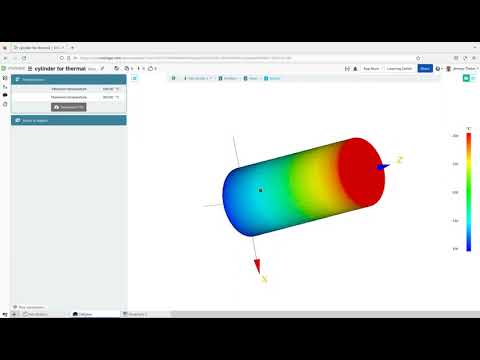
play Thermal finite elements in the cloud---1 min from Onshape to CAEplex
CAEplex Cloud
CAEplex Quick

CAEplex

Brand: CAEplex

  • 4.6

  • 5 Ratings

CAEplex is a web-based platform that allows you to perform thermo-mechanical finite-element analysis.

See More

Have you used CAEplex before?

Share your insights for better experience

Add a Review
Starting Price
$25

View plans

100% Genuine
Products
Best Price
Guaranteed
Safe & Secure
Payment
  • Description

  • Pricing

  • Features

  • Specification

  • Review

  • Compare

  • Alternatives

  • FAQ

Starting at $25

CAEplex Software Overview

What is CAEplex?

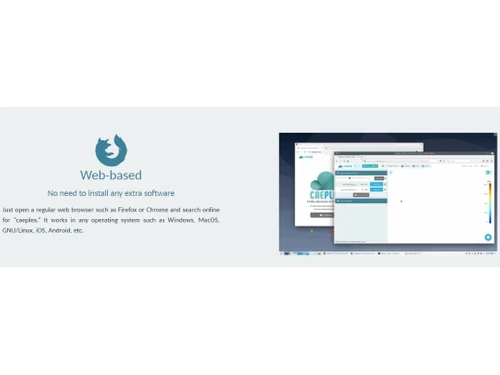
CAEplex is a web-based computer-aided engineering (CAE) platform for finite element analysis that helps in thermo-mechanical simulations. Users define their engineering problems, apply boundary conditions, and choose problem types like elasticity or thermal conduction. The web-based interface, accessible via standard browsers, requires no additional software.

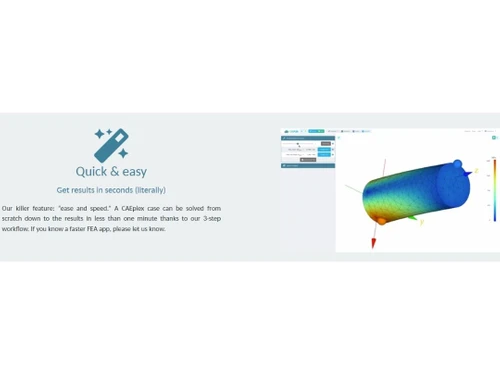
It can accurately analyze temperature distribution, modal analysis, modes of oscillation computation, elasticity, and stress calculations in mechanical and thermal loads. It uses Gmsh for meshing and Fino for solving, providing material property customization, post-processing visualizations, and collaboration. It gives results in less than a minute by processing calculations in cloud servers.

Why Choose CAEplex Software?

  • Structural analysis: Helps assess the strength and deformations of structural components and, through detailed and fast analysis, helps design reliable structures.
  • Thermal design: Can evaluate temperature distributions within parts, thus helping in efficient heat management for improved product performance and durability.
  • Modal analysis: Can identify natural frequencies and oscillation modes to enhance structural design and mitigate potential resonance issues.
  • Product optimization: Supports fine-tuning material choices and designs to meet the performance criteria that result in cost-effective and high-performing products.
  • Learning tool: It helps students learn the concepts of engineering and simulation, giving them hands-on experience to understand complex concepts.

Benefits of CAEplex Platform

  • Simplified workflow: Makes a simple 3-step process that gives quick results, minimizing the complexity of thermal and mechanical analysis.
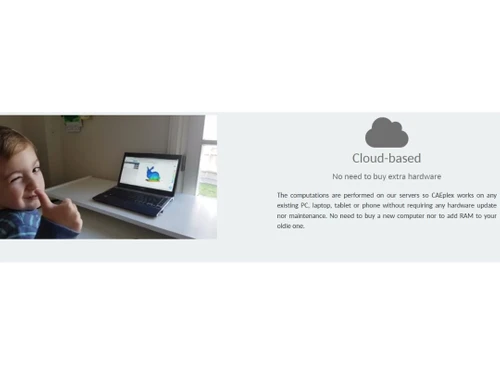
  • Fast calculations: Uses cloud-based computing and makes calculations on a cloud server, eliminating the need for additional hardware purchases and maintenance.
  • Industry 4.0 integration: Aligns with modern engineering practices, combining simulation, additive manufacturing, and collaborative online work.
  • Mobile-friendly: Use it on any device, even old ones, and access the work from anywhere.
  • Collaborative: Share projects via simple URLs and work in a team where others can view and modify engineering work.

Pricing of CAEplex CAE Software

CAEplex price in India starts from $25 at techjockey.com. It comes with multiple pricing plans and caters to a diverse customer base.

For subscription-related details and offers on premium packages, please request a call back from our product experts.

Read more

CAEplex Company Details

Founded Year:  2016

A startup that wants to shift engineering paradigms by delivering special IT-intensive projects for Industry 4.0.

Director/Founders CAEplex
Company Size 1-100 Employees

CAEplex Pricing & Plans

One-monther
Key Features
  • Freelancers and casual users
  • Online collaboration
  • 15 public projects per month
  • 5 private projects per month
  • Problems up to 80k nodes
Starting at $25
    • Licenses

      Licenses
      Licenses
    • Monthly

      Monthly
      Monthly

Key Features

  • Freelancers and casual users

  • Online collaboration

  • 15 public projects per month

  • 5 private projects per month

  • Problems up to 80k nodes

CAEplex Features

  • icon_check Boundary Conditions
    Specify precise constraints, & provide accurate representations of real-world scenarios.
  • icon_check Internal Loads
    Analyze & apply forces within components, crucial for understanding structural responses.
  • icon_check Temperature Distribution
    Model & analyze temperature variations, aiding in thermal management strategies.
  • icon_check Von Mises & Principal Stresses
    Obtain comprehensive stress insights, including overall stress distribution & directional stresses.
  • icon_check Steady-state Thermal 3D Conduction
    Investigate thermal equilibrium to assess heat transfer and ensure optimal temperature distributions within components.
  • icon_check Modal Analysis
    Identify natural frequencies & mode shapes crucial for preventing resonance.
  • icon_check Meshing Capabilities
    Utilize Gmsh for versatile meshing, controlling element refinement & optimization.
  • icon_check Algebraic Expressions & Scattered Data
    Incorporate non-uniform material properties using mathematical expressions or scattered data, enhancing simulation realism.
  • icon_check GMRES Sparse Solver
    Employ an iterative solver for efficient matrix solutions, optimizing computational resources.
  • icon_check Full VTK Output
    Generate complete VTK output, facilitating detailed post-processing & visualization of simulation results.
CAEplex Demo Video play icon

Get CAEplex Demo

Watch the demo video to explore key features, real workflows, and how the software fits your business needs.

Understand
Key Features
Personal
Demo Insights
Interactive
Demo Support

CAEplex Specifications

Supported Platforms
Ubuntu Ubuntu Windows Windows MacOS MacOS Linux Linux
Devices
Desktop Desktop Mobile Mobile Tablet Tablet iPad iPad
Deployment
Cloud-Based Cloud-Based
Suitable For
Manufacturing Education Automobiles Designers
Business Specific
All Businesses
Business Size
Small Business Startups Medium Business Enterprises
Customer Support
Phone Email Live Chat Communities
Language
English
Training Resources
Documentation Videos

Explore the Best Alternative Solutions Similar to Your Business Size and Needs

CAEplex Review

4.6

Out of 5

img

Overall Rating

Based on
5 Verified Ratings

Rating Breakdown

  • Features 4.6
  • Value for Money 4.7
  • Ease of Use 4.5
  • Customer Support 4.6

88% Recommend this Product

Add Review

Be the First to Review

This product has no reviews yet. Be the first to leave your feedback.

Add Review

Compare CAEplex With other CAE Software

Products
Ratings
Pricing
Device Supported
Deployment
Supported Platforms
  • img

    CAEplex

  • 4.6

  • Price On Request

  • Desktop

    Mobile

  • Web based

    On Premises

  • Windows

    Mac OS

  • img

    Azore CFD

  • 4.3

  • Price On Request

  • Desktop

    Mobile

  • Web based

    On Premises

  • Windows

    Mac OS

  • img

    Altair SimSolid

  • 4.4

  • Price On Request

  • Desktop

    Mobile

  • Web based

    On Premises

  • Windows

    Mac OS

  • img

    BETA CAE Systems

  • 4.4

  • Price On Request

  • Desktop

    Mobile

  • Web based

    On Premises

  • Windows

    Mac OS

  • img

    FLOW 3D

  • 4.3

  • Price On Request

  • Desktop

    Mobile

  • Web based

    On Premises

  • Windows

    Mac OS

  • img

    Moldex3D

  • 4.3

  • Price On Request

  • Desktop

    Mobile

  • Web based

    On Premises

  • Windows

    Mac OS

  • img

    CAE Fidesys

  • 4.2

  • Price On Request

  • Desktop

    Mobile

  • Web based

    On Premises

  • Windows

    Mac OS

  • img

    Samadii SCIV

  • 4.1

  • Price On Request

  • Desktop

    Mobile

  • Web based

    On Premises

  • Windows

    Mac OS

  • img

    Moldflow

  • 4.0

  • Price On Request

  • Desktop

    Mobile

  • Web based

    On Premises

  • Windows

    Mac OS

(2) Product(s) selected

CAEplex Alternatives

See All CAEplex Alternatives

Starting Price:

$8,760

Which operating system does CAEplex support?

CAEplex is compatible with Windows, Linux, Ubuntu, and MacOS operating systems.

Is there any CAEplex app?

The CAEplex app is not available for mobile devices.

What is the deployment type of CAEplex?

CAEplex supports web-based deployment type

How much does CAEplex cost?

CAEplex pricing starts from $25 at techjockey.com.

Who are the potential users of CAEplex?

CAEplex is typically used in the aerospace, automotive, and civil engineering sectors by engineers, researchers, and educators for structural analysis, thermal design, and product optimization purposes.

Is there any free trial or demo for CAEplex?

The CAEplex demo is available for free with techjockey.com.

Is CAEplex free?

CAEplex software is not available for free. However, the premium plan with advanced features costs $25.

Does the CAEplex Platform offer a free trial?

No CAEplex platform does not provide a free trial to the users.

How can you download CAEplex?

CAEplex installation is not required, as it is web-based. Just open the Setup Wizard to get started.

How does CAEplex work?

CAEplex helps with structural and thermal simulations, offering a user-friendly interface, cloud-based accessibility, quick results, versatile meshing, and collaborative capabilities that enhance efficiency in engineering analyses.

20,000+ Software Listed

Best Price Guranteed

Free Expert Consultation

2M+ Happy Customers

Terms and Condtions

close

Users with registered businesses can purchase goods from merchants on the platform to satisfy their business needs. Users are not permitted to utilize any products acquired through the platform for resale, advertising, business, or further distribution.

For each purchase made, users will receive a Tax Invoice (or 'GST invoice') that includes specific details such as:

  • the GSTIN of the user associated with their registered business, and

  • the specified Entity Name for their business.

It should be noted that not all products are eligible for GST Invoice. Only the products displayed by participating sellers with the 'GST-based Invoice Available' callout on the product description page would qualify.

Certain goods and services are not eligible to get a GST Invoice, including items with VAS, i.e., Value Added Services (e.g., Total Mobile Protection/Assured Buyback) and those involving an exchange offer at the time of purchase.

Users must ensure the accuracy of the GSTIN, and business entity name provided for the GST Invoice. Requests for corrections into GST Invoice would not be accommodated by Techjockey.com or any Seller, and any issues arising from user-provided information are the sole responsibility of users.

Techjockey.com is not liable for the GST Invoice or any associated input tax credit. To efficiently claim an input tax credit, users should select the registered place of business address as per the GST authority's data and follow the provisions of the GST Act and rules.

To claim an input tax credit, the delivery and billing addresses must match. Furthermore, input tax credits will not be granted if the delivery address and GSTIN on the invoice are from different states. In case of incorrect GST details provided during the order placement, the order will be canceled automatically.