 USA
USA UAE
UAESmall Business
Designed for startups and growing businesses

See More





Brand: Caterease
Caterease helps catering and event businesses manage bookings, events, operations, and other key workflows from a centralized platform.
See MoreHave you used Caterease before?
Share your insights for better experience
 Save Time Event Management Maximize Sales Manage Your Customers Track Revenue

Watch the demo video to explore key features, real workflows, and how the software fits your business needs.
 Windows
  iOS
iOS  Android
  Desktop
  Cloud-Based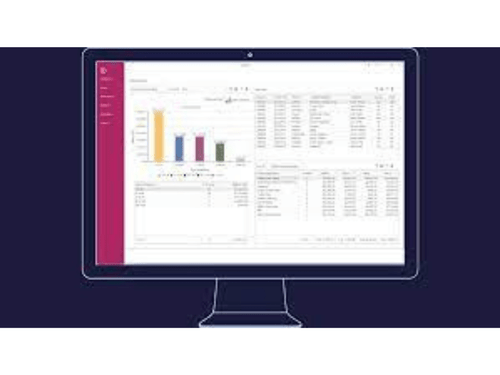
Small Business
Designed for startups and growing businesses
Medium Business
Built for business growth and flexibility
Enterprises
Designed for complex and large-scale business needs
4.2
Out of 5

Overall Rating
Based on
2 Verified Reviews
Rating Breakdown
80% Recommend this Product
Add Review
Oct 2, 2017
Techjockey Verified
“worth it, do it”
Pros
So far Techjockey has the lowest prices for the software I was looking for. Downloading was prompt and installation went without a glitch. A couple of questions I emailed to them were answered promptly.
Cons
N/A
Jul 14, 2018
Techjockey Verified
“Takes time, But overall effective”
Pros
I like the convenience of it. It's pretty straightforward for the most part, though there are some weird features that take some time to get the hang of. It's pretty user friendly once you have worked with it for a while.
Cons
It doesn't make it particularly easy to create short-term revisions on proposals -- it won't let you export a proposal without saving it, so if you're making a few changes, you have to go back and re-adjust everything.

Caterease
Price On Request
Desktop
Mobile
Web based
On Premises
Windows
Mac OS

Indian Mesh Tiffin Management System
₹ 25000
Desktop
Mobile
Web based
On Premises
Windows
Mac OS

Neviscater
₹ 2000
Desktop
Mobile
Web based
On Premises
Windows
Mac OS

HoneyBook
Price On Request
Desktop
Mobile
Web based
On Premises
Windows
Mac OS

Curate Catering Software
Price On Request
Desktop
Mobile
Web based
On Premises
Windows
Mac OS

Better Cater
Price On Request
Desktop
Mobile
Web based
On Premises
Windows
Mac OS

CaterZen
Price On Request
Desktop
Mobile
Web based
On Premises
Windows
Mac OS

FoodStorm
Price On Request
Desktop
Mobile
Web based
On Premises
Windows
Mac OS

Flex Catering
Price On Request
Desktop
Mobile
Web based
On Premises
Windows
Mac OS

Crafty Delivers
Price On Request
Desktop
Mobile
Web based
On Premises
Windows
Mac OS

Spoonfed
Price On Request
Desktop
Mobile
Web based
On Premises
Windows
Mac OS
(0) Product(s) selected
Available
Price on Request
Available
Price on Request

Available
Price on Request

Available
Price on Request

Available
Price on Request
Absolutely. The upgrade process is seamless. You will not lose or have to re-enter any data.
As many as you want! Caterease has a Print Designer, that allows you to create as many contracts, invoices, back-of-house prints, etc. as your company needs. You can determine what information will appear on those prints, and even give the prints any titles you want.
If you fall into that small percentage of users who cannot get exactly what their looking for from our robust list of prints and reports, we are happy to customize a unique document for your company for a nominal fee.
You can change your program at any time. Not only can you easily move from one version of the program (Express, Standard, Professional) to another, but you can also add any add-in feature – banquet rooms, concurrent network users, etc. – easily at any time.
Wow – that’s like asking a mother which is her favorite child! Explore the detailed explanations of each of the modules and consider which one best fits your company’s needs. And remember, you can always add modules later if you want to!
20,000+ Software Listed
Best Price Guranteed
Free Expert Consultation
2M+ Happy Customers
Terms and Condtions

Users with registered businesses can purchase goods from merchants on the platform to satisfy their business needs. Users are not permitted to utilize any products acquired through the platform for resale, advertising, business, or further distribution.
For each purchase made, users will receive a Tax Invoice (or 'GST invoice') that includes specific details such as:
the GSTIN of the user associated with their registered business, and
the specified Entity Name for their business.
It should be noted that not all products are eligible for GST Invoice. Only the products displayed by participating sellers with the 'GST-based Invoice Available' callout on the product description page would qualify.
Certain goods and services are not eligible to get a GST Invoice, including items with VAS, i.e., Value Added Services (e.g., Total Mobile Protection/Assured Buyback) and those involving an exchange offer at the time of purchase.
Users must ensure the accuracy of the GSTIN, and business entity name provided for the GST Invoice. Requests for corrections into GST Invoice would not be accommodated by Techjockey.com or any Seller, and any issues arising from user-provided information are the sole responsibility of users.
Techjockey.com is not liable for the GST Invoice or any associated input tax credit. To efficiently claim an input tax credit, users should select the registered place of business address as per the GST authority's data and follow the provisions of the GST Act and rules.
To claim an input tax credit, the delivery and billing addresses must match. Furthermore, input tax credits will not be granted if the delivery address and GSTIN on the invoice are from different states. In case of incorrect GST details provided during the order placement, the order will be canceled automatically.

