linkedin
Cisco Umbrella logo
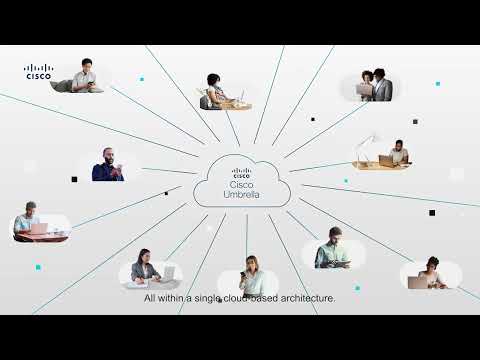
play The Power of Cisco Umbrella
play Hitachi Improves Cybersecurity for Remote Workers With Cisco
Cisco Umbrella security

Cisco Umbrella

Brand: Cisco Systems

  • 3.5

  • 1 Rating & 1 Review

Cisco Umbrella is a cloud-based security platform that protects against internet-based threats. It offers a range of security features to help organizations secure their networks, devices, and users from various cyber threats, including malware, phishing attacks, ransomware, and more

See More

Have you used Cisco Umbrella before?

Share your insights for better experience

Add a Review

Price Available on Request

Questions about pricing or customization? We’re here to help, just a click away.

100% Genuine
Products
Best Price
Guaranteed
Safe & Secure
Payment
  • Description

  • Pricing

  • Features

  • Specification

  • Review

  • Compare

  • Alternatives

  • FAQ

Cisco Umbrella Software Overview

What is Cisco Umbrella?

Cisco Umbrella is a cloud-based security platform that protects against internet-based threats. It offers a range of security features to help organizations secure their networks, devices, and users from various cyber threats, including malware, phishing attacks, ransomware, and more.

Key components of Cisco Umbrella:

  • DNS Security: Cisco Umbrella leverages DNS to identify and block malicious domain requests. When users attempt to access a website, Cisco Umbrella checks the DNS request against its threat intelligence database and blocks access to known malicious sites.
  • Web Filtering: It provides content filtering and application control features to enforce internet usage policies. This helps organizations manage access to specific websites and applications based on their policies.
  • Secure Web Gateway (SWG): Cisco Umbrella acts as a secure web gateway, inspecting and filtering web traffic to protect against malware and other web-based threats. It includes features like URL categorization, SSL decryption and inspection, and more.
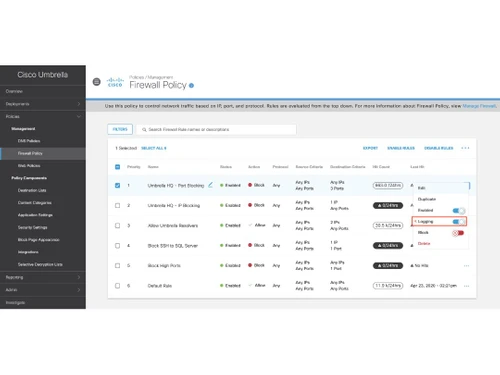
  • Cloud Firewall: The platform offers cloud-based firewall capabilities, allowing organizations to enforce policies for internet traffic and protect against unauthorized access.
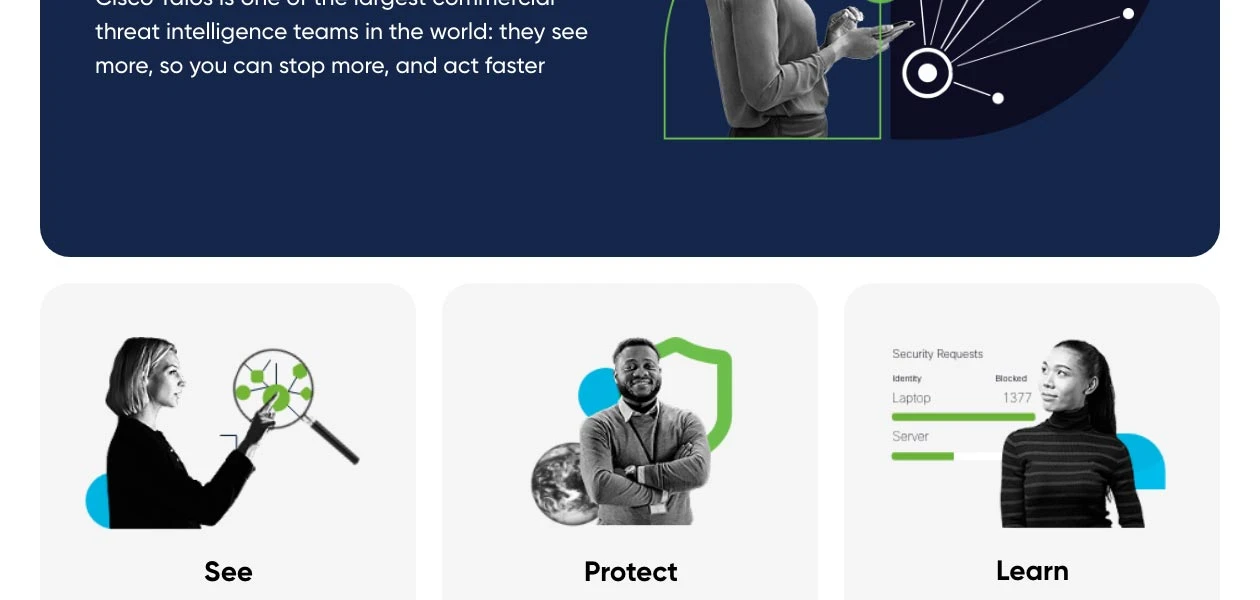
  • Threat Intelligence: Cisco Umbrella incorporates real-time threat intelligence from Cisco Talos, one of the industry's leading threat research teams. This ensures that the platform is updated with the latest information on emerging threats and vulnerabilities.
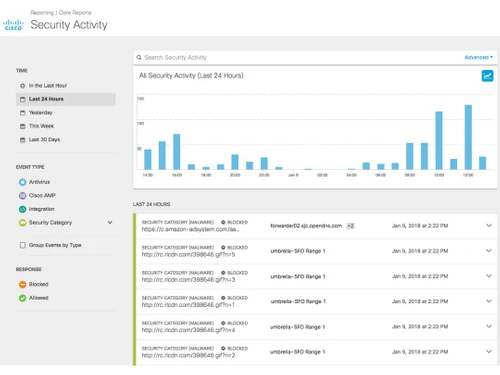
  • Reporting and Analytics: Cisco Umbrella provides detailed reporting and analytics tools that enable organizations to monitor network traffic, security events, and policy violations. It offers insights into web usage and threat activity.

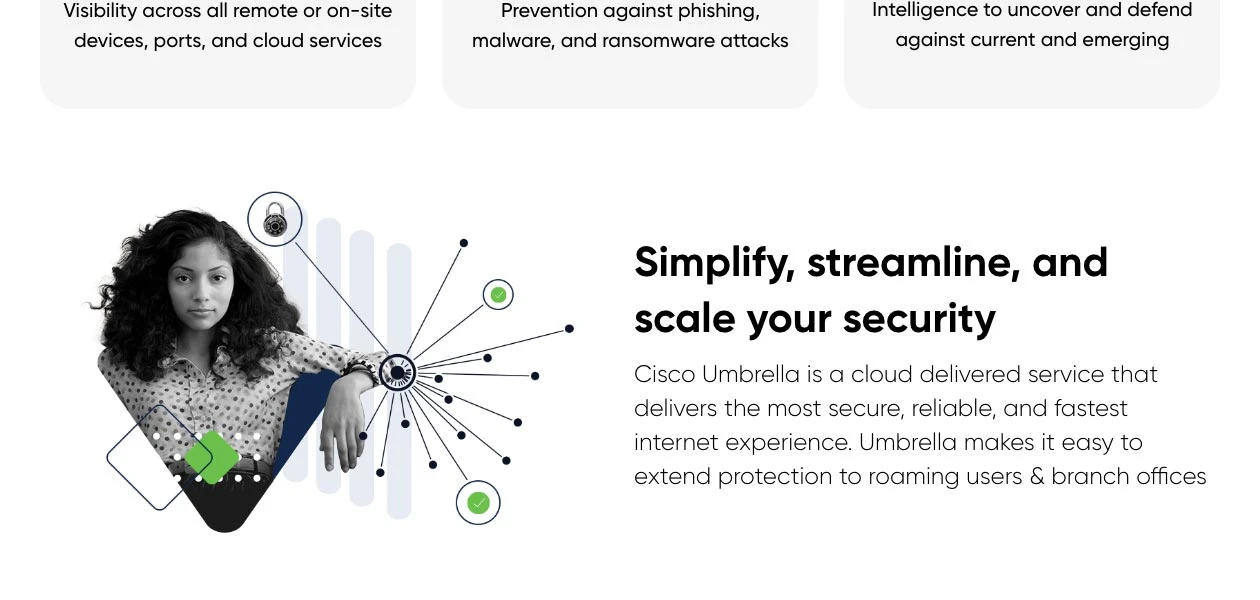
Cisco Umbrella is designed to be scalable, making it suitable for organizations of all sizes, from small businesses to large enterprises. Its cloud-based nature simplifies deployment and management, as there is no need for on-premises hardware. Cisco Umbrella is a key component of Cisco's security offerings, helping organizations enhance their cybersecurity posture and protect their digital assets.

What are the Benefits of using Cisco Umbrella?

Cisco Umbrella is a Suite of Security Tools where the security is enforced at the Cloud Edge. Here is a quick overview of the benefits offered by Cisco Umbrella:

  • Cisco Umbrella provides the first line of defence against threats on the internet wherever users go, applying security across the DNS layer.
  • The fastest way of protection - No other security product can be deployed faster. Umbrella's defence can be deployed in minutes, enterprise-wide, and then you can add additional security controls over time (secure web gateway, cloud-delivered firewall, etc.)
  • Block attacks earlier – Blocks malicious requests before they reach a customer's network or endpoints. Blocks malicious threats before a connection is ever established.
  • Protects against malware, phishing, ransomware, C2 Callbacks
  • Block domains associated with malware, phishing, command and control callbacks anywhere
  • Contain malware if already inside the network.
  • Easily enforce web filtering using content 100+ content categories - uses Talos categories for both content and security
  • Manage and block cloud apps - Layer 7 protection.
  • Deploy enterprise-wide in minutes.
  • Dynamic - Real-time cloud updates
  • Single cloud console - Umbrella combines all this functionality and reporting along with DNS security and Cloud-Delivered Firewall (CDFW) capabilities in a single cloud console.
  • Amazing user experience — faster internet access; only proxy risky domains

Key Specifications of Cisco Umbrella

Cisco Umbrella is a cloud-based security platform that provides protection and visibility for networks and devices. While it doesn't have traditional hardware specifications like a physical appliance, there are some key technical aspects and requirements to consider when deploying Cisco Umbrella:

  • Cloud-Based Architecture: Cisco Umbrella operates entirely in the cloud. It does not require any on-premises hardware or appliances.
  • DNS Filtering: Cisco Umbrella uses DNS filtering to detect and block malicious domains and websites. It resolves DNS requests, inspecting them for security threats.
  • Global Network: Cisco Umbrella operates from a worldwide network of data centres and points of presence (PoPs). This distributed architecture ensures low latency and high availability.
  • Integration: Cisco Umbrella can be integrated with other Cisco security solutions, such as Cisco SecureX and Cisco Security Portfolio, to provide a comprehensive security stack.
  • Compatibility: Cisco Umbrella is compatible with a wide range of devices and operating systems, including Windows, macOS, Linux, iOS, and Android.
  • Deployment Flexibility: It can be deployed in various network environments, including traditional corporate networks, remote and mobile devices, and cloud-based applications.
  • Scalability: Cisco Umbrella is scalable and suitable for organizations of various sizes, from small businesses to large enterprises.
  • DNSSEC Support: Cisco Umbrella supports DNS Security Extensions (DNSSEC) to enhance the security and integrity of DNS requests and responses.
  • API and Integration Support: Cisco Umbrella integrated with APIs and supports integrations with third-party security tools and solutions, allowing for customization and orchestration of security policies.
  • User Identity Integration: It can integrate with identity providers (e.g., Active Directory, LDAP) to enforce policies based on user identities and roles.
  • Content and Application Control: Cisco Umbrella includes content filtering and application control features to enforce internet and cloud application usage policies.
  • Threat Intelligence: It leverages Cisco Talo's threat intelligence to provide real-time information on emerging threats and vulnerabilities.
  • Reporting and Analytics: Cisco Umbrella offers detailed reporting and analytics capabilities, allowing organizations to monitor network traffic, security events, and policy violations.
  • Roaming Protection: Protects remote and mobile devices, ensuring they are safeguarded against threats even when not connected to the corporate network.
  • Secure Web Gateway (SWG): Includes features like URL categorization, SSL decryption and inspection, and more to enhance web security.

Cisco Umbrella Pricing

Cisco Umbrella price is available on request. Please request a call back for more information.

Read more

Cisco Systems Company Details

Founded Year:  1984

Cisco develops, manufactures, and sells networking hardware, telecommunications equipment, and other technology services and products.

Director/Founders Leonard Bosack, Sandy Lerner
Company Size 1000+ Employees

Cisco Umbrella Pricing & Plans

Looking for The Right Pricing?

Share your requirements and get a plan built around your business.

  • Define your business needs
  • Get customised pricing
  • Choose features that fit your workflow

Price Available on Request

Get personalised Cisco Umbrella pricing that fits your needs. Our team will connect with you.

Cisco Umbrella Features

  • icon_check IP Protection
    The IP layer protection checks the available list of malicious IP addresses against network traffic in real-time and blocks out
  • icon_check Viruses and Malware Protection
    The software is capable of detecting 60K malicious destinations on a regular basis. It uses 30 machine-based, learning algorithms
  • icon_check Internet Usage Monitoring
    The app discovery report featured by the software offers a detailed graphical overview of the bandwidth usage at regular
  • icon_check Malware protection with sandboxing
    his feature detects and blocks malware, ransomware, phishing, and command and control callbacks.
  • icon_check DNS-Layer Security
    This feature blocks malicious domains, IP addresses, and cloud applications before a connection is ever established.
  • icon_check Secure Web Gateway
    Filters and inspects web traffic to enforce policies and prevent data loss.
  • icon_check Cloud Access Security Broker
    Monitors and controls the use of cloud apps to ensure compliance and data security.
  • icon_check Remote browser isolation
    It isolates web browsing sessions from the endpoint device to prevent malicious code execution.
  • icon_check Flexible
    It’s a flexible and easy-to-deploy solution that can protect users on and off the network.
  • icon_check Cloud-Delivered Firewall
    Provides firewall feature in the cloud to protect users and devices from network-based attacks.
  • icon_check Data Loss Prevention
    It prevents sensitive data from leaving your organization through web or cloud applications.
Cisco Umbrella Demo Video play icon

Get Cisco Umbrella Demo

Watch the demo video to explore key features, real workflows, and how the software fits your business needs.
Understand
Key Features
Personal
Demo Insights
Interactive
Demo Support
Product Enrichment Section Image

Cisco Umbrella Specifications

Supported Platforms
Ubuntu Ubuntu Windows Windows MacOS MacOS Windows(Phone) Windows(Phone) Linux Linux
Devices
Desktop Desktop
Deployment
Cloud-Based Cloud-Based
Suitable For
All Industries
Business Specific
All Businesses
Business Size
Enterprises SMEs MSMBs MSMEs
Customer Support
Email
Language
English
Training Resources
Videos

Explore the Best Alternative Solutions Similar to Your Business Size and Needs

Cisco Umbrella Review

3.5

Out of 5

img

Overall Rating

Based on
1 Verified Review

Rating Breakdown

  • Features 4
  • Value for Money 2
  • Ease of Use 4
  • Customer Support 4

60% Recommend this Product

Add Review

Patrick Smith

Administrator

User since: < 6 months

3.5

Reviewed on: Mar 19, 2021

Techjockey Verified

“Good but expensive”

Pros

It does everything I need it to do.

Cons

It cost too much and there are cheaper workable other solutions out there https://www.netsec.news/cisco-umbrella-pricing/

Compare Cisco Umbrella With other Cloud Security Services

Products
Ratings
Pricing
Device Supported
Deployment
Supported Platforms
  • img

    Cisco Umbrella

  • 3.5

  • Price On Request

  • Desktop

    Mobile

  • Web based

    On Premises

  • Windows

    Mac OS

  • img

    Cisco DUO

  • 4.3

  • Price On Request

  • Desktop

    Mobile

  • Web based

    On Premises

  • Windows

    Mac OS

  • img

    AVG File Server

  • 4.5

  • ₹ 585

  • Desktop

    Mobile

  • Web based

    On Premises

  • Windows

    Mac OS

  • img

    Orca Security

  • 4.4

  • Price On Request

  • Desktop

    Mobile

  • Web based

    On Premises

  • Windows

    Mac OS

  • img

    Reco

  • 4.3

  • Price On Request

  • Desktop

    Mobile

  • Web based

    On Premises

  • Windows

    Mac OS

  • img

    Kisi

  • 4.2

  • Price On Request

  • Desktop

    Mobile

  • Web based

    On Premises

  • Windows

    Mac OS

  • img

    NextCloud

  • 4.2

  • Price On Request

  • Desktop

    Mobile

  • Web based

    On Premises

  • Windows

    Mac OS

  • img

    Next-Gen CASB

  • 4.3

  • Price On Request

  • Desktop

    Mobile

  • Web based

    On Premises

  • Windows

    Mac OS

  • img

    PingSafe

  • 4.3

  • Price On Request

  • Desktop

    Mobile

  • Web based

    On Premises

  • Windows

    Mac OS

(0) Product(s) selected

Cisco Umbrella Alternatives

See All Cisco Umbrella Alternatives

Starting Price:

$3 /user/month

Reco

4.3

Available

Price on Request

Kisi

4.2

Available

Price on Request

Wiz

4.1

Available

Price on Request

Articles for Cisco Umbrella

See All Related Articles

How does Cisco Umbrella work?

Cisco Umbrella works by intercepting DNS requests made by devices on your network. It analyzes these requests in real-time to determine if they are associated with malicious domains or websites. If a request is flagged as potentially harmful, Umbrella blocks access to the site, protecting your network from threats.

What types of threats does Cisco Umbrella protect against?

Cisco Umbrella protects against a wide range of threats, including malware, ransomware, phishing attacks, botnets, and command and control callbacks. It can also block access to malicious or inappropriate websites.

Is Cisco Umbrella suitable for small businesses?

Yes, Cisco Umbrella is suitable for businesses of all sizes, including small businesses. Its cloud-based architecture makes it easy to deploy and manage without the need for complex hardware installations.

Can Cisco Umbrella protect remote and mobile users?

Yes, Cisco Umbrella protects remote and mobile users, ensuring that they are safeguarded against threats even when they are not connected to the corporate network. This feature is particularly valuable for organizations with remote workforces.

Does Cisco Umbrella support integration with other security tools?

Yes, Cisco Umbrella supports integration with other Cisco security solutions, such as Cisco SecureX, as well as third-party security tools through APIs. This enables organizations to create a unified and coordinated security infrastructure.

What reporting and analytics capabilities does Cisco Umbrella offer?

Cisco Umbrella offers detailed reporting and analytics features that allow organizations to monitor network traffic, security events, and policy violations. It provides insights into web usage, threats blocked, and user activity.

How can I deploy Cisco Umbrella in my organization?

Cisco Umbrella is typically deployed by configuring DNS settings to point to Cisco's DNS resolvers. This can be done at the network level or on individual devices. Cisco provides detailed deployment guides and support to assist with the setup process.

Is Cisco Umbrella effective against zero-day threats?

While Cisco Umbrella provides protection against known threats and can block access to malicious domains, it also leverages real-time threat intelligence to detect and respond to emerging threats, including some zero-day threats.

What is the pricing model for Cisco Umbrella?

Cisco Umbrella's pricing model may vary depending on factors such as the size of the organization and the specific features and capabilities required. It is recommended to contact Cisco or a Cisco reseller for pricing details tailored to your needs.

Does Cisco Umbrella retain activity logs?

Cisco Umbrella stores all activity logs related to its user's network for an unlimited time, facilitating easy recall for detailed investigation.

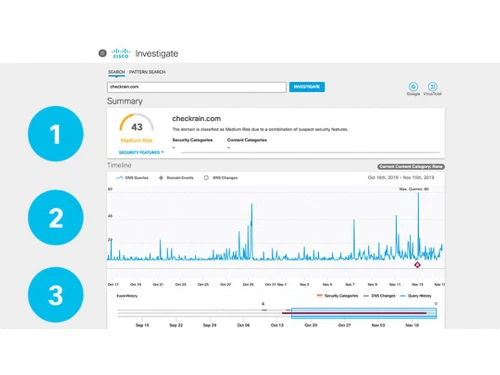
Is it possible to predict the origin of a future attack using Cisco Umbrella?

Yes, It is possible to predict the origin of a future attack by mapping out or pinpointing the attacker's infrastructure using the wide variety of security features offered by Cisco Umbrella.

Can I get a demo of Cisco Umbrella?

Yes, you can send in an online demo request for Cisco Umbrella. Our product experts will get back to you in real time.

What types of APIs are offered by Cisco Umbrella?

The software offers Management API, Enforcement API, Reporting API, investigative API and more.

Does Cisco Umbrella have a dedicated mobile app?

The software does not require a mobile app.

20,000+ Software Listed

Best Price Guranteed

Free Expert Consultation

2M+ Happy Customers

Terms and Condtions

close

Users with registered businesses can purchase goods from merchants on the platform to satisfy their business needs. Users are not permitted to utilize any products acquired through the platform for resale, advertising, business, or further distribution.

For each purchase made, users will receive a Tax Invoice (or 'GST invoice') that includes specific details such as:

  • the GSTIN of the user associated with their registered business, and

  • the specified Entity Name for their business.

It should be noted that not all products are eligible for GST Invoice. Only the products displayed by participating sellers with the 'GST-based Invoice Available' callout on the product description page would qualify.

Certain goods and services are not eligible to get a GST Invoice, including items with VAS, i.e., Value Added Services (e.g., Total Mobile Protection/Assured Buyback) and those involving an exchange offer at the time of purchase.

Users must ensure the accuracy of the GSTIN, and business entity name provided for the GST Invoice. Requests for corrections into GST Invoice would not be accommodated by Techjockey.com or any Seller, and any issues arising from user-provided information are the sole responsibility of users.

Techjockey.com is not liable for the GST Invoice or any associated input tax credit. To efficiently claim an input tax credit, users should select the registered place of business address as per the GST authority's data and follow the provisions of the GST Act and rules.

To claim an input tax credit, the delivery and billing addresses must match. Furthermore, input tax credits will not be granted if the delivery address and GSTIN on the invoice are from different states. In case of incorrect GST details provided during the order placement, the order will be canceled automatically.