linkedin
Cisco Webex logo
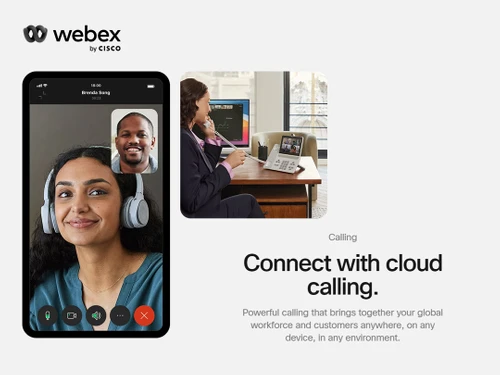
play A modern enterprise-grade cloud calling | Webex Calling
cisco webex document management
cisco webex collaboration

Cisco Webex

Brand: Cisco Systems

  • 4.6

  • 4 Ratings & 3 Reviews

Enjoy endless Collaboration Possibilities with Cisco Webex and ensure higher employee experience and engagement.

See More

Have you used Cisco Webex before?

Share your insights for better experience

Add a Review
Starting Price
₹950 excl.GST
₹ 1,121 incl. GST

View plans

offer Save upto 18%, Get GST Invoice on your business purchase T&C
offer Buy Now & Pay Later, Check offer on payment page.
Buy Now
100% Genuine
Products
Best Price
Guaranteed
Safe & Secure
Payment
  • Description

  • Pricing

  • Features

  • Specification

  • Review

  • Compare

  • Alternatives

  • FAQ

Starting at ₹950
Buy Now

Cisco WebexSoftware Overview

What is Cisco Webex?

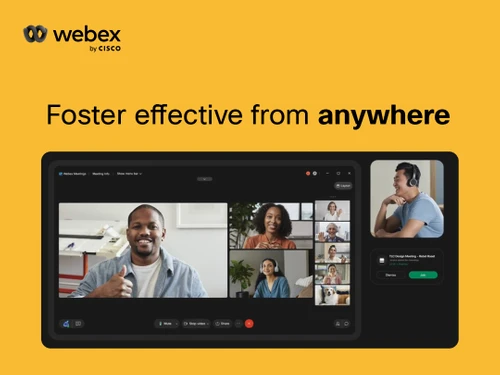
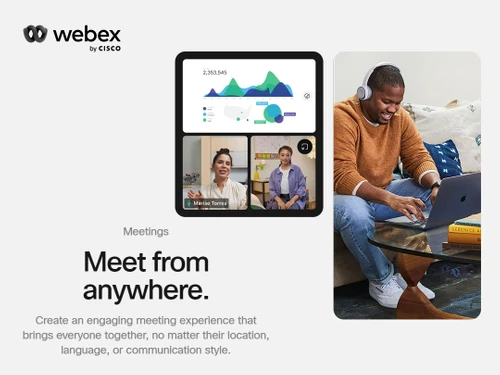
Cisco Webex Meeting Center with VOIP and PSTN is a web-based remote collaboration software. Cisco Meetings allows users to conduct video conferences and share audio, video, and other business-relevant content with their clients and team members. Users get access to an AI-powered Webex assistant which they can control using voice commands. Cisco Webex Meeting Center with VOIP and PSTN has its data centers all around the globe, enabling users to join a meeting with ease, without worrying about their location.

Webex Meeting further helps customize meeting rooms, add company logos. Cisco Webex offers facial recognition, auto framing, and speaker tracking features as well.

Furthermore, it is a versatile platform designed to simplify collaboration across all your devices. Whether you're using your desktop, a mobile app, or a video device, you can easily schedule and start meetings with a single click, without the hassle of downloads or plugins.

Additionally, the Webex Assistant offers real-time translations and transcripts, which are conveniently accessible in your post-meeting summary. Cisco places a strong emphasis on security and provides top-tier, multilayer protection to safeguard your conversations without compromising user experience.

Why Choose Cisco Webex?

Cisco Webex Collaboration Software offers a compelling choice for businesses seeking advanced collaboration software. With a focus on simplicity, it allows users to initiate hassle-free meetings from various devices, be it a browser, desktop, or mobile app, without the need for downloads or plugins.

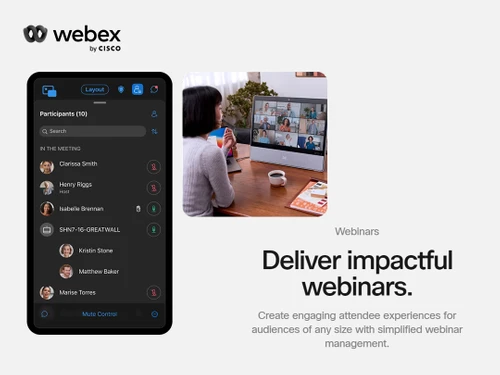
Additionally, the software also offers strong end-to-end security for discussions. And its Webex Events and Webcasting features make it easy to host large webinars and virtual events.

Key Functionalities of CiscoWebex

  • Video Conferencing Screen Capacity: Displays multiple participants on a single video conference screen easily.
  • Meeting Participant Count: Easily accommodates up to 1000 participants in your meetings.
  • IP PBX Integration: Easily integrates with IP PBX systems and prioritizes collaboration traffic over dedicated networks.
  • Meeting Data Storage: Securely stores meeting data for future reference.
  • Cognitive Collaboration: Uses Artificial Intelligence and cloud communications, combining enterprise data sources to improve collaboration.
  • Facial Recognition: Implements facial recognition technology for added security and convenience.
  • Background Noise Detection: Identify and notify background noise for computer audio participants.

Benefits of Cisco Webex

  • Simplify Collaboration Across Devices: Initiates and manages meetings effortlessly from your web browser, desktop or mobile app, or video equipment, with no need for additional download or plugins.
  • Experience Award-Winning Video Quality: Offers exceptional audio, video, and content sharing capabilities, including digital whiteboards.
  • Industry-Leading Security: Protects your personal room and discussions with end-to-end security measures. With multilayer security solutions provide peace of mind without compromising the user experience.

Pricing of Cisco Webex

Cisco Webex price details are available at INR 950 per month at techjockey.com.

Cisco Webex price in India may vary based on factors like customization, additional features required, number of users, and the deployment type. Please request a call back for subscription-related details and to avail offers on premium packages.

Read more

Cisco Systems Company Details

Founded Year:  1984

Cisco develops, manufactures, and sells networking hardware, telecommunications equipment, and other technology services and products.

Director/Founders Leonard Bosack, Sandy Lerner
Company Size 1000+ Employees

Cisco Webex Pricing & Plans

Meetings-Webex Starter
Key Features
  • Meeting length limit-24 hours
  • Meeting capacity-Up to 150
  • Interactive whiteboarding
  • Advanced noise removal & optimize for my voice
  • Secure lobby to prevent uninvited users from joini
  • Meetings on the go
  • Pin videos and shared content with customized stag
  • Meeting recording-Local & 5GB Cloud
  • Closed captions & meetings highlights-*English, Fr
  • Live polling and Q&A by Slido

Calculated Price

950 Exclusive of all taxes
    • Licenses

      Licenses
      Licenses
    • Monthly

      Monthly
      Monthly

Key Features

  • Meeting length limit-24 hours

  • Meeting capacity-Up to 150

  • Interactive whiteboarding

  • Advanced noise removal & optimize for my voice

  • Secure lobby to prevent uninvited users from joini

  • Meetings on the go

  • Pin videos and shared content with customized stag

  • Meeting recording-Local & 5GB Cloud

  • Closed captions & meetings highlights-*English, Fr

  • Live polling and Q&A by Slido

Cisco Webex Features

  • icon_check Document Management
    With Cisco Webex Meeting, users can store and manage all business-related documents.
  • icon_check Collaboration
    Cisco Meetings integrates with external productivity tools, workflow apps and learning management systems.
  • icon_check Interactive Multimedia Experience (IME)
    Allows users to control and combine various media types such as text, sound, video and animation.
  • icon_check Video Playback
    Allows hosts to play videos on their computer screens during live meetings and then discuss their thoughts with clients.
  • icon_check Integrated Audio
    Offers an excellent integrated audio system, enabling them to conduct high-clarity web meetings.
  • icon_check Desktop Integration Suite
    Users get access to a dual desktop integrated suite, one being Webex for Windows and the other being Webex for Mac.
  • icon_check One-Click Meeting Access
    Cisco Webex Meeting Center with VOIP and PSTN connects its user’s device with the meeting room in an automated way.
  • icon_check Easy Meeting Invites
    Allows users to send invitations to their clients or team members.
  • icon_check Cross-Platform Support
    Cisco Webex Meeting Center is a cloud-based software that can be used on PCs, mobiles and tablets as per its user’s needs.
  • icon_check Personal Rooms
    Hosts can create and manage personal meeting rooms with customized addresses, where they can add multiple team members.
  • icon_check Noise Removal
    Eliminate distracting background sounds like barking dogs or lawnmowers using advanced AI-driven audio filtering technology.
  • icon_check Real-Time Translation
    Break language barriers with live closed captioning and real-time translation into over one hundred global languages daily.
  • icon_check Immersive Share Feature
    Overlay your live video feed directly onto your presentation content for a more engaging and professional sharing experience.
  • icon_check Secure End-to-End Crypto
    Protect your most sensitive business conversations with industry-leading end-to-end encryption for all meeting data and media.
  • icon_check Webex Assistant Voice
    Use natural voice commands to take meeting notes, create highlight clips, and set follow-up reminders during your live session.
  • icon_check Breakout Sessions
    Divide large meetings into smaller groups for focused brainstorming and then bring everyone back to the main room effortlessly.
  • icon_check Interactive Whiteboarding
    Collaborate in real-time on a digital canvas where all participants can draw, add sticky notes, and share creative ideas fast.
  • icon_check Seamless Device Handoff
    Switch your active meeting from a mobile phone to a desktop or a Webex Room device with a single click and no interruptions.
Cisco Webex Demo Video play icon

Get Cisco Webex Demo

Watch the demo video to explore key features, real workflows, and how the software fits your business needs.

Understand
Key Features
Personal
Demo Insights
Interactive
Demo Support
Product Enrichment Section Image

Cisco Webex Specification

Supported Platforms
Ubuntu Ubuntu Windows Windows iOS iOS Android Android MacOS MacOS
Devices
Desktop Desktop Mobile Mobile
Deployment
Web-Based Web-Based Perpetual Perpetual
Suitable For
All Industries
Business Specific
All Businesses
Business Size
Small Business Startups Medium Business SMBs SMEs MSMBs MSMEs
Customer Support
Email Communities
Language
English
Training Resources
Documentation Videos

Explore the Best Alternative Solutions Similar to Your Business Size and Needs

Cisco Webex Reviews

4.6

Out of 5

img

Overall Rating

Based on
3 Verified Reviews

Rating Breakdown

  • Features 4.7
  • Value for Money 4.5
  • Ease of Use 5
  • Customer Support 4.5

85% Recommend this Product

Add Review

Cisco Webex Video Reviews

youtubeVideoId

4.8

“ All the Top New Features in Cisco Webex”

Review by: Kevin Stratvert

youtubeVideoId

4.8

“Cisco Webex Meetings Review: Features, Pricing, Pros & Cons | Is It Right for Your Business”

Review by: stork-ai

youtubeVideoId

4.8

“WebEx Review: Solid and Reliable Online Meeting Tool”

Review by: SoftwareAdvice

Compare Cisco Webex With other Video Conferencing Software

Products
Ratings
Pricing
Device Supported
Deployment
Supported Platforms
  • img

    Cisco Webex

  • 4.6

  • ₹ 950.00 excl. GST

  • Desktop

    Mobile

  • Web based

    On Premises

  • Windows

    Mac OS

  • img

    Tencent RTC

  • 4.0

  • Price On Request

  • Desktop

    Mobile

  • Web based

    On Premises

  • Windows

    Mac OS

  • img

    Interactio

  • 4.5

  • Price On Request

  • Desktop

    Mobile

  • Web based

    On Premises

  • Windows

    Mac OS

  • img

    JioMeet

  • 3.6

  • Price On Request

  • Desktop

    Mobile

  • Web based

    On Premises

  • Windows

    Mac OS

  • img

    GoToMeeting

  • 4.1

  • Price On Request

  • Desktop

    Mobile

  • Web based

    On Premises

  • Windows

    Mac OS

  • img

    Pexip

  • 4.2

  • Price On Request

  • Desktop

    Mobile

  • Web based

    On Premises

  • Windows

    Mac OS

  • img

    AONMeetings

  • 4.7

  • ₹ 152

  • Desktop

    Mobile

  • Web based

    On Premises

  • Windows

    Mac OS

  • img

    Zoom Rooms

  • 5

  • ₹ 13764

  • Desktop

    Mobile

  • Web based

    On Premises

  • Windows

    Mac OS

  • img

    VideoMeet

  • 4.5

  • ₹ 499

  • Desktop

    Mobile

  • Web based

    On Premises

  • Windows

    Mac OS

  • img

    xpression camera

  • 4.4

  • Price On Request

  • Desktop

    Mobile

  • Web based

    On Premises

  • Windows

    Mac OS

  • img

    Vidyo

  • 4.4

  • Price On Request

  • Desktop

    Mobile

  • Web based

    On Premises

  • Windows

    Mac OS

(0) Product(s) selected

Cisco Webex Alternatives

See All Cisco Webex Alternatives

Starting Price:

$125 /Month

Available

Price on Request

Starting Price:

₹1,299 /Month

Starting Price:

$849 /Month

Starting Price:

$20

Starting Price:

$99 /Month

Starting Price:

$7 /Month

Available

Price on Request

Articles for Cisco Webex

See All Related Articles

Which operating system does Cisco Webex Collaboration Software Support?

Cisco Webex Collaboration Software is compatible with Windows and Mac operating systems.

Is there any Cisco Webex Collaboration Software?

Cisco Webex collaboration app is available for both Android and iOS devices.

What is the deployment type of Cisco Webex Collaboration Software?

Cisco Webex Collaboration Software Supports on-premises deployment.

?How much does the Cisco Webex Collaboration Software cost?

Cisco Webex Collaboration Software Pricing is available at INR 950 per month at techjockey.com.

Who are the potential users of Cisco Webex Collaboration Software?

Cisco Webex Collaboration Software can be used by businesses for seamless collaboration among employees to ensure higher employee engagement and customer experiences.

Is there any free trial or demo for Cisco Webex Collaboration Software?

Cisco Webex Collaboration Software Demo is available for free with techjockey.com.

Is the Cisco Webex Collaboration Software free?

Cisco Webex Collaboration Software Does not offer a free trial.

How can you download the Cisco Webex Collaboration Software?

For Cisco Webex collaboration software installation, insert the given CD/USB flash storage in your system and open the Setup Wizard to get started.

How does Cisco Webex Collaboration Software work?

Cisco Webex is a comprehensive collaboration and customer experience platform by Cisco. It offers top-notch video conferencing, calling, and contact center solutions, facilitating seamless collaboration for businesses of all sizes.

20,000+ Software Listed

Best Price Guranteed

Free Expert Consultation

2M+ Happy Customers

Terms and Condtions

close

Users with registered businesses can purchase goods from merchants on the platform to satisfy their business needs. Users are not permitted to utilize any products acquired through the platform for resale, advertising, business, or further distribution.

For each purchase made, users will receive a Tax Invoice (or 'GST invoice') that includes specific details such as:

  • the GSTIN of the user associated with their registered business, and

  • the specified Entity Name for their business.

It should be noted that not all products are eligible for GST Invoice. Only the products displayed by participating sellers with the 'GST-based Invoice Available' callout on the product description page would qualify.

Certain goods and services are not eligible to get a GST Invoice, including items with VAS, i.e., Value Added Services (e.g., Total Mobile Protection/Assured Buyback) and those involving an exchange offer at the time of purchase.

Users must ensure the accuracy of the GSTIN, and business entity name provided for the GST Invoice. Requests for corrections into GST Invoice would not be accommodated by Techjockey.com or any Seller, and any issues arising from user-provided information are the sole responsibility of users.

Techjockey.com is not liable for the GST Invoice or any associated input tax credit. To efficiently claim an input tax credit, users should select the registered place of business address as per the GST authority's data and follow the provisions of the GST Act and rules.

To claim an input tax credit, the delivery and billing addresses must match. Furthermore, input tax credits will not be granted if the delivery address and GSTIN on the invoice are from different states. In case of incorrect GST details provided during the order placement, the order will be canceled automatically.