linkedin
GoToMeeting logo
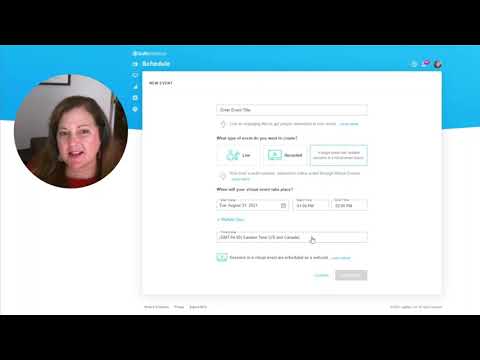
play GoTo Virtual Events | Demo
gotomeeting software-chats
gotomeeting software-meetings

GoToMeeting

Brand: GoTo

  • 4.1

  • 1 Rating & 1 Review

GoToMeeting is a Web Conferencing & Online Meeting Software offered by LogMeIn. The software allows users to host online meetings, make video conferences, share individual computer screens and even record meetings and store them in the cloud. With this collaboration software, users can start hosting online meetings with a single click. It provides affordable and out-of-the-box solutions to it...

See More

Have you used GoToMeeting before?

Share your insights for better experience

Add a Review
Starting Price
$14

View plans

100% Genuine
Products
Best Price
Guaranteed
Safe & Secure
Payment
  • Description

  • Pricing

  • Features

  • Specification

  • Review

  • Compare

  • Alternatives

  • FAQ

Starting at $14

GoToMeeting Software Overview

What is GoToMeeting LogMeIn?

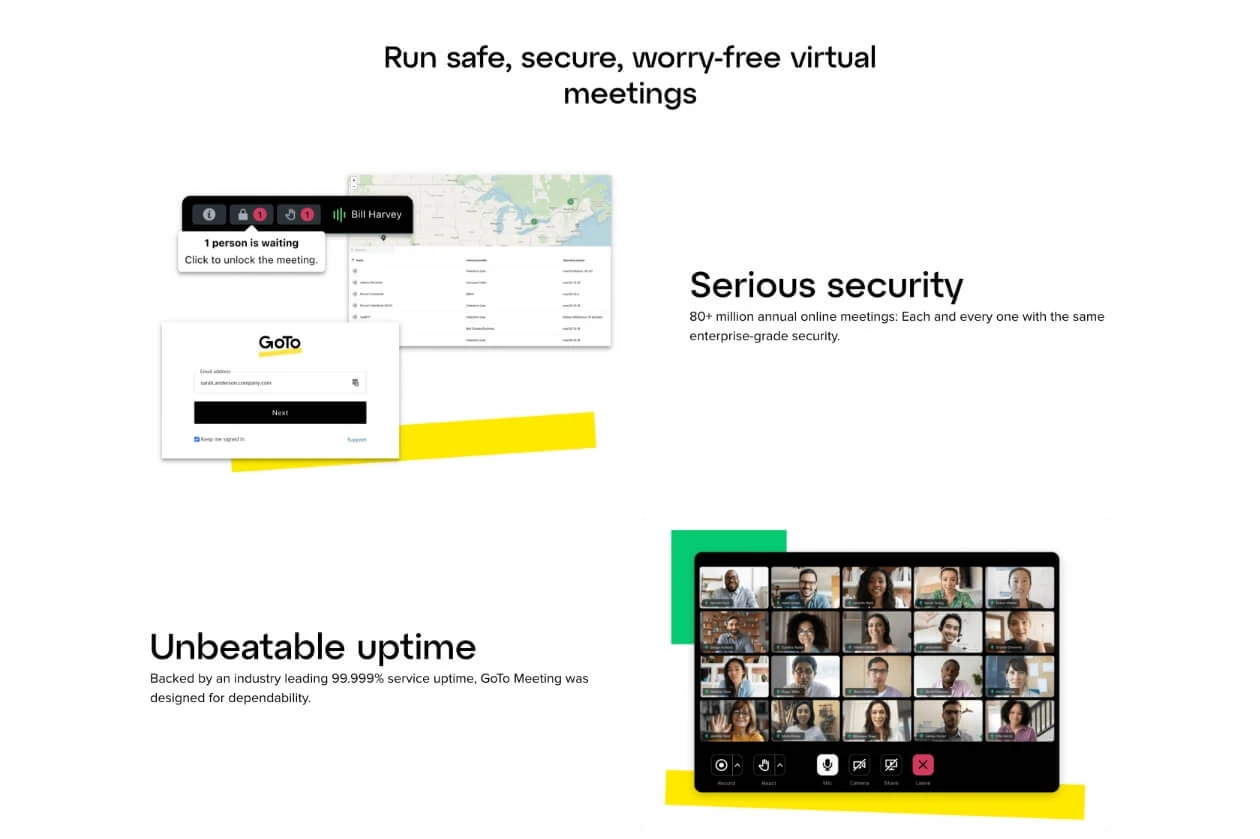
GoToMeeting is a Web Conferencing & Online Meeting Software offered by LogMeIn. The software allows users to host online meetings, make video conferences, share individual computer screens and even record meetings and store them in the cloud. With this collaboration software, users can start hosting online meetings with a single click. It provides affordable and out-of-the-box solutions to its users, enabling them to create meeting spaces within a few minutes. The Video conference software offers scalable features, thus allowing administrators to transform their online events into a more engaging experience with ease.

How is GoToMeeting LogMein beneficial for the administrators?

By using GoToMeeting LogMein as an administrator, you can give your team a secure and reliable conferencing experience. Here are some of the benefits offered by this web-hosting webinar software -

  1. Automated Provisioning: As an administrator, you can connect your database with the software and start managing large numbers of meetings with ease.
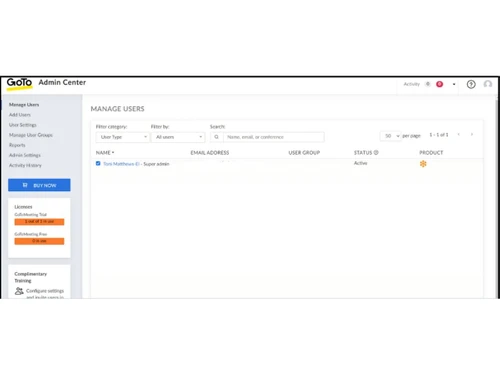
  2. Admin Center: You can manage and control all your staff’s access and run reports to track the problematic areas within a specific session.
  3. Seamless Access: The software offers multiple ways for single sign-on, enabling employees to access it with their familiar company credentials.
  4. In-room kit: Using this software, users can get access to a simple but professional looking in-room kit. It is ideal for all small and medium-sized rooms.

Pricing of GoToMeeting LogMein

The software is available in three different plans -

  1. Professional:  $14/- per organizer/per month, allows 150 participants.
  2. Business:  $19/- per organizer/per month, allows 250 participants.
  3. Enterprise: The price of this plan is available as per the customers’ requirements. It allows up to 3000 participants.

Interested buyers can make a callback request. Our experts will provide assistance with activation key, license renewal and more.

The Latest Version of GoToMeeting LogMein

The latest version of the software is V2.3, which was launched on 9th April 2020. Let’s have a look at some of its unique features -

  1. The software has GoToMeeting Lightning Component embedded within it.
  2. The makers of the software have included the smart notes feature in the post-session meeting details.
  3. The latest version of the software automatically syncs details of the meeting with the subject file.

Compatible Platforms of GoToMeeting LogMein

The software is compatible with:

  1. Windows 7 and 10
  2. Mac OS X 10.9 (or Mavericks), Mac OS X 10.15 (or Catalina)
  3. Linux/Ubuntu (web application only)
  4. Google Chrome OS (web application only)
  5. iOS 11 or higher till iOS 13
  6. Android OS 5 (Lollipop) or higher till Android 10

Benefits of using GoToMeeting LogMein

The software provides multiple features and services that are beneficiary for the user:

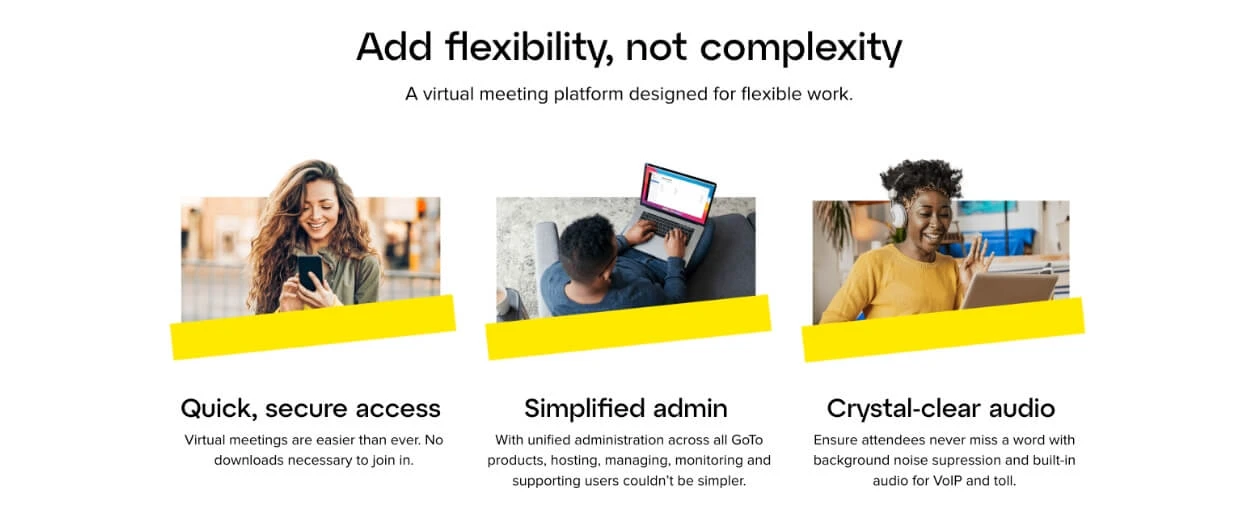
  1. Instant One-Click Meetings: Users can join, manage or host online meetings from a fixed meeting room or any remote location with just a click. The software allows them to use their Mac, PC or any other Android or iOS supported mobile device.
  2. Quality based reports: The software allows users to get an in-depth view of their performance, based on the reports it provides.
  3. Advanced security policies: It offers advanced security options like SAML and SSO login, enabling users to conduct web conferences and meetings with ease.
  4. Cloud Recording: This software helps users record their entire meeting on the cloud.
  5. Commuter Mode: By using this software, users can attend meetings and get access to a reliable and distraction-free experience.
Read more

GoTo Company Details

Founded Year:  2003

At GoTo, we're making IT easy, anywhere, with remote management and support, and business communication software, unified with one admin solution. We help you get things done simply and securely, so work time can be well-spent and free time can be better spent.

Director/Founders Mr. Veldran
Company Size 1000+ Employees

GoToMeeting Pricing & Plans

Professional
Starting at $14
    • Users (Organizer)

      Users (Organizer)
      Users (Organizer)
    • Monthly

      Monthly
      Monthly

Key Features

  • Included: 150 Participants

  • HD Video

  • Screen Sharing

  • Web Audio

  • Dial in Conference Line

  • Unlimited Meetings

  • No Meeting Time Limits

Business
Starting at $19
    • Users (Organizer)

      Users (Organizer)
      Users (Organizer)
    • Monthly

      Monthly
      Monthly

Key Features

  • Included: 250 Participants

  • HD Video

  • Screen Sharing

  • Web Audio

  • Dial in Conference Line

  • Unlimited Meetings

  • No Meeting Time Limits

GoToMeeting Features

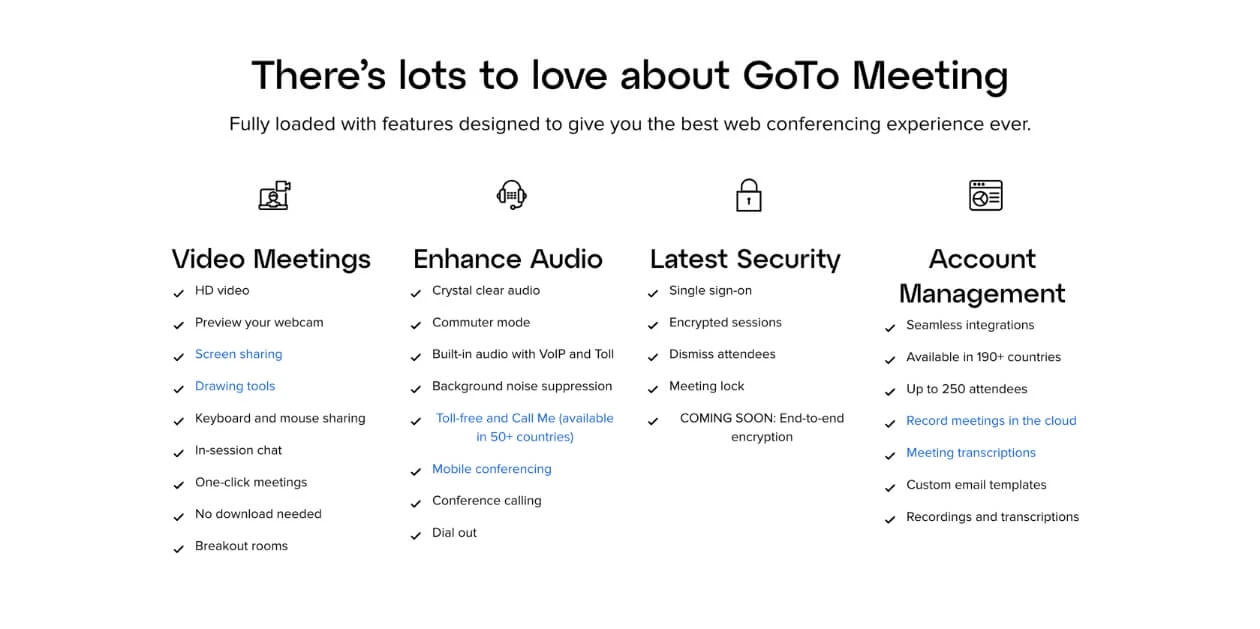
  • icon_check Integrated Audio
    Built‑in VoIP and dial‑in audio ensure crystal‑clear voice with noise suppression.
  • icon_check Toll Free Number
    Optional toll‑free audio add‑on lets participants dial in without incurring charges for the organizer.
  • icon_check Mobile Support
    Full-featured mobile apps for iOS and Android keep meetings accessible anywhere.
  • icon_check Drawing management
    Annotation and drawing tools let presenters mark up screens during sessions.
  • icon_check Screen Recording
    Unlimited cloud recording of meetings, including video and audio, across most plans.
  • icon_check Integration
    Seamlessly integrates with Slack, Office 365, Google Calendar, Salesforce, and more.
  • icon_check Analytics & Reporting
    Admin dashboard with meeting diagnostics and downloadable reports.
  • icon_check Presenter Switching
    Easy support for co-organizers and presenter handoff during meetings.
  • icon_check Automatic Transcription
    Automated conversion of spoken dialogue into a time-stamped text format for accessible record-keeping and rapid searching.
  • icon_check Meeting Lock
    Security protocol enabling organizers to prevent new participants from joining a session once the meeting has commenced.
  • icon_check Calendar Integration
    Direct synchronization with Outlook and Google Calendar to schedule meetings and send automated invites to participants.
  • icon_check Screen Sharing
    HD screen sharing with keyboard and mouse control sharing capabilities.
  • icon_check Audio / Video Conferencing
    HD video conferencing for up to 250 participants with breakout rooms and chat.
GoToMeeting Demo Video play icon

Get GoToMeeting Demo

Watch the demo video to explore key features, real workflows, and how the software fits your business needs.

Understand
Key Features
Personal
Demo Insights
Interactive
Demo Support
Product Enrichment Section Image

GoToMeeting Specifications

Supported Platforms
Ubuntu Ubuntu Windows Windows iOS iOS Android Android MacOS MacOS Linux Linux
Devices
Desktop Desktop Mobile Mobile Tablet Tablet iPad iPad
Deployment
Cloud-Based Cloud-Based
Suitable For
All Industries
Business Specific
All Businesses
Customer Support
Email Live Chat
Language
English
Integration
API Integration
Training Resources
Webinars Videos
AI Features
AI Integrated
Compliance Regulation
HIPAA CCPA CPRA ECPA

Explore the Best Alternative Solutions Similar to Your Business Size and Needs

GoToMeeting Review

4.1

Out of 5

img

Overall Rating

Based on
1 Verified Review

Rating Breakdown

  • Features 4
  • Value for Money 3.5
  • Ease of Use 4.5
  • Customer Support 4.5

80% Recommend this Product

Add Review

Pawan Singh

User

4.1

Reviewed on: Apr 29, 2021

Techjockey Verified

“User-friendly platform”

Pros

User-friendly platform with privacy and safety features. You can capture the moment while we are attending the meeting

Cons

NO CONS
Compare GoToMeeting With other Video Conferencing Software

Products
Ratings
Pricing
Device Supported
Deployment
Supported Platforms
  • img

    GoToMeeting

  • 4.1

  • Price On Request

  • Desktop

    Mobile

  • Web based

    On Premises

  • Windows

    Mac OS

  • img

    LogMein Open Voice

  • 4.0

  • Price On Request

  • Desktop

    Mobile

  • Web based

    On Premises

  • Windows

    Mac OS

  • img

    GoToRoom

  • 4.2

  • Price On Request

  • Desktop

    Mobile

  • Web based

    On Premises

  • Windows

    Mac OS

  • img

    Cisco Webex

  • 4.6

  • ₹ 950

  • Desktop

    Mobile

  • Web based

    On Premises

  • Windows

    Mac OS

  • img

    Tencent RTC

  • 4.0

  • Price On Request

  • Desktop

    Mobile

  • Web based

    On Premises

  • Windows

    Mac OS

  • img

    Interactio

  • 4.5

  • Price On Request

  • Desktop

    Mobile

  • Web based

    On Premises

  • Windows

    Mac OS

  • img

    AONMeetings

  • 4.7

  • ₹ 152

  • Desktop

    Mobile

  • Web based

    On Premises

  • Windows

    Mac OS

  • img

    Pexip

  • 4.2

  • Price On Request

  • Desktop

    Mobile

  • Web based

    On Premises

  • Windows

    Mac OS

  • img

    VideoMeet

  • 4.5

  • ₹ 499

  • Desktop

    Mobile

  • Web based

    On Premises

  • Windows

    Mac OS

  • img

    JioMeet

  • 3.6

  • Price On Request

  • Desktop

    Mobile

  • Web based

    On Premises

  • Windows

    Mac OS

  • img

    xpression camera

  • 4.4

  • Price On Request

  • Desktop

    Mobile

  • Web based

    On Premises

  • Windows

    Mac OS

(0) Product(s) selected

GoToMeeting Alternatives

See All GoToMeeting Alternatives

Starting Price:

$125 /Month

Available

Price on Request

Starting Price:

₹1,299 /Month

Starting Price:

$849 /Month

Starting Price:

$20

Starting Price:

$99 /Month

Available

Price on Request
Starting Price:

$7 /Month

Articles for GoToMeeting

See All Related Articles

Do I need a GoToMeeting account to attend a session?

No, you do not need a GoToMeeting account to attend a session but to be able to make direct audio or video calls you need to have a GoToMeeting account.

Does it provide customer support?

Yes, GoToMeeting does provide customer support. You can either call on their toll-free number 1800 419 6989 or fill in your details at www.gotomeeting.com to let the customer service executive reach you within 24 hours.

Does GoToMeeting Log Mein allow users to share their screens?

The software provides a full screen and single application sharing option to its users.

Does GoToMeeting LogMein integrate with other online platforms?

The software seamlessly integrates with online platforms like Microsoft and Google Calendars. It automatically adds all the conferencing information to the user’s calendar with just a push of a button.

Can I get a demo of GoToMeeting LogMein?

You can get an online demo of this software with techjockey. You simply need to send in a demo request and for your preferred time and date.

What is the system requirement for installing GoToMeeting Logmein?

GoToMeeting LogMein is a web-based software and for using it, you need to have: Google Chrome v57 or a later version Microsoft Edge v77 or a later version GoToMeeting desktop app GoToMeeting web App and screen sharing extension

Does GoToMeeting LogMein have a mobile app?

It is a web-based software and can be accessed from any device via a web browser.

20,000+ Software Listed

Best Price Guranteed

Free Expert Consultation

2M+ Happy Customers

Terms and Condtions

close

Users with registered businesses can purchase goods from merchants on the platform to satisfy their business needs. Users are not permitted to utilize any products acquired through the platform for resale, advertising, business, or further distribution.

For each purchase made, users will receive a Tax Invoice (or 'GST invoice') that includes specific details such as:

  • the GSTIN of the user associated with their registered business, and

  • the specified Entity Name for their business.

It should be noted that not all products are eligible for GST Invoice. Only the products displayed by participating sellers with the 'GST-based Invoice Available' callout on the product description page would qualify.

Certain goods and services are not eligible to get a GST Invoice, including items with VAS, i.e., Value Added Services (e.g., Total Mobile Protection/Assured Buyback) and those involving an exchange offer at the time of purchase.

Users must ensure the accuracy of the GSTIN, and business entity name provided for the GST Invoice. Requests for corrections into GST Invoice would not be accommodated by Techjockey.com or any Seller, and any issues arising from user-provided information are the sole responsibility of users.

Techjockey.com is not liable for the GST Invoice or any associated input tax credit. To efficiently claim an input tax credit, users should select the registered place of business address as per the GST authority's data and follow the provisions of the GST Act and rules.

To claim an input tax credit, the delivery and billing addresses must match. Furthermore, input tax credits will not be granted if the delivery address and GSTIN on the invoice are from different states. In case of incorrect GST details provided during the order placement, the order will be canceled automatically.