linkedin
Cobby PIM logo
play Meet cobby PIM! - [ENG] | cobby io
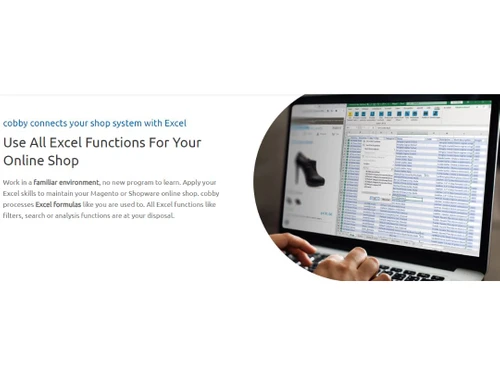
Cobby PIM Excel functions
Cobby PIM Real-time processing

Cobby PIM

Brand: Cobby

  • 4.5

  • 1 Rating & 1 Review

Cobby PIM software centralizes product data and enhances organization, simplifying data management and improving business data accuracy.

See More

Have you used Cobby PIM before?

Share your insights for better experience

Add a Review
Starting Price
€149

View plans

100% Genuine
Products
Best Price
Guaranteed
Safe & Secure
Payment
  • Description

  • Pricing

  • Features

  • Specification

  • Review

  • Compare

  • Alternatives

  • FAQ

Starting at €149

Cobby PIM Software Overview

What is Cobby?

Cobby PIM is a versatile and efficient solution to bring new ways to manage online stores. The software fulfils all the needs of Content Managers, Product Managers, and Agencies by streamlining tasks within an intuitive Excel-based environment.

This product information management software simplifies creating and maintaining product descriptions with effortless copying, editing, and assigning categories. It offers bulk editing to update prices, images, and SEO data quickly and easily. The Error Assistant keeps the data integrity by guaranteeing complete and correct product information. The platform enables role and rights assignment for team members, optimizing resource allocation. Real-time catalogue updates empower managers to stay competitive, adjusting prices swiftly during peak seasons. The software can be used to manage multiple online stores simultaneously. It also facilitates painless online store migration, saving time and effort during data transfer.

Cobby PIM empowers users with a user-friendly platform, extensive functionality, and significant time savings. Whether you're a Content Manager, Product Manager, or Agency, Cobby simplifies online store management, ensuring data accuracy and efficiency. Say goodbye to tedious tasks and welcome a new era of streamlined productivity with Cobby PIM.

Why Choose Cobby PIM?

  • Effortless Product Creation: Easily create or copy existing products with minimal manual effort.
  • Category Management: Swiftly assigns and modifies categories for products, enhancing organization.
  • Bulk Data Editing: Streamline data updates with mass editing capabilities for images, prices, and SEO data.
  • Data Validation: Error Assistant fills mandatory fields, maintaining data accuracy.
  • Role-Based Access: Assign roles and rights for efficient teamwork and resource management.
  • Excel Environment: Familiar Excel interface reduces training time and simplifies product management.
  • Real-time Updates: Quickly adjust product catalogues to stay competitive, even during peak seasons.
  • Online Store Migration: Simplify data transfer when transitioning to a new store system, saving time and effort.

Benefits of Cobby PIM

  • Streamlining product management improves efficiency and coordination.
  • Boosting data accuracy ensures reliable decision-making.
  • Enhancing product customization tailors offerings to individual needs.
  • Saving time on price calculations increases productivity.
  • Simplifying attribute organization eases product catalogue management.
  • Effortless data imports reduce manual data entry efforts.
  • Real-time error prevention safeguards against costly mistakes.

Cobby PIM Pricing

Cobby product information management software price starts from € 149 at techjockey.com.

The pricing model is based on different parameters, including extra features, deployment type, and total users. For further queries related to the product, you can contact our product team and learn more about the pricing and offers.

Read more

Cobby Company Details

Founded Year:  2018

Fast and efficient online store maintenance: cobby connects all products from your catalog in real-time with Excel. Create new products, change prices, upload images and much more - directly in Excel.

Director/Founders Cobby
Company Size 1-100 Employees

Cobby PIM Pricing & Plans

Starter
Key Features
  • 1 user
  • 1 shop & no test shop
Starting at €149
    • Licenses

      Licenses
      Licenses
    • Monthly

      Monthly
      Monthly

Key Features

  • 1 user

  • 1 shop & no test shop

Cobby PIM Features

  • icon_check HTML Editor
    Edit product descriptions effortlessly with a user-friendly HTML editor for rich content customization.
  • icon_check Splitting attribute sets
    Efficiently organize and manage attributes in separate sets for precise product control and flexibility.
  • icon_check Configurable products
    Simplify complex product variations by creating customizable options tailored to your needs.
  • icon_check Automatic price calculation
    Automate price adjustments using predefined rules for consistent and accurate pricing.
  • icon_check New attribute options
    Seamlessly add and manage additional attributes to enhance product customization.
  • icon_check Error assistant
    Get real-time guidance to ensure mandatory fields are properly filled, maintaining data accuracy.
  • icon_check Import data
    Easily import and update product information from various sources, streamlining data management.
  • icon_check Configurable assignment
    Customize attribute and data assignment to meet specific product information needs.
  • icon_check Import mode
    Choose from versatile import modes to precisely match your data import requirements.
  • icon_check Troubleshooting
    Quickly identify and resolve issues with built-in tools for seamless data management.
Cobby PIM Demo Video play icon

Get Cobby PIM Demo

Watch the demo video to explore key features, real workflows, and how the software fits your business needs.

Understand
Key Features
Personal
Demo Insights
Interactive
Demo Support

Cobby PIM Specifications

Supported Platforms
Ubuntu Ubuntu Windows Windows MacOS MacOS Linux Linux
Devices
Desktop Desktop Mobile Mobile Tablet Tablet iPad iPad
Deployment
Cloud-Based Cloud-Based
Suitable For
All Industries
Business Specific
All Businesses
Business Size
Small Business Startups Medium Business Enterprises
Customer Support
Phone Email Communities
Language
Nederlands English
Integration
API Integration
Training Resources
Documentation Videos

Explore the Best Alternative Solutions Similar to Your Business Size and Needs

Cobby PIM Review

4.5

Out of 5

img

Overall Rating

Based on
1 Verified Review

Rating Breakdown

  • Features 4.5
  • Value for Money 4.5
  • Ease of Use 4.5
  • Customer Support 4.5

90% Recommend this Product

Add Review

sujit kumar

Associate

Industry: E-commerce User since: < 6 months

4.5

Reviewed on: Sep 12, 2023

Techjockey Verified

“Best cloud-based PIM software”

Pros

Cobby PIM is a cloud-based software that helps businesses manage their product information efficiently.

Cons

Limited reporting capabilities

Compare Cobby PIM With other Product Information Management Software

Products
Ratings
Pricing
Device Supported
Deployment
Supported Platforms
  • img

    Cobby PIM

  • 4.5

  • Price On Request

  • Desktop

    Mobile

  • Web based

    On Premises

  • Windows

    Mac OS

  • img

    1WorldSync

  • 4.1

  • Price On Request

  • Desktop

    Mobile

  • Web based

    On Premises

  • Windows

    Mac OS

  • img

    Quable PIM

  • 4.4

  • Price On Request

  • Desktop

    Mobile

  • Web based

    On Premises

  • Windows

    Mac OS

  • img

    OneTimePIM

  • 5

  • Price On Request

  • Desktop

    Mobile

  • Web based

    On Premises

  • Windows

    Mac OS

  • img

    Ergonode PIM

  • 5

  • Price On Request

  • Desktop

    Mobile

  • Web based

    On Premises

  • Windows

    Mac OS

  • img

    Plytix

  • 4.5

  • Price On Request

  • Desktop

    Mobile

  • Web based

    On Premises

  • Windows

    Mac OS

  • img

    Catsy

  • 4.3

  • Price On Request

  • Desktop

    Mobile

  • Web based

    On Premises

  • Windows

    Mac OS

  • img

    Pimberly

  • 4.5

  • Price On Request

  • Desktop

    Mobile

  • Web based

    On Premises

  • Windows

    Mac OS

  • img

    Agility PIM

  • 4.5

  • Price On Request

  • Desktop

    Mobile

  • Web based

    On Premises

  • Windows

    Mac OS

  • img

    Gepard PIM

  • 4.2

  • Price On Request

  • Desktop

    Mobile

  • Web based

    On Premises

  • Windows

    Mac OS

  • img

    PIMworks

  • 4.4

  • Price On Request

  • Desktop

    Mobile

  • Web based

    On Premises

  • Windows

    Mac OS

(0) Product(s) selected

Cobby PIM Alternatives

See All Cobby PIM Alternatives

Available

Price on Request

Available

Price on Request

Available

Price on Request

Available

Price on Request

Available

Price on Request

Available

Price on Request

Available

Price on Request

Which operating system does the Cobby PIM Software Support?

Cobby PIM software is compatible with Windows and macOS device systems.

Is there any Cobby PIM App?

The Cobby PIM app is unavailable on Android and iOS devices.

What is the deployment type of the Cobby PIM?

Cobby supports cloud-based deployment.

How much does the Cobby cost?

Cobby pricing starts from € 149 at techjockey.com.

Who uses Cobby PIM?

Cobby PIM can be used by a wide range of businesses and industries, including retailers, manufacturers, e-commerce companies, distributors, and more.

Is there any free trial or demo for the Cobby PIM?

Cobby PIM demo is available for free with techjockey.com.

Is the Cobby PIM Product Information Management Software free?

Cobby PIM Product Information Management Software does not offer a free trial.

How can you download the Cobby Product Information Management Software?

Cobby PIM Software’s installation is not required, as it is cloud-based. Just open the Setup Wizard to get started.

How does Cobby PIM Product Information Management Software work?

Cobby PIM is an advanced product information management software that seamlessly integrates product data in real-time with Excel. This tool streamlines online shop product information management, offering fast and efficient data handling capabilities.

20,000+ Software Listed

Best Price Guranteed

Free Expert Consultation

2M+ Happy Customers

Terms and Condtions

close

Users with registered businesses can purchase goods from merchants on the platform to satisfy their business needs. Users are not permitted to utilize any products acquired through the platform for resale, advertising, business, or further distribution.

For each purchase made, users will receive a Tax Invoice (or 'GST invoice') that includes specific details such as:

  • the GSTIN of the user associated with their registered business, and

  • the specified Entity Name for their business.

It should be noted that not all products are eligible for GST Invoice. Only the products displayed by participating sellers with the 'GST-based Invoice Available' callout on the product description page would qualify.

Certain goods and services are not eligible to get a GST Invoice, including items with VAS, i.e., Value Added Services (e.g., Total Mobile Protection/Assured Buyback) and those involving an exchange offer at the time of purchase.

Users must ensure the accuracy of the GSTIN, and business entity name provided for the GST Invoice. Requests for corrections into GST Invoice would not be accommodated by Techjockey.com or any Seller, and any issues arising from user-provided information are the sole responsibility of users.

Techjockey.com is not liable for the GST Invoice or any associated input tax credit. To efficiently claim an input tax credit, users should select the registered place of business address as per the GST authority's data and follow the provisions of the GST Act and rules.

To claim an input tax credit, the delivery and billing addresses must match. Furthermore, input tax credits will not be granted if the delivery address and GSTIN on the invoice are from different states. In case of incorrect GST details provided during the order placement, the order will be canceled automatically.