linkedin
Connecteam logo
play Connecteam - The Ultimate All-in-One Team Management App
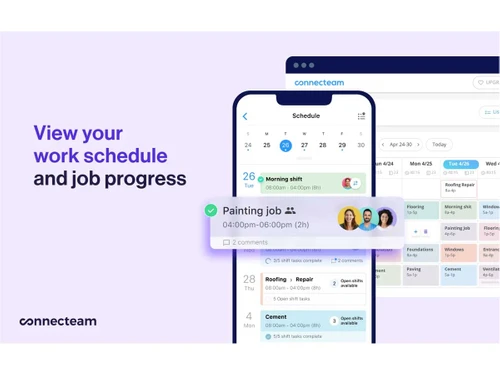
Connecteam-job-progress
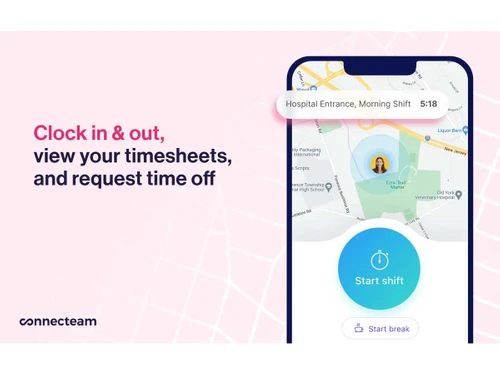
Connecteam-clock-in

Connecteam

Brand: Connecteam Inc

  • 4.1

  • 5 Ratings

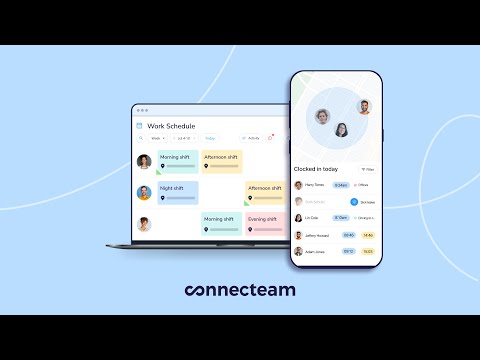
Connecteam is an all-in-one employee management platform designed to simplify scheduling, communication, and task coordination for deskless teams.

See More

Have you used Connecteam before?

Share your insights for better experience

Add a Review
Starting Price
$35

View plans

100% Genuine
Products
Best Price
Guaranteed
Safe & Secure
Payment
  • Description

  • Pricing

  • Features

  • Specification

  • Review

  • Compare

  • Alternatives

  • FAQ

Starting at $35

Connecteam Software Overview

What is Connecteam?

Connecteam is a comprehensive workforce management system designed exactly for the needs of the deskless workforce and frontline workers. The solution integrates employee scheduling, time tracking, task management, and internal communications into an intuitive single solution. Businesses use Connecteam to bring automation into business, compliance, and team engagement over distributed workforces.

Its major features are artificial intelligence-enabled scheduling, geospatial time clocks, digital forms, and an all-in-one company portal. The platform is a solution to fundamental industries such as healthcare, retail, construction, and field services.

Why Businesses Choose Connecteam over Other Software?

  • Built Specifically for Deskless Teams
    It offers special tools that match frontline workers who do not spend the whole day at the desk. The platform handles some unique issues affecting mobile labor forces, such as those experienced in construction and healthcare.
  • All-in-One Solution
    It has a unified platform with several workforce management functions. The integrated set does away with the inefficiency of data transfers between various software programs.
  • Easy to Use & Quick Setup
    It features an intuitive design that requires minimal training for both managers and employees. The implementation process is streamlined for rapid deployment across entire organizations.
  • Mobile-First for Frontline Workers
    It delivers full functionality through user-friendly mobile apps for on-the-go access. The offline capability ensures continuous operation even in areas with poor connectivity.
  • Advanced Automation & AI Scheduling
    It leverages artificial intelligence to optimize shift planning and workforce allocation. The smart scheduling system automatically accounts for employee skills, availability, and labor regulations.
  • Real-Time GPS Time Tracking
    It provides precise location verification to ensure accurate attendance records. The geofencing technology creates virtual boundaries for job sites and work locations.
  • Customizable Checklists & Forms
    It enables the creation of tailored digital forms for inspections, audits, and compliance documentation. The dynamic checklists adapt to different roles, departments, or specific job requirements.
  • Seamless Internal Communication
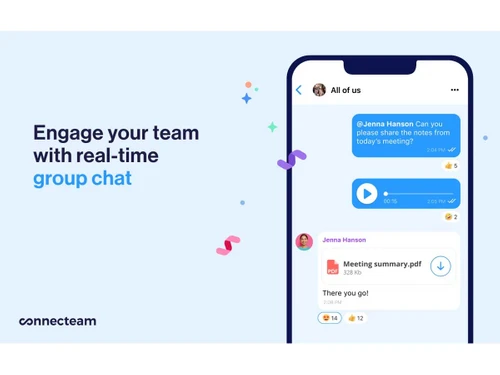
    It facilitates instant messaging and announcements through a unified company hub. The notification system ensures critical updates reach employees in real-time.

Connecteam Pricing

The pricing of Connecteam starts from $35/month at Techjockey.com. You can get in touch with them for more information related to software.

Pricing Plans:

  • Basic: $35/month
  • Advanced: $59/month
  • Expert: $119/month
  • Enterprise: Custom
Read more

Connecteam Inc Company Details

Founded Year:  2016

Connecteam is the employee management app that connects everything a business needs from the field to the office, all in one place.

Director/Founders Amir Nehemia, Matan Elmalam, and Hadar Shmueli
Company Size 101-500 Employees

Connecteam Pricing & Plans

Basic
Starting at $35
    • Licenses

      Licenses
      Licenses
    • Monthly

      Monthly
      Monthly

Key Features

  • Require approval for time off requests

  • Course insights and completion status

  • Celebrate birthdays and anniversaries

  • Add a quiz to a course

  • Create 5 custom recognition badges

Advanced
Starting at $59
    • Licenses

      Licenses
      Licenses
    • Monthly

      Monthly
      Monthly

Key Features

  • Everything in HR & Skills Basic, plus

  • Add 9 time off policies with balance

  • Set carryover limit in time off

  • Unlimited courses

  • Unlimited documents and packs

  • Set required score in quizzes

Expert
Starting at $119
    • Licenses

      Licenses
      Licenses
    • Monthly

      Monthly
      Monthly

Key Features

  • Everything in HR & Skills Advanced, plus

  • Unlimited time off policies with balance

  • Deep permissions in time off

  • Set course order and availability

  • Require review process in documents

  • Team-based celebrations

  • Limit time off requests time-frame

  • Custom publishers for recognitions

Connecteam Features

  • icon_check Training & Onboarding
    Create mobile courses with videos, quizzes, track progress live.
  • icon_check Document Management
    Securely store employee files & certificates, with expiration reminders.
  • icon_check Timeline Management
    Visual log of employee milestones like promotions, reviews, raises.
  • icon_check Employee Time Clock
    Smart clock‑in/out with GPS and automated timesheets.
  • icon_check Task Management
    Assign tasks, checklists, track completion in real time.
  • icon_check Employee Scheduling
    Drag‑and‑drop shifts, templates, availability, conflicts flagged
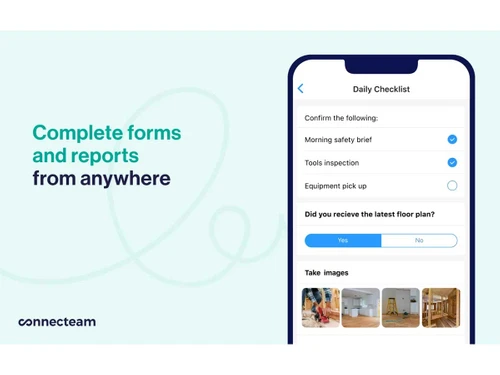
  • icon_check Forms & Checklists
    Instant field reporting with custom forms and insights.
  • icon_check Recognition & Rewards
    Peer‑to‑peer recognition, reward badges.
  • icon_check Employee ID Card
    Issue digital ID cards instantly to staff via mobile.
  • icon_check Time Off
    Manage PTO/sick leave with policy rules, approvals, balance tracking.
Connecteam Demo Video play icon

Get Connecteam Demo

Watch the demo video to explore key features, real workflows, and how the software fits your business needs.

Understand
Key Features
Personal
Demo Insights
Interactive
Demo Support

Connecteam Specifications

Supported Platforms
Windows Windows iOS iOS Android Android MacOS MacOS Linux Linux
Devices
Desktop Desktop Mobile Mobile iPad iPad
Deployment
Cloud-Based Cloud-Based
Suitable For
All Industries
Business Specific
All Businesses
Business Size
Small Business Startups Medium Business Enterprises SMBs SMEs MSMBs MSMEs
Customer Support
Phone Email Live Chat Forums
Language
English
Training Resources
Live Online Documentation Videos

Explore the Best Alternative Solutions Similar to Your Business Size and Needs

Connecteam Review

4.1

Out of 5

img

Overall Rating

Based on
5 Verified Ratings

Rating Breakdown

  • Features 4.1
  • Value for Money 4.3
  • Ease of Use 4
  • Customer Support 4.4

80% Recommend this Product

Add Review

Techjockey Trusted Reviews from Verified Users

No reviews are currently available for Connecteam. Discover similar Employee Engagement Software reviews

  • Blink

    4.4

    Whats great - Competitive pricing, no surprise addons read more
  • Empuls

    4.8

    Whats great - I really wanted to make my office a different place from the usual ones. Xoxoday Empuls has helped me in that. With this soft... read more

  • Advantage Club

    5.0

    Whats great - The mobile app is handy. Most of us just open the app, check our balance and redeem from there. No one wants to log into anot... read more

Compare Connecteam With other Employee Engagement Software

Products
Ratings
Pricing
Device Supported
Deployment
Supported Platforms
  • img

    Connecteam

  • 4.1

  • Price On Request

  • Desktop

    Mobile

  • Web based

    On Premises

  • Windows

    Mac OS

  • img

    SogoEX

  • 4.1

  • Price On Request

  • Desktop

    Mobile

  • Web based

    On Premises

  • Windows

    Mac OS

  • img

    Empuls

  • 4.7

  • Price On Request

  • Desktop

    Mobile

  • Web based

    On Premises

  • Windows

    Mac OS

  • img

    Haiilo

  • 4.0

  • Price On Request

  • Desktop

    Mobile

  • Web based

    On Premises

  • Windows

    Mac OS

  • img

    Jostle

  • 4.2

  • Price On Request

  • Desktop

    Mobile

  • Web based

    On Premises

  • Windows

    Mac OS

  • img

    Blink

  • 4.4

  • Price On Request

  • Desktop

    Mobile

  • Web based

    On Premises

  • Windows

    Mac OS

  • img

    DailyPay

  • 4.3

  • Price On Request

  • Desktop

    Mobile

  • Web based

    On Premises

  • Windows

    Mac OS

  • img

    Appspace

  • 4.3

  • Price On Request

  • Desktop

    Mobile

  • Web based

    On Premises

  • Windows

    Mac OS

  • img

    Workvivo

  • 4.3

  • Price On Request

  • Desktop

    Mobile

  • Web based

    On Premises

  • Windows

    Mac OS

  • img

    Interact

  • 4.2

  • Price On Request

  • Desktop

    Mobile

  • Web based

    On Premises

  • Windows

    Mac OS

(0) Product(s) selected

Connecteam Alternatives

See All Connecteam Alternatives

Available

Price on Request

Starting Price:

$75 /Month

Available

Price on Request

Starting Price:

$41 /Month

Available

Price on Request

Available

Price on Request

Available

Price on Request

Starting Price:

$2 /User/Month

Starting Price:

$3 /User/Month

How does Connecteam work?

Connecteam works as an all-in-one employee management app that centralizes scheduling, time tracking, task management, and communication for deskless teams via mobile or desktop.

Is Connecteam software free?

No, the free edition of Connecteam is not available, but a free trial of 14 days is available.

Who uses Connecteam?

Connecteam is widely used by numerous teams across various industries, including healthcare, retail, construction, hospitality, and more.

How much does Connecteam cost?

Connecteam pricing starts from $35/month at Techjockey.com

Is there any mobile app for Connecteam?

Yes, Connecteam has a mobile app.

Is Connecteam worth it?

Yes, it's worth it for businesses needing all-in-one deskless team management.

Does Connecteam track your location all the time?

Yes, Connecteam only tracks your location during clock-in/out or assigned tasks with GPS tracking.

Does Connecteam work without internet?

Yes, offline mode syncs data when reconnected.

Does Connecteam track mileage?

Yes, automatic mileage tracking for travel reimbursement.

Can I cancel my Connecteam subscription?

Yes, you can cancel your Connecteam subscription via account settings or by contacting support.

Does Connecteam do invoicing?

No, it focuses on workforce management.

Can Connecteam see my location?

Yes, only with permission during work hours for shift tracking.

Does Connecteam run payroll?

No, but it exports time data to payroll systems.

20,000+ Software Listed

Best Price Guranteed

Free Expert Consultation

2M+ Happy Customers

Terms and Condtions

close

Users with registered businesses can purchase goods from merchants on the platform to satisfy their business needs. Users are not permitted to utilize any products acquired through the platform for resale, advertising, business, or further distribution.

For each purchase made, users will receive a Tax Invoice (or 'GST invoice') that includes specific details such as:

  • the GSTIN of the user associated with their registered business, and

  • the specified Entity Name for their business.

It should be noted that not all products are eligible for GST Invoice. Only the products displayed by participating sellers with the 'GST-based Invoice Available' callout on the product description page would qualify.

Certain goods and services are not eligible to get a GST Invoice, including items with VAS, i.e., Value Added Services (e.g., Total Mobile Protection/Assured Buyback) and those involving an exchange offer at the time of purchase.

Users must ensure the accuracy of the GSTIN, and business entity name provided for the GST Invoice. Requests for corrections into GST Invoice would not be accommodated by Techjockey.com or any Seller, and any issues arising from user-provided information are the sole responsibility of users.

Techjockey.com is not liable for the GST Invoice or any associated input tax credit. To efficiently claim an input tax credit, users should select the registered place of business address as per the GST authority's data and follow the provisions of the GST Act and rules.

To claim an input tax credit, the delivery and billing addresses must match. Furthermore, input tax credits will not be granted if the delivery address and GSTIN on the invoice are from different states. In case of incorrect GST details provided during the order placement, the order will be canceled automatically.