linkedin
DesignEvo logo
play Make a Logo for Free with 4000+ Customizable Logo Templates
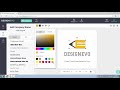
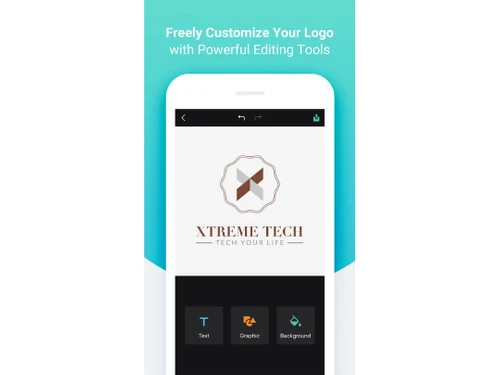
DesignEvo Customize
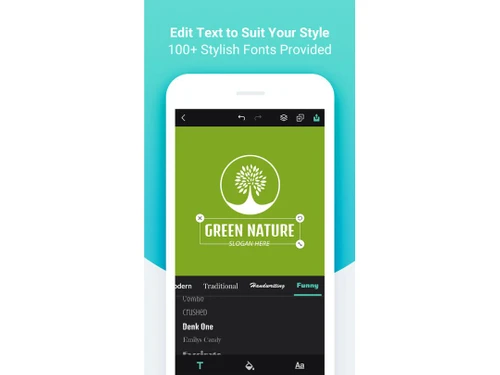
DesignEvo Edit Text

DesignEvo

Brand: PearlMountain

  • 3.9

  • 5 Ratings

DesignEvo is logo design software that helps in logo design using customizable logo templates, easy editing, and high-quality files.

See More

Have you used DesignEvo before?

Share your insights for better experience

Add a Review
Starting Price
$25

View plans

100% Genuine
Products
Best Price
Guaranteed
Safe & Secure
Payment
  • Description

  • Pricing

  • Features

  • Specification

  • Review

  • Compare

  • Alternatives

  • FAQ

Starting at $25

DesignEvo Software Overview

What is DesignEvo?

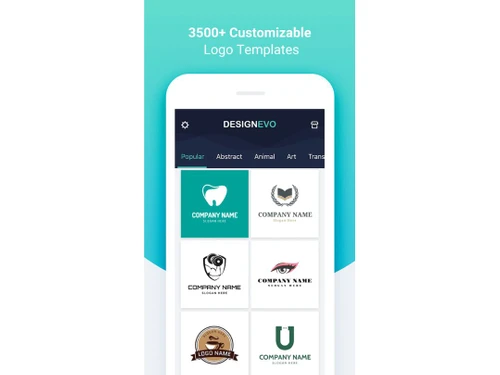
DesignEvo is a web-based logo maker application that allows the creation of quality logos in minutes. With a very friendly interface, smooth navigation, and over 10,000 templates, it helps in creative logo designs and customization. It provides access to hundreds of icons and fonts for designing logos.

It asks the user to enter the business domain, select the template from the category, and customize the logo. It has a vast library of templates and multiple color schemes. Users can store the logos and edit further through sign-up of their space. The high-quality logo files are available in SVG and PDF and can be exported in these formats. The application provides tools for making images for social media profiles, business branding, and websites.

Why Choose DesignEvo Software?

  • Logo Designing: Create a distinct logo from thousands of templates to build a strong and recognizable brand identity.
  • Logo Customization: Modify existing templates' colors, fonts, and icons to tailor a logo to your specific brand needs.
  • App Icons: Design unique app icons that stand out in app stores, helping to attract users and enhance app visibility.
  • Marketing Materials: Integrate customized logos into business cards, brochures, and ads to ensure consistent branding across all marketing collateral.
  • Social Media Profiles: Design engaging logos for social media platforms to strengthen brand presence and boost user interaction across various channels.

Benefits of DesignEvo Platform

  • Huge Templates: Access to over 10,000 templates offers diverse options for creating a unique and professional logo.
  • Easy Interface: Intuitive design tools make it simple for anyone to create and customize logos quickly.
  • Great Tools: Includes millions of icons and fonts, allowing detailed customization for a standout logo design.
  • High Utility: Provides high-quality file formats and copyright ownership, ensuring versatile use for various branding needs.
  • Affordable: Offers free and paid options, making professional logo design accessible without a significant investment.

Pricing of DesignEvo

DesignEvo price in India starts at $ 25. DesignEvo comes with multiple pricing plans and caters to a diverse customer base.

For subscription-related details and offers on premium packages, please request a call back from our product experts.

Read more

PearlMountain Company Details

Founded Year:  2006

PearlMountain has focused on the research and development of Graphics & Multimedia software since 2006. We aim to make professional graphic design and video production capability accessible to everyone.

Director/Founders Lin Xiao
Company Size 1-100 Employees

DesignEvo Pricing & Plans

Basic
Starting at $25
    • Licenses

      Licenses
      Licenses

Key Features

  • No need to give credit

  • Low resolution files (JPG, PNG)

  • Transparent PNG

  • Edit and re-download

  • Lifetime support

Plus
Starting at $50
    • Licenses

      Licenses
      Licenses

Key Features

  • No need to give credit

  • Low resolution files (JPG, PNG)

  • Transparent PNG

  • Edit and re-download

  • Lifetime support

DesignEvo Features

  • icon_check Templates
    A huge selection of over 10,000 templates ensures you find a design that fits your brand perfectly.
  • icon_check Customizable Elements
    Easily adjust colors, fonts, and icons to personalize your logo and match your brand’s style.
  • icon_check Drag & Drop
    A simple drag-and-drop interface streamlines the design process, making logo creation fast and hassle-free.
  • icon_check Layering System
    An advanced layering system allows precise control over design elements, ensuring a polished and professional logo.
  • icon_check Color Adjustment
    Fine-tune color schemes with gradient and solid color options for a logo that aligns with your brand identity.
  • icon_check Project Management
    Organize multiple logo designs and revisions within one platform, simplifying the design and approval process.
  • icon_check Collaboration
    Share your designs with team members for feedback, making collaborative design improvements easy and efficient.
  • icon_check Social Media Integration
    Create logos tailored to social media profiles to enhance your brand’s online presence and engagement.
DesignEvo Demo Video play icon

Get DesignEvo Demo

Watch the demo video to explore key features, real workflows, and how the software fits your business needs.

Understand
Key Features
Personal
Demo Insights
Interactive
Demo Support

DesignEvo Specifications

Supported Platforms
Ubuntu Ubuntu Windows Windows iOS iOS Android Android MacOS MacOS Linux Linux
Devices
Desktop Desktop Mobile Mobile Tablet Tablet iPad iPad
Deployment
Cloud-Based Cloud-Based
Suitable For
All Industries
Business Specific
All Businesses
Business Size
Small Business Medium Business Enterprises
Customer Support
Email Communities
Language
English
Training Resources
Videos

Explore the Best Alternative Solutions Similar to Your Business Size and Needs

DesignEvo Review

3.9

Out of 5

img

Overall Rating

Based on
5 Verified Ratings

Rating Breakdown

  • Features 3.8
  • Value for Money 3.9
  • Ease of Use 3.7
  • Customer Support 4.5

90% Recommend this Product

Add Review

Be the First to Review

This product has no reviews yet. Be the first to leave your feedback.

Add Review

Compare DesignEvo With other Logo Designing Softwares

Products
Ratings
Pricing
Device Supported
Deployment
Supported Platforms
  • img

    DesignEvo

  • 3.9

  • Price On Request

  • Desktop

    Mobile

  • Web based

    On Premises

  • Windows

    Mac OS

  • img

    Designs Logomaker

  • 5

  • Price On Request

  • Desktop

    Mobile

  • Web based

    On Premises

  • Windows

    Mac OS

  • img

    Logomaster AI

  • 4.3

  • ₹ 990

  • Desktop

    Mobile

  • Web based

    On Premises

  • Windows

    Mac OS

  • img

    Turbologo

  • 4.3

  • ₹ 790

  • Desktop

    Mobile

  • Web based

    On Premises

  • Windows

    Mac OS

  • img

    SMASHINGLOGO

  • 4.2

  • Price On Request

  • Desktop

    Mobile

  • Web based

    On Premises

  • Windows

    Mac OS

  • img

    Brandmark

  • 4.4

  • Price On Request

  • Desktop

    Mobile

  • Web based

    On Premises

  • Windows

    Mac OS

  • img

    Stockimg AI

  • 4.1

  • Price On Request

  • Desktop

    Mobile

  • Web based

    On Premises

  • Windows

    Mac OS

  • img

    MakeLogo AI

  • 4.2

  • Price On Request

  • Desktop

    Mobile

  • Web based

    On Premises

  • Windows

    Mac OS

  • img

    LogoAI

  • 4.5

  • Price On Request

  • Desktop

    Mobile

  • Web based

    On Premises

  • Windows

    Mac OS

  • img

    Logo Maker

  • 4.4

  • Price On Request

  • Desktop

    Mobile

  • Web based

    On Premises

  • Windows

    Mac OS

  • img

    Looka

  • 4.6

  • Price On Request

  • Desktop

    Mobile

  • Web based

    On Premises

  • Windows

    Mac OS

(0) Product(s) selected

DesignEvo Alternatives

See All DesignEvo Alternatives

Available

Price on Request

Is DesignEvo free to use?

Yes, DesignEvo comes with both free and paid options. The free version provides basic features and templates.

What devices and operating systems are compatible with DesignEvo?

DesignEvo is web-based and works on any device with a web browser.

Can I use the logo that I created using DesignEvo on social media?

Yes, DesignEvo provides tools for logo design optimized for social media profiles.

What customization options do I get using DesignEvo?

Using DesingEvo, you can customize the logo by adjusting text, colors, icons, and layout using the drag-and-drop interface.

Are there demo options available for DesignEvo?

Yes, DesignEvo provides demo templates and features before purchasing the full version.

What types of icons does DesignEvo support?

DesignEvo includes millions of vector icons for different categories to enhance and personalize logos.

What file formats does DesignEvo provide for logos?

The Basic Package of DesignEvo provides high-resolution JPG and PG files. The Plus Package provides vector files (PDF, SVG) and font files.

Does the user have the right to access the logo created in DesignEvo?

Yes, the user owns the copyright to the logo created using DesignEvo.

20,000+ Software Listed

Best Price Guranteed

Free Expert Consultation

2M+ Happy Customers

Terms and Condtions

close

Users with registered businesses can purchase goods from merchants on the platform to satisfy their business needs. Users are not permitted to utilize any products acquired through the platform for resale, advertising, business, or further distribution.

For each purchase made, users will receive a Tax Invoice (or 'GST invoice') that includes specific details such as:

  • the GSTIN of the user associated with their registered business, and

  • the specified Entity Name for their business.

It should be noted that not all products are eligible for GST Invoice. Only the products displayed by participating sellers with the 'GST-based Invoice Available' callout on the product description page would qualify.

Certain goods and services are not eligible to get a GST Invoice, including items with VAS, i.e., Value Added Services (e.g., Total Mobile Protection/Assured Buyback) and those involving an exchange offer at the time of purchase.

Users must ensure the accuracy of the GSTIN, and business entity name provided for the GST Invoice. Requests for corrections into GST Invoice would not be accommodated by Techjockey.com or any Seller, and any issues arising from user-provided information are the sole responsibility of users.

Techjockey.com is not liable for the GST Invoice or any associated input tax credit. To efficiently claim an input tax credit, users should select the registered place of business address as per the GST authority's data and follow the provisions of the GST Act and rules.

To claim an input tax credit, the delivery and billing addresses must match. Furthermore, input tax credits will not be granted if the delivery address and GSTIN on the invoice are from different states. In case of incorrect GST details provided during the order placement, the order will be canceled automatically.