linkedin
EasyWorship logo
play Welcome To EasyWorship.
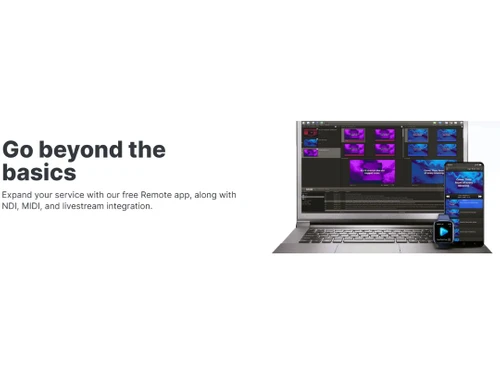
EasyWorship go beyond the basics
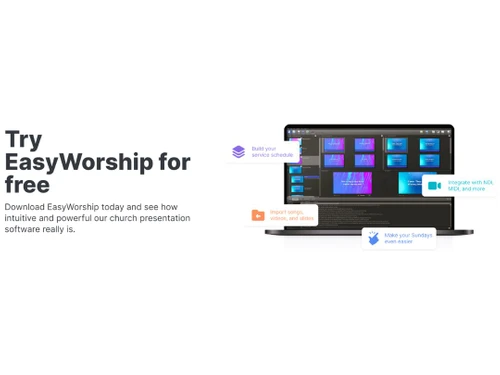
EasyWorship see how intuitive and powerful

EasyWorship

Brand: Softouch Development

  • 4.3

  • 6 Ratings

A powerful and reliable church presentation software that helps display lyrics, videos, and slides seamlessly during worship services.

See More

Have you used EasyWorship before?

Share your insights for better experience

Add a Review
Starting Price
$18

View plans

100% Genuine
Products
Best Price
Guaranteed
Safe & Secure
Payment
  • Description

  • Pricing

  • Features

  • Specification

  • Review

  • Compare

  • Alternatives

  • FAQ

Starting at $18

EasyWorship Software Overview

What is EasyWorship?

EasyWorship is a presentation software designed specifically for churches and worship services. It allows users to import, build, and display lyrics, videos, and slides seamlessly during services. The software is user-friendly, making it easy for church staff to create engaging presentations without extensive technical skills.

This church management software supports various media formats, enabling the integration of multimedia elements to enhance worship experiences. It also offers features like live video streaming and the ability to manage multiple presentations simultaneously. Additionally, users can customize their presentations with themes and templates that fit their church's style.

Why Choose EasyWorship Software?

  • User-Friendly Interface: It features an intuitive design that allows users to create and manage presentations effortlessly, making it accessible for all church staff.
  • Seamless Media Integration: The software supports various media formats, enabling the incorporation of videos, images, and audio into presentations to enhance worship experiences.
  • Customizable Themes and Templates: Users can personalize their presentations with a variety of themes and templates, ensuring that the visuals align with the church's branding and style.
  • Live Streaming Capabilities: It allows churches to stream services live, reaching a wider audience and enhancing community engagement.
  • Multi-Screen Support: The platform supports displaying content on multiple screens simultaneously, allowing for more dynamic worship environments.
  • Offline Functionality: It can be used without an internet connection, ensuring that presentations can proceed smoothly even in areas with poor connectivity.
  • Support Resources: The software offers extensive tutorials and customer support to assist users in maximizing its features effectively.
  • Regular Updates: It is frequently updated with new features and improvements, ensuring that users have access to the latest technology.
  • Affordable Pricing Plans: The software provides cost-effective pricing options tailored for churches of all sizes, making it accessible for various budgets.
  • Community Feedback Integration: It incorporates user feedback into its development process, continually improving based on the needs of its users.

Benefits of EasyWorship Software

  • Integrated Scripture Tool: It includes a built-in scripture database, allowing users to quickly search and display Bible verses during services without needing external tools.
  • Drag-and-Drop Functionality: The software offers drag-and-drop features for adding media and arranging slides, simplifying the creation of presentations.
  • Real-Time Editing: Users can make last-minute edits to slides or lyrics while the presentation is live, ensuring flexibility during services.
  • Song Library Management: It provides an organized song library where users can store and access lyrics easily for future use.
  • Custom Font and Styling Options: The platform allows customization of fonts, colors, and text styles to create visually appealing slides that match the tone of the service.
  • Video Background Support: Users can add motion video backgrounds to slides, creating more dynamic and engaging visuals for worship sessions.
  • Multi-Language Support: It supports multiple languages, making it suitable for churches with diverse congregations.
  • Schedule Planning: The software allows users to plan and organize service schedules in advance, ensuring smooth transitions between different segments of the service.
  • Audio Integration: It supports embedding audio tracks directly into presentations, enhancing multimedia worship experiences.
  • Volunteer-Friendly Design: Its simplicity makes it easy for volunteers with minimal technical knowledge to operate, reducing dependency on specialized staff.

Pricing of EasyWorship

EasyWorship pricing starts at $ 18 per month at Techjockey.com

The pricing model is based on different parameters, including extra features, deployment type, and the total number of users. For further queries related to the product, you can contact our product team and learn more about the pricing and offers.

Read more

Softouch Development Company Details

Founded Year:  1991

We make powerful, yet simple worship presentation software called EasyWorship.

Director/Founders Jeff Taylor
Company Size 1-100 Employees

EasyWorship Pricing & Plans

EasyWorship Basic
Key Features
  • Campus License
  • Regular software updates
  • Unlimited free support
  • Instructor-led basic training session
Starting at $18
    • Licenses

      Licenses
      Licenses
    • Monthly

      Monthly
      Monthly

Key Features

  • Campus License

  • Regular software updates

  • Unlimited free support

  • Instructor-led basic training session

EasyWorship Features

  • icon_check Worship
    Facilitates seamless presentation of worship services with tools for lyrics, Bible verses, and multimedia content.
  • icon_check Media Library
    A built-in library to organize and manage various media files like images, videos, and audio for easy access during services.
  • icon_check Video Content
    Supports video integration and playback, allowing churches to incorporate worship videos, announcements, or other media.
  • icon_check Audio Library
    Offers a library for organizing and playing audio files, such as music tracks or sermon recordings, during services.
  • icon_check Customizable Templates
    Provides pre-designed templates that can be personalized to fit the specific style and needs of the church.
  • icon_check Collaboration Tools
    Enables multiple users to collaborate on service planning and media management, improving team coordination.
  • icon_check Drag & Drop
    Simplifies media placement by allowing users to easily drag and drop files into the presentation timeline.
  • icon_check Search and Filter
    Helps quickly locate specific songs, videos, or other media content with an efficient search and filtering system.
  • icon_check Multi-Screen Support
    Allows simultaneous display of content on multiple screens, ideal for large venues or different viewing areas.
  • icon_check Image Library
    Organizes and stores images for easy access and inclusion in worship presentations.
EasyWorship Demo Video play icon

Get EasyWorship Demo

Watch the demo video to explore key features, real workflows, and how the software fits your business needs.

Understand
Key Features
Personal
Demo Insights
Interactive
Demo Support

EasyWorship Specifications

Supported Platforms
Windows Windows iOS iOS Android Android
Devices
Desktop Desktop Mobile Mobile iPad iPad
Deployment
Perpetual Perpetual
Suitable For
All Industries
Business Specific
All Businesses
Business Size
Small Business Startups Medium Business Enterprises
Customer Support
Phone Email Live Chat Communities Forums
Language
English
Training Resources
Live Online Webinars Documentation Videos

Explore the Best Alternative Solutions Similar to Your Business Size and Needs

EasyWorship Review

4.3

Out of 5

img

Overall Rating

Based on
6 Verified Ratings

Rating Breakdown

  • Features 4.4
  • Value for Money 4
  • Ease of Use 4.5
  • Customer Support 4.5

86% Recommend this Product

Add Review

Be the First to Review

This product has no reviews yet. Be the first to leave your feedback.

Add Review

Compare EasyWorship With other Church Presentation Software

Products
Ratings
Pricing
Device Supported
Deployment
Supported Platforms
  • img

    EasyWorship

  • 4.3

  • Price On Request

  • Desktop

    Mobile

  • Web based

    On Premises

  • Windows

    Mac OS

  • img

    FreeShow

  • 4.3

  • Price On Request

  • Desktop

    Mobile

  • Web based

    On Premises

  • Windows

    Mac OS

  • img

    Proclaim

  • 4.2

  • Price On Request

  • Desktop

    Mobile

  • Web based

    On Premises

  • Windows

    Mac OS

  • img

    MediaShout

  • 4.2

  • Price On Request

  • Desktop

    Mobile

  • Web based

    On Premises

  • Windows

    Mac OS

  • img

    Worshiptools

  • 4.4

  • Price On Request

  • Desktop

    Mobile

  • Web based

    On Premises

  • Windows

    Mac OS

  • img

    ZionWorx

  • 4.1

  • Price On Request

  • Desktop

    Mobile

  • Web based

    On Premises

  • Windows

    Mac OS

  • img

    Risen Media

  • 4.5

  • Price On Request

  • Desktop

    Mobile

  • Web based

    On Premises

  • Windows

    Mac OS

  • img

    Slipity

  • 4.3

  • Price On Request

  • Desktop

    Mobile

  • Web based

    On Premises

  • Windows

    Mac OS

  • img

    ProPresenter

  • 4.1

  • Price On Request

  • Desktop

    Mobile

  • Web based

    On Premises

  • Windows

    Mac OS

  • img

    VerseCAST

  • 4.2

  • Price On Request

  • Desktop

    Mobile

  • Web based

    On Premises

  • Windows

    Mac OS

  • img

    OpenLP

  • 4.0

  • Price On Request

  • Desktop

    Mobile

  • Web based

    On Premises

  • Windows

    Mac OS

(0) Product(s) selected

EasyWorship Alternatives

See All EasyWorship Alternatives

Starting Price:

$18 /Month

Available

Price on Request

Available

Price on Request

Available

Price on Request

Starting Price:

AUD15 /Month

What is the cost of EasyWorship Software?

EasyWorship pricing starts at $ 18 per month at Techjockey.com

Is there a mobile app for EasyWorship Software?

EasyWorship is available on iOS and Android apps.

Which operating systems are compatible with EasyWorship Software?

EasyWorship is compatible with Windows, iOS, and Android operating systems.

Does EasyWorship Software offer a free trial?

Yes, EasyWorship offers a 30-day free trial for new users to explore its features.

How does EasyWorship Software function?

EasyWorship works by allowing users to create, manage, and display worship presentations with multimedia elements like text, images, and videos.

Who can benefit from using EasyWorship Software?

Church leaders, worship teams, and ministries can benefit from using EasyWorship for managing and presenting worship services.

Is a free demo available for EasyWorship Software?

Yes, EasyWorship provides a free demo to help users understand its features before purchasing.

Is EasyWorship Software available for free?

No, EasyWorship is not free, but a 30-day free trial is available for testing.

Can I upgrade my EasyWorship Software plan?

Yes, users can upgrade to a higher plan anytime by purchasing the new plan through the official website.

Does EasyWorship support importing media from other programs?

Yes, EasyWorship allows users to import media from external sources like PowerPoint, videos, and audio files.

20,000+ Software Listed

Best Price Guranteed

Free Expert Consultation

2M+ Happy Customers

Terms and Condtions

close

Users with registered businesses can purchase goods from merchants on the platform to satisfy their business needs. Users are not permitted to utilize any products acquired through the platform for resale, advertising, business, or further distribution.

For each purchase made, users will receive a Tax Invoice (or 'GST invoice') that includes specific details such as:

  • the GSTIN of the user associated with their registered business, and

  • the specified Entity Name for their business.

It should be noted that not all products are eligible for GST Invoice. Only the products displayed by participating sellers with the 'GST-based Invoice Available' callout on the product description page would qualify.

Certain goods and services are not eligible to get a GST Invoice, including items with VAS, i.e., Value Added Services (e.g., Total Mobile Protection/Assured Buyback) and those involving an exchange offer at the time of purchase.

Users must ensure the accuracy of the GSTIN, and business entity name provided for the GST Invoice. Requests for corrections into GST Invoice would not be accommodated by Techjockey.com or any Seller, and any issues arising from user-provided information are the sole responsibility of users.

Techjockey.com is not liable for the GST Invoice or any associated input tax credit. To efficiently claim an input tax credit, users should select the registered place of business address as per the GST authority's data and follow the provisions of the GST Act and rules.

To claim an input tax credit, the delivery and billing addresses must match. Furthermore, input tax credits will not be granted if the delivery address and GSTIN on the invoice are from different states. In case of incorrect GST details provided during the order placement, the order will be canceled automatically.